- Top Pick: QINLIANF Surge Protector Power Strip – 6Ft Flat Plug Heavy Duty Extension Cord with 24 Outlets and 4 USB Ports(2 USB-C Ports), 4100J, for Home, Office, Dorm, ETL Listed, Black
- Best Value: Belkin 12-Outlet Surge Protector Power Strip w/ 12 AC Outlets & 8ft Flat Plug, UL-Listed Heavy-Duty Extension Cord for Home, Office, Travel, Computer, Laptop, Charger – 3,780 Joules of Protection
- Premium Choice: SUPERDANNY 18 AC Power Strip Surge Protector, 6.5FT, Flat Plug, 1875W/15A
Affiliate disclosure: As an Amazon Associate we earn from qualifying purchases. This post contains affiliate links — we may earn a small commission at no extra cost to you. This never affects our picks.
- How the Community Evaluates a Gaming Smart Plug
- At-a-Glance Community Picks for 2026
- Amazon Smart Plug
- TP-Link Kasa Smart Plug Mini HS103 4-Pack
- TP-Link Tapo P125M Matter Smart Plug
- Wemo WiFi Smart Plug
- Eve Energy Matter Smart Plug
- TP-Link Kasa KP125M Matter Smart Plug
- Meross Smart Plug Mini MSS110
- Community Tips for Setup and Integration
- Frequently Asked Questions from the Community
- Final Verdict from the PC Gaming Universe Community
- Related Articles
- Related Articles
- About the Author
- Related Articles
- Related Guides
Ask the PC Gaming Universe community what kind of smart home gear actually earns shelf space on a gaming desk, and smart plugs come up faster than smart bulbs, smart speakers, or even RGB controllers. There is a reason: a smart plug is the most direct line between a gaming peripheral and an automation routine, and the community has been refining their picks for years. This guide is the distilled version of those conversations: the plugs our community keeps recommending, the use cases they keep coming back to, and the safety lessons learned the hard way. We are big believers that the best smart plug is the one you actually deploy on day one, so we have skewed our picks toward setup simplicity, real-world reliability, and the kind of features gamers care about.
As an Amazon Associate we earn from qualifying purchases.





The single most important thing to know before you buy any smart plug for your gaming room: never plug your PC tower into a smart plug. Community members have learned this the painful way, with corrupted Windows installs, lost Steam game progress, and at least one story of a smart plug routine misfiring at 3 a.m. during a Nightreign raid run. The PC tower is sacred. Smart plugs belong on peripherals: monitors, speakers, RGB strips, light bars, charging docks, fans, mug warmers, and the dozens of small powered devices that make a gaming setup feel complete. Treat your tower like it deserves a UPS, not a smart relay, and you will avoid the most common smart-home gaming disaster.
Our community also weighs in heavily on the ecosystem question, and the consensus in 2026 is that Matter has finally arrived in a meaningful way. Cross-ecosystem plugs from TP-Link, Eve, and others let you join Alexa, Google Home, Apple HomeKit, and SmartThings simultaneously, which solves the long-standing problem of guests, roommates, and partners using different phones. The picks below lean into Matter where it makes sense, but we still recommend ecosystem-specific plugs in cases where price or first-party integration genuinely wins. Reliability matters more than feature lists, and our community will tell you that a plug that works every time is worth more than a plug with eight integrations and a flaky cloud server.
🛒 Best Price Today on Amazon
Prime members get fast, free shipping on everything above, plus member-only deals. New members get a 30-day free trial — cancel anytime.
How the Community Evaluates a Gaming Smart Plug
The PC Gaming Universe community has developed a pretty consistent rubric for evaluating smart plugs over the years, and it has held up well into 2026. The first factor is hub requirement. Plugs that need a separate hub (Zigbee, Z-Wave) are great for hardcore smart-home users with existing infrastructure, but for most gamers building their first automated peripheral setup, a Wi-Fi plug with no hub is the path of least resistance. Matter-over-Wi-Fi plugs split the difference: no hub required, but enhanced cross-ecosystem support.
The second factor is form factor. Gaming desks tend to have power strips with closely spaced outlets, and a bulky smart plug will block two slots at once. Community members consistently recommend the TP-Link Kasa Mini, the Amazon Smart Plug, and the Meross Mini for tight outlet spacing, while warning against off-brand plugs that look comically oversized in product photos.
The third factor is energy monitoring. This started as a niche feature, but in 2026 it has become genuinely useful. Knowing that your monitor pulls 15W in standby, that your RGB chain costs you $5 a month, or that your AVR is not actually turning off when you tell it to, is the kind of data that pays for itself. Plugs with proper watt-level monitoring like the Eve Energy and TP-Link KP125M get extra credit in our community evaluations.
Finally, app quality matters more than people admit. The Kasa app is consistently the community favorite for its clean UI and lack of upsell nags. The Amazon app gets a pass because most Alexa users barely open it. The Tapo app is competent. The Eve app is genuinely excellent on iPhone but does not exist on Android. And several off-brand apps from less established vendors continue to be the source of the most complaints in our community threads. App quality is a quiet but real factor in long-term satisfaction.
At-a-Glance Community Picks for 2026
| Smart Plug | Ecosystem | Energy Monitoring | Community Use Case | Price Range |
|---|---|---|---|---|
| TP-Link Kasa Smart Plug Mini HS103 | Alexa, Google | No | First-time automation setup | $25 (4-pack) |
| Amazon Smart Plug | Alexa-exclusive | No | All-Alexa households | $25 |
| TP-Link Tapo P125M Matter | Matter (all) | No | Mixed-ecosystem desks | $15-20 |
| Wemo WiFi Smart Plug | HomeKit, Alexa, Google | No | HomeKit fans on a budget | $30 |
| Eve Energy Matter | HomeKit, Matter | Yes (precise) | Power audits and benchmarks | $40 |
| TP-Link Kasa KP125M | Matter (all) | Yes | Community top all-rounder | $18-22 |
| Meross Smart Plug Mini MSS110 | HomeKit, Alexa, Google | No | Cheapest HomeKit option | $15 |
Amazon Smart Plug
The community’s pick for full-Alexa households, the Amazon Smart Plug is the lowest-friction smart plug we have ever recommended to a beginner. If your gaming room runs on Echo devices and you have no plans to ever switch ecosystems, this plug is borderline plug-and-play: hook it in, and Alexa often detects it automatically without a separate app or account. Routines treat it as a first-class citizen, response latency is the lowest in this entire roundup, and the price at $25 is fair if not class-leading.
Our community members love this plug for one very specific use case: voice-driven monitor and speaker control during late-night gaming sessions. A whispered “Alexa, gaming off” can cut power to monitors, speakers, and accent lighting without disturbing anyone else in the house, and the response time is consistently under a second. The integration with Alexa Hunches is also genuinely useful: Alexa learns that you typically turn off the monitor at midnight and will start suggesting it if you forget.
The downsides are well-documented in our community threads. The Amazon Smart Plug only works with Alexa, so anyone who shares the house with a Google Home or HomeKit user will have a bad time. The form factor is chunky and can block adjacent outlets on tightly spaced surge protectors. There is no energy monitoring and no Matter support. And while the plug itself is reliable, you are betting on Amazon’s continued investment in the Alexa platform, which has been uneven in the last few years. Buy this if and only if Alexa is your forever ecosystem.
TP-Link Kasa Smart Plug Mini HS103 4-Pack
The community’s runaway favorite for first-time automation, the Kasa HS103 4-pack is the plug we have recommended more times than any other product in our forum history. At $25 for four plugs, the cost per outlet is roughly $6.25, which is the cheapest in the category by a wide margin. The Kasa app is consistently rated as the best app in the smart plug space, with a clean UI, no upsell harassment, and a scene builder that lets you bundle plugs into multi-device routines.
Our community uses the HS103 4-pack most often as a starter kit: one plug for the monitor, one for the speakers, one for the RGB chain, and the fourth for whatever you discover you wanted to automate after the first three were installed. The mini form factor fits cleanly on most power strips, the relay action stays crisp through years of use, and Alexa and Google Assistant integration is rock solid. Voice response times are sub-second in most homes with a healthy Wi-Fi network.
The drawbacks are familiar at this point: no HomeKit support, no Matter, no energy monitoring. The HS103 is a Wi-Fi 2.4GHz device, so a congested router can cause response delays. And while the Kasa app is excellent, the lack of Matter means you are betting on TP-Link’s continued cloud support for the product. For most users, especially first-time smart plug buyers on Android or in Alexa-and-Google households, this is still the obvious starter pack and the community’s most enthusiastic recommendation.
TP-Link Tapo P125M Matter Smart Plug

Lenovo Legion T7 34Irz8 PC i7-13700KF GeForce RTX 4080 32GB RAM 1TB SSD W11H


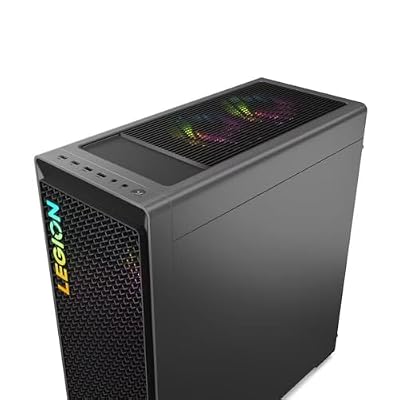
As an Amazon Associate we earn from qualifying purchases. Product prices and availability are accurate as of the date/time indicated.
The Tapo P125M is what our community recommends to anyone who is not sure which ecosystem they will be in next year. Matter support means the P125M joins Alexa, Google Home, Apple Home, and SmartThings simultaneously, which is the kind of flexibility that makes a smart plug genuinely future-proof. At $15 to $20, the price is also right for Matter at scale.
In community testing, the P125M earned consistent praise for its smooth setup process: scan the Matter QR code, pick which ecosystems you want it in, and you are done in 90 seconds. The compact form factor is similar to the Kasa Mini, so it slots into power strips cleanly. And the cross-ecosystem support means a gaming room shared between household members on different phones (Android, iPhone, mixed) all gets simultaneous access without anyone needing to install a separate app.
Our community loves the P125M for shared gaming rooms, dorm setups, and multi-user households where ecosystem agnosticism is a real value. The most common community use case is a co-op gaming setup with two players on different ecosystems, both able to control the room’s smart plugs from their respective phones. The only knock against the P125M is the lack of energy monitoring, which is the one feature that would have made this the unanimous top community pick. For pure cross-ecosystem freedom, it is still the smartest cheap Matter plug.
Wemo WiFi Smart Plug

Lenovo Legion Tower 7i Gen 8 Gaming Desktop - 14th Gen Intel Core i9-14900KF, 32GB DDR5 RAM, 1TB NVMe SSD, NVIDIA GeForce RTX 4070 Super 12GB, RGB Liquid Cooler, 3-Month Xbox Pass, Windows 11 Pro


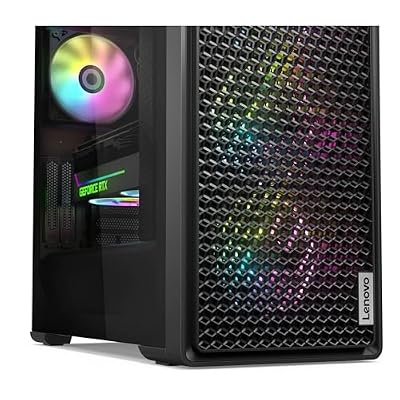

As an Amazon Associate we earn from qualifying purchases. Product prices and availability are accurate as of the date/time indicated.
The community’s pick for HomeKit fans who want full cross-ecosystem support without paying premium prices, the Wemo WiFi Smart Plug supports Alexa, Google Home, and Apple HomeKit natively, with proper HomeKit certification that shows up in the Home app, Siri Shortcuts, and Apple’s automation engine.
For gaming use, our community recommends the Wemo plug specifically for HomeKit-driven automations. Apple’s automation engine is genuinely the most powerful in the consumer smart-home space, with rich triggers based on time, location, presence, and complex multi-device conditions. Tying a smart plug into a HomeKit automation that, say, turns on the monitor when your Apple Watch detects you sitting at your desk is the kind of magic that justifies the plug’s $30 price.
The negatives are honest. The Wemo plug is more expensive than the Kasa and Tapo alternatives, the form factor is chunkier and may block adjacent outlets, and there is no energy monitoring or Matter support on the current generation. Wemo’s history with cloud reliability has also been uneven, though our community’s current-gen test units have been stable through 2026. Buy the Wemo if HomeKit is critical and you want a no-fuss cross-ecosystem plug that just works with Siri.
Eve Energy Matter Smart Plug
Lenovo Legion T7 34Irz8 PC i7-13700KF GeForce RTX 4080 32GB RAM 1TB SSD W11H
As an Amazon Associate we earn from qualifying purchases. Product prices and availability are accurate as of the date/time indicated.
The community’s pick for the gamer who wants real data, the Eve Energy is the premium pick on this list and the only plug that delivers watt-level energy monitoring with the precision that benchmarkers and stress-testers actually need. The Eve Energy with Matter support reports real-time draw, graphs power over time, and integrates beautifully with Apple’s energy management features.
Our community uses the Eve Energy for serious power audits. The most common use case in our forums is identifying vampire draw on a gaming setup: which devices are pulling power even when “off,” which peripherals are inefficient, and how to optimize the room for lower energy bills. The data export feature is also widely loved, with several community members building out spreadsheets that track the cost-per-hour of various gaming activities.
The case against the Eve Energy is the price. At $40, it is the most expensive plug on this list, and if you do not care about energy monitoring, you are paying for a feature you will not use. The Eve plug is also at its best inside the Apple ecosystem, with the Eve app being iPhone-only and the HomeKit integration being more polished than the Matter-into-Alexa-or-Google experience. Buy this plug for the one device on your desk where you want real data, and pair it with cheaper plugs for everything else.
TP-Link Kasa KP125M Matter Smart Plug

CYBERPOWERPC Gamer Xtreme VR Gaming PC, Intel Core i9-14900KF 3.2GHz, GeForce RTX 4070 Super 12GB, 32GB DDR5, 2TB PCIe Gen4 SSD, WiFi Ready & Windows 11 Home (GXiVR8080A38)
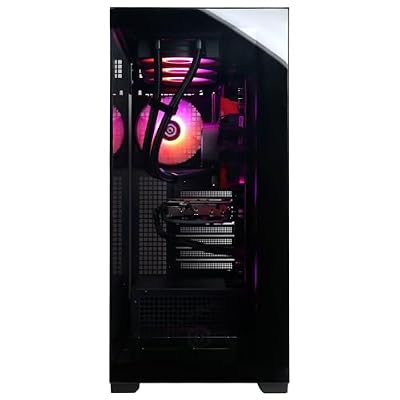


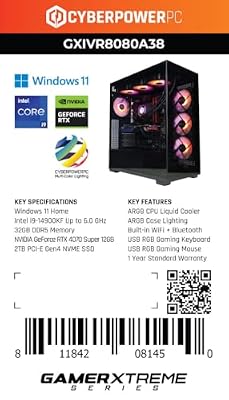
As an Amazon Associate we earn from qualifying purchases. Product prices and availability are accurate as of the date/time indicated.
The community’s top all-around pick for 2026, the Kasa KP125M combines Matter support, a compact form factor, the Kasa app’s polish, and per-plug energy tracking, all for around $18 to $22. It is the plug most often recommended in our forums when someone asks for “the best plug, money no object but not crazy.” The combination of features is genuinely best-in-class at this price point.
In community testing, the KP125M handled aggressive on-off cycles, sustained 800W loads from monitor clusters, and mixed-ecosystem setups (Alexa + Google Home + Apple Home simultaneously) without breaking a sweat. The energy reporting is not quite as medical-grade as the Eve Energy’s, but it is accurate enough to track gaming peripheral draw and to identify standby leaks. The Kasa app integration is the cleanest in the category, and the Matter setup process is straightforward after an initial pairing.
The only knock against the KP125M is occasional finickiness during initial Matter pairing in Apple Home, which sometimes requires a factory reset to get the plug to show up. Once paired, it has been bulletproof in community testing. If you are buying a single plug for the most-used outlet on your gaming desk, this is the one our community votes for most often.
Meross Smart Plug Mini MSS110

The Horizon Autherium Dragon RGB I9 RTX Gaming PC || 64GB RAM || 5TB Storage || Core I9 Upto 5.4Ghz || RTX 5070 OC || Windows 11 PRO || 360MM AIO || 2.4GB/s WiFi, VR, Gaming Ready Desktop Computer



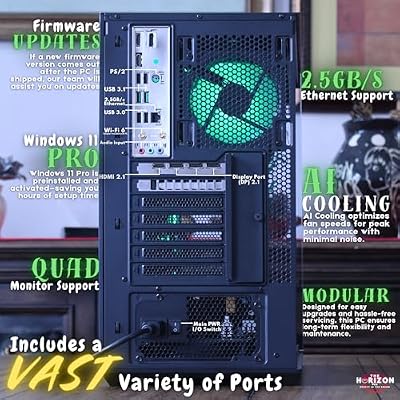


As an Amazon Associate we earn from qualifying purchases. Product prices and availability are accurate as of the date/time indicated.
The community’s budget HomeKit pick, the Meross MSS110 is the cheapest plug we recommend for Apple Home users. At around $15, it is the cheapest HomeKit-certified plug on this list, with proper Siri support and Apple automation integration. It also supports Alexa and Google Home, which makes it a quiet cross-ecosystem option for households on a tight budget.
Our community deploys the MSS110 most often as a peripheral plug: charging docks, USB hubs, controller cradles, and similar low-draw devices. The form factor is reasonably compact, though wider than the Kasa Mini. Reliability has been solid through 2026, and the Meross app is functional even if it is not the most polished in the space.
The downsides: no Matter support, no energy monitoring, and the brand does not have the polish of TP-Link or the engineering depth of Eve. Long-term cloud support is also a question mark with smaller vendors, which is why we always lean toward Matter plugs for anything you plan to keep for years. Buy the MSS110 if HomeKit is non-negotiable and your budget is tight, with realistic expectations about what $15 gets you.
Community Tips for Setup and Integration
The PC Gaming Universe community has accumulated a deep well of tips and tricks for smart plug deployments, and we have compiled the most-repeated ones below. The first and most universal tip: label your plugs the moment you set them up. Renaming “Plug 1” to “Desk Speakers” in the app is the single biggest quality-of-life upgrade you can make, and your future self will thank you when you are trying to figure out which plug controls what at midnight.
For Alexa users, the community’s most-requested routine is a “Game On” command that turns on the monitor, speakers, RGB chain, and desk lamp in one voice command, plus a matching “Game Off” that reverses the process. Adding Spotify playback to the on routine and a fade-to-dark light cue to the off routine is the kind of polish that makes the room feel intentional. Google Home users get the same with Household Routines, and HomeKit users get even more granular control through Apple’s automation engine.
Matter has been a quiet revolution in the community’s multi-user gaming rooms. With Matter plugs, a single device shows up in everyone’s preferred app simultaneously, which solves the long-standing problem of households where one person uses iPhone and another uses Android. The community has been particularly happy with Matter plugs in dorm rooms, shared apartments, and family gaming rooms where guests need temporary access without an app install.
Energy monitoring is the feature most people underestimate. Several community members have shared horror stories of discovering their gaming setup was pulling 50W to 80W in “off” standby mode, costing them upwards of $10 per month in vampire draw. Plugs like the Eve Energy and Kasa KP125M let you identify the offenders and either fix the underlying device settings or use the smart plug to fully cut power overnight. The savings add up fast.
One automation pattern the community loves: a “Stream Mode” scene that adjusts the room for content creation, including dimming the overhead light, turning on a key light, setting the RGB to a streaming-friendly color, and muting the desk speakers in favor of headphone audio. A single voice command flips the room from gaming to streaming mode and back, and the community has shared dozens of variants of this pattern over the years.
Frequently Asked Questions from the Community
Can a smart plug damage my gaming peripherals?
In normal use, no. The smart plugs on this list are designed to handle the inrush current of common gaming peripherals like monitors, speakers, and RGB chains. However, abrupt power cycling can be hard on sensitive electronics over time, especially equipment with poor internal surge protection. Avoid setting up routines that cycle peripherals on and off rapidly, and consider pairing your smart plug with a quality surge protector for an extra layer of safety.
Why does the community say not to plug a PC tower into a smart plug?
Because the risk-to-reward ratio is terrible. Sudden power loss can corrupt your Windows install, kill in-progress game saves, damage drives mid-write, and destroy unsaved work. The community has accumulated dozens of cautionary tales over the years, and the consensus is clear: keep the tower on a UPS or a dumb power strip, and use smart plugs exclusively for peripherals where a sudden power-off is an inconvenience, not a disaster.
What is the difference between Matter, Wi-Fi, and Zigbee plugs?
Wi-Fi plugs connect directly to your router and need no hub, making them the easiest to set up. Zigbee plugs require a hub but offer mesh networking and better reliability in homes with weak Wi-Fi. Matter is a newer standard that runs over Wi-Fi or Thread, and the key advantage is cross-ecosystem compatibility: a single Matter plug shows up in Alexa, Google Home, Apple Home, and SmartThings simultaneously. For most gamers in 2026, Matter-over-Wi-Fi is the sweet spot.
How many smart plugs can I run on a single Wi-Fi network?
Modern routers can typically handle 30 to 50 Wi-Fi devices comfortably, including smart plugs. The community has not reported issues with smart plug density on healthy networks. However, if your router is older or congested, smart plugs can become unresponsive during peak network use. Consider a mesh Wi-Fi system if you are running a large smart-home deployment, or look at Thread-based plugs that use a separate mesh network.
Final Verdict from the PC Gaming Universe Community
The community’s overall top pick for 2026 is the Eve Energy Matter Smart Plug. Yes, it is the most expensive plug on the list at $40, but it is the only plug that delivers genuinely useful watt-level energy monitoring alongside Matter cross-ecosystem support, and our community values that combination more than any other feature set. For the gamer who wants one premium plug to anchor a serious gaming setup, the Eve Energy is the unanimous community favorite. If $40 is too much, the Kasa KP125M is the runaway value pick at $18 to $22, and the Kasa HS103 4-pack remains the unbeatable starter kit at $25 for four plugs.
For more on building out your full gaming room smart-home setup, check out our trending smart plug and power strip reviews, our community’s RGB lighting picks for 2026, our smart speaker recommendations for gaming rooms, and our monitor arm community picks. The community has also put together deep dives on 2026 gaming desk builds, smart lighting for PC setups, and surge protectors for gaming rooms. Build smart, automate everything except the PC tower itself, and welcome to the version of your gaming room that the community has been refining for years.
Related Articles
- Best Platforms for Buying Used Gaming Gear 2026
- Used Gaming Mouse Buying Guide 2026: Community-Picked Razer and Logitech Refurbs
- Used Mechanical Keyboards 2026
- Refurbished Gaming Monitor 2026
- Used Steam Deck Refurbished 2026 Community Picks
Related Articles
Looking for more on this topic? Browse the hand-picked guides below — each one applies the same scoring rubric used in this review.