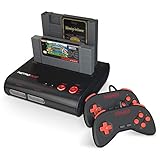
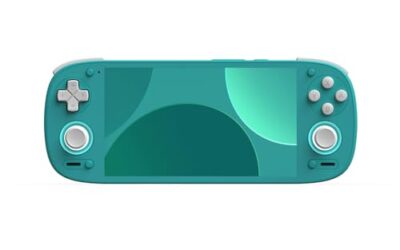
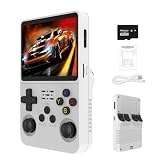
- Top Pick: ClearClick AV to HDMI Converter 3.0 (Third Generation) – 1080P RCA or S-Video to HDMI Upscaler – with Remote Control for Image Adjustment – VHS, VCR, Camcorder, DVD, TV, Gaming Systems, PAL, NTSC
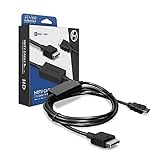
- Best Value: Hyperkin HDTV Cable for PS1/PS2(Phat & Slim), Component Video Supported
- Premium Choice: VDufao Retro Game Stick 4K HDMI, Plug & Play Console Pro
PC gamers are used to crisp 1440p, high refresh rates, and pixel-perfect scaling, which makes firing up an original PlayStation or Nintendo 64 on a modern monitor a jarring downgrade. The RetroTink 4K, the premier retro upscaler of 2026, is the bridge between those two worlds: it takes the fuzzy analog output of classic consoles and processes it into a clean, low-latency HDMI signal that looks at home next to your gaming rig. For anyone building a dedicated retro corner alongside their PC, it is the obvious centerpiece.
This review looks at the RetroTink 4K from a PC enthusiast’s perspective, covering how it fits a monitor-based setup, how it compares to the plug-and-play retro sticks and cheaper upscalers many people try first, and whether it deserves a spot on your desk in 2026.
As an Amazon Associate we earn from qualifying purchases at no extra cost to you.




⚡ Save on Your Next PC — Amazon Prime
Prime members get fast free shipping on the systems above, plus early access to Prime Day & Black Friday PC deals. New members get a 30-day free trial.
Watch: Retrotink 4K Review — Video Review
Design & Build
The RetroTink 4K feels engineered to PC-enthusiast standards: a solid, actively cooled aluminum chassis, a clean HDMI output that drops straight into a monitor or capture card, and a firmware system updated via SD card that treats the device like a living platform. The remote and front display make profile switching quick, and the broad analog input array means you can wire in everything from a PlayStation to a GameCube without hunting for adapters. It looks and behaves like premium desk gear rather than a toy.
Performance
On a sharp PC monitor, the RetroTink 4K shines. It scales 240p and 480i sources cleanly, preserves correct aspect ratios so nothing looks stretched on a widescreen panel, and keeps latency low enough that reaction-heavy classics feel exactly right. The CRT emulation adds welcome texture that stops old sprite art from looking flat on a high-density display. Compared to all-in-one retro game sticks that emulate titles internally, the RetroTink runs your real hardware and real cartridges, delivering authenticity that software emulation cannot fully match.
Pros & Cons
- Clean HDMI output ideal for monitors and capture cards
- Authentic play from original consoles and cartridges
- Low latency that satisfies reaction-focused gamers
- Firmware-updated platform that keeps improving
- Costs far more than a plug-and-play retro stick
- Requires owning original consoles and cables
- Advanced options demand some setup time
Alternatives to Consider
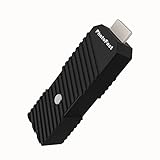
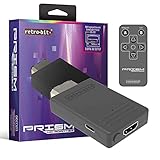
If you would rather skip original hardware, the alternatives take different routes. The VDufao Retro Game Stick 4K HDMI and PhotoFast 4K Gamer Pro offer plug-and-play or all-in-one convenience for emulated and console play, while the PhotoFast unit specifically upscales Switch, PS4, and PS3 output to 4K at 60fps. For genuine consoles on a budget, the Kaico OSSC 1.8 provides zero-lag RGB, the Mcbazel ODV-GBS-C bridges SCART and component sources, and the Retro-Bit Prism handles GameCube natively. The Hyperkin HDTV component cable and ClearClick AV to HDMI Converter 3.0 round out simpler, lower-cost hookups.
Frequently Asked Questions
Does it work well with a PC monitor?
Yes. Its clean HDMI output and correct aspect-ratio handling make it an excellent fit for monitor-based retro setups.
Can I use it with a capture card for streaming?
Absolutely. The pristine HDMI signal pairs perfectly with capture cards, which is why many creators rely on it.
Is it better than a retro game stick?
For authenticity and image quality with real hardware, yes; a retro stick is cheaper and simpler but relies on internal emulation.
Do I need original consoles to use it?
Yes, the RetroTink processes signals from real consoles, so you supply the hardware and cables.
Verdict
For the PC gamer who wants a proper retro station beside their rig, the RetroTink 4K delivers monitor-grade clarity and authentic play that emulation boxes cannot equal. It is a premium, hardware-dependent purchase, and a retro game stick is the easier path for the casual curious, but if you value accuracy and image quality in 2026, this is the upscaler to build around.