- Top Pick: 19 Inch Arcade Game CRT Monitor Retro Frame Kit
- Best Value: UNICO 19’’ Arcade Replacement Monitor, LCD Gaming Screen for HDMI/VGA/CG/EGA Retro Game Arcade (19inch)
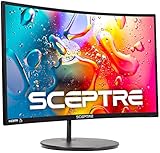
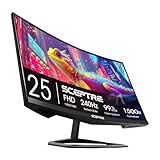
- Premium Choice: Sceptre Curved 24-inch Gaming Monitor 1080p R1500 98% sRGB HDMI x2 VGA Build-in Speakers, VESA Wall Mount Machine Black (C248W-1920RN Series)
Chasing authentic retro visuals means confronting a hard truth: original CRT tubes are heavy, fragile, and increasingly scarce in 2026. The good news is that a new generation of arcade-style displays, curved gaming panels, and scanline generators can recreate that warm, glow-and-blur aesthetic without hunting down a decades-old television. The goal is capturing how classic games were meant to look, whether through a genuine tube kit or a well-tuned modern alternative.
- Watch: Best CRT Monitor For Retro Gaming — Video Review
- How to Choose a Monitor for Retro Gaming
- The Best Retro Gaming Displays Reviewed
- What to Look For Before You Commit to a Retro Display
- Which One Should You Buy?
- Common Mistakes When Buying a Retro Gaming Display
- Matching Your Source Console to Your Screen
- Quick Setup Steps for an Arcade Replacement Panel
- Frequently Asked Questions
- Final Thoughts
- Related Articles
We gathered the displays and accessories that retro enthusiasts are actually buying this year, ranging from true 4:3 arcade monitors to affordable curved LCDs with VGA inputs.
As an Amazon Associate we earn from qualifying purchases at no extra cost to you.





⚡ Save on Your Next PC — Amazon Prime
Prime members get fast free shipping on the systems above, plus early access to Prime Day & Black Friday PC deals. New members get a 30-day free trial.
Watch: Best CRT Monitor For Retro Gaming — Video Review
How to Choose a Monitor for Retro Gaming
- Aspect ratio: Classic games were designed for 4:3, so a native 4:3 arcade panel avoids the stretching or letterboxing that plagues widescreen displays.
- Legacy inputs: Confirm the monitor accepts VGA, and ideally CGA or EGA, so you can connect arcade boards and older consoles without expensive converters.
- Scanline authenticity: If you crave true CRT texture, a dedicated scanline generator or a monitor with scanline support recreates that signature look on modern panels.
- Size and cabinet fit: Measure your cabinet bezel or desk space; 19-inch panels suit uprights while 24-inch curved screens work better for desktop emulation.
- Refresh and latency: For fast fighters and shooters, low input lag matters more than a high refresh rate, though 144Hz-plus panels add flexibility for modern titles too.
The Best Retro Gaming Displays Reviewed
19-inch Arcade CRT Frame Kit
For purists rebuilding a cabinet, the 19-inch Arcade Game CRT Monitor Retro Frame Kit delivers the genuine article. A real tube produces the phosphor glow and natural scanlines that no LCD fully replicates, making it the top choice for restorers who want period-correct visuals inside an upright.
UNICO 19-inch Arcade Replacement Monitor
If a real tube is impractical, the UNICO 19-inch LCD replacement is the pragmatic upgrade. It accepts HDMI, VGA, CGA, and EGA signals, so it drops into arcade cabinets while sidestepping the weight and repair headaches of aging CRTs. It is the most versatile cabinet-ready panel here.
UNICO 26-inch Arcade Monitor
Players who want a larger 4:3 canvas should look at the UNICO 26-inch arcade monitor. Its true 4:3 ratio and broad input support make big-screen classic gaming possible without distortion, ideal for wider cabinets or a dedicated retro corner.
Sceptre Curved 24-inch Monitor
For desktop emulation on a budget, the Sceptre Curved 24-inch 1080p panel offers 98% sRGB coverage, dual HDMI, and a VGA port for older sources. It is not a CRT, but its built-in speakers and VESA mount make it a tidy, affordable hub for emulator front-ends.
Mcbazel Portable VGA Scanline Generator
The finishing touch for authenticity, the Mcbazel scanline generator injects classic scanlines into modern displays over VGA. Paired with any LCD here, it bridges the gap between crisp panels and that beloved CRT texture, and it is our pick for fine-tuning the retro look.
What to Look For Before You Commit to a Retro Display
Signal Type: 15 kHz Versus 31 kHz
Most arcade boards and 8-bit and 16-bit consoles output a low-resolution signal of roughly 240 lines at a horizontal rate near 15 kHz. Standard LCD monitors, including most arcade replacement panels, expect a VGA-style signal at about 31 kHz or higher. That mismatch is the single biggest source of confusion in this category. A panel that advertises an arcade-style input may still need a scan-doubling converter, an upscaler, or a JAMMA-to-VGA adapter between the board and the screen. Read the input list closely and confirm on the listing whether the display accepts a native low-resolution signal or only a standard VGA feed.
Aspect Ratio and Integer Scaling
Classic games were drawn for 4:3 screens, and many arcade cabinets used vertical 3:4 orientation for shooters. A 5:4 panel stretches 4:3 content slightly unless the scaler can pillarbox it, while a 16:9 or curved widescreen panel will show black bars on both sides. Sharp pixels depend on scaling in whole-number steps. A 240-line image fills a 1080-line screen at 4.5 times, which forces uneven pixel rows, but it fits a 720-line screen at exactly 3 times and a 2160-line screen at exactly 9 times.
| Source Height | Screen Height | Scale Factor | Result |
|---|---|---|---|
| 240 lines | 720 lines | 3.0x | Clean, even pixels |
| 240 lines | 1080 lines | 4.5x | Uneven rows, slight shimmer |
| 240 lines | 1440 lines | 6.0x | Clean, even pixels |
| 240 lines | 2160 lines | 9.0x | Clean, even pixels, room for scanline filters |
Input Lag, Light Guns, and Motion
A real CRT draws the image line by line with essentially no processing delay. LCD panels buffer the frame in a scaler, and a slow scaler can add noticeable lag in rhythm games and fighting games. Light-gun titles such as the classic NES zapper games depend on the way a CRT flashes brightness, so they will not register on a flat panel at all. If light guns matter to you, no replacement monitor solves that problem.
Scanlines and Brightness Headroom
Scanline effects work by darkening alternating lines, which lowers overall brightness. Software shaders and hardware scanline generators both need a panel that can run bright with a high pixel count, because a filter laid over a low-resolution LCD looks coarse. Higher resolution gives the filter more pixels to shape each simulated phosphor line.
Which One Should You Buy?
| If you… | Choose… |
|---|---|
| are rebuilding an arcade cabinet with an existing bezel and want a drop-in 4:3-style image | UNICO 19-inch Arcade Replacement Monitor |
| want to mount a panel inside a custom frame or bartop build | 19-inch Arcade CRT Frame Kit |
| have a large cabinet or a wall-mounted setup and want a bigger picture | UNICO 26-inch Arcade Monitor |
| play on a desk and want a modern PC monitor that also handles emulators | Sceptre Curved 24-inch Monitor |
| already own a monitor and want to add a scanline look to a console feed | Mcbazel Portable VGA Scanline Generator |
No flat panel reproduces phosphor glow exactly, so treat these as approximations. Dimensions, mounting patterns, and input types vary between listings, so confirm them before you plan a cabinet cutout.
Common Mistakes When Buying a Retro Gaming Display
- Assuming any monitor accepts a 15 kHz signal. Many do not, and the screen simply shows no picture or a rolling image.
- Ignoring the cabinet cutout. A 26-inch panel will not fit a bezel designed for a 19-inch tube, and a frame kit still needs careful measuring.
- Stretching 4:3 games to fill a wide screen. Circles turn into ovals and sprites distort. Use the pillarboxed or original-ratio mode instead.
- Buying a scanline device and expecting a CRT clone. It darkens lines but cannot replicate phosphor persistence or beam bloom.
- Overlooking audio. Some arcade-style monitors have no speakers, so plan for a separate amplifier or the board audio output.
- Forgetting the cable chain. Each adapter between board and panel can add lag or color errors, so keep the chain short.
Matching Your Source Console to Your Screen
Different systems output different signals, and knowing what yours sends helps you pick the right converter. Early consoles such as the NES and SNES typically output around 240 lines, with widths such as 256 pixels. The Sega Genesis commonly uses a 320 by 224 mode, and PlayStation games range from low-resolution modes up to interlaced 640 by 480. The Dreamcast stands out because it can output a VGA signal directly, which suits standard monitor inputs without extra conversion.
| Source | Typical Output | Connection Note |
|---|---|---|
| NES, SNES, Genesis | Roughly 240 lines, 15 kHz class | Needs a scaler or scan converter for a VGA-style panel |
| PlayStation, Saturn | 240 or 480 lines, some interlaced | Interlaced modes need deinterlacing |
| Dreamcast | 640 x 480 over VGA | Can plug into a standard VGA input with the right cable |
| Arcade board | Native 15 kHz in most older boards | Needs a JAMMA-capable path and a converter |
| Emulator on a PC | Any resolution you choose | Pick an integer-scaled window and a scanline shader |
Quick Setup Steps for an Arcade Replacement Panel
- Measure the cabinet opening, the mounting points, and the depth available behind the bezel.
- Confirm the power requirement and whether the panel runs from the cabinet supply or a separate adapter.
- Connect the board through a converter if the panel does not accept 15 kHz video natively.
- Set the panel to its 4:3 or original-ratio mode and turn off any sharpening or motion smoothing.
- Adjust brightness and contrast using a game with both dark and bright scenes, and stop when shadow detail and highlights both stay visible.
Frequently Asked Questions
Do I really need a CRT for retro gaming?
Not necessarily. A genuine tube gives the most authentic glow and scanlines, but a 4:3 LCD with legacy inputs plus a scanline generator gets remarkably close while being lighter and easier to maintain.
What is the benefit of a scanline generator?
It recreates the horizontal line pattern that CRTs produced naturally, softening blocky pixels and restoring the intended look of sprite-based games on sharp modern screens.
Will these monitors work with original arcade boards?
The UNICO panels and CRT kit support CGA and EGA signals used by many JAMMA boards. Always check your board output and the monitor input list before wiring anything together.
Is a curved widescreen monitor good for retro games?
It works well for emulation where you can add borders or shaders, but 4:3 content will show side bars. For dedicated classic play, a native 4:3 panel is the better fit.
Final Thoughts
Recreating retro visuals in 2026 is a balance of authenticity and practicality. The 19-inch CRT kit and UNICO arcade panels serve cabinet builders best, while the Sceptre curved LCD paired with the Mcbazel scanline generator gives desktop emulators a flexible, affordable route to that nostalgic glow. Decide whether you value a true tube or modern convenience, and you can dial in the exact look your classics deserve.