- Top Pick: Razer Cobra Minecraft Edition – Lightweight Wired Gaming Mouse – 8500 DPI Sensor (58g, Optical Mouse Switches 3th Gen, Chroma Lighting with Gradient Underglow, Speedflex Cable) Minecraft
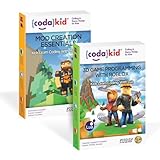
- Best Value: CodaKid Coding Bundle for Kids – Learn Lua with Roblox + Java with Minecraft Mods – 190+ Hours of Award-Winning Online Coding Courses – Ages 9+ – PC & Mac
- Premium Choice: Minecraft – Music from the Video Game Series Viola Play-Along Book/Online Audio
To play Minecraft on Mac you need Minecraft: Java Edition, which is the only version Mojang ships natively for macOS — buy it from minecraft.net with a Microsoft account, download the Minecraft Launcher .dmg, drag it into Applications and sign in. Bedrock Edition, the version that runs on consoles, phones and Windows, has no official Mac client, so crossplay with those platforms is not possible from a Mac. The good news is that Java Edition runs natively on Apple Silicon, supports the entire modding ecosystem, and performs beautifully on even a base M-series chip.
As an Amazon Associate I earn from qualifying purchases.
🛒 Best Price Today on Amazon
Prime members get fast, free shipping on everything above, plus member-only deals. New members get a 30-day free trial — cancel anytime.
How to Play Minecraft on Mac: The Complete Setup
The whole process takes about ten minutes. Create or sign in to a Microsoft account, buy Minecraft: Java Edition from the official site, then download the macOS launcher. Open the .dmg and drag the Minecraft icon into your Applications folder. On first launch macOS may warn that the app is from an unidentified developer — right-click the app and choose Open, or approve it in System Settings under Privacy & Security. Sign in with the same Microsoft account, pick the latest release from the Installations tab, and press Play. Your worlds are stored locally in your user Library folder.
| Game | Platform | Genre | Why It’s Great | Rating |
|---|---|---|---|---|
| Minecraft: Java Edition | Mac, PC, Linux | Sandbox survival | Native Apple Silicon build plus the full mod, shader and server ecosystem | 9.5/10 |
| Stardew Valley | Mac, PC, Switch, PS4, Xbox | Farming sim | Runs on any Mac made this decade and supports four-player co-op | 9.4/10 |
| Baldur’s Gate 3 | Mac, PC, PS5, Xbox Series | CRPG | A genuine native Mac port of one of the best RPGs ever made | 9.7/10 |
| Resident Evil Village | Mac, PC, PS5, Xbox Series | Survival horror | Shows what Apple Silicon and MetalFX upscaling can really do | 9.0/10 |
| Death Stranding Director’s Cut | Mac, PC, PS5 | Action adventure | One of the first blockbuster native Mac ports, and still one of the best | 8.6/10 |
| Civilization VI | Mac, PC, Switch, PS4, Xbox | 4X strategy | Turn-based pacing means it plays perfectly on fanless MacBook Airs | 8.8/10 |
| Hades | Mac, PC, Switch, PS5, Xbox | Roguelike | Hand-drawn art that looks superb on a Retina display at high frame rates | 9.3/10 |
| No Man’s Sky | Mac, PC, PS5, Switch, Xbox | Space sandbox | Full cross-platform multiplayer and years of free expansion updates | 8.7/10 |
Java Edition vs Bedrock: Why It Matters on Mac
This is the single most important thing to understand before you buy. Java Edition is the original PC version, sold for Mac, Windows and Linux, and it is the one with mods, custom servers, shader packs and the deepest technical community. Bedrock Edition is the rewritten C++ version that powers Xbox, PlayStation, Switch, Windows, iOS and Android, and it is the version that supports crossplay across all of those. Mojang has never released a Mac Bedrock client, so Mac players are Java players. If your friends are on consoles or phones, you will not be able to join their Realm or world directly.
The workaround most people land on is running Windows 11 for ARM inside a virtualisation app such as Parallels Desktop, then installing Bedrock there. It works, but it costs money, eats disk space and adds a performance penalty, so only pursue it if crossplay is genuinely essential.
System Requirements to Play Minecraft on Mac
Minecraft is far lighter than most modern games, but it is unusually demanding on single-core CPU speed and RAM. Any Apple Silicon Mac from the M1 onwards runs vanilla Minecraft at high frame rates without breaking a sweat. Intel Macs from roughly 2015 onward will run it too, though integrated Iris graphics will struggle above eight chunks of render distance. Aim for 8 GB of system memory minimum, macOS 12 Monterey or newer, and a few gigabytes of free storage for the game plus your worlds.
Get Native Apple Silicon Performance
Since version 1.19 the Java Edition launcher and game both ship native Apple Silicon builds, which roughly doubled frame rates over the old Rosetta translation path. To confirm you are running natively, open the launcher’s Info panel, or check Activity Monitor’s Kind column, which should read Apple rather than Intel. If you see Intel, right-click the Minecraft app in Applications, choose Get Info, and untick Open using Rosetta.
You can also give the game more memory. In the launcher open Installations, hover your profile, click Edit, then More Options, and change the JVM argument -Xmx2G to -Xmx4G. Do not allocate more than half your total RAM — Java garbage collection actually gets worse with excessive heap sizes, and 4 GB is plenty for vanilla plus a moderate mod list.
Boost Frame Rates With Fabric and Sodium
The single best free upgrade for Minecraft on Mac is the Sodium rendering mod running on the Fabric mod loader. Install the Fabric loader for your game version, drop Sodium into your mods folder, and expect frame rates to multiply while render distance climbs. Add Iris if you want shader packs, and Lithium plus Starlight for server-side and lighting performance. Sodium is generally a better fit for Mac than OptiFine, which historically lags behind current Minecraft versions and does not always play nicely with Metal.
Fix Mac-Specific Controls and Keyboard Quirks
Two macOS behaviours trip up new players. Function keys are mapped to media controls by default, so the debug screen needs fn plus F3, and fullscreen needs fn plus F11. You can flip this permanently in System Settings under Keyboard by enabling “Use F1, F2 etc. keys as standard function keys”. Second, Mission Control’s Control-plus-arrow shortcuts can steal inputs from the game; disable the conflicting ones under Keyboard Shortcuts. If you play on a trackpad, remapping attack and place to comfortable keys is worth doing, but a proper mouse transforms combat and building.
Playing Multiplayer on Mac
Java Edition multiplayer works exactly as it does on Windows. You can subscribe to a Java Realm for a persistent private world, join any of the thousands of public Java servers by pasting an address into the Multiplayer menu, or open a single-player world to LAN so anyone on your home network can join. Modded servers work too, as long as everyone runs matching loader and mod versions. The only thing you cannot do is join Bedrock Realms or console worlds.
Other Minecraft Games on Mac
Minecraft: Education Edition has an official macOS release and is widely used in schools, so it is a legitimate option for classroom-style play. Minecraft Dungeons and Minecraft Legends, however, were never released for macOS, and neither has a native port planned. If you want those, you will need a console, a Windows PC or a virtualised Windows install.
Once Minecraft is running, the surrounding hardware makes the biggest difference. A decent pointer comes first, so read our wireless gaming mouse buying guide, then the mechanical keyboard buying guide for tactile building and mining. Mac laptops benefit hugely from an external panel — see the best gaming monitors buying guide and, for desk space, the USB-C docking station guide. Voice chat on servers is far better with a proper mic from our USB microphone buying guide, and for long survival sessions the gaming headset buying guide is worth a read.
Frequently Asked Questions
Can you play Minecraft Bedrock Edition on a Mac?
There is no official Bedrock client for macOS, so the answer is effectively no. The only supported route is virtualising Windows 11 for ARM with software such as Parallels Desktop and installing Bedrock inside that environment, which works but costs extra and reduces performance compared to native Java Edition.
Does Minecraft run well on an M-series MacBook Air?
Yes, remarkably well. Vanilla Java Edition on an M1 or newer Air comfortably holds high frame rates at reasonable render distances, and the fanless design stays silent because the game barely stresses the chip. Adding Sodium pushes performance higher still, letting you run shader packs that would have been impossible on older Intel Macs.
Where are Minecraft worlds saved on a Mac?
Java Edition stores everything in your user Library folder, under Application Support and then minecraft, with individual worlds inside a saves subfolder. The Library folder is hidden by default, so open Finder, hold the Option key and click the Go menu to reveal it. Copying that saves folder is the simplest way to back up your worlds.
Do I need to buy Minecraft twice for Mac and Windows?
No. A single Minecraft: Java Edition purchase is tied to your Microsoft account and unlocks the game on Mac, Windows and Linux, so you can install the launcher on all three and sign in with the same credentials. Bedrock Edition is a separate purchase, and buying it does not grant a Java licence.
As an Amazon Associate we earn from qualifying purchases at no extra cost to you.