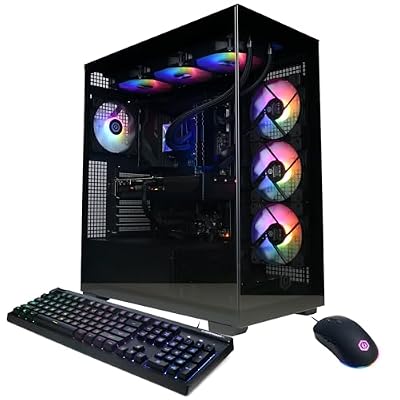
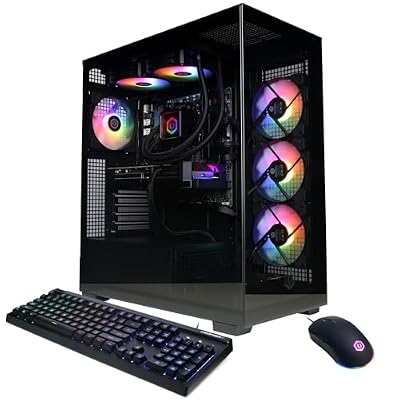
- Top Pick: CyberPowerPC Gamer Xtreme VR Gaming PC, Intel Core i9-14900KF 3.2GHz, GeForce RTX 5070 12GB, 32GB DDR5, 2TB PCIe 4.0 SSD, WiFi Ready & Windows 11 Home (GXiVR8080A39)
- Best Value: CyberPowerPC Gaming PC, AMD Ryzen 9 9900X, GeForce RTX 5070 12GB
- Premium Choice: Prebuilt Gaming PC Desktop, Core i7 up to 3.9 GHz, RTX 3050 8G GDDR6
Few things are more irritating than needing to check a message or look up a boss strategy and finding that your game refuses to let go of the screen. Fullscreen games take exclusive control of the display, and when that goes wrong you get a black screen, a frozen desktop or a crash back to nothing. This guide covers every reliable way to minimise a game on PC, plus the settings that stop the problem happening again.
As an Amazon Associate I earn from qualifying purchases.
🛒 Best Price Today on Amazon
Prime members get fast, free shipping on everything above, plus member-only deals. New members get a 30-day free trial — cancel anytime.
How to Minimize a Game on PC: The Quick Answer
Press Alt and Tab together to switch away from the game, or press the Windows key to drop straight to the desktop and taskbar. Windows and D minimises everything at once, and Windows and M minimises all windows without restoring them. If the game is unresponsive, Ctrl plus Shift plus Escape opens Task Manager over the top of it, which usually forces the game to relinquish the display. On Steam titles, Shift plus Tab opens the overlay so you can use a browser without leaving the game at all. If none of that works cleanly, the real fix is switching the game from exclusive fullscreen to borderless windowed mode in its video settings, which makes alt-tabbing instant and crash-free.
| Game | Platform | Genre | Why It’s Great | Rating |
|---|---|---|---|---|
| Sid Meier’s Civilization VI | PC, Switch, PS, Xbox | 4X strategy | The definitive one-more-turn game, and it alt-tabs perfectly in windowed mode | 9.0/10 |
| Factorio | PC, Switch | Automation sim | Factory building with the tightest optimisation loop in gaming | 9.5/10 |
| Stardew Valley | PC, Switch, PS, Xbox, Mobile | Farming sim | Runs on anything, pauses cleanly, and is ideal for second-screen play | 10/10 |
| Football Manager 2024 | PC, Switch, Mobile | Sports management | Endless spreadsheets in the best possible way, built for windowed multitasking | 8.5/10 |
| Baldur’s Gate 3 | PC, PS, Xbox, Mac | CRPG | Reactive storytelling and turn-based combat that rewards wiki tabs | 10/10 |
| Minecraft: Java Edition | PC | Sandbox survival | Windowed by default and endlessly moddable | 9.5/10 |
| Old School RuneScape | PC, Mobile | MMORPG | Designed around windowed play and long background sessions | 8.5/10 |
| Hades II | PC, Switch | Action roguelike | Short runs that make stepping away between attempts painless | 9.0/10 |
Keyboard Shortcuts to Minimize a Game on PC
Alt plus Tab is the universal answer and cycles between open applications, while holding Alt and tapping Tab repeatedly lets you pick a specific window. The Windows key alone opens the Start menu and pulls focus away from the game, which effectively minimises it in most cases. Windows plus D toggles the desktop and is the fastest way to hide everything at once. Windows plus M minimises all open windows, and Windows plus Shift plus M restores them. On a multi-monitor setup, Windows plus Shift plus an arrow key moves the window to another display. Learning these saves you from dragging the mouse to a taskbar that fullscreen games often hide entirely. A keyboard with reliable, well-spaced modifiers helps, and our mechanical keyboard buying guide covers the switches worth choosing.
Use Borderless Windowed Mode Instead of Fullscreen
The permanent fix for most alt-tab misery is changing the display mode. Exclusive fullscreen hands the GPU direct control of the display, which is why switching away forces a mode change that can take several seconds or crash the game entirely. Borderless windowed, sometimes labelled windowed fullscreen or borderless, renders the game at full screen size but keeps it as a normal desktop window, so alt-tabbing is instant. The historic downside was slightly higher input latency, but modern Windows flip-model presentation has narrowed that gap so far that most players will never notice. Look under Video, Graphics or Display in the options menu. If you frequently reference guides while playing, our gaming monitor buying guide explains why a second display beats constant alt-tabbing.
When a Game Refuses to Minimize
If Alt plus Tab produces a black screen, wait a few seconds before mashing keys, because the display is renegotiating its mode and repeated inputs can hang it. If it stays frozen, press Ctrl plus Shift plus Escape to open Task Manager directly, or Ctrl plus Alt plus Delete for the security screen, which almost always breaks a stuck fullscreen lock. From Task Manager you can select the game and choose End Task if it is genuinely hung. As a last resort, Windows plus Ctrl plus Shift plus B restarts the graphics driver without rebooting, and the screen will flicker once before returning. Only force a hard restart if none of these respond.
Steam, Overlays and Second-Screen Alternatives
Often you do not actually need to minimise at all. Shift plus Tab opens the Steam overlay with a built-in web browser, friends list and guides, all rendered on top of the running game. The Xbox Game Bar, opened with Windows plus G, does something similar for any title and adds performance monitoring and audio mixing. Discord’s overlay lets you read and reply to messages without leaving the game. These overlays are far safer than a fullscreen mode switch because the game never loses focus. For voice chat while you multitask, our gaming headset buying guide covers headsets with usable mic quality and long-session comfort.
Windows Settings That Cause Minimize Problems
Two Windows features regularly cause alt-tab issues. Fullscreen optimisations, enabled by default, can conflict with older games, and disabling it per game via the executable’s Properties and Compatibility tab often fixes stubborn black screens. Variable refresh rate and Hardware-Accelerated GPU Scheduling can also interact badly with certain engines, so toggle them if problems persist. Keep your graphics drivers current, since alt-tab and window management bugs are a common target of driver hotfixes. Finally, check whether an old overlay from streaming software is injecting into the game, because outdated capture hooks are one of the most common causes of games that will not minimise cleanly.
Multi-Monitor Setups and Mouse Capture
On dual monitors the classic annoyance is not minimising but the mouse getting trapped in the game window, or worse, sliding out mid-firefight. Borderless windowed usually confines the cursor correctly while allowing clicks on the second screen when the game loses focus. Some competitive titles include a raw input or cursor lock option specifically for this. If your second display sits at a different refresh rate, mismatched refresh can cause stutter when a fullscreen game is running, so matching rates where possible is worth testing. A dedicated stream or chat display is the cleanest solution overall. Our gaming mouse buying guide, gaming laptop buying guide and capture card buying guide cover the rest of the multitasking setup.
Frequently Asked Questions
How do I minimize a game on PC without closing it?
Press Alt and Tab together, or tap the Windows key to jump to the desktop. Both leave the game running in the background and listed on the taskbar, so you can click it to return exactly where you left off, assuming the title is not paused only in single-player.
Why does my game crash when I alt-tab?
Exclusive fullscreen forces the graphics driver to change display modes every time focus shifts, and older engines or outdated drivers handle that badly. Switching the game to borderless windowed mode, updating your GPU driver and disabling fullscreen optimisations in the executable’s compatibility settings resolves the vast majority of cases.
What is the difference between fullscreen and borderless windowed?
Exclusive fullscreen gives the game direct control of the display for marginally lower latency, while borderless windowed renders the game as a maximised window without borders inside the desktop compositor. Borderless allows instant alt-tabbing and smoother multi-monitor use at a negligible performance cost on modern systems.
How do I minimize a frozen fullscreen game?
Press Ctrl plus Shift plus Escape to force Task Manager to the front, which usually breaks the display lock. If the screen stays black, try Windows plus Ctrl plus Shift plus B to restart the graphics driver. If the game is genuinely hung, end its task from Task Manager rather than rebooting.
As an Amazon Associate we earn from qualifying purchases at no extra cost to you.