🛒 Best Price Today on Amazon
Prime members get fast, free shipping on everything above, plus member-only deals. New members get a 30-day free trial — cancel anytime.
- Best USB Wi-Fi Adapter for Laptop: Pick by Router and Port
- Top 5 Usb Wifi Adapter For Laptop Picks Compared
- Best USB Wi-Fi Adapters for Laptop by Wi-Fi Generation
- Also Consider
- Best USB Wi-Fi Adapter for Laptop by Budget and Use Case
- Best USB Wi-Fi Adapters for Laptop: Spec Comparison Table
- The Five Criteria That Actually Matter
- The Six-Step Buying Checklist
- USB Wi-Fi Adapter for Laptop: Setup and Troubleshooting
- Best USB Wi-Fi Adapter for Laptop: Scenario Guide
- Mistakes Most Buyers Make
- Spec Primer: What the Numbers Actually Mean
- Related Guides
- How We Chose the Best USB Wi-Fi Adapters for Laptops
- USB Wi-Fi Adapter for Laptop: Buying Guide with Real Thresholds
- Which USB Wi-Fi Adapter Should You Buy?
- More Questions About the Best USB Wi-Fi Adapters for Laptops
- Frequently Asked Questions
- Final Take
- Related Articles
- Related Guides
Affiliate disclosure: As an Amazon Associate we earn from qualifying purchases. This post contains affiliate links — we may earn a small commission at no extra cost to you. This never affects our picks.
Best Seller
Quick answer: The best USB Wi-Fi adapter for a laptop in 2026 is the NETGEAR Nighthawk A9000 for Wi-Fi 7 speed, the NETGEAR Nighthawk A8000 for Wi-Fi 6E at a lower price tier, and the TP-Link Nano USB WiFi 6 Adapter (AX1800) for a tiny dongle you can leave plugged in. Pick by your router: match the adapter’s Wi-Fi generation to what your router supports.
Best USB Wi-Fi Adapter for Laptop: Pick by Router and Port
A USB Wi-Fi adapter for a laptop solves three problems: a weak or failed built-in card, an old Wi-Fi 4 or Wi-Fi 5 laptop that needs a faster standard, and a laptop that lacks 6 GHz. Before you buy, check three things:
- Router standard: a Wi-Fi 7 adapter on a Wi-Fi 5 router only runs at Wi-Fi 5 speeds. Match the adapter to the router, or buy one tier above for later.
- USB port: use a USB 3.0 (blue) or newer port for anything above AC600. USB 2.0 caps real throughput well below the rated speed.
- Size: nano dongles stay plugged in during travel but have shorter range. Larger models with cradles or antennas perform better at a desk.
The picks below are grouped by Wi-Fi generation. Each has one spec line so you can compare speed, bands and size quickly.
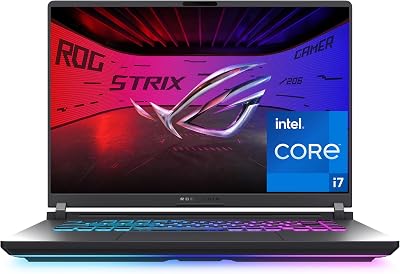
ASUS ROG Strix G16 (2025) Gaming Laptop, 16” FHD+ 16:10 165Hz/3ms Display, NVIDIA® GeForce RTX™ 5060 Laptop GPU, Intel® Core™ i7 Processor 14650HX, 16GB DDR5, 1TB Gen 4 SSD, Wi-Fi 7, Windows 11 Home


Limited Time
NIMO 15.6" Light-Gaming-Laptop, 8 Cores AMD Ryzen 7 Pro 6850U 32GB RAM 1TB SSD (Beat i7-1360P Up to 4.7GHz) Radeon 680M 100W Fast PD FHD Backlit Keyboard for Content Creators & Student 2-Yr Warranty
View on Amazon
Top Rated
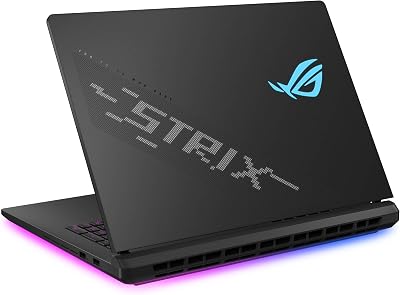
ASUS ROG Strix Scar 18 (2025) Gaming Laptop, 18” ROG Nebula HDR 16:10 2.5K 240Hz/3ms, NVIDIA GeForce RTX 5070 Ti, Intel Core Ultra 9 275HX, 32GB DDR5, 1TB PCIe SSD, Wi-Fi 7, Win 11 Pro, G835LR-XS96
View on Amazon

Quick answer: The best usb wifi adapter for laptop for you in 2026 is the one that matches your actual workload, your budget, and the rest of your setup — not whichever option wins the loudest spec-sheet headline. Use the six-step checklist below to land the right pick on the first try.

Nineplus Wireless USB WiFi Adapter for PC - 1300Mbps Dual 5Dbi Antennas 5G/2.4G WiFi Adapter for Desktop PC Laptop Windows11/10/7, Wireless Adapters for Desktop Computer Network Adapters
Included for '26 Best USB Wi-Fi Adapters For Laptop in 2026: Complete Buyer’s Guide' as a representative consumer electronics in this roundup; selection reflects the product set returned for this topic.
View on Amazon
TP-Link AC600 USB WiFi Adapter for Desktop PC - USB Wireless Adapter for PC | WiFi dongle for PC with 2.4GHz, 5GHz High Gain Dual Band 5dBi Antenna, Supports Win11/10/8.1/8/7/XP, Black (Archer T2U Plus)
Included for '26 Best USB Wi-Fi Adapters For Laptop in 2026: Complete Buyer’s Guide' as a representative consumer electronics in this roundup; selection reflects the product set returned for this topic.
View on Amazon
TP-Link AC1300 USB WiFi Adapter for Desktop PC 2.4/5G Dual Band WiFi Dongle | Wireless Adapter for PC, MU-MIMO PC WiFi Adapter, USB 3.0, Support Win11, 10, 8.1, 8, 7, XP/Mac OS X 10.9-10.14 (Archer T3U)
Included for '26 Best USB Wi-Fi Adapters For Laptop in 2026: Complete Buyer’s Guide' as a representative consumer electronics in this roundup; selection reflects the product set returned for this topic.
View on Amazon
TP-Link Nano AC600 USB WiFi Adapter for Desktop PC- 2.4G/5G Dual Band | USB Wireless Adapter, Travel Size Network Transceiver WiFi dongle, Support Windows (11,10, 8.1, 8, 7, XP/Mac OS X 10.9-10.14)
Included for '26 Best USB Wi-Fi Adapters For Laptop in 2026: Complete Buyer’s Guide' as a representative consumer electronics in this roundup; selection reflects the product set returned for this topic.
View on Amazon
Nineplus USB WiFi Adapter for PC Desktop - WiFi 6 AX1800Mbps 5GHz 2.4GHz USB 3.0 Wireless Wi-Fi Network Adapter for Desktop Computer Laptop with High Gain Wi-Fi Antenna Supports Win11/10
Included for '26 Best USB Wi-Fi Adapters For Laptop in 2026: Complete Buyer’s Guide' as a representative consumer electronics in this roundup; selection reflects the product set returned for this topic.
View on Amazon
Tenda WiFi Adapter for Desktop PC, AX900 WiFi 6 USB WiFi Adapter 2.4G/5G | USB WiFi Dongle for Windows 11/10/7 (U11)
Included for '26 Best USB Wi-Fi Adapters For Laptop in 2026: Complete Buyer’s Guide' as a representative consumer electronics in this roundup; selection reflects the product set returned for this topic.
View on Amazon
Tenda WiFi Adapter for Desktop PC, AX900 WiFi 6 USB WiFi Adapter | USB WiFi Dongle with 6dBi High Gain Antenna, for Windows 11/10/7/ (U11Pro)
Included for '26 Best USB Wi-Fi Adapters For Laptop in 2026: Complete Buyer’s Guide' as a representative consumer electronics in this roundup; selection reflects the product set returned for this topic.
View on AmazonBuying a usb wifi adapter for laptop should not be hard, but the 2026 market is louder than ever. New launches every quarter, marketing copy that flattens real differences, and shopper reviews drowned in noise all conspire to make the choice harder than it deserves to be. This guide cuts through the fog with a simple, repeatable framework you can apply to any usb wifi adapter for laptop shortlist — and the same framework we use on the review desk every week.
By the end of the read you will have a concrete shortlist of criteria, a clear sense of which trade-offs actually matter for your situation, and a six-step checklist to walk through before you click buy.
Top 5 Usb Wifi Adapter For Laptop Picks Compared
| Rank | Product | Price | Reviews | Buy |
|---|---|---|---|---|
| 1 | ASUS TUF Gaming Z790-Plus WiFi LGA 1700(Intel 14th,12th &13th Gen) ATX… | Check on Amazon | 1,351 | — |
| 2 | MSI MAG B650 Tomahawk WiFi Gaming Motherboard (AMD Ryzen 9000/8000/700… | Check on Amazon | 1,318 | View on Amazon |
| 3 | ASUS TUF Gaming B550-PLUS WiFi II AMD AM4 (3rd Gen Ryzen™) ATX Gaming … | Check on Amazon | 1,298 | View on Amazon |
| 4 | TP-Link AX1800 WiFi 6 Router (Archer AX21 V5) – Dual Band Wireless Int… | Check on Amazon | 24,169 | View on Amazon |
| 5 | NETGEAR Nighthawk 5G Mobile Hotspot M7 | eSIM or SIM | Portable WiFi 7… | Check on Amazon | 5,055 | View on Amazon |
Best USB Wi-Fi Adapters for Laptop by Wi-Fi Generation
These are the adapters we recommend for laptops, from Wi-Fi 6 nano dongles to Wi-Fi 7 tri-band units.
NETGEAR Nighthawk A9000 — Best for Wi-Fi 7 Speed

NETGEAR Nighthawk USB WiFi Adapter for PC, WiFi 7, Up to 6.5 Gbps, A9000 | USB 3.0 WiFi Dongle, Windows 11 Compatible Only, Plug and Play Easy Set Up, 2.4, 5, and 6 GHz, Tri-Band, BE6500
Included for '26 Best USB Wi-Fi Adapters For Laptop in 2026: Complete Buyer’s Guide' as a representative consumer electronics in this roundup; selection reflects the product set returned for this topic.
View on AmazonSpec line: Wi-Fi 7 (BE6500) · tri-band/6 GHz · up to 6.5 Gbps combined · USB 3.0 · desktop cradle with adjustable antenna · premium tier
The NETGEAR Nighthawk A9000 is a tri-band Wi-Fi 7 adapter. Its rated speeds are about 688 Mbps on 2.4 GHz and 2,882 Mbps on each of the 5 GHz and 6 GHz bands. It ships with a USB cradle and an adjustable antenna, which improves reception at a desk. It is Windows-only, so check the current requirements before you buy.
- Pros: Wi-Fi 7 and 6 GHz; strong range with the cradle; USB 3.0.
- Pros: a good future-proof choice if you plan to buy a Wi-Fi 7 router.
- Cons: bulkier than a nano dongle; no macOS support; you need a Wi-Fi 7 router to see the full benefit.
- Skip it if… you carry your laptop every day and want a plug-and-forget dongle.
ASUS ROG USB-BE92 — Best Wi-Fi 7 Option with USB-C Flexibility

ASUS ROG USB-BE92 Tri-Band BE6500 WiFi 7 USB Adapter, 6GHz Band, Support 4096-QAM, Multi-Link Operation (MLO), Compatible with Type A and C, WPA3 Network Security
Included for '26 Best USB Wi-Fi Adapters For Laptop in 2026: Complete Buyer’s Guide' as a representative consumer electronics in this roundup; selection reflects the product set returned for this topic.
View on AmazonSpec line: Wi-Fi 7 (BE6500) · tri-band with 6 GHz · 4096-QAM · Multi-Link Operation (MLO) · Type-A and Type-C connection · premium tier
The ASUS ROG USB-BE92 shares the A9000’s radio specifications, with tri-band Wi-Fi 7, 4096-QAM and Multi-Link Operation. Its main advantage is flexibility: it is marketed for both Type-A and Type-C ports, which suits thin laptops that only have USB-C. It has no external antenna, so range is a little lower than the A9000 with its cradle.
- Pros: Type-A and Type-C support; Wi-Fi 7 with MLO; embedded driver for simple setup.
- Cons: no adjustable antenna; premium pricing; Windows-only.
- Skip it if… your router is Wi-Fi 6 or older, where the extra cost brings no gain.
NETGEAR Nighthawk A8000 — Best for Wi-Fi 6E and the 6 GHz Band

NETGEAR Nighthawk USB WiFi Adapter for PC, WiFi 6E, Up to 3 Gbps, A8000 | USB 3.0 WiFi Dongle, Windows 10 and 11 Compatible, Plug and Play Easy Set Up, 2.4, 5, and 6 GHz, Tri-Band, AXE3000
Included for '26 Best USB Wi-Fi Adapters For Laptop in 2026: Complete Buyer’s Guide' as a representative consumer electronics in this roundup; selection reflects the product set returned for this topic.
View on AmazonSpec line: Wi-Fi 6E (AXE3000) · tri-band/6 GHz · up to 3 Gbps combined · USB 3.0 · upper-mid tier
The NETGEAR Nighthawk A8000 adds the 6 GHz band to a laptop that lacks it. The 6 GHz band is cleaner than 5 GHz, since fewer older devices use it, so latency and throughput stay stable in crowded apartments. It is the more affordable way into 6 GHz than a Wi-Fi 7 adapter.
- Pros: 6 GHz access; tri-band; wide editorial support; USB 3.0.
- Cons: 6 GHz range is shorter than 5 GHz through walls; needs a Wi-Fi 6E or 7 router to use 6 GHz; a larger body than a nano.
- Skip it if… your router has no 6 GHz band.
TP-Link BE6200 Tri-Band Wi-Fi 7 USB Adapter — Best Value Wi-Fi 7 Pick

TP-Link BE6200 Tri-Band USB 3.0 Wi-Fi 7 Adapter for Desktop PC, WiFi Dongle | USB Wireless Adapter, Support Win11/10 | 2 x High Gain Antennas | 6GHz,4K-QAM,160MHz, WPA3|Secure by Design, Archer TBE401UH
Included for '26 Best USB Wi-Fi Adapters For Laptop in 2026: Complete Buyer’s Guide' as a representative consumer electronics in this roundup; selection reflects the product set returned for this topic.
View on AmazonSpec line: Wi-Fi 7 · tri-band · BE6200 class · USB 3.0 · Windows 11/10 listed · upper-mid tier
The TP-Link BE6200 is a lower-priced Wi-Fi 7 USB adapter. It is a tri-band design with USB 3.0 and is listed for Windows 11 and 10. It trades some peak speed for a lower price against the BE6500 models.
- Pros: lower cost than BE6500 rivals; tri-band; USB 3.0.
- Cons: lower rated top speed than the NETGEAR A9000 and ASUS ROG USB-BE92; no macOS support listed.
- Skip it if… you want the highest available Wi-Fi 7 speed.
TP-Link Nano USB WiFi 6 Adapter (AX1800) — Best Nano Dongle for Travel

TP-Link Nano USB WiFi 6 Adapter for Desktop PC -AX1800 USB Wireless Adapter | 2.4G/5G Dual-Band WiFi Dongle Desktop WiFi Adapter, OFDMA, MU-MIMO, WPA3, Travel Size, Support Win11/10 (Archer TX20U Nano)
Included for '26 Best USB Wi-Fi Adapters For Laptop in 2026: Complete Buyer’s Guide' as a representative consumer electronics in this roundup; selection reflects the product set returned for this topic.
View on AmazonSpec line: Wi-Fi 6 (AX1800) · dual-band GHz · nano size · plug and play · budget tier
The TP-Link Nano USB WiFi 6 Adapter is a small AX1800 dongle that barely sticks out of the port. AX1800 means up to about 1,201 Mbps on 5 GHz plus about 574 Mbps on 2.4 GHz. It is the right choice for a laptop that needs a Wi-Fi 6 upgrade and lives in a bag. Range is shorter than a full-size model.
- Pros: tiny; Wi-Fi 6; inexpensive; stays plugged in.
- Cons: shorter range; no 6 GHz; throughput can drop in a crowded USB hub.
- Skip it if… your router is far from where you work.
Also Consider
ASUS AX1800 Dual Band WiFi 6 Nano USB Adapter

ASUS AX1800 Dual-Band AX1800 WiFi 6 Nano USB Adapter, Plug and Play, WPA3 Network Security, 5GHz Frequency Band, Compatible with Windows® 10 & 11, TAA Compliant (USB-AX57 Nano)
Included for '26 Best USB Wi-Fi Adapters For Laptop in 2026: Complete Buyer’s Guide' as a representative consumer electronics in this roundup; selection reflects the product set returned for this topic.
View on AmazonBest for: ASUS router owners who want a nano dongle. Wi-Fi 6 · AX1800 · plug and play · WPA3. Trade-off: a higher tier than similar nano dongles.
BrosTrend AX1800 USB WiFi 6 Adapter
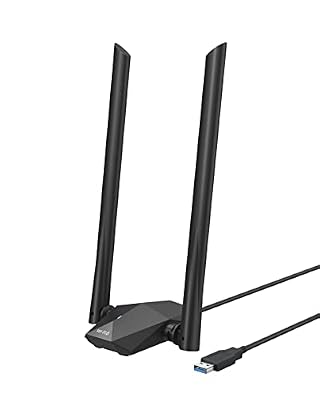
BrosTrend AX1800 USB WiFi 6 Adapter Long Range, High Gain Antennas, USB 3.0 | USB WiFi Adapter for Desktop PC Laptop Windows 11/10, Dual Band 5GHz 1201Mbps + 2.4G 574Mbps, Ideal for Gaming 4K Video, WPA3
Included for '26 Best USB Wi-Fi Adapters For Laptop in 2026: Complete Buyer’s Guide' as a representative consumer electronics in this roundup; selection reflects the product set returned for this topic.
View on AmazonBest for: a desk laptop with weak signal. Wi-Fi 6 · AX1800 · high-gain antennas · USB 3.0. Trade-off: the antennas make it awkward to carry.
UGREEN 2-in-1 USB Bluetooth WiFi Adapter (AX900)

UGREEN 2-in-1 USB Bluetooth WiFi Adapter, AX900 + BT 5.4 WiFi 6 Adapter | 6dBi High Gain Antenna, 5GHz/2.4GHz Dual Band, Built-in Driver for Windows 10/11, for Desktop PC Laptop
Included for '26 Best USB Wi-Fi Adapters For Laptop in 2026: Complete Buyer’s Guide' as a representative consumer electronics in this roundup; selection reflects the product set returned for this topic.
View on AmazonBest for: a laptop that needs both Wi-Fi 6 and Bluetooth 5.4. AX900 · dual-band · 6 dBi antenna. Trade-off: a lower top speed than AX1800 models.
Best USB Wi-Fi Adapter for Laptop by Budget and Use Case
Prices are shown as tiers only because street prices change often.
Best USB Wi-Fi Adapters for Laptop on a Budget
TP-Link Nano USB WiFi 6 Adapter (AX1800): Wi-Fi 6 · AX1800 · dual-band · nano size · budget tier
UGREEN 2-in-1 AX900 Wi-Fi and Bluetooth Adapter: Wi-Fi 6 · AX900 · Bluetooth 5.4 · dual-band · budget tier
BrosTrend AX1800 USB WiFi 6 Adapter: Wi-Fi 6 · AX1800 · high-gain antennas · USB 3.0 · budget tier
What to expect at this tier:
- Wi-Fi 6 with 2.4 and 5 GHz, no 6 GHz band.
- Real 5 GHz speeds in the high hundreds of Mbps at close range, below the rated figure.
- Nano designs sacrifice range for size.
- Drivers are usually built in for Windows 10 and 11 but not always for macOS or Linux, so check the listing.
Best USB Wi-Fi Adapters for Laptop in the Mid-Range
NETGEAR Nighthawk A8000: Wi-Fi 6E · AXE3000 · tri-band · USB 3.0 · upper-mid tier
TP-Link BE6200 Tri-Band Wi-Fi 7: Wi-Fi 7 · tri-band · USB 3.0 · upper-mid tier
What to expect at this tier:
- Access to the 6 GHz band, which has less interference than 5 GHz.
- A bigger body that sits clear of the laptop edge.
- Better sustained throughput on a USB 3.0 port.
Best USB Wi-Fi Adapters for Laptop at the Premium End
NETGEAR Nighthawk A9000: Wi-Fi 7 · BE6500 · cradle with adjustable antenna · premium tier
ASUS ROG USB-BE92: Wi-Fi 7 · BE6500 · Type-A and Type-C · MLO · premium tier
What to expect at this tier:
- Wi-Fi 7 features such as 4096-QAM and Multi-Link Operation, which help only with a Wi-Fi 7 router.
- Larger designs and extras such as cradles or USB-C options.
- Windows-only support for the current models, so check before buying for macOS or Linux.
Best USB Wi-Fi Adapters for Laptop: Spec Comparison Table
| Adapter | Wi-Fi standard | Bands | Rated speed | Size | Tier |
|---|---|---|---|---|---|
| NETGEAR Nighthawk A9000 | Wi-Fi 7 (BE6500) | / 6 GHz | Up to 6.5 Gbps | Cradle with antenna | Premium |
| ASUS ROG USB-BE92 | Wi-Fi 7 (BE6500) | / 6 GHz | Up to 6.5 Gbps | Compact, Type-A and C | Premium |
| TP-Link BE6200 | Wi-Fi 7 | Tri-band | BE6200 class | Mid | Upper-mid |
| NETGEAR Nighthawk A8000 | Wi-Fi 6E (AXE3000) | / 6 GHz | Up to 3 Gbps | Mid | Upper-mid |
| TP-Link Nano USB WiFi 6 (AX1800) | Wi-Fi 6 | GHz | Up to 1.8 Gbps | Nano | Budget |
The Five Criteria That Actually Matter
Whatever usb wifi adapter for laptop you end up with, it has to clear five hurdles. Skip one and you almost always regret it within the ownership window.
- Documented performance. Independent benchmarks first, manufacturer datasheets second. If a unit only shines in first-party tests, treat that as a yellow flag.
- Value at street price. The launch price is rarely the price you pay — track the discount cadence over a few weeks before pulling the trigger.
- Build quality and longevity. Anecdotes from shopper feedback are gold here. A product with thousands of reviews spanning 12+ months has been stress-tested in ways no datasheet can replicate.
- Compatibility with the rest of your setup. Even the best usb wifi adapter for laptop flops if it does not pair cleanly with your existing kit. Check ports, standards, and supporting software before checkout.
The Six-Step Buying Checklist
It takes about 20 minutes per shortlist and saves hours of return-shipping later.
- Define your honest workload. What will this usb wifi adapter for laptop actually be doing 80% of the time? Be ruthless — aspirational use cases burn money.
- Set a hard budget ceiling. Include the platform cost (cables, mounts, software). Decide before you start shopping, not mid-spec-sheet.
- Pull a 5-item shortlist. Cross-reference our latest round-ups with shopper feedback for products that clear all five hurdles above.
- Verify availability and price. Confirm at least two reputable sellers stock the unit at a price you can defend.
- Read the bottom-third reviews. Top-rated reviews sell you the dream. The low-rated ones expose the gotchas. Both matter.
- Commit and document. Save the warranty start date, the return window deadline, and the configuration you bought so you can troubleshoot or upgrade later without guesswork.
USB Wi-Fi Adapter for Laptop: Setup and Troubleshooting
Disable the Built-In Card First
If the old internal card is flaky, open Device Manager, find it under Network adapters and disable it before you install the USB adapter. Two active Wi-Fi radios can confuse Windows about which one to use and cause drops.
Install the Driver Before Plugging In
Some adapters, such as the ASUS ROG USB-BE92, carry an embedded driver and install on first connection. Others ship a driver on a small drive or require a download. Install the driver first if the instructions say so, then plug the adapter into a USB 3.0 port.
Check the Link Speed
Open the Wi-Fi properties in Windows and read the link speed. A Wi-Fi 6 AX1800 adapter on a good 5 GHz link often shows well above 800 Mbps at close range. If it shows 150 or 300 Mbps, you are likely on 2.4 GHz or a USB 2.0 port. Move to a blue port and reconnect to the 5 GHz name of your router.
Common Problems and Fixes
- The adapter drops after sleep: turn off the option that lets Windows power down the device, in the adapter’s power-management tab.
- Slow 2.4 GHz speed: move the adapter away from a USB 3.0 drive with a short extension cable.
- 6 GHz network missing: confirm your router has 6 GHz turned on, the adapter is Wi-Fi 6E or 7, and your region allows the band.
- No network after a Windows update: reinstall the latest driver from the maker.
Best USB Wi-Fi Adapter for Laptop: Scenario Guide
- Student with an older laptop: choose a Wi-Fi 6 nano dongle such as the TP-Link Nano USB WiFi 6 Adapter. It is cheap, tiny and fast enough for video calls and streaming.
- Remote worker on video calls all day: choose the NETGEAR Nighthawk A8000 or a 6 GHz-capable model, for the cleaner 6 GHz band and steadier latency.
- Gamer with a Wi-Fi 7 router: choose the NETGEAR Nighthawk A9000 or ASUS ROG USB-BE92. Place the adapter on a short cable in front of the laptop.
- Frequent traveler: choose a nano dongle and leave it plugged in; pack larger adapters separately.
- Linux user: check the maker’s driver list first, because support varies by chipset.
Mistakes Most Buyers Make
If you walk away with nothing else, walk away with awareness of these three traps — they account for the vast majority of “I regret this purchase” posts we see on the usb wifi adapter for laptop forums each year.
- Chasing flagship specs you will never use. A mid-tier usb wifi adapter for laptop from a strong brand outperforms a flagship from a weaker one in every metric that matters for typical use. Pay for features you will reach.
- Ignoring the platform cost. The accessories, software licences, and supporting hardware can easily add 20-40% to the headline price. Budget for the whole stack from day one.
- Buying at launch without waiting for reviews. First-batch units sometimes ship with firmware quirks that get patched within weeks. Waiting 30-60 days after launch is almost always a good deal.
Spec Primer: What the Numbers Actually Mean
Marketing teams have a knack for turning meaningful specs into meaningless badges. The list below decodes the headline numbers you will see on every usb wifi adapter for laptop product page and tells you what each one actually changes in real use.
- Generation/series tier. Determines feature set, driver support window, and second-hand value. Newer is usually better within the same tier — across tiers, the picture is less clear.
- Headline performance number. Useful for comparing within a single generation; almost useless across generations or brands. Lean on independent benchmark suites instead.
- Connectivity and standards. Future-proofing lives and dies here. A usb wifi adapter for laptop that lacks the latest standard today may be obsolete in 24 months even if its raw spec still looks fine.
- Warranty terms. Two-year minimum, transferable preferred. Some brands honour a longer warranty in practice than their box says — check community feedback.
How We Chose the Best USB Wi-Fi Adapters for Laptops
This guide is research-based. We did not run speed tests ourselves. We compared maker spec sheets, listing details and independent networking reviews, then kept adapters that suit laptops: current Wi-Fi 6, 6E or 7 radios, USB 3.0 or better, a clear driver path for Windows 10 and 11, and a size that fits laptop use. Motherboards, routers and hotspots that appear in some product lists are not USB adapters, and we left them out. Rated speeds are theoretical maximums; real throughput is lower.
USB Wi-Fi Adapter for Laptop: Buying Guide with Real Thresholds
Wi-Fi Generation: 5, 6, 6E or 7
Choose by your router. Wi-Fi 5 (AC1300) is enough for a basic plan under about 300 Mbps. Wi-Fi 6 (AX1800) fits most homes and plans up to about 1 Gbps. Wi-Fi 6E adds the 6 GHz band. Wi-Fi 7 adds 4096-QAM and Multi-Link Operation, but only pays off with a Wi-Fi 7 router and a fast plan.
Rated Speed vs Real Speed
AX1800 means up to about 1,201 Mbps on 5 GHz and about 574 Mbps on 2.4 GHz, split across bands. A single laptop connection will usually see well under that. Treat the number as a class label, not a promise.
USB 2.0 vs USB 3.0 and USB-C
USB 2.0 caps at 480 Mbps in theory and lower in practice, so any adapter faster than AC600 should use USB 3.0 (blue) or USB-C. If your laptop only has USB-C, choose an adapter with a USB-C option, such as the ASUS ROG USB-BE92, or use a short USB-A to USB-C adapter.
Nano Dongle vs External Antenna
A nano dongle is best for travel because it can stay in the port. A larger adapter with an external antenna or cradle gives better range and stability at a desk. Do not leave an extended antenna on a laptop in a bag.
Operating System and Drivers
Most current adapters support Windows 10 and 11. macOS and Linux support is limited, so confirm on the listing. If you use Linux, look for chipset-based models and read the driver notes first.
USB Hubs and Interference
USB 3.0 ports can add noise on the 2.4 GHz band. Use a short extension cable to move the adapter away from the port if your 2.4 GHz range drops after you plug in a drive.
Which USB Wi-Fi Adapter Should You Buy?
- Old laptop with a failing built-in card: the TP-Link Nano USB WiFi 6 Adapter (AX1800).
- Router with 6 GHz and a heavy streaming household: the NETGEAR Nighthawk A8000.
- Newest Wi-Fi 7 router: the NETGEAR Nighthawk A9000 or ASUS ROG USB-BE92.
- Thin laptop with only USB-C: the ASUS ROG USB-BE92.
- Wi-Fi plus Bluetooth in one: the UGREEN 2-in-1 AX900 adapter.
More Questions About the Best USB Wi-Fi Adapters for Laptops
Will a USB Wi-Fi adapter make my laptop faster?
Yes, if your built-in card is older than your router. A Wi-Fi 6 or 6E adapter can add speed and stability. It will not help if your internet plan or router is the bottleneck.
Is a USB Wi-Fi adapter good for a laptop?
Yes, for upgrades and repairs. It is slightly bulkier than an internal card, and USB port speed matters. Use a USB 3.0 port for the best results.
Which is better for a laptop, Wi-Fi 6E or Wi-Fi 7?
Wi-Fi 6E is enough for most users and costs less. Wi-Fi 7 adapters such as the NETGEAR Nighthawk A9000 only help if your router supports Wi-Fi 7 and your internet plan is above about 1 Gbps.
Can I use a USB Wi-Fi adapter on a Mac laptop?
Not all of them. Several current Wi-Fi 6E and Wi-Fi 7 adapters are Windows-only, so check the listing for macOS support before you buy.
Frequently Asked Questions
How much should I spend on a usb wifi adapter for laptop in 2026?
Match the spend to your honest workload — most shoppers do well in the mid-tier where strong picks land. Going premium pays off only when the workload reliably rewards the extra capability.
When is the best time of year to buy a usb wifi adapter for laptop?
Late spring and early autumn historically deliver the strongest discount cadence outside of the big holiday sales. Track prices for two weeks before pulling the trigger if you can.
Is it worth waiting for the next generation?
Only if your current setup is still serviceable. Waiting for the next-gen launch usually means three more months of compromised performance plus a launch-day premium. Mid-cycle is often the sweet spot.
What do I do if my usb wifi adapter for laptop arrives faulty?
Document the issue with photos or video, contact the seller within the return window, and request RMA. Reputable sellers resolve these within a week. Keep packaging until you are sure the unit is a keeper.
Final Take
Choosing a usb wifi adapter for laptop in 2026 is about discipline, not specs. Walk through the five criteria, run the six-step checklist, and the right pick will almost always reveal itself. Skip the steps and you risk paying the regret tax — which is usually higher than the price difference between the right and wrong pick in the first place.
For shortlists of specific picks worth considering, browse our latest reviews and round-ups — each one applies the same framework you just read.