🛒 Best Price Today on Amazon
Prime members get fast, free shipping on everything above, plus member-only deals. New members get a 30-day free trial — cancel anytime.
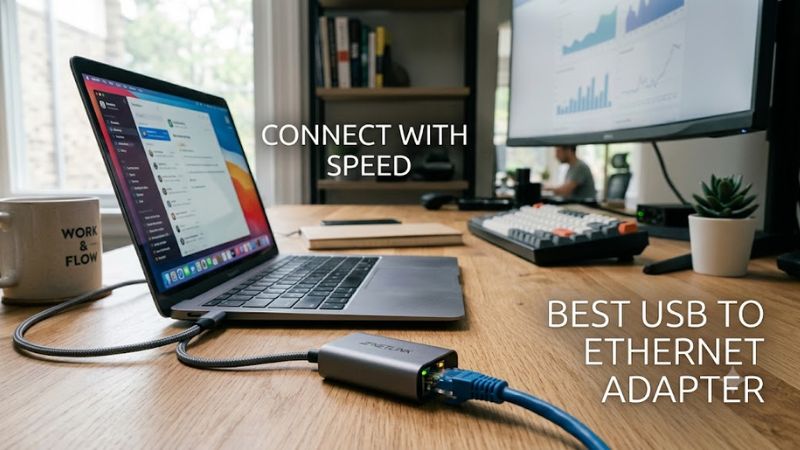
A best usb to ethernet adapter can add wired networking to a laptop or desktop that lacks an Ethernet jack, or provide a faster connection than an existing port. For PC gaming, the right choice depends on USB bandwidth, network hardware, driver support, and cable quality. A faster adapter helps only when the rest of the network can use its speed.
How to Choose a USB to Ethernet Adapter
The right adapter should match your computer’s available port, your network’s maximum link speed, and the operating system you use. For most gaming PCs, Gigabit Ethernet is enough for ordinary online play, while 2.5GbE can benefit large local transfers and internet plans above 1Gbps. Choose based on your actual network rather than the largest number on the packaging.
Match the USB Connector and Bandwidth
USB-A adapters suit many desktop PCs and older laptops, while USB-C models fit newer laptops and compact computers. Check the port’s actual specification: USB-C describes the connector shape, not necessarily its speed. USB 3.x is the practical starting point for Gigabit and 2.5GbE adapters when you want to avoid a USB connection becoming the bottleneck.
A USB 2.0 port has a theoretical maximum of 480Mbps before protocol overhead, so it cannot carry a full Gigabit Ethernet connection at line rate. USB 3.0, also marketed as USB 3.2 Gen 1, supports 5Gbps signaling and is suitable for many 2.5GbE adapters. If you use a hub or dock, its shared bandwidth and other connected devices can also affect throughput.
Choose Gigabit or 2.5GbE
Gigabit Ethernet supports a nominal link rate of 1,000Mbps and remains a sensible choice for gaming, streaming, and general internet use. A 2.5GbE adapter raises the maximum link rate to 2,500Mbps, making it more useful for a compatible NAS, local file transfers, or broadband service faster than one gigabit. Neither rating guarantees a particular internet speed.
To benefit from 2.5GbE, the adapter, USB connection, Ethernet cable, router or switch port, and destination device must support the faster link. Cat5e cable can support 2.5GbE over standard channel distances when the installation is in good condition. If your router has only Gigabit ports, a 2.5GbE adapter will normally negotiate down to a supported rate instead of making the router faster.
Verify Operating-System and Driver Support
Windows 11, macOS, ChromeOS, and Linux do not necessarily have identical driver support for every adapter. Before buying, check the manufacturer’s compatibility list for your operating-system version and computer architecture. Some chipsets work with built-in drivers, while others may need a vendor driver or a supported kernel version, particularly on Linux distributions.
For gaming, driver stability and sleep recovery can matter more than small differences between adapters using similar network controllers. Check whether the manufacturer documents Wake-on-LAN, PXE boot, or MAC address passthrough if you need those features. These are not universal features, and support may depend on the operating system, firmware, and host hardware rather than the adapter alone.
Consider Heat, Portability, and Extra Features
A compact plastic adapter is easy to carry, while a metal enclosure may help spread heat during sustained transfers. Construction alone does not establish that a particular model runs cooler, so look for credible documentation and product-specific reports rather than assuming every metal adapter is better. An attached cable can reduce strain on the computer’s port, but it also creates another component that may wear out.
If your laptop has limited ports, a USB-C Ethernet adapter with power-delivery passthrough may be convenient. Confirm the precise charging capability and whether the Ethernet and charging functions can operate simultaneously. A network-only adapter generally costs less and is simpler if you have a separate charging port. For a desktop with a spare compatible USB port, either USB-A or USB-C can work without opening the case.
Top Picks: Best USB to Ethernet Adapters
These four options address different needs: flexible USB connections, a simple Gigabit setup, compact USB-C portability, and an upgrade to multi-gigabit networking. The recommendations below are based on published specifications and compatibility documentation, not detailed research. Before ordering, confirm the exact model revision and regional availability because similar product names can refer to different connector designs.
| Product | Best For | Key Spec | Compatibility | Watch Out For |
| Plugable USBC-E2500 | Best Overall | 2.5GbE; USB-C with USB-A conversion | USB 3.0, USB-C, Thunderbolt 3/4; supported Windows, macOS, Linux and ChromeOS configurations | Linux features and drivers vary |
| TP-Link UE302C | Best Value for USB-C | 2.5GbE; USB 3.0 Type-C | Windows, macOS, Linux, ChromeOS, iOS and iPadOS, subject to version requirements | No native USB-A connector |
| ASUS USB-C2500 | Best for USB-A Desktops | 100, 1,000 and 2,500Mbps link rates | USB 3.2 Gen 1 Type-A host | USB-A only; check the exact model revision |
| TP-Link UE306 | Best for Basic Gigabit | USB 3.0; Gigabit Ethernet | Compatible Windows, macOS, Linux and Nintendo Switch configurations | Limited to 1Gbps Ethernet |
Best Overall: Plugable USBC-E2500
The Plugable USBC-E2500 is a practical choice if you move between a USB-C laptop and a desktop with USB-A ports. Its documented Realtek RTL8156B controller supports 2.5GbE, and the included USB-A conversion accessory expands connection options. Plugable lists Windows 7 and newer, macOS 10.7 and newer, and Linux support with kernel and driver qualifications.
Buy this adapter if you want one portable unit for several compatible computers or need faster local network transfers. Its main weakness is that Linux support is not equally complete across every kernel and feature. It is less suitable when you need a guaranteed driver-free setup on an unusual operating system or a network faster than 2.5GbE.
Best Value: TP-Link UE302C
The TP-Link UE302C combines a USB-C connector, a 2.5GbE RJ45 port, and an aluminum enclosure in a compact design. TP-Link lists dimensions of 68 × 24 × 19mm and broad operating-system support, with plug-and-play operation dependent on the system version. A Cat5e-or-better Ethernet cable is required to reach its maximum advertised link rate.
Choose it for a compatible USB-C laptop, tablet, or computer that needs a multi-gigabit wired connection without a bulky dock. The key limitation is its connector: a computer with only USB-A ports needs another suitable adapter, which adds complexity. It is also unnecessary for a basic Gigabit internet connection unless you expect to upgrade the network later.
Best for USB-A Desktops: ASUS USB-C2500
The ASUS USB-C2500 is designed for a USB 3.2 Gen 1 Type-A host and provides an RJ45 Ethernet port with 100Mbps, 1Gbps, and 2.5Gbps link options. This makes it a straightforward option for a desktop PC that has an available USB-A port but lacks built-in multi-gigabit networking. The published specifications also list link-speed and activity indicators.
Buy it if your computer has a suitable USB-A port and your router or switch supports 2.5GbE. Skip it if your system offers only USB-C ports or you need 5GbE or 10GbE networking. ASUS also lists a separate USB-C2500 V2, so verify the precise model and its connection type rather than assuming every similarly named adapter uses the same connector.
Best for Basic Gigabit: TP-Link UE306
The TP-Link UE306 is a sensible alternative when the goal is reliable wired networking rather than multi-gigabit throughput. It connects through USB-A and provides Gigabit Ethernet, making it suitable for many gaming desktops and laptops that have a compatible USB 3.0 port. TP-Link’s product guide lists support for Windows, macOS, Linux, and Nintendo Switch, although the exact operating-system and device requirements should be checked before purchase.
Choose this adapter if your broadband service and home network operate at or below Gigabit speeds and you want to avoid paying for capacity you will not use. Its main weakness is the 1Gbps Ethernet ceiling, which makes it less appropriate for faster NAS transfers or a multi-gigabit network. For ordinary online gaming, that limit is not itself a disadvantage if the rest of your connection is Gigabit.
Frequently Asked Questions
Is a USB to Ethernet adapter good for PC gaming?
Yes, a USB to Ethernet adapter can provide a useful wired connection when your PC lacks an Ethernet port or its built-in network interface is unsuitable. Wired networking can reduce wireless interference, but actual latency depends on your router, internet route, congestion, and game server. USB bandwidth and driver quality also matter.
Do I need a 2.5GbE adapter for gaming?
No, most PC gamers do not need 2.5GbE solely for online gaming. A Gigabit adapter is generally sufficient for gameplay, while 2.5GbE is more useful for large local transfers or internet plans exceeding 1Gbps. Your router or switch and other network components must support the higher link rate to benefit from it.
Will a USB Ethernet adapter work with Windows 11?
Yes, many USB Ethernet adapters support Windows 11, but compatibility depends on the exact model and driver. Check the manufacturer’s support page before purchasing, connect the adapter to a compatible USB port, and install the recommended driver if Windows does not recognize it automatically. Confirm that the network connection negotiates at the expected speed.
Can a USB 2.0 port support Gigabit Ethernet?
A USB 2.0 port can connect to some Gigabit Ethernet adapters, but its theoretical 480Mbps USB bandwidth is insufficient for full Gigabit throughput. Use a compatible USB 3.x port to avoid that limitation. The adapter’s Ethernet link speed, cable, router, and destination device must also support the intended throughput.
Final Thoughts
The best usb to ethernet adapter depends on your computer’s ports and networking needs. The Plugable USBC-E2500 suits mixed USB-C and USB-A systems, the TP-Link UE302C fits USB-C devices, and the ASUS USB-C2500 targets USB-A computers. Choose Gigabit for everyday gaming or 2.5GbE for compatible multi-gigabit networks.