Affiliate disclosure: As an Amazon Associate we earn from qualifying purchases. This post contains affiliate links — we may earn a small commission at no extra cost to you. This never affects our picks. Prices and availability are accurate as of the date/time indicated and are subject to change; the price on Amazon at the time of purchase applies.
- Quick Comparison Table
- 1. Logitech G Pro X Superlight 2: Best for a proven wireless esports mouse
- 2. Razer DeathAdder V4 Pro: Best for ergonomic right-handed grip
- 3. ATTACK SHARK X3: Best for the lightest wireless option
- 4. GLORIOUS Model O Eternal: Best for a wired ultralight with a symmetrical shape
- 5. Redragon M725 Honeycomb: Best for an entry wireless lightweight
- How to Choose
- Frequently Asked Questions
- About the Author
- Related Articles
Quick answer: The best lightweight gaming mouse to start with is the Logitech G Pro X Superlight 2 for wireless play. The Razer DeathAdder V4 Pro suits ergonomic grips, the Attack Shark X3 is a 49g wireless option, the Glorious Model O Eternal is wired, and the Redragon M725 is the entry pick.
This guide compares five lightweight gaming mice, from well-known wireless flagships to simple wired ultralight designs. Low weight reduces fatigue and helps with quick flicks in shooters, but weight is only one factor next to shape, sensor and connection. We use each listing’s published weight, sensor, DPI and battery details and say when something is missing. We did not run our own benchmarks, so check shape and grip fit on the maker page.
Quick Comparison Table
| # | Model | Key specs (per listing) | Best for |
|---|---|---|---|
| 1 | Logitech G Pro X Superlight 2 | Wireless, LIGHTFORCE hybrid switches, HERO 2, 32,000 DPI | a proven wireless esports mouse |
| 2 | Razer DeathAdder V4 Pro | 56g, 8K polling, Focus Pro 45K Gen-2, up to 150 hr battery | ergonomic right-handed grip |
| 3 | ATTACK SHARK X3 | 49g, Bluetooth 5.2 / 2.4G, PAW3395, 26K DPI, 200h battery | the lightest wireless option |
| 4 | GLORIOUS Model O Eternal | Wired, 55g, 12K DPI optical sensor, 6 buttons, RGB | a wired ultralight with a symmetrical shape |
| 5 | Redragon M725 Honeycomb | 49g, 8000 DPI, tri-mode BT5.1 / 2.4GHz / wired | an entry wireless lightweight |
1. Logitech G Pro X Superlight 2: Best for a proven wireless esports mouse
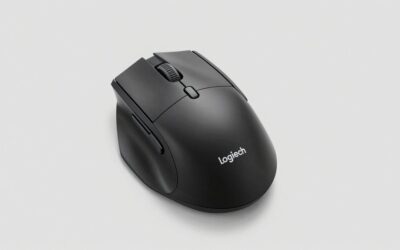
Specs per the listing: LIGHTSPEED wireless, LIGHTFORCE hybrid switches, HERO 2 sensor, 32,000 DPI, 5 programmable buttons, USB-C charging, Mac and PC. Exact weight not given in this title.
The Superlight 2 is a familiar choice among competitive players because it focuses on the basics: a light shell, a precise sensor and dependable wireless. Five programmable buttons keep the design simple, which many esports players prefer over feature-heavy layouts.
Its hybrid optical-mechanical switches aim at a crisp click without wear from mechanical contacts. The listing does not state the weight, so check the maker page, and note the shape suits medium to large hands with a claw or fingertip grip.
- Pros: Hybrid switches; HERO 2 sensor; USB-C charging; simple layout
- Cons: Weight not stated in title; only five buttons; symmetrical shape not for everyone

Logitech G Pro X Superlight 2 Lightspeed Wireless Gaming Mouse, Black | Lightweight, LIGHTFORCE hybrid switches, HERO 2 sensor, 32,000 DPI, 5 programmable buttons, USB-C charging, Mac & PC gaming
Included for 'Best Lightweight Gaming Mouse: Five Ultralight Picks Compared' because the listing is a hybrid/pocket-spring build, which is the attribute this article compares.
View on Amazon2. Razer DeathAdder V4 Pro: Best for ergonomic right-handed grip
Specs per the listing: 56g, wireless with HyperSpeed Wireless Gen-2, 8K polling rate, Focus Pro 45K sensor Gen-2, optical switches Gen-4, optical scroll wheel, up to 150 hours battery.
Razer’s DeathAdder shape is built around an ergonomic right-handed curve that suits palm and claw grips. The V4 Pro weighs 56g and offers 8K polling, which sends position data more often for a smoother cursor if your system supports it.
The battery life figure of up to 150 hours is generous. An ergonomic shape that suits one hand may not suit another, and the shape is right-handed only, so left-handed players should look elsewhere.
- Pros: 56g weight; 8K polling; 150-hour battery claim; ergonomic shape
- Cons: Right-handed only; 8K polling needs compatible hardware

Razer DeathAdder V4 Pro Wireless Gaming Mouse, 8K Polling Rate, 56g, Black | HyperSpeed Wireless Gen-2, Optical Scroll Wheel, Optical Switches Gen-4, Focus Pro 45K Sensor Gen-2, Up to 150 Hr Battery
Included for 'Best Lightweight Gaming Mouse: Five Ultralight Picks Compared' as a representative home product in this roundup; selection reflects the product set returned for this topic.
View on Amazon3. ATTACK SHARK X3: Best for the lightest wireless option
Specs per the listing: 49g, Bluetooth 5.2, 2.4G wireless and wired modes, PAW3395 sensor, 26K DPI, 200h battery life, programmable buttons, PC, Mac and Windows.
The X3 is the lightest mouse in this list at 49g, and it supports three connection modes: Bluetooth, a 2.4G dongle and wired. The PAW3395 sensor is a widely used gaming sensor in this class, and a 200h battery life claim covers long gaming weeks.
Attack Shark is a lesser-known brand than Logitech or Razer, so check the warranty and software support on the maker page. It is a strong option for players who want very low weight and are comfortable with a newer brand.
- Pros: 49g weight; three connection modes; PAW3395 sensor; 200h battery claim
- Cons: Lesser-known brand; warranty details not listed

ATTACK SHARK X3 49g Ultra-Lightweight Wireless Gaming Mouse, White&Tape | Bluetooth 5.2/2.4G Wireless/Wired, PAW3395 Gaming Sensor, 26K DPI, 200h Battery Life, Programmable Buttons for PC/Mac/Win
Included for 'Best Lightweight Gaming Mouse: Five Ultralight Picks Compared' as a representative home product in this roundup; selection reflects the product set returned for this topic.
View on Amazon4. GLORIOUS Model O Eternal: Best for a wired ultralight with a symmetrical shape
Specs per the listing: Wired, 55g, symmetrical design, 12K DPI optical sensor, 6 programmable buttons, customisable RGB lighting, PC and Mac.
The Model O Eternal is a wired mouse at 55g, which means no battery weight and no charging. For desk players who do not care about cables, that simplicity is a strength, and the symmetrical shape works for both left- and right-handed users.
The 12K DPI sensor is modest next to the 26K to 45K sensors elsewhere in this list, though most players rarely use very high DPI. Its RGB lighting is customisable if that is part of your setup style.
- Pros: 55g weight; symmetrical shape; 6 buttons; no battery to manage
- Cons: Wired only; 12K DPI sensor is the lowest here
5. Redragon M725 Honeycomb: Best for an entry wireless lightweight
Specs per the listing: 49g honeycomb shell, wireless, 8000 DPI, tri-mode Bluetooth 5.1, 2.4GHz and Type-C wired, 2 side buttons, macro programmable, PC, Mac and laptop.
Redragon’s M725 is the simplest and most entry-level option here. The honeycomb shell keeps weight at 49g, and tri-mode connectivity covers a gaming dongle, Bluetooth for a laptop and a wired fallback.
The 8000 DPI sensor is adequate for most play but less capable than the flagship sensors on the other mice. Choose it if you want a light shell for casual gaming, and expect fewer premium features.
- Pros: 49g honeycomb shell; tri-mode connection; two side buttons; macro software
- Cons: 8000 DPI sensor is the lowest here; fewer premium features

Redragon M725 Honeycomb Shell Gaming Mouse Wireless Lightweight 49g -Black | 8000 DPI Tri-Mode BT5.1/2.4GHz/Type-C Wired Gamer Mouse with 2 Side Buttons, Macro Programmable for PC/Mac/Laptop
Included for 'Best Lightweight Gaming Mouse: Five Ultralight Picks Compared' as a representative home product in this roundup; selection reflects the product set returned for this topic.
View on AmazonHow to Choose
Understand weight in context
Ultralight in this list means roughly 49g to 56g where the listings state it. Lower weight reduces wrist strain over a session, but a very light mouse can feel twitchy if you are used to a heavier one. Move down in steps if you are switching.
Match the shape to your grip
Palm grip players often prefer a taller ergonomic shell like the DeathAdder. Claw and fingertip players favour low, symmetrical shapes like the Superlight and Model O. Hand length matters, so measure from wrist crease to middle fingertip and compare it with the maker’s size guidance.
Choose the connection that fits your setup
Wireless mice remove cable drag but need charging. Wired mice add no battery weight. Tri-mode designs add Bluetooth for a laptop. If you play competitively, use the 2.4G dongle rather than Bluetooth, since it has lower latency.
Do not chase specs that you will not use
Sensor DPI figures above 20,000 are rarely used in practice. Polling rates of 8K need strong CPUs and may not help in every game. Spend your attention on shape, weight and button feel, which affect every session.
Plan for surface and skates
A light mouse reacts quickly to small movements, so a smooth, consistent mouse pad helps control. Check whether replacement skates are sold for your model, because worn feet make a mouse feel scratchy. Clean the sensor window occasionally to avoid tracking glitches.
Frequently Asked Questions
What weight counts as lightweight for a gaming mouse?
Roughly under 80g is called lightweight, and under about 60g is often described as ultralight. Several listings here state 49g to 56g.
Is wireless as fast as wired for gaming?
Modern 2.4G wireless mice are close enough that many esports players use them. Bluetooth is generally slower, so use the dongle for competitive games.
Do honeycomb shells feel worse?
Perforated shells save weight and ventilate the hand. Some players dislike the texture, and they can collect dust, but many find them comfortable.
Does a lighter mouse always improve aim?
Not always. Weight helps with fast flicks and fatigue, but comfort and shape matter just as much. Try to borrow a mouse or check return terms, then judge by how your hand feels after an hour of play.
Which mouse is best for small hands?
A shorter, symmetrical shape like the Glorious Model O Eternal or the Redragon M725 is usually easier for small hands. Check the maker’s dimensions.