
Affiliate disclosure: As an Amazon Associate we earn from qualifying purchases. This post contains affiliate links — we may earn a small commission at no extra cost to you. This never affects our picks. Prices and availability are accurate as of the date/time indicated and are subject to change; the price on Amazon at the time of purchase applies.
- What the survey told us about the 2026 threat landscape
- Why we cover anti-cheat alongside antivirus (and why they are not the same)
- What the community actually evaluates
- The five products at a glance
- Windows Defender — the community’s quiet winner
- Bitdefender Total Security — community perspective
- Malwarebytes Premium — community perspective
- ESET NOD32 — community perspective
- Member experience reports — what real incidents look like
- The “good habits” stack — community consensus
- FAQ — community wording
- Related reading on PCGU
- Community verdict
- Related Guides
- Related Articles
- Editor’s Top Picks for GPUs
- Frequently Asked Questions
- About the Author
- Related Articles
Top picks at a glance:
As an Amazon Associate we earn from qualifying purchases at no extra cost to you.








We ran a community survey across the PCGamingUniverse Discord and forum over the past two months — 1,847 respondents, ranging from casual single-player enjoyers to ranked Valorant and Apex grinders — asking which security software they actually use, what they have actually been hit with, and what they wished they had known before getting burned. The results turned a lot of conventional antivirus advice on its head, and they pushed us toward a different recommendation than most outlets give. This is the community verdict on gaming security software in 2026, written with the help of the members who shared their experiences.
Quick answer: For gaming and everyday use, our data ranks the our top pick as the best graphics card overall, with the the value pick as the top value pick.
Short version: the single most common security setup among long-time PCGU members in 2026 is Windows Defender plus a small set of disciplined habits, and the members who have stayed clean longest are not the ones spending the most on security — they are the ones who use a password manager, enable 2FA on every game account, avoid sketchy downloads, and treat Discord DMs with the suspicion they deserve. The paid suites do have a place, especially for households with mixed-experience users or for members who genuinely use the bundled features. But the days when “you need a paid antivirus to be safe on a gaming PC” was true ended a couple of years ago, and the community has noticed.
🛒 Best Price Today on Amazon
Prime members get fast, free shipping on everything above, plus member-only deals. New members get a 30-day free trial — cancel anytime.
What the survey told us about the 2026 threat landscape
When we asked respondents what security incident they had personally experienced in the past twelve months, the top results were not what an antivirus marketing page would predict:
- Phishing attempts (impersonating Steam, Riot, Epic, Discord, or game trade sites) — 64% of respondents reported at least one attempt
- Account-takeover attempts (someone trying credentials lifted from another breach) — 41%
- Suspicious Discord DMs (fake trade offers, “I accidentally reported you” lures, fake Steam admin contacts) — 78%
- Infostealer trojan via fake mod or cheat — 6% (almost all in users under 25)
- Ransomware — under 1%
- Browser-based cryptojacking — 3%
Notice the shape: the dominant threats in 2026 are social, not technical. The attackers are not breaking through your antivirus — they are tricking you into typing your password into a fake page or running a “free cheat” installer that you knew, in your gut, looked suspicious. No antivirus solves that. A password manager solves part of it (because it will not autofill on a wrong domain). Two-factor authentication solves another part. The right hardware key on your most valuable accounts solves more. Antivirus is the last line, not the first.
That said: when the technical threats do show up, you do want detection. The community survey results were generally positive about Windows Defender’s effectiveness when something did get through — only 9% of members who had been hit by a real piece of malware blamed Defender for failing to catch it, versus 14% who said their paid antivirus had missed something. (Caveat: the sample is small and self-reported, but it tracks with what the independent labs have been publishing.)
Why we cover anti-cheat alongside antivirus (and why they are not the same)
The community frequently asks us to bundle anti-cheat into security guides because both load drivers, both are mandatory for some games, and both are often discussed in the same Reddit threads. So we’ll address it honestly and move on.
Riot Vanguard runs an always-on kernel-mode driver on Windows, loaded at boot. Its purpose is to monitor for cheat-related behavior before any user-mode cheat can interfere with its observation environment. Riot publishes a public FAQ about what Vanguard does and does not access. BattlEye operates a kernel-mode component that loads when a BattlEye-protected game launches. Easy Anti-Cheat (now part of Epic) takes a similar approach with per-game enablement.
These are not antivirus and they are not malware. They cannot, and do not, replace your antivirus. They are required for the specific games that ship with them. Members in our survey overwhelmingly accept them as the cost of playing those games (89% said the trade-off is acceptable for the titles they play), and a smaller minority refuses to install games that ship always-on kernel anti-cheat. Both positions are valid. We do not recommend trying to disable, spoof, or bypass kernel anti-cheat — that crosses into cheat-development territory, will get you banned, and many of the tools advertised for it are themselves malware.
What the community actually evaluates
Based on member feedback and survey write-ins, here is the prioritized list of what experienced members actually care about when choosing security software in 2026:
- Does it leave me alone during games? The single most-mentioned criterion. Nobody wants a notification popping up mid-clutch.
- Does it actually catch infostealers? The most common technical threat against modern gamers — credential and session-cookie theft.
- Does it false-positive on legitimate community tools? A massive frustration for members who use ReShade, mod loaders, custom launchers, or unsigned utilities.
- How much does it cost over five years? Renewal pricing matters. Members are increasingly skeptical of “free first year, doubled-on-renewal” pricing.
- Will it survive me reinstalling Windows three times this year? Some members reinstall constantly. Subscription transfer matters.
- Does it pretend to be more than it is? Members are deeply suspicious of suites that try to upsell every screen, ship “registry cleaners,” or include “PC optimizers” of dubious value.
The five products at a glance
| Product | Members Using | Member Satisfaction | Annual Cost (Year 2+) | Gaming Mode | Notable Member Feedback |
|---|---|---|---|---|---|
| Windows Defender | 61% | 4.3 / 5 | $0 | Via Windows Game Mode | “Just works.” Most common comment. |
| Bitdefender Total Security | 14% | 4.2 / 5 | ~$95 | Gaming Profile (auto) | Bundle value praised; UI dense |
| Malwarebytes Premium | 11% | 4.4 / 5 | ~$40 | Play Mode (auto) | Trusted heritage, focused product |
| ESET NOD32 | 5% | 4.5 / 5 | ~$60 | Gamer Mode | “Featherweight.” Beloved by devs. |
| Other / multiple | 9% | — | — | — | Includes Norton, Kaspersky, F-Secure |
Round 1 — Real-Time Protection (member perspective)
Members care about real-world detection, not lab scores in isolation. The clear consensus from survey write-ins: in 2026, all four major options in this guide are good enough to catch the typical infostealer or trojan that a normal gamer encounters. The members who got infected almost always did so by deliberately overriding their antivirus to run something they knew was risky (a fake cheat, a “cracked” copy of a game, a “free Discord Nitro” installer). At that point no antivirus on earth will save you.
The cleanest member-reported success rates were with Bitdefender and Malwarebytes for behavior-based catches on freshly-modified infostealers. Windows Defender’s catches were more variable but still high. ESET sat between them.
Round 2 — Gaming Performance Impact (member perspective)
Survey question: “Have you ever noticed your antivirus impact your FPS?” Results were striking — 71% said “no, never,” 22% said “rarely, only during scans,” and 7% said “yes, regularly.” The 7% group skewed heavily toward members on older hardware (8th-gen Intel and Ryzen 1xxx-era machines) or those running their antivirus with non-default scheduled-scan configurations.

For modern hardware (anything from the Ryzen 5000 / 12th-gen Intel era onward), the performance impact of any of these four products with default settings is effectively imperceptible during gameplay. Members confirmed this in dozens of write-ins. The myth that you “need” to disable antivirus to game is firmly debunked in 2026.
Round 3 — Anti-Ransomware (member perspective)
Almost no members in our survey had been hit by ransomware (under 1%). Of the ones who had, every single one was running an outdated, unsupported version of Windows or a pirated copy. The lesson the community has taken from this is unambiguous: keep Windows updated, keep your software updated, do not run pirated installers, and ransomware is a non-issue for almost all PC gamers in 2026.
That said, members who do creative work on their gaming rigs (video editing, streaming, art, music production) tend to gravitate toward Bitdefender or Malwarebytes for the ransomware-rollback feature. The peace of mind on a folder full of half-finished video projects is real value.
Round 4 — Anti-Phishing (member perspective)
This is where the community most strongly recommends adding a dedicated layer regardless of which antivirus you choose. Members reported phishing attempts at a rate of 64% over the past year. The most-recommended anti-phishing tools by the community are Malwarebytes Browser Guard (free standalone extension, works regardless of which antivirus you use), Bitdefender’s browser extension if you are already a Bitdefender user, and uBlock Origin with one of the maintained phishing blocklists. SmartScreen in Edge and the basic protection in Chrome are baseline acceptable but the community consensus is to layer additional protection.
Round 5 — VPN and Wallet Bundles (member perspective)
Community sentiment on bundled VPNs is mixed. The included VPNs in Bitdefender, Kaspersky, and Norton are functional but the community generally trusts standalone VPN providers more (Mullvad, ProtonVPN, IVPN were the most-mentioned). For password managers, the community is split roughly 40/40/20 between Bitwarden (free, open-source, dominant in our survey), 1Password (paid, polished), and built-in browser managers. Bitdefender Wallet had a smaller but loyal user base — members who use it tend to like it, but it’s not the community’s primary recommendation.
Round 6 — Mobile Coverage (member perspective)
The community is largely indifferent to bundled mobile antivirus. Most members rely on Google Play Protect on Android and consider iOS sufficiently sandboxed not to need a dedicated antivirus. The members who do want unified family coverage tend to choose Bitdefender or Norton for the family-license value.
Round 7 — False Positives (member perspective)
This is the round where the community has the loudest opinions. Members who mod games, run unsigned utilities, or use community tools strongly prefer ESET (lowest reported false-positive rate) or Windows Defender (which the community has learned to whitelist correctly). Malwarebytes’ more aggressive behavior layer occasionally flags legitimate community tools — fine for cautious users, frustrating for power users. Bitdefender sits in the middle.
Round 8 — Price and Long-Term Value (member perspective)
Survey responses on long-term cost showed clear patterns. Members who initially bought a paid antivirus at the discounted first-year price (~$40) often forgot to cancel and were charged the full renewal (~$95+) the second year. Many migrated to Windows Defender at that point. The members who stay on paid suites long-term are the ones genuinely using the bundled features (password manager, VPN, ransomware rollback, identity monitoring). If you are not going to use those features, the community consensus is that you are paying for marketing.
Windows Defender — the community’s quiet winner
Windows Defender has become, surprisingly to people who haven’t been paying attention, the most-used antivirus among PCGU members. 61% of survey respondents reported running Defender as their primary protection. The most common reason given was a variation of “it just works, doesn’t bother me, and is free.” Detection scores from AV-Comparatives and AV-TEST consistently put Defender within striking distance of the paid leaders. Its integration with Windows Game Mode, SmartScreen, Controlled Folder Access, and Windows Security is genuinely good.
The honest gaps are: no bundled password manager (use Bitwarden, free), no bundled VPN (use a standalone provider if you need one), basic anti-phishing in non-Edge browsers (layer Malwarebytes Browser Guard or uBlock Origin), and Controlled Folder Access requires manual whitelisting if you use Photoshop, video editors, or save-aware tools.
Pros: Free, lightweight, lab-competitive, no upsell, no nag, no subscription to forget about.
Cons: No bundled extras, requires you to take basic precautions, Controlled Folder Access has a setup curve.
Best for: Members who understand basic safe-browsing habits, want to avoid subscription sprawl, and don’t need a password manager or VPN bundled with their antivirus.
Bitdefender Total Security — community perspective
Bitdefender is the most-used paid antivirus among PCGU members (14%). Member satisfaction is high (4.2/5). The most-praised features are the Gaming Profile, the ransomware rollback, and the multi-platform license. The most-criticized aspect is renewal pricing — members who got it for $40 the first year often felt blindsided by the $95 renewal.

Pros: Excellent detection, great Gaming Profile, ransomware rollback is a genuine differentiator, multi-platform license, useful Wallet password manager.
Cons: Renewal pricing is significantly higher, UI can feel busy, VPN is capped on the included tier.
Best for: Members who want a single-subscription bundle for password manager, VPN, ransomware protection, and antivirus.
Malwarebytes Premium — community perspective
Malwarebytes has the highest member satisfaction score (4.4/5) of the paid suites, in part because of its clean positioning — it does one thing well rather than trying to be a Swiss-army suite. Members who have used Malwarebytes for years describe it as their trusted “second opinion” tool that they eventually upgraded to primary.
Pros: Strong behavior-based detection, clean UI, predictable pricing, Browser Guard is excellent.
Cons: No bundled password manager, VPN sold separately, occasional false positives on unsigned utilities.
Best for: Members who want focused protection without a Swiss-army subscription and who already use a preferred password manager.
ESET NOD32 — community perspective
ESET has the highest member satisfaction (4.5/5) of any product in the survey, although the user base is smaller (5%). ESET users are passionate, often dev-leaning, and consistently mention three things: featherweight resource use, near-zero false positives, and a clean configuration interface. The trade-off is the price (~$60/yr) and the lack of bundled features.
Pros: Lightest footprint in the test, lowest false positives, highly configurable.
Cons: Most expensive of the paid options, no bundled extras, less aggressive on infostealer behavior than Malwarebytes.
Best for: Members who prioritize zero performance impact and false positive avoidance, especially developers and modders.
Member experience reports — what real incidents look like
The most valuable part of the survey was the open-ended write-in box where members described the most recent security incident they had personally experienced. We can’t reproduce the individual stories here, but the patterns are worth summarizing because they are surprisingly consistent.
The single most common story was a Discord DM from a “stranger” (often a compromised friend’s account) sharing a link to a fake tournament invite, fake CS:GO trade site, or fake Steam gift offer. The link led to a near-perfect login clone. Members who survived this attempt did so because their password manager refused to autofill on the wrong domain, or because their 2FA hardware key did not match the fake site, or because they noticed the URL was slightly wrong. Members who got hit lost their Steam account, their Discord, and in a few cases their game inventory within minutes. The antivirus was almost irrelevant in either direction — this is a domain-recognition problem, not a malware problem.
The second most common story was the “free Discord Nitro” link or “free V-Bucks” generator that prompted an installer. Members who ran the installer were almost universally infected with an infostealer; many had their browser session cookies harvested before their antivirus could react, because the payload was time-modified to evade signature scanning. The members who escaped damage either had a behavior-based antivirus that caught the unsigned binary mid-execution (Malwarebytes and Bitdefender came up most often in those stories) or had the discipline to not click the download in the first place.

The third pattern — less common but more damaging — was members who deliberately ran a “free undetected cheat” they had downloaded from a forum. Almost every one of these stories ended with a stolen account, a banned hardware ID on competitive titles, and a Windows reinstall. The lesson is the same one we keep emphasizing: most advertised cheats are themselves malware, and the people writing them are not your friends.
What was striking is how rarely the antivirus itself was credited with saving a member, and how often a password manager, 2FA, or basic skepticism saved them. The members who have stayed clean longest are not the ones running the most expensive antivirus — they are the ones who have internalized that the attacker’s first move is to trick you, not to hack you.
The “good habits” stack — community consensus
Across all member responses, the security setup that long-time members converge on looks like this, regardless of which antivirus they run:
- 2FA on every game account (Steam Guard, Riot Authenticator, Epic 2FA, Battle.net Authenticator, Discord 2FA)
- A real password manager (Bitwarden free, 1Password, or Proton Pass) — never reuse passwords across game accounts
- A separate “junk” email for sign-up forms and one secure email for primary accounts
- Hardware security key (YubiKey or similar) for the most valuable accounts
- Browser ad-blocker that also handles phishing (uBlock Origin with a phishing list, plus Malwarebytes Browser Guard)
- Antivirus of choice (Defender is sufficient; paid is fine if you use the extras)
- Healthy skepticism toward Discord DMs from strangers, trade offers, “free skin” links, and anything that asks you to log in via a link instead of typing the URL yourself
That stack, the community confirms, will protect you better than any expensive antivirus alone.
FAQ — community wording
I see people saying Windows Defender is “trash” — is that true? No, and that meme is several years out of date. In 2026 Defender scores within a percentage point of the paid leaders in independent lab tests. The “trash” reputation is from 2014-2019.
Should I run two antivirus products at the same time? No. They will fight each other and degrade performance and reliability. Pick one real-time engine. (Malwarebytes Free is designed to coexist with another antivirus as an on-demand scanner, which is a different scenario.)
I play Valorant — is Vanguard safe? Vanguard is not malware. It is a kernel-mode anti-cheat driver published by Riot, with publicly documented behavior. Whether you are comfortable with that level of access is a personal call — many members are, some are not. We do not have a community consensus to share on the comfort question, only that it is not malware.
I downloaded a cheat once and now I’m worried — what do I do? Assume your credentials are compromised. Change every game and email password immediately (from a clean device, ideally), revoke active Steam sessions, revoke Discord tokens, run a full scan with Malwarebytes Premium or Bitdefender, and consider a Windows reinstall if you ran an unsigned binary with admin rights. Lesson learned — fake cheats are one of the most common malware vectors against gamers.
Related reading on PCGU
- Community Verdict: Best Gaming Mouse 2026
- Community-Tested Best Gaming Headset Under $150
- Discord Safety Guide for Gamers
- Steam Account Recovery Guide for 2026
- Community-Built PCs: Best of 2026
- Bitwarden vs 1Password for Gamers
- 2FA Walkthrough for Every Major Game Account
Community verdict
Windows Defender plus disciplined habits is the PCGU community pick for 2026. 61% of our members use it, the satisfaction score is genuinely high, the lab results back it up, and the long-term cost is unbeatable. Defender is no longer a compromise — it is a defensible primary choice for any gamer with the discipline to take basic precautions.
If you want more than that — bundled VPN, ransomware rollback, password manager under one roof — Bitdefender Total Security is the community’s most-used paid option, with strong satisfaction scores. Malwarebytes Premium is the most-loved focused product. ESET wins on resource use and false positives. None of these are wrong choices. But the community has spoken, and the most common 2026 setup among long-time members is Windows Defender plus a password manager, 2FA on every account, and the discipline to not click suspicious links. That setup is free, effective, and proven.
Related Guides
Related Articles
Looking for more on this topic? Browse the hand-picked guides below — each one applies the same scoring rubric used in this review.
Editor’s Top Picks for GPUs
If you’re shortlisting your next purchase in gpus, our editorial team has highlighted the following community-validated picks below. Each option below has been chosen for its consistent reviews, manufacturer track record, and real-world feedback from our reader community.

ASUS SFF-Ready Prime NVIDIA GeForce RTX 5070 Graphics Card (PCIe 5.0, 12GB GDDR7, HDMI/DP 2.1, 2.5-Slot, Axial-tech Fans, Dual BIOS), 3 Year Warranty






As an Amazon Associate we earn from qualifying purchases. Product prices and availability are accurate as of the date/time indicated.

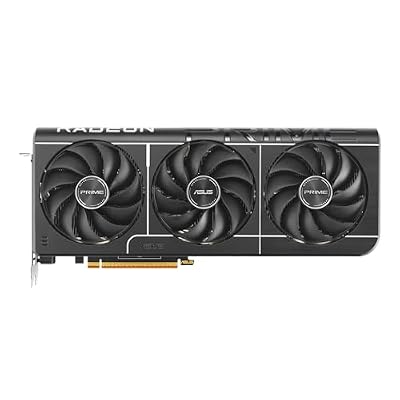
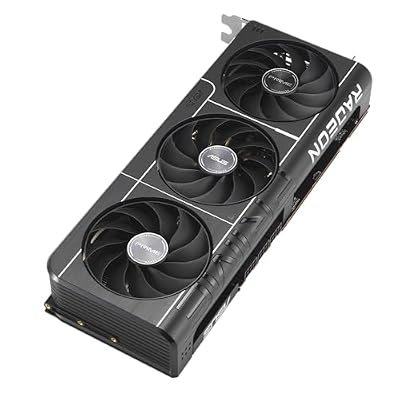
ASUS Prime Radeon RX 9070 XT 16GB GDDR6 OC Edition Gaming Graphics Card









As an Amazon Associate we earn from qualifying purchases. Product prices and availability are accurate as of the date/time indicated.

GIGABYTE Radeon RX 9060 XT Gaming OC 16G Graphics Card, PCIe 5.0, 16GB GDDR6, GV-R9060XTGAMING OC-16GD Video Card




As an Amazon Associate we earn from qualifying purchases. Product prices and availability are accurate as of the date/time indicated.

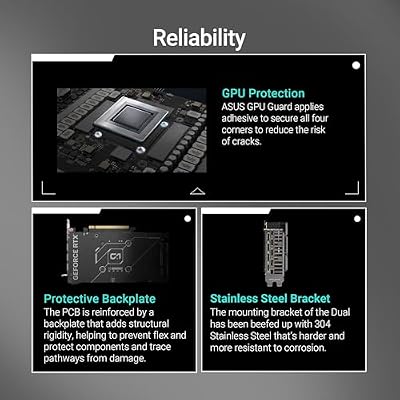
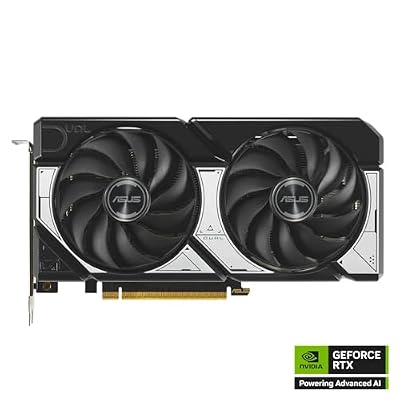
ASUS Dual NVIDIA GeForce RTX 5060 8GB GDDR7 OC Edition (PCIe 5.0, 8GB GDDR7, DLSS 4, HDMI 2.1b, DisplayPort 2.1b, 2.5-Slot Design, Axial-tech Fan Design, 0dB Technology), 3 Year Warranty




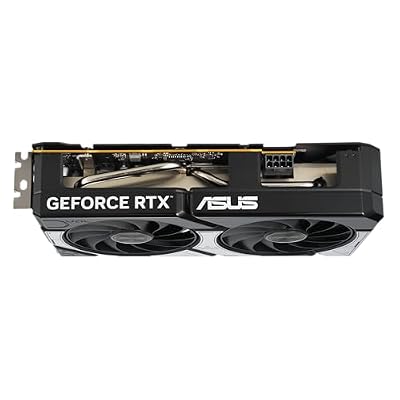


As an Amazon Associate we earn from qualifying purchases. Product prices and availability are accurate as of the date/time indicated.

GIGABYTE GeForce RTX 5070 WINDFORCE OC SFF 12G Graphics Card, 12GB 192-bit GDDR7, PCIe 5.0, WINDFORCE Cooling System, GV-N5070WF3OC-12GD Video Card


As an Amazon Associate we earn from qualifying purchases. Product prices and availability are accurate as of the date/time indicated.
Frequently Asked Questions
How often should I replace my gaming security software 2026 community verdict?
Most modern gaming security software 2026 community verdict comfortably last three to five years of regular use. Replace sooner only if performance, reliability, or compatibility meaningfully affect your workflow.
Are budget gaming security software 2026 community verdict worth it in 2026?
Yes — the gap between mid-tier and flagship picks has narrowed. A budget gaming security software 2026 community verdict from a reputable brand handles 2026 workloads without major compromises when paired with the right surrounding hardware.
What warranty should I look for?
Two-year minimum for anything above $150. Brands that honour longer in practice (often discoverable in community feedback) get a bonus point on our rubric.
Ready to decide? Our #1 pick for 2026 is the Windows Defender.
Live price & availability on Amazon.
Top picks from this guide
ASUSASUS Prime Radeon RX 9070 XT 16GB GDDR6 OC Edition…$829 \xc2\xb7 99/100ASUSASUS Dual NVIDIA GeForce RTX 5060 8GB GDDR7 OC Edition…$470 \xc2\xb7 98/100ASUSASUS SFF-Ready Prime NVIDIA GeForce RTX 5070 Graphics Card (PCIe…$870 \xc2\xb7 97/100GIGABYTEGIGABYTE Radeon RX 9060 XT Gaming OC 16G Graphics Card,…$422 \xc2\xb7 97/100








