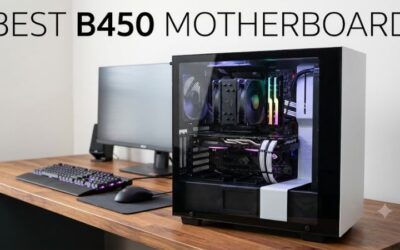
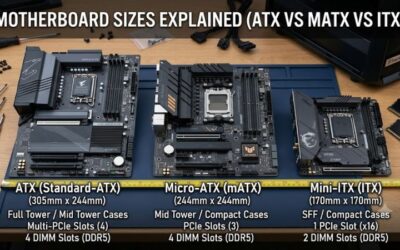
- Top Pick: GIGABYTE B650 AORUS Elite AX AMD AM5 ATX Motherboard, Support Ryzen 9000/8000/7000 Series, DDR5, 14+2+1 Power Phase, PCIe 5.0 M.2, USB-C 3.2 Gen 2, WIFI6E, 2.5GbE, EZ-Latch, Q-Flash, RGB Fusion
- Best Value: GIGABYTE B650 Eagle AX AM5 LGA 1718 ATX Motherboard, DDR5, Triple M.2 Slots (1x PCIe 5.0, 2X PCIe 4.0), USB 3.2 Gen2x2 Type-C, WiFi 6E, Realtek GbE LAN
- Premium Choice: GIGABYTE B850 AORUS Elite WIFI7 AMD AM5 ATX Motherboard, Support AMD Ryzen 9000/8000/7000 Series, DDR5, 14+2+2 Power Phase, 3X M.2, PCIe 5.0, USB-C, WIFI7, 2.5GbE LAN, EZ-Latch, 5-Year Warranty
🛒 Best Price Today on Amazon
Prime members get fast, free shipping on everything above, plus member-only deals. New members get a 30-day free trial — cancel anytime.
- Top Budget Am5 Motherboards Picks for 2026
- Best Budget AM5 Motherboards at a Glance
- 1. ASUS TUF Gaming B650-PLUS WiFi
- 2. GIGABYTE B650 Eagle AX
- 3. GIGABYTE B650 AORUS Elite AX
- 4. ASUS B650E MAX Gaming WiFi W
- 5. MSI MAG B650 Tomahawk WiFi
- 6. ASUS ROG Strix B650-A Gaming WiFi
- How to Choose a Budget AM5 Motherboard
- Frequently Asked Questions
- Related Guides
- About the Author
- About the Author
- Related Articles
Top Budget Am5 Motherboards Picks for 2026
Here are our current top budget am5 motherboards picks, compared on real Amazon owner reviews, price, and features. Live prices update below.
As an Amazon Associate we earn from qualifying purchases at no extra cost to you.


Building an AM5 system for Ryzen 7000, 8000 or 9000 chips does not require an expensive X670 motherboard. The B650 chipset delivers everything most gamers need — DDR5 support, PCIe 5.0 for storage, plenty of M.2 slots and Wi-Fi — at a fraction of the cost, and this guide rounds up the best value B650 boards you can buy.
PC Gaming Universe is reader-supported. When you buy through links on our site, we may earn an affiliate commission at no extra cost to you.
All six picks are B650 boards because that is the smart value chipset for an AM5 gaming build. B650 gives you the AM5 platform’s headline features and full support for current and next-gen Ryzen without the premium of X670’s extra PCIe lanes and connectivity, which most gamers never use.
What separates these boards is not raw gaming frame rate — at the same settings any of them will perform near-identically with the same CPU and GPU — but VRM quality, connectivity and BIOS support. A stronger VRM matters if you plan to run a high-core Ryzen 9 or push memory overclocks; extra USB ports, faster networking and more M.2 slots matter for future expansion. The buyer’s guide below explains exactly which of those features are worth paying for on a budget AM5 build and which you can skip.
Best Budget AM5 Motherboards at a Glance
| Model | Key Spec | Price | Rating | Best For |
|---|---|---|---|---|
| ASUS TUF Gaming B650-PLUS WiFi | B650 ATX, DDR5, Wi-Fi | Check on Amazon | Best value entry | |
| GIGABYTE B650 Eagle AX | B650 ATX, triple M.2, PCIe 5.0 | Check on Amazon | Most M.2 for the money | |
| GIGABYTE B650 AORUS Elite AX | B650 ATX, robust VRM, Wi-Fi | Check on Amazon | Feature-rich mid pick | |
| ASUS B650E MAX Gaming WiFi W | B650E ATX, PCIe 5.0, white | Check on Amazon | PCIe 5.0 GPU + white build | |
| MSI MAG B650 Tomahawk WiFi | B650 ATX, strong VRM, Wi-Fi | Check on Amazon | Premium / Ryzen 9 stretch | |
| ASUS ROG Strix B650-A Gaming WiFi | B650 ATX, premium features | Check on Amazon | Best-rated all-rounder |
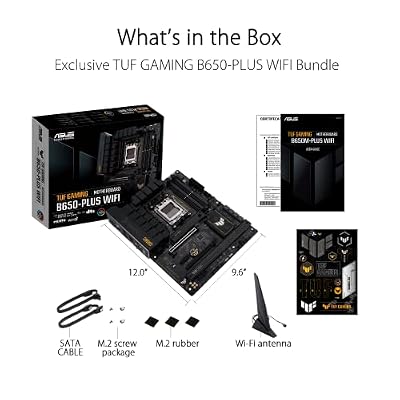
1. ASUS TUF Gaming B650-PLUS WiFi

ASUS TUF Gaming B650-PLUS WiFi AMD B650 AM5 Ryzen™ Desktop 9000 8000 and 7000 ATX Motherboard, 14 Power Stages, PCIe® 5.0 M.2, DDR5 Memory, WiFi 6 and 2.5 Gb Ethernet, USB4® Support Aura Sync



As an Amazon Associate we earn from qualifying purchases. Product prices and availability are accurate as of the date/time indicated.
It is a full ATX B650 board supporting Ryzen 9000, 8000 and 7000 series chips, with DDR5, integrated Wi-Fi and the durable component build the TUF Gaming line is known for.
The TUF range targets reliability and value over flash, which is exactly what a budget builder wants from the foundation of a system. You get a solid-enough VRM for mainstream Ryzen chips, the AM5 feature set and ASUS’s mature BIOS, all at the lowest price here. With a rating it is the no-fuss starting point we would recommend for most budget AM5 gaming builds.
Pros: Lowest price here; reliable TUF build; full AM5 feature set; Wi-Fi.
Cons: VRM is sized for mainstream chips, not top Ryzen 9 overclocks.

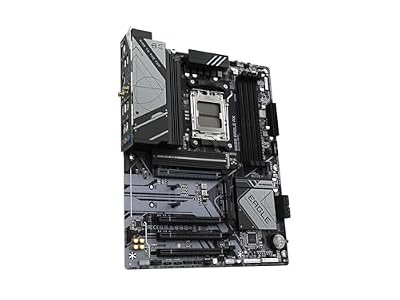
2. GIGABYTE B650 Eagle AX

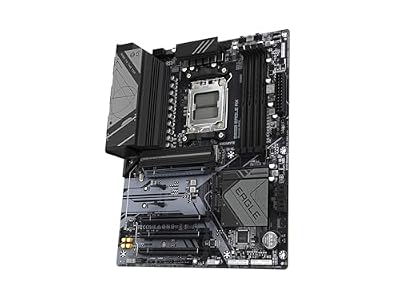
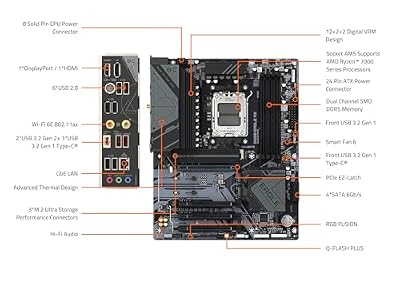
GIGABYTE B650 Eagle AX AM5 LGA 1718 ATX Motherboard, DDR5, Triple M.2 Slots (1x PCIe 5.0, 2X PCIe 4.0), USB 3.2 Gen2x2 Type-C, WiFi 6E, Realtek GbE LAN



As an Amazon Associate we earn from qualifying purchases. Product prices and availability are accurate as of the date/time indicated.
It is an ATX B650 board with DDR5 and Wi-Fi (the AX in the name) for current and next-gen Ryzen.
Three M.2 slots future-proof your storage in a way many budget boards do not, and the PCIe 5.0 slot means the fastest next-gen SSDs are supported when you want them. With a rating it is one of the best-reviewed picks here, and for a builder who values storage headroom and Wi-Fi at a low price, it is the standout value option.
Pros: Triple M.2 with PCIe 5.0; Wi-Fi; great rating; low price.
Cons: VRM and rear I/O are mainstream rather than enthusiast-grade.
3. GIGABYTE B650 AORUS Elite AX

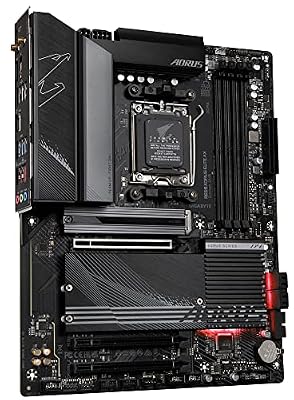
GIGABYTE B650 AORUS Elite AX AMD AM5 ATX Motherboard, Support Ryzen 9000/8000/7000 Series, DDR5, 14+2+1 Power Phase, PCIe 5.0 M.2, USB-C 3.2 Gen 2, WIFI6E, 2.5GbE, EZ-Latch, Q-Flash, RGB Fusion



As an Amazon Associate we earn from qualifying purchases. Product prices and availability are accurate as of the date/time indicated.
It supports Ryzen 9000, 8000 and 7000 series chips with DDR5 and Wi-Fi on a full ATX board.
The stronger power delivery here gives more headroom for higher-core Ryzen chips and memory tuning than the entry boards, making it a sensible pick if you are not buying the cheapest CPU. A rating is solid, and for a builder who wants a step up in VRM and features without crossing into premium pricing, the AORUS Elite AX is a well-rounded middle choice.
Pros: Stronger VRM than entry boards; AORUS features; Wi-Fi; DDR5.
Cons: Slightly pricier than the value picks; rating just behind rivals.
4. ASUS B650E MAX Gaming WiFi W

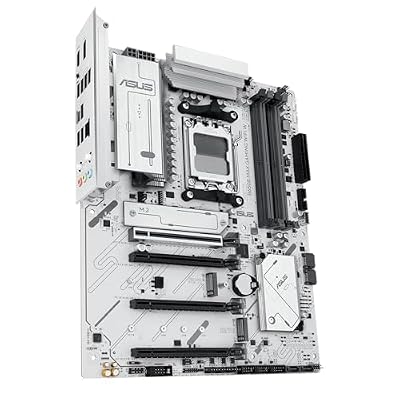
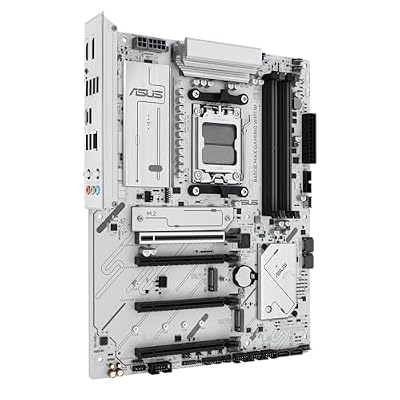
ASUS B650E MAX Gaming WiFi W – AMD B650 AM5 ATX Motherboard, White PCB, DDR5, PCIe 5.0, 3X M.2, Wi-Fi 6E, 2.5Gb LAN, USB 10Gbps Type-C, DisplayPort, HDMI™, BIOS Flashback™, Aura Sync, Advanced AI PC


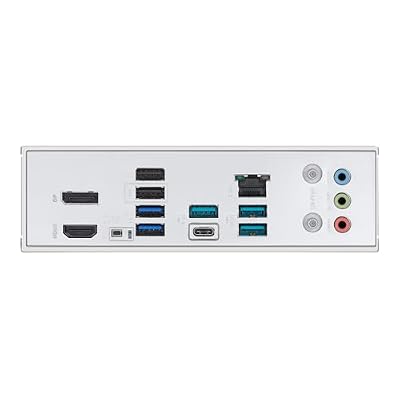



As an Amazon Associate we earn from qualifying purchases. Product prices and availability are accurate as of the date/time indicated.
The B650E chipset (note the E) extends PCIe 5.0 support to the primary GPU slot as well as storage, which is the main practical difference from a standard B650 board.

The white PCB makes it a natural fit for a light-themed build, and you still get DDR5, triple M.2 and Wi-Fi alongside that PCIe 5.0 GPU support. With a rating it is a strong, well-rounded board; choose it if a white aesthetic or guaranteed PCIe 5.0 to the graphics card matters to you, since most current GPUs do not yet saturate PCIe 5.0 for gaming.
Pros: PCIe 5.0 GPU slot; clean white PCB; triple M.2; Wi-Fi.
Cons: PCIe 5.0 to the GPU offers little gaming benefit today.
5. MSI MAG B650 Tomahawk WiFi

MSI MAG B650 Tomahawk WiFi Gaming Motherboard (AMD Ryzen 9000/8000/7000 Series Processors, AM5, DDR5, PCIe 4.0, M.2, SATA 6Gb/s, USB 3.2 Gen 2, HDMI/DP, Wi-Fi 6E, Bluetooth 5.3, 2.5Gbps LAN, ATX)


As an Amazon Associate we earn from qualifying purchases. Product prices and availability are accurate as of the date/time indicated.
The Tomahawk has a strong reputation for delivering a robust VRM and well-rounded features at a price that undercuts enthusiast boards, supporting Ryzen 9000, 8000 and 7000 chips with DDR5 and Wi-Fi.
Its beefier power delivery is the headline: if you plan to run a high-core Ryzen 9 or push memory and CPU tuning, the Tomahawk’s VRM gives the headroom the cheaper boards do not. With a rating and a loyal following, it is the board to stretch for when your CPU justifies it — for a budget Ryzen 5 or 7 build, though, the cheaper picks here leave more money for your GPU.
Pros: Robust VRM for high-core Ryzen; strong reputation; DDR5; Wi-Fi.
Cons: Top of the budget bracket; overkill for entry-level CPUs.
6. ASUS ROG Strix B650-A Gaming WiFi

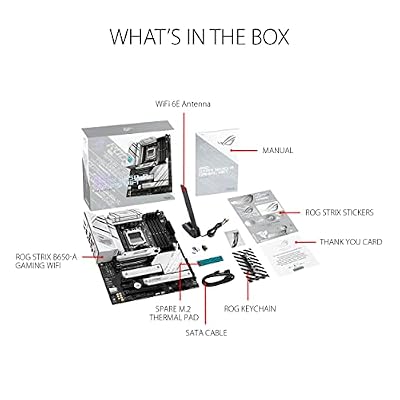
ASUS ROG Strix B650-A Gaming WiFi AMD B650 AM5 Ryzen™ Desktop 9000 8000 & 7000 ATX motherboard, 12 + 2 power stages, DDR5, 3x M.2 slot, PCIe® 4.0, 2.5G LAN, WiFi 6E, USB 3.2 Gen 2x2 Type-C®, Aura Sync



As an Amazon Associate we earn from qualifying purchases. Product prices and availability are accurate as of the date/time indicated.
It is a full ATX B650 board supporting Ryzen 9000, 8000 and 7000 chips, with DDR5, premium connectivity and Wi-Fi.

With the top rating in this group, it is the pick for a builder who wants ROG polish and a well-rounded feature set without paying X670 prices — a strong all-rounder to close out the list.
Pros:
Cons: Branding adds a little cost; VRM mid-pack versus the Tomahawk.
How to Choose a Budget AM5 Motherboard
Start with the chipset, because it sets the value baseline. For a budget AM5 gaming build, B650 is the smart choice: it supports DDR5, PCIe 5.0 storage, multiple M.2 slots and Wi-Fi, and works with every current and next-gen Ryzen chip. X670 adds more PCIe lanes and connectivity that most gamers never use, so paying for it on a gaming build usually means spending money where it does not improve frame rates.
Match the VRM to your CPU. Every board here will run a Ryzen 5 or 7 happily, but if you plan a high-core Ryzen 9 or want to push memory and CPU tuning, a stronger VRM like the MSI Tomahawk’s gives valuable headroom and cooler, more stable operation. For an entry-level CPU, the cheaper boards are completely sufficient and the savings are better spent on your graphics card.
Weigh connectivity and expansion against your plans. Count the M.2 slots if you intend to add storage later — the GIGABYTE Eagle AX’s triple M.2 is generous for the price. Check for Wi-Fi if you cannot run Ethernet, confirm the rear USB ports suit your peripherals, and decide whether PCIe 5.0 to the GPU matters to you, noting that today’s graphics cards see little gaming benefit from it.
Finally, factor in BIOS support and brand maturity. A good budget board should ship with, or easily update to, BIOS support for the latest Ryzen chips, and the established names here — ASUS, GIGABYTE and MSI — have mature firmware and reliable update paths. Pick the board whose VRM and feature set match your CPU and expansion plans, and you will have a stable AM5 foundation that lasts several upgrades.
Frequently Asked Questions
Is B650 good enough for gaming, or do I need X670?
B650 is the right choice for almost every budget gaming build. It supports DDR5, PCIe 5.0 storage, multiple M.2 slots and Wi-Fi, and runs every current and next-gen Ryzen chip. X670 adds PCIe lanes and connectivity most gamers never use, so its premium rarely improves gaming performance.
Will a budget AM5 board support Ryzen 9000 CPUs?
Yes. The B650 boards here support Ryzen 7000, 8000 and 9000 series chips, often after a simple BIOS update. Stick with established brands like ASUS, GIGABYTE and MSI, which provide mature firmware and reliable update paths for the latest Ryzen processors.
Does the motherboard affect gaming frame rates?
Barely. With the same CPU, GPU and settings, all these boards perform near-identically in games. What the board affects is VRM headroom for high-core chips and overclocking, connectivity, M.2 storage and features — so choose based on those, not on expected frame rates.
Do I need PCIe 5.0 on a budget AM5 board?
PCIe 5.0 for storage is useful for the fastest next-gen NVMe SSDs and is common on these boards. PCIe 5.0 to the GPU, as on the B650E pick, offers little gaming benefit today since current graphics cards do not saturate even PCIe 4.0, so it is a nice-to-have rather than a must.
Related Guides
- More motherboard reviews and guides
- Best AM5 motherboards overall
- Best X670 motherboards
- Best motherboards for first-time builders
- ASUS ROG vs MSI MPG motherboards
- Best RGB motherboards
- Best high-speed-connectivity motherboards
- Best motherboards for game development
About the Author
Top picks from this guide
 ASRockASRock B850M-X R2.0 Micro-ATX AM5 Motherboard, AMD Ryzen 9000/8000/7000 Support,…$100 \xc2\xb7 99/100ASUSASUS TUF Gaming B650-PLUS WiFi AMD B650 AM5 Ryzen™ Desktop…$170 \xc2\xb7 99/100GIGABYTEGIGABYTE B650 Eagle AX AM5 LGA 1718 ATX Motherboard, DDR5,…$137 \xc2\xb7 99/100msiMSI MAG B650 Tomahawk WiFi Gaming Motherboard (AMD Ryzen 9000/8000/7000…$155 \xc2\xb7 98/100