A PSU transient power excursion explained starts with a simple distinction: a power supply must handle both continuous electrical demand and brief increases in power consumption. Modern GPUs can create rapid load changes that challenge a PSU’s response. Understanding these excursions helps you diagnose shutdowns, evaluate ATX 3.0 and 3.1 compatibility, and choose an appropriate power supply.
What PSU Transient Power Excursion Really Comes Down To
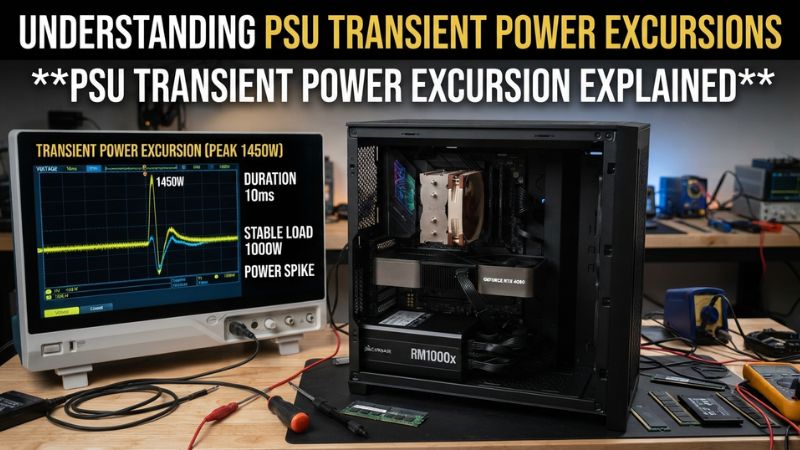
A transient power excursion is a short-lived increase in the electrical power demanded from a PSU. It can happen when a graphics card rapidly changes its workload, such as moving from a lighter scene to a demanding rendering workload. The PSU must respond without allowing its output to become unstable or triggering protection unnecessarily. This is different from continuously exceeding the unit’s rated wattage.
1. How GPU Power Spikes Affect a PSU
A graphics card does not necessarily consume exactly the same amount of power throughout a gaming session. Rendering workloads change as scenes, effects, frame rates, and processing demands vary. These changes can produce brief increases in electrical demand, even when average GPU power appears comfortably below its specified board power.
The PSU has to respond to these rapid changes while maintaining suitable output voltage. If its electrical response, available capacity, or protection behavior cannot accommodate the load, the computer may become unstable. Possible symptoms include a black screen, unexpected restart, or complete shutdown, although none independently proves a transient-related PSU problem.
2. Continuous Wattage Versus Peak Power
A PSU’s rated wattage describes the output it is designed to provide continuously under specified operating conditions. A 1,000W unit is not automatically designed to deliver 2,000W continuously. Its ability to tolerate short excursions depends on its electrical design and compliance with applicable transient-response requirements.
This distinction matters because average power consumption does not reveal every brief load peak. A computer drawing less than its PSU’s rated capacity can still experience instability if the supply cannot handle a sudden demand change. Conversely, a temporary excursion above rated wattage does not automatically mean the PSU is undersized.
3. ATX 3.0 and ATX 3.1 Power Excursion Requirements
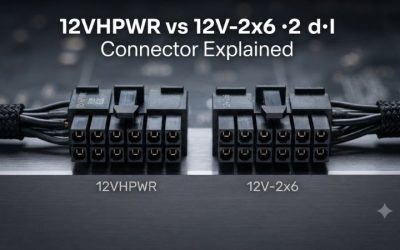
Intel’s ATX 3.0 and 3.1 design guidance addresses short-duration power excursions through defined peak-load requirements. For qualifying PSUs above 450W with the applicable 12VHPWR or 12V-2×6 connector, the specification includes excursions reaching 200% of rated PSU capacity for 100 microseconds.
The corresponding requirements also include 180% for 1 millisecond, 160% for 10 milliseconds, and 120% for 100 milliseconds. These are PSU-level design and test requirements, not a prediction that every graphics card will draw twice its rated power. The distinction is essential when interpreting PSU specifications.
4. What Doesn’t Help
Looking only at the 80 PLUS efficiency rating does not establish transient-response capability. Efficiency certifications describe how effectively a PSU converts AC input power into DC output power under specified conditions. They do not independently establish how well the unit handles rapid load changes or maintains voltage during excursions.
Likewise, choosing the largest wattage printed on a PSU label does not automatically guarantee better electrical performance. Build quality, voltage regulation, protection behavior, transient testing, and connector compatibility also matter. A reputable, appropriately sized supply with documented performance is a better choice than relying on wattage alone.
How to Evaluate PSU Transient Power Excursion: Step by Step
Evaluating transient capability requires more than checking a PSU’s wattage label. Start with the computer’s actual hardware requirements, then examine the PSU’s specifications and independent electrical measurements. The following steps help distinguish a suitable power supply from one that might struggle with sudden load changes, without requiring unnecessary hardware replacement.
Step 1. Calculate Your System’s Continuous Power Requirements
Start with the CPU and GPU manufacturer’s power recommendations, then account for the motherboard, memory, storage, cooling, and connected accessories. Consider realistic simultaneous CPU and GPU workloads rather than adding only the components’ idle consumption or relying on a gaming average.
Use a reputable PSU calculator as an initial estimate, then compare its recommendation with the GPU manufacturer’s guidance. Leave appropriate operating headroom for workload variation and future upgrades. A calculator provides a sizing estimate, not a measurement of transient behavior or a substitute for electrical testing.
Step 2. Check the PSU’s ATX Version and Specifications
Inspect the PSU’s exact model number and manufacturer documentation. Look for its rated continuous output, supported ATX specification, PCIe power connectors, and any explicit statements about power excursion compliance. Do not assume that a product is compliant simply because its packaging mentions modern GPU compatibility.
ATX 3.0 and ATX 3.1 are useful indicators when selecting a PSU for a modern graphics card. However, the version label should be considered alongside independent reviews. A well-documented electrical performance record provides more useful information than a marketing description alone.
Step 3. Examine Independent Transient-Response Measurements
Look for PSU reviews that include transient-load testing, voltage regulation, ripple measurements, and protection behavior. Reputable reviewers use electronic loads and oscilloscopes to observe how the output responds when electrical demand changes rapidly. These measurements reveal characteristics that ordinary software monitoring cannot capture.
For additional context, Cybenetics publishes a technical PSU testing protocol covering transient response and peak power excursion testing. Tom’s Hardware also documents its PSU transient-testing methodology. Check the actual test conditions and results rather than assuming every review uses identical procedures.
Step 4. Verify Connectors and Real-World System Stability
Confirm that the PSU provides the correct native GPU power connectors and sufficient capacity for the entire system. For graphics cards using 12V-2×6, use an appropriate compatible cable and follow the manufacturer’s installation instructions. Ensure the connector is fully seated and avoid excessive bending near the connector housing.
If a computer shuts down during gaming, investigate the PSU alongside other possible causes. Check cable connections, GPU power limits, temperatures, and system stability. A controlled reduction in GPU power limit can help identify a power-related sensitivity, but it does not independently establish that transient excursions caused the shutdown.
PSU Transient Power Excursion: Requirements and Diagnostic Checks
The following table summarizes the Intel ATX 3.0/3.1 PSU excursion levels and practical checks for evaluating a gaming computer.
| Setting or Step | Where | Effect | Risk |
| 100% continuous output | PSU specifications | Establishes sustained rated capacity | Confusing rated output with peak capability |
| 120% excursion | 100 ms ATX requirement for qualifying units | Accommodates brief higher demand | Treating temporary capacity as continuous |
| 160% excursion | 10 ms ATX requirement for qualifying units | Addresses shorter load peaks | Assuming every PSU supports this level |
| 180% excursion | 1 ms ATX requirement for qualifying units | Addresses faster load changes | Ignoring applicable test conditions |
| 200% excursion | 100 µs ATX requirement for qualifying units | Addresses very brief peak demand | Assuming the GPU itself must reach 200% |
| GPU power-limit check | GPU tuning software | Helps investigate load-related instability | Reducing performance or masking another fault |
| Independent transient review | PSU review measurements | Provides evidence of electrical response | Comparing incompatible test methods |
The excursion percentages above refer to PSU rated capacity and apply to the qualifying high-wattage connector-equipped category. They are not universal requirements for every PSU.
FAQ
1. What causes PSU transient power excursions?
PSU transient power excursions occur when connected components suddenly demand more electrical power than they were drawing moments earlier. GPU workload changes are a common example, particularly when rendering demands increase rapidly. The PSU must respond while maintaining suitable output voltage and avoiding unnecessary protection shutdowns.
2. Does ATX 3.1 eliminate GPU power spike problems?
No. ATX 3.1 establishes requirements for handling specified power excursions, but it cannot eliminate every possible power-delivery problem. PSU quality, system capacity, connector installation, GPU behavior, and other hardware faults still matter when diagnosing instability.
3. Can a 750W PSU handle transient power excursions?
Yes, a suitable 750W PSU can handle transient loads within its supported operating requirements. However, the answer depends on the exact model, CPU and GPU combination, connector configuration, and continuous system demand. Check manufacturer recommendations and independent electrical performance reviews before deciding whether an upgrade is necessary.
4. How can I tell whether a PSU transient excursion caused my PC to shut down?
You cannot confirm the cause from a shutdown alone. Look for repeatable failures under GPU-intensive workloads, inspect power connections, and investigate other hardware and software faults. Event Viewer may record an unexpected shutdown, but Kernel-Power Event ID 41 identifies an unclean shutdown rather than proving a PSU failure.
Final Thoughts
Understanding PSU transient power excursion explained helps you look beyond advertised wattage when building or upgrading a gaming PC. Prioritize adequate continuous capacity, documented transient performance, and correct GPU connectors. Before replacing hardware, investigate shutdown symptoms and compare the exact PSU model against your system’s power requirements.