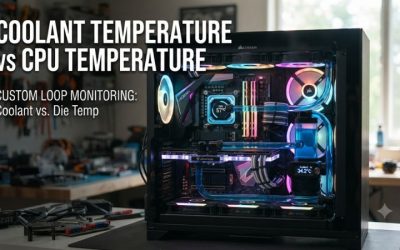
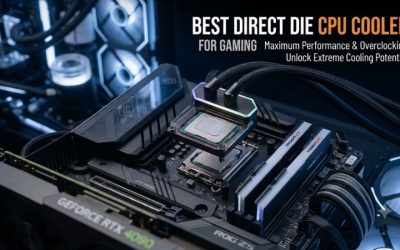
PC liquid cooling flow rate explained starts with one important distinction: flow rate measures how quickly coolant circulates through a cooling loop, not how much heat a radiator can remove. Adequate circulation helps transfer heat from CPU and GPU water blocks to radiators. This guide covers measurements, pump behavior, restrictions, monitoring, and practical adjustments.
What PC Liquid Cooling Flow Rate Really Means
Flow rate describes the volume of coolant moving through a loop over a given period. It is commonly expressed in liters per hour (L/h), liters per minute (L/min), or gallons per minute (GPM). Understanding this measurement helps distinguish normal pump behavior from circulation problems and explains why increasing pump speed does not always produce a meaningful temperature improvement.
1. Understanding Flow Rate Measurements
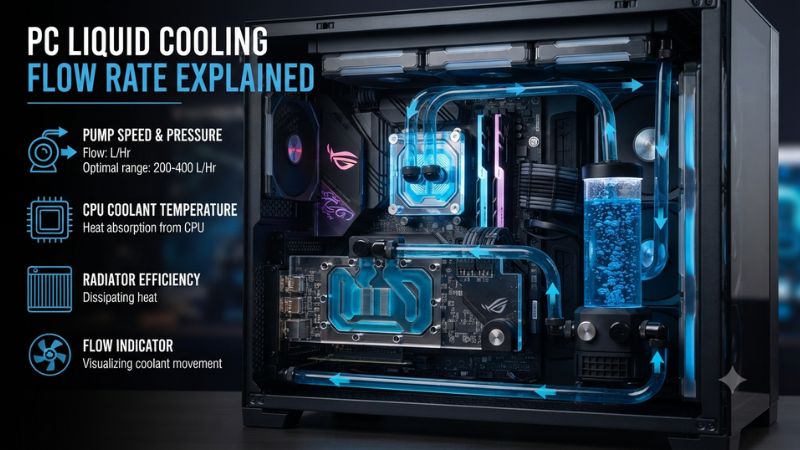
In a custom liquid-cooling loop, coolant travels through the pump, water blocks, radiators, fittings, and tubing before returning to the reservoir. Flow rate describes how much liquid passes through a particular point in that circuit over time. It is different from pump rotational speed, which is measured in revolutions per minute (RPM).
For example, L/h describes the volume circulated in one hour, while L/min describes the volume circulated in one minute. These units measure the same physical quantity using different time intervals. A flow meter can display either unit, depending on its configuration. Always check the selected unit before comparing readings.
2. Why Flow Rate Matters for CPU and GPU Cooling
Coolant absorbs heat through the cold plates in CPU and GPU water blocks. It then carries that energy toward the radiators, where heat transfers into the surrounding air. Circulation keeps coolant moving between these components instead of allowing heat to accumulate around individual sections of the loop.
When circulation becomes excessively restricted, heat transfer can become less effective and component temperatures may rise. However, increasing flow does not automatically produce proportionally lower temperatures. Water-block design, radiator capacity, ambient temperature, fan speed, and component power consumption also influence the final result.
3. Flow Rate, Pump RPM, and Pressure Are Different
Pump RPM indicates how quickly the pump’s motor rotates. Pressure describes the resistance the pump can overcome while moving coolant through the circuit. Flow rate represents the resulting liquid movement. These measurements are related, but they are not interchangeable.
A pump’s advertised maximum flow rate is generally not the same as the flow achieved in an assembled PC. The actual operating point depends on the pump’s pressure-flow characteristics and the resistance created by blocks, radiators, tubing, and fittings. A restrictive loop can deliver substantially less flow than an unrestricted specification suggests.
4. What Doesn’t Help
Running a pump at maximum RPM simply because a higher number appears better is not a reliable optimization strategy. Higher pump speed can increase noise, vibration, and electrical demand without producing a worthwhile improvement in cooling. The appropriate setting depends on the loop’s actual behavior rather than the pump’s maximum advertised capability.
Likewise, comparing two custom loops using pump RPM alone can produce misleading conclusions. Different pumps, water blocks, radiator arrangements, and tubing configurations create different hydraulic conditions. A measured flow rate is more informative, although even that number needs context about the cooling hardware and operating conditions.
How to Measure and Optimize PC Liquid Cooling Flow Rate
Measuring circulation is more useful than guessing from pump speed or reservoir movement. A dedicated flow meter provides a direct reading, while certain pump controllers estimate flow using calibrated operating parameters. Once you have a baseline, you can determine whether adjustments improve circulation, reduce noise, or address a suspected restriction without unnecessarily changing the entire cooling system.
1. Using an Inline Flow Meter
An inline flow meter measures coolant movement as it passes through the device. Depending on its design, it may use an impeller, turbine, or electronic sensing mechanism. The reading can be displayed through a compatible controller or monitoring application, giving builders a way to observe circulation during different workloads.
Installation requires compatible fittings, appropriate port connections, and attention to the meter’s specified flow direction. Some devices also require calibration or a dedicated controller. For example, EK’s discontinued EK-Loop Connect Flow Meter required the EK-Loop Connect controller. Its documentation illustrates why sensor compatibility matters when choosing monitoring hardware.
2. Understanding Pump-Based Flow Estimates
Some advanced pump controllers can estimate circulation without a separate mechanical flow sensor. Aqua Computer’s D5 NEXT documentation describes a virtual flow sensor that calculates flow using pump operating parameters after calibration. This approach can be convenient for monitoring, but it is not equivalent to direct mechanical measurement.
The D5 NEXT documentation specifies prerequisites for its virtual measurement, including a supported coolant, a completed calibration process, sufficient pump speed, and minimum flow conditions. It also explains that mechanical flow sensors are significantly more accurate. Therefore, an estimated reading should be interpreted within the limitations of the particular controller.
3. Adjusting Pump Speed Without Creating Unnecessary Noise
Start with the pump manufacturer’s recommended operating configuration. If the pump supports PWM control, use a compatible motherboard header or dedicated controller to adjust its speed. Increase the setting gradually while observing measured circulation, coolant temperature, component temperatures, and pump noise.
The objective is to find a stable operating point rather than the highest possible reading. If increasing RPM produces little measurable improvement under sustained gaming or rendering loads, there may be little reason to maintain the higher setting. Record your original configuration so you can restore it if the adjustment creates excessive noise or unstable operation.
4. Identifying Restrictions and Circulation Problems
Unexpectedly low circulation can result from several physical problems. Kinked tubing, obstructed water-block channels, trapped air, contaminated coolant, incorrect pump installation, or a malfunctioning pump can interfere with coolant movement. A sudden change from a previously stable reading deserves more attention than an unfamiliar reading on a newly assembled loop.
Check the reservoir level, visible tubing, pump operation, and flow-meter connections before considering disassembly. Never open a running or pressurized loop. Shut down the PC, disconnect power, and follow the component manufacturer’s draining and maintenance instructions before investigating internal obstructions. Protect electronics from coolant exposure.
Flow Rate Monitoring and Adjustment Reference
| Setting or Step | Where | Effect | Risk |
| Check pump operation | Pump or controller | Confirms that the pump receives power and operates | RPM alone does not confirm actual circulation |
| Install a flow meter | Inline cooling loop | Provides a direct circulation measurement | Incorrect installation can cause leaks |
| Calibrate flow monitoring | Compatible controller software | Improves measurement accuracy | Incorrect calibration produces misleading readings |
| Adjust PWM speed | BIOS or pump-control software | Changes pump operating speed and circulation | More noise, vibration, or unnecessary pump activity |
| Inspect tubing and blocks | Physical cooling loop | Helps identify restrictions and circulation problems | Disassembly introduces leak and contamination risks |
How to Interpret Flow Rate and Cooling Performance
A useful reading is one that helps explain the relationship between coolant circulation and temperature behavior. There is no single flow-rate target that applies to every custom loop because pump characteristics, water-block geometry, radiator configuration, and coolant properties differ. The following concepts help interpret measurements without treating one arbitrary number as a universal performance standard.
1. Is Higher Flow Rate Always Better?
Higher circulation can improve heat transport through a water block, particularly when the original flow is insufficient. However, the thermal improvement becomes progressively less significant as circulation increases. At some point, additional pump speed produces diminishing returns while adding noise and power consumption.
The relationship also depends on water-block construction. Microchannel geometry, internal restrictions, and cold-plate design affect how effectively coolant absorbs heat. A block designed around a particular hydraulic operating range may respond differently to increased circulation than another model. Consequently, pump speed should be optimized for the complete loop.
2. Why CPU and GPU Temperatures May Remain High
High component temperatures do not automatically indicate insufficient circulation. A CPU or GPU can remain hot because of high power consumption, poor mounting pressure, incorrect thermal-paste application, inadequate radiator capacity, or insufficient airflow through the radiator.
Coolant temperature provides another useful diagnostic measurement. If coolant temperature rises significantly during sustained workloads, investigate radiator airflow, fan behavior, ambient conditions, and total heat output. If coolant remains relatively cool while one component reports unusually high temperatures, inspect the relevant water block’s contact and mounting before assuming that pump speed is responsible.
3. Understanding Coolant Temperature and Delta T
Delta T describes the difference between two temperature measurements. In liquid cooling, builders commonly use it to compare coolant temperature with ambient air temperature or to examine the difference between component temperature and coolant temperature.
For example, a coolant-to-ambient delta indicates how far above room temperature the coolant operates. A component-to-coolant delta helps assess heat transfer between the chip and the liquid. These measurements answer different questions, so they should not be treated as interchangeable indicators of flow performance.
4. Flow Rate in Single-Radiator and Multi-Radiator Loops
Adding another radiator increases the cooling system’s ability to dissipate heat, provided its size, airflow, and operating conditions are suitable. However, additional components also affect hydraulic resistance. The resulting circulation depends on the complete arrangement rather than radiator count alone.
A CPU-and-GPU loop may also contain multiple water blocks, longer tubing, additional fittings, and more restrictive components than a simple CPU-only loop. Such a configuration can operate at a different flow rate even when using the same pump. Evaluate the assembled system rather than comparing pump specifications in isolation.
FAQ: PC Liquid Cooling Flow Rate
1. What Is a Good Flow Rate for PC Liquid Cooling?
A good flow rate is one that provides stable circulation and appropriate cooling without unnecessary pump noise. There is no universally correct target because water-block designs, pump characteristics, and loop restrictions vary. Compare measurements against your cooling hardware’s documentation and establish a consistent baseline.
2. Does Higher Pump RPM Mean Better Cooling?
No, higher pump RPM does not necessarily mean better cooling. Increasing pump speed can increase circulation, but thermal improvements eventually diminish. A balanced pump setting can provide appropriate cooling while keeping noise and vibration under control.
3. Can a PC Run Without a Flow Meter?
Yes, a custom loop can operate without a dedicated flow meter. A flow meter is a monitoring accessory rather than a fundamental requirement for liquid circulation. However, having one makes it easier to identify unexpected changes in circulation and investigate potential pump or restriction problems.
4. Why Does My Flow Rate Drop Over Time?
A declining reading can indicate air accumulation, tubing restrictions, contamination, pump problems, or sensor calibration changes. First verify the measurement and compare it with previous readings under similar conditions. If the decrease is genuine, inspect the loop safely rather than immediately increasing pump speed.
Final Thoughts
Understanding PC liquid cooling flow rate explained means looking beyond pump RPM and focusing on actual circulation, coolant temperatures, and component behavior. Establish a baseline, adjust pump speed gradually, and investigate unexpected changes. Prioritize stable cooling and reasonable noise over chasing the highest possible flow reading.