The best gaming laptops under $900 start with the MSI Thin 15.6-inch (RTX 4060, Core i5-13420H, 16GB RAM), then the HP Victus with 16GB RAM and an RTX 3050, and the Lenovo IdeaPad Gaming 3 for a Ryzen 5 build. Everything below is compared from listing specifications: GPU, CPU, memory, storage and display refresh rate.
- Quick Comparison
- MSI Thin 15.6″ Gaming Laptop (RTX 4060)
- HP Victus 15.6″ (Core i5-12450H, RTX 3050)
- Lenovo IdeaPad Gaming 3 (Ryzen 5 6600H, RTX 3050)
- ASUS TUF Gaming A15 (Ryzen 7 4800H, GTX 1660 Ti)
- HP Victus Gaming 15 (Core i5-13420H, RTX 3050)
- MSI GF63 Thin (Core i5 11th Gen, RTX 2050)
- How to Choose Under $900
- Frequently Asked Questions
A gaming laptop at this ceiling is a trade between graphics card tier, RAM and storage, because the listing cannot give you all three. Streaming, 1440p and student use are covered in the buying section and the FAQ below.
Quick Comparison
| Model | Key specs per listing | Best for |
|---|---|---|
| MSI Thin 15.6″ (2025) | Core i5-13420H, RTX 4060, 16GB DDR4, 512GB SSD, 144Hz FHD | Most graphics power in this group |
| HP Victus 15.6″ (i5-12450H) | Core i5-12450H, RTX 3050, 16GB RAM, 512GB PCIe SSD, 144Hz FHD, Wi-Fi 6 | Balanced all-rounder |
| Lenovo IdeaPad Gaming 3 | Ryzen 5 6600H, RTX 3050, 8GB DDR5, 256GB NVMe, 120Hz FHD | AMD CPU with newer memory type |
| ASUS TUF Gaming A15 | Ryzen 7 4800H, GTX 1660 Ti, 16GB DDR4, 512GB PCIe SSD, 144Hz FHD | Metal build, 8-core CPU |
| HP Victus Gaming 15 | Core i5-13420H 8-core, RTX 3050, 8GB DDR4, 512GB NVMe, 144Hz FHD | Newer CPU, upgradeable RAM later |
| MSI GF63 Thin | 11th Gen Core i5, RTX 2050, 8GB DDR4, 512GB NVMe, 144Hz FHD, Cooler Boost 5 | Entry gaming, esports titles |
These were compared from listing specifications, not used by us. Five of the six panels are rated 144Hz, one is 120Hz, and every listing shows a Full HD resolution, so the real differences sit in the graphics card and memory. Where a listing is silent on something such as GPU memory or battery life, the pick says so and points you to the maker page.
MSI Thin 15.6″ Gaming Laptop (RTX 4060)

MSI Thin 15.6 inch FHD 144Hz Gaming Laptop Intel Core i5-13420H NVIDIA GeForce RTX 4060-16GB DDR4 512GB SSD Gray (2025)
Included for 'Best Gaming Laptops Under $900: Six Picks Compared' as a relevant option in this category; details come from the product listing.
View on AmazonSpec line: 15.6″ FHD 144Hz, Intel Core i5-13420H, NVIDIA GeForce RTX 4060, 16GB DDR4, 512GB SSD (2025 model).
This is the strongest graphics card named in any listing here, and it comes with 16GB of memory, which is the amount most current games ask for. That combination makes it the pick for anyone who cares more about frame rates than about thin-and-light looks. The trade-off is that the listing names only the processor, GPU, RAM and SSD; battery capacity, port selection and display colour coverage are not listed, so check the maker page if you plan to carry it daily. DDR4 memory also means the platform is older than the newest laptops, even though the graphics card is current.
- Pro: RTX 4060 is the highest GPU tier in this group
- Pro: 16GB RAM and a 512GB SSD
- Pro: 144Hz panel for fast games
- Con: battery and ports not listed
- Con: DDR4 memory, not DDR5
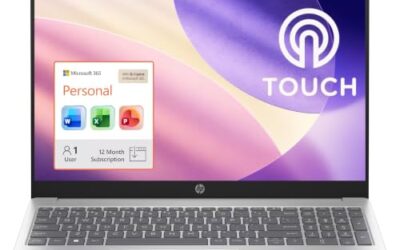
HP Victus 15.6″ (Core i5-12450H, RTX 3050)

HP Victus 15.6" Full HD 144Hz Gaming Laptop, Intel Core i5-12450H, NVIDIA GeForce RTX 3050,16GB RAM, 512GB PCIe SSD, Wi-Fi 6, Backlit Keyboard,Windows 11 Pro, Performance Blue
Included for 'Best Gaming Laptops Under $900: Six Picks Compared' because the listing specifies Intel Core i5-12450H and NVIDIA GeForce RTX 3050, details this guide uses to compare options.
View on AmazonSpec line: 15.6″ Full HD 144Hz, Core i5-12450H, RTX 3050, 16GB RAM, 512GB PCIe SSD, Wi-Fi 6, backlit keyboard, Windows 11 Pro.
The Victus is the safe middle choice. It pairs an RTX 3050 with 16GB of RAM and a backlit keyboard, so you get a complete gaming setup without having to open the chassis on day one. Windows 11 Pro in the listing is a small extra for people who also use the laptop for school or work features such as device management. Its weakness is the processor generation: the i5-12450H is a year behind the 13th-gen chip in the other HP below, and the listing does not mention battery size, weight or the number of ports.
- Pro: 16GB RAM out of the box
- Pro: Wi-Fi 6 and a backlit keyboard
- Pro: Windows 11 Pro included
- Con: older 12th-gen processor
- Con: battery and weight not listed
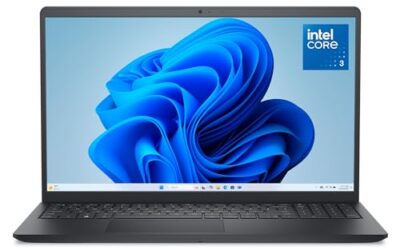
Lenovo IdeaPad Gaming 3 (Ryzen 5 6600H, RTX 3050)

Lenovo IdeaPad Gaming 3 - Essential Gaming Laptop - 15.6" FHD - 120Hz - AMD Ryzen 5 6600H - NVIDIA GeForce RTX 3050 - 8GB DDR5 RAM - 256GB NVMe Storage - Windows 11 Home
Included for 'Best Gaming Laptops Under $900: Six Picks Compared' because the listing specifies Essential Gaming Laptop and 15.6" FHD, details this guide uses to compare options.
View on AmazonSpec line: 15.6″ FHD 120Hz, AMD Ryzen 5 6600H, RTX 3050, 8GB DDR5, 256GB NVMe SSD, Windows 11 Home.
Lenovo sells this as an essential gaming laptop, and the listing matches that description: capable graphics paired with modest memory and storage. The DDR5 memory is a plus, but 8GB is tight for modern games with a browser and chat open, and the 256GB drive fills quickly once you install a few big titles. The display is 120Hz, a step below the 144Hz panels around it. If you are comfortable adding a larger SSD and more RAM later, this is a decent base; if you want everything ready on day one, pick a 16GB model instead.
- Pro: Ryzen 5 6600H with RTX 3050
- Pro: DDR5 memory
- Pro: straightforward Windows 11 Home setup
- Con: 8GB RAM is the minimum for gaming
- Con: only 256GB of storage
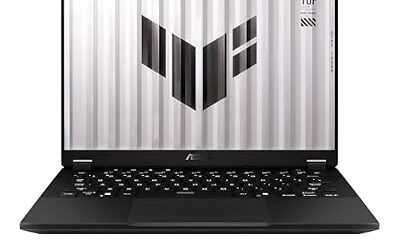
ASUS TUF Gaming A15 (Ryzen 7 4800H, GTX 1660 Ti)
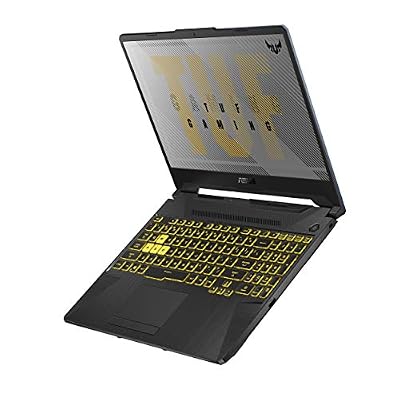
ASUS TUF Gaming A15 Gaming Laptop, 15.6” 144Hz FHD IPS-Type, AMD Ryzen 7 4800H, GeForce GTX 1660 Ti, 16GB DDR4, 512GB PCIe SSD, Gigabit Wi-Fi 5, Windows 10 Home, Metal, TUF506IU-ES74
Included for 'Best Gaming Laptops Under $900: Six Picks Compared' because the listing specifies 15.6” 144Hz FHD IPS-Type and AMD Ryzen 7 4800H, details this guide uses to compare options.
View on AmazonSpec line: 15.6″ 144Hz FHD IPS-type, Ryzen 7 4800H, GeForce GTX 1660 Ti, 16GB DDR4, 512GB PCIe SSD, Gigabit Wi-Fi 5, Windows 10 Home, metal body.
The TUF is the older design here, and the listing shows it: Windows 10 Home, Wi-Fi 5 and a GTX 1660 Ti rather than an RTX card. In its favour are the 8-core Ryzen 7, 16GB of RAM, a 512GB drive and a metal chassis that the listing calls out. It suits someone who plays esports titles and wants a CPU with headroom for streaming or video editing alongside. Ray tracing and DLSS are RTX features, so they are not part of the picture here, which is the clearest reason to skip it if you want newer graphics features.
- Pro: 8-core Ryzen 7 processor
- Pro: 16GB RAM and 512GB SSD
- Pro: metal build
- Con: GTX card without RTX features
- Con: Windows 10 and Wi-Fi 5
HP Victus Gaming 15 (Core i5-13420H, RTX 3050)

HP Victus Gaming 15 Laptop: 15.6" FHD 144Hz Display • Intel 8-Core i5-13420H • NVIDIA GeForce RTX 3050 • 8 GB DDR4 SDRAM • 512 GB NVMe SSD • Win11 Home • Wi-Fi 6 • Backlit Keyboard
Included for 'Best Gaming Laptops Under $900: Six Picks Compared' as a relevant option in this category; details come from the product listing.
View on AmazonSpec line: 15.6″ FHD 144Hz, Intel 8-core Core i5-13420H, RTX 3050, 8GB DDR4, 512GB NVMe SSD, Windows 11 Home, Wi-Fi 6, backlit keyboard.
This model swaps the older processor in the first Victus for a 13th-gen chip but halves the memory to 8GB. That is workable for lighter titles and easy to fix later by adding a second memory stick, provided you confirm the slot layout on the maker page since the listing does not describe it. The 512GB drive and Wi-Fi 6 are the same as its sibling. Choose this one if you value CPU generation over day-one RAM and plan a quick memory upgrade; otherwise the 16GB version above is simpler.
- Pro: newer 13th-gen 8-core CPU
- Pro: 512GB NVMe and Wi-Fi 6
- Pro: backlit keyboard
- Con: 8GB RAM at purchase
- Con: upgrade slots not described
MSI GF63 Thin (Core i5 11th Gen, RTX 2050)
Spec line: 15.6″ FHD 144Hz, 11th Gen Intel Core i5, GeForce RTX 2050, 8GB DDR4, 512GB NVMe SSD, Cooler Boost 5, Windows 11.
The GF63 is the entry point of the group: an RTX 2050, an older 11th-gen processor and 8GB of RAM. The listing highlights Cooler Boost 5, MSI’s cooling design, which matters because thin laptops throttle under sustained load. It will suit esports and older titles at Full HD, but it is the weakest graphics card among the six, so it makes sense mainly if the other models are over your budget or out of stock. Model-specific battery and weight figures are not in the listing.
- Pro: RTX-branded GPU with a 144Hz panel
- Pro: Cooler Boost 5 cooling design
- Pro: 512GB NVMe storage
- Con: weakest GPU and an older CPU
- Con: 8GB RAM
How to Choose Under $900
Put the graphics card first
At this ceiling the GPU decides how long the laptop stays useful. An RTX 4060 sits a tier above the RTX 3050, which sits above the RTX 2050 and the GTX 1660 Ti in this list. If the listing names a GPU but not its power limit, check the maker page, because laptop graphics chips vary by wattage.
Aim for 16GB of RAM and 512GB of storage
Treat 16GB of RAM as the target and 8GB as the floor. For storage, 512GB is the practical minimum once you install two or three large games; a 256GB drive leaves very little room after Windows. Models with 8GB can usually be upgraded, but confirm that before buying.
Gaming laptops for streaming
Streaming adds an encoder, a capture program and chat on top of the game, so extra memory and CPU cores matter more than refresh rate. The 8-core Ryzen 7 and the 16GB models are the safer fits. Plan on closing background apps during a stream whichever laptop you choose.
Gaming laptops for 1440p
Every listing here shows a Full HD display, so 1440p means an external monitor. A mid-tier laptop GPU can drive one, but frame rates drop with resolution, so lower the settings or choose the RTX 4060 model if 1440p is a real goal.
Gaming laptops for students
Students need the laptop for notes and research as well as games, so look at weight, battery and the operating system edition. None of these listings give battery life, so read the maker page. The Windows 11 Pro HP is the only one that names that edition.
Read what the listing leaves out
Budget listings often skip the details that decide daily comfort: battery capacity, weight, port count, webcam quality and whether the memory is soldered. Before buying, open the maker page and look for those five items. A laptop that looks identical on paper can differ a lot in how loud the fans get and how long it lasts away from a charger, and neither of those shows up in a title line.
Frequently Asked Questions
Is 8GB of RAM enough for a gaming laptop?
It is enough for lighter and older games, but 16GB is the comfortable target. Several models here ship with 8GB, so plan on a memory upgrade if the maker page confirms an open slot.
Does a 144Hz display matter on these laptops?
It matters only if the graphics card can push frame rates that high. In fast shooters at lower settings it helps; in demanding single-player games you will often run below the refresh rate.
Which of these is best for streaming and gaming together?
The MSI Thin with the RTX 4060 and 16GB of RAM has the most headroom in the listings. The 8-core Ryzen 7 TUF is another sensible option for CPU-heavy streaming.
Can I play at 1440p on these laptops?
Only through an external monitor, since each built-in panel is Full HD. Expect lower frame rates than at 1080p, and rely on the RTX 4060 model for that job.
Are older GPUs like the GTX 1660 Ti still worth buying?
They still run many popular titles at Full HD, but they lack RTX features. Choose one only when the rest of the specs, such as the 8-core CPU and 16GB RAM, matter more to you.
Last updated: November 2026