🛒 Best Price Today on Amazon
Prime members get fast, free shipping on everything above, plus member-only deals. New members get a 30-day free trial — cancel anytime.
Choosing the best usb capture card depends on your console, target recording quality, and gaming monitor. The Elgato 4K X suits high-resolution, high-refresh setups, while the Elgato HD60 X remains worth considering for 1080p streaming. This guide compares four options for different budgets and workflows.
How to Choose a USB Capture Card
The right capture card should match both the signal you want to record and the display experience you want to preserve. Maximum capture resolution alone does not tell the whole story: USB bandwidth, HDMI passthrough, HDR support, operating-system compatibility, and your streaming software all affect the buying decision.
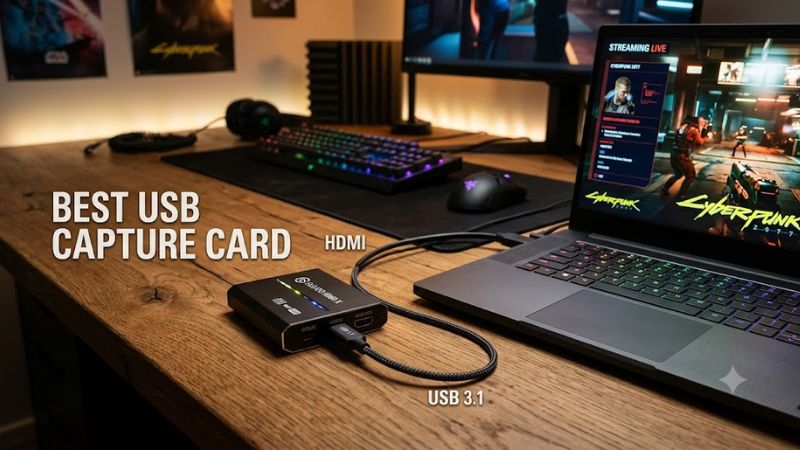
Capture Resolution and Frame Rate
Capture resolution determines the quality of the video sent to your recording or streaming application. A 1080p60 card is sufficient for many Twitch streams and gameplay videos, while 4K capture is more useful for detailed YouTube footage, high-resolution console gameplay, and creators who want flexibility when editing.
Frame rate matters just as much. A card that captures at 4K60 can record detailed footage at 60 frames per second, but that does not mean it can record every higher-refresh signal. Check the manufacturer’s capture modes separately from its passthrough specifications before choosing a model.
HDMI Passthrough and Gaming Performance
HDMI passthrough sends the source signal to a connected monitor while the capture card feeds video to the computer. This arrangement lets you play on your usual display instead of relying entirely on the preview inside OBS or another capture application.
For competitive gaming, check the maximum passthrough refresh rate, resolution, HDR, and variable refresh rate (VRR) support. A card that captures at 1080p60 may still pass a much higher-resolution signal to your monitor, but only within its supported modes.
USB Bandwidth and Computer Compatibility
USB connectivity is a major consideration when choosing an external capture device. USB 3.0 and USB 3.2 Gen 1 provide up to 5Gbps of signaling bandwidth, while USB 3.2 Gen 2 supports up to 10Gbps. The connector shape alone does not establish its speed: a USB-C port may support a slower standard.
Before buying, check the capture card’s host requirements and your computer’s available ports. Connect the device directly to a compatible port when troubleshooting, rather than assuming a hub or front-panel connector can provide the required bandwidth. Also verify supported operating systems and the software you intend to use.
Audio, HDR, and Recording Software
Video capture is only one part of a streaming setup. You may also need game audio, microphone input, party chat, commentary, and synchronization between separate audio sources. Check whether the card offers an audio input, headset connections, or other features relevant to your workflow.
HDR support deserves particular attention because passthrough and recording capabilities can differ. Some devices preserve HDR on the gaming display while limiting HDR capture to specific resolutions, frame rates, or operating systems. Confirm the exact combination you need, and check that your capture software supports it.
Top USB Capture Cards for Gaming and Streaming
These four devices cover different priorities: high-refresh HDMI 2.1 capture, more affordable console streaming, and camera-to-computer video input. The specifications below come from manufacturer-published product information; they are not results from PC Gaming Universe testing. Confirm current US availability and pricing before purchasing, particularly for older models.
| Product | Best For | Key Spec | Compatibility | Watch Out For |
| Elgato Game Capture 4K X | Best overall | USB 10Gbps; HDMI 2.1; high-resolution capture | Compatible Windows and macOS workflows | Requires sufficient USB bandwidth |
| AVerMedia Live Gamer ULTRA 2.1 (GC553G2) | Best for HDMI 2.1 gaming | USB 10Gbps; HDMI 2.1; up to 4K144 capture on Windows in supported modes | Windows and macOS, with different capture limits | Capture modes vary by software and OS |
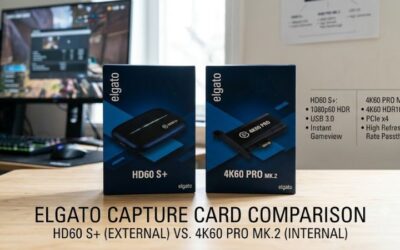
| Elgato HD60 X | Best for mainstream streaming | USB 5Gbps; up to 4K60 passthrough | Supported Windows and macOS workflows | Capture limits are below its highest passthrough modes |
| Elgato Cam Link 4K | Best for camera input | USB 3.0; up to 4K30 capture | Compatible HDMI cameras and supported computer software | No HDMI passthrough |
1. Elgato Game Capture 4K X — Best Overall
The Elgato Game Capture 4K X is the strongest fit for creators who want a modern external card with HDMI 2.1 connectivity. It uses USB 3.2 Gen 2 at 10Gbps and supports high-refresh passthrough, including up to 4K144 in supported configurations. Its published capture modes also extend to 4K144, subject to the specified signal and format limitations.
Its flexibility makes it suitable for current consoles and gaming PCs feeding a separate streaming computer. Windows users can access HDR capture in supported modes, and OBS Studio is among the supported applications. The main limitation is that the card’s headline resolution and frame rate cannot necessarily be combined with every HDR format or input mode.
Choose this model if your setup needs HDMI 2.1 and you want to preserve a high-refresh gaming display while recording. Consider a less expensive 1080p or 4K60-oriented device if your final content is limited to 1080p60 and your monitor does not need advanced passthrough.
2. AVerMedia Live Gamer ULTRA 2.1 — Best for HDMI 2.1 Setups
The AVerMedia Live Gamer ULTRA 2.1, model GC553G2, is another external HDMI 2.1 option. Its USB 3.2 Gen 2 Type-C interface provides up to 10Gbps of signaling bandwidth. The manufacturer lists passthrough modes up to 4K144 HDR with VRR, alongside other high-refresh resolutions, making it relevant to gaming setups built around modern displays.
Capture capabilities depend on the operating system and software. AVerMedia lists capture up to 4K144 on Windows in supported modes, compared with up to 4K60 on macOS. These figures should not be interpreted as a guarantee that every resolution, frame rate, color format, and HDR combination works simultaneously.
This card suits creators who want advanced passthrough and a flexible capture format without installing an internal PCIe card. However, its 10Gbps USB requirement and mode-specific limitations make compatibility checks essential. If you mainly publish standard 1080p videos, a more modest device may offer better value.
3. Elgato HD60 X — Best for Mainstream Streaming
The Elgato HD60 X is a practical option for creators who prioritize conventional streaming over the highest available capture resolution. It uses USB 3.0 connectivity and supports passthrough up to 4K60 HDR, along with higher-refresh modes at lower resolutions. Its supported capture modes include 1080p60 HDR and other resolution-dependent formats.
This distinction matters for console owners: the display can receive a higher-quality signal than the stream itself records. You can therefore keep a compatible 4K display connected while producing a 1080p stream, provided your chosen input and passthrough modes are supported.
The trade-off is that it does not offer the same HDMI 2.1 feature set as the 4K X or Live Gamer ULTRA 2.1. It is a sensible choice for many 1080p streaming workflows, but check current availability, pricing, and operating-system requirements before purchasing an older model.
4. Elgato Cam Link 4K — Best for Camera Input
The Elgato Cam Link 4K is designed for a different purpose from the gaming-focused cards above. It takes a compatible HDMI camera signal and presents it to a computer for use in streaming, recording, or video applications. Its published specifications include capture up to 4K30 or 1080p60, depending on the supported format.
This makes it useful when you want to use a mirrorless camera, DSLR, or another compatible HDMI video source as a high-quality camera feed. Before buying, verify that your camera provides a suitable HDMI output, can deliver a clean video feed where required, and has an appropriate power arrangement for long recording sessions.
The key limitation is that Cam Link 4K is not a conventional HDMI passthrough capture card. It is intended primarily for camera input, so it is not the right substitute for a gaming capture device when you need to connect a console to a monitor through the card.
FAQ
Do USB capture cards work with PS5 and Xbox?
Yes, compatible USB capture cards can record PS5 and Xbox gameplay through HDMI. Confirm that the card supports your console’s desired resolution and refresh rate, and use the appropriate HDMI connection. For PlayStation consoles, disable HDCP in the console settings when capturing gameplay that permits it; protected video content cannot be captured through an ordinary gaming workflow.
Is a 4K capture card worth it for streaming?
A 4K capture card is worthwhile if you need 4K recordings, high-resolution editing footage, or advanced passthrough for a 4K gaming display. If your intended output is 1080p60 and your display requirements are modest, a less expensive card may be sufficient. Your upload bandwidth and streaming platform also influence the quality viewers receive.
Can I use a USB capture card with one gaming PC?
Yes, but you may not need one for ordinary gameplay recording on a single PC. Software recording tools can capture gameplay directly, while a capture card becomes more useful when connecting an external console, camera, or second computer. Check your intended routing before spending money on additional hardware.
Does USB-C mean a capture card will record at 4K?
No, USB-C describes the connector, not its guaranteed data rate or capture capability. A device may use USB-C with a 5Gbps or 10Gbps interface, and its supported recording modes also depend on the capture hardware and software. Check the manufacturer’s interface specification and capture-mode list before buying.
Final Thoughts
The best usb capture card is the one that matches your recording target, monitor, and computer rather than simply offering the largest resolution number. Choose the Elgato 4K X for demanding high-refresh workflows, the AVerMedia GC553G2 for another HDMI 2.1 option, or the HD60 X for conventional streaming. Verify compatibility and current US pricing before ordering.