🛒 Best Price Today on Amazon
Prime members get fast, free shipping on everything above, plus member-only deals. New members get a 30-day free trial — cancel anytime.
Short answer: most people should buy the Brio 101. The MX Brio is worth it only if you are on camera professionally, film in a bright, controlled space, or genuinely need 4K and the tilt-down desk view.
These two sit at opposite ends of Logitech’s current webcam range, and the price gap is large. Here is what actually separates them.
🛒 Best Price Today on Amazon
As an Amazon Associate we earn from qualifying purchases at no extra cost to you.


The real difference is the sensor, not the resolution number
It is tempting to compare these on 1080p vs 4K alone. That is the least useful way to choose.
The MX Brio uses a noticeably larger, higher-resolution sensor. The benefit you will actually notice day to day is not pixel count – it is how the image holds up in imperfect light. A bigger sensor collects more light, so it stays cleaner in a dim room and needs less aggressive processing. The Brio 101 is a solid, honest 1080p camera, but push it into a poorly lit evening call and it will show more noise and softness.
Also worth knowing: most video platforms do not deliver 4K anyway. Zoom, Teams, Discord and Google Meet compress hard. If calls are your main use, 4K capture mostly helps by giving the camera more data to downscale from, not by delivering a 4K image to the other side.
Where the MX Brio earns its price
- Low light. The single biggest practical gap. If you record in the evening or your room is lit by one lamp, this matters more than any spec.
- Show Mode. Tilt the camera down and it shows your desk – genuinely useful for demos, unboxing, keyboard cams and teaching.
- Build and mounting. Metal construction, a magnetic privacy cover and a more secure mount. It feels like equipment rather than an accessory.
- Microphones. Better beamforming, which helps if you refuse to wear a headset.
Where the Brio 101 is the smarter buy
- You are on calls, not camera. For standups, classes and interviews, the difference on the receiving end is small.
- Your lighting is decent. Good light closes most of the gap between these two cameras.
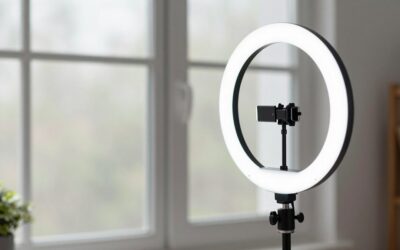
- You would rather spend the difference on lighting or audio. This is the honest recommendation: a cheap key light and a decent microphone will improve how you look and sound far more than upgrading the webcam body.
Who should buy which
- Buy the Brio 101 if you want a clean, reliable 1080p image for meetings, streaming to a compressed platform, or a second angle.
- Buy the MX Brio if you are recording content you will edit later, you need to crop into the frame, you shoot in difficult light, or Show Mode solves a real problem for you.
If you are still deciding between brands and budgets, our full best webcams for streaming and webcam hub cover the wider field.
Frequently Asked Questions
Is the MX Brio worth it over the Brio 101?
Only if you are on camera seriously. For ordinary calls the gap is small; for recorded content, cropping and low-light work, the larger sensor and Show Mode justify the price.
Do I need 4K for streaming?
Usually not. Most platforms compress heavily and many streamers output at 1080p or lower. 4K helps most as capture headroom for cropping and editing.
Will the Brio 101 look bad in a dark room?
It will look noticeably softer and noisier than the MX Brio. Adding a simple light source fixes more of this than changing cameras would.
Do both work without extra software?
Yes, both are plug-and-play USB cameras. Logitech’s desktop software unlocks extra adjustment, and Show Mode on the MX Brio is best used with it.
Final take
Buy the Brio 101 and put the savings into lighting unless you can name a specific reason you need 4K, cropping headroom or Show Mode. If you can name that reason, the MX Brio is a genuinely better camera and worth the jump.