🛒 Best Price Today on Amazon
Prime members get fast, free shipping on everything above, plus member-only deals. New members get a 30-day free trial — cancel anytime.
- What Changed in Free Cloud Gaming in 2026
- Top Picks at a Glance
- What “free” means on each cloud gaming service
- Best free cloud gaming services compared
- GeForce NOW free tier: best for trying before you subscribe
- Xbox Cloud Gaming: the free-to-play loophole
- Amazon Luna: free if you already pay for Prime
- Boosteroid and Shadow: read the word “trial” carefully
- Other services people ask about: PlayStation, Netflix, Blacknut and the fake “free” apps
- The truly free route: stream from your own PC
- Best Free-to-Play Games to Stream on Free Cloud Gaming Services
- Best Free Cloud Gaming Service by Device and Use Case
- Free tier friction compared: accounts, ads, queues and time limits
- Which free option works on your device?
- What your connection really needs for cloud gaming
- How much data free cloud gaming uses
- Hardware that makes any free tier feel better
- Variants of Free Cloud Gaming Services: Which Type Fits You
- Which Free Cloud Gaming Service Has the Least Lag?
- Which Free Cloud Gaming Option to Try First
- How to start each free option in five minutes
- Is Free Cloud Gaming Worth It in 2026?
- How We Chose the Best Free Cloud Gaming Services
- How to choose in one minute
- Frequently Asked Questions
Free cloud gaming is real in 2026, but every free tier buys your patience instead of your money. GeForce NOW’s free plan gives you short sessions at 1080p with a queue and pre-session ads, Xbox Cloud Gaming lets you stream free-to-play titles without Game Pass, and Amazon Luna throws in a rotating catalog with Prime. The only genuinely unlimited free option is streaming from a PC you already own.
That distinction matters. The commercial services are free samples designed to end in a subscription; self-hosted streaming with Moonlight, Steam Link or Parsec is free forever because you are the datacenter. Below is what each option actually gives you, where the caps bite, and which games you must already own.

BACKBONE One Mobile Gaming Controller, USB-C, 2nd Gen | For Android & iPhone 18/17/16/15, 2nd Gen, Play Xbox, Fortnite, Call of Duty, & More
Included for 'Best Free Cloud Gaming Services in 2026 (What You Really Get)' as a representative home product in this roundup; selection reflects the product set returned for this topic.
View on Amazon
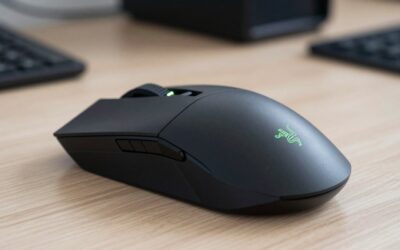
Razer Kishi V3 Gaming Controller for iPhone & Android, USB-C, Black | Compatible with iPhone 15, 16, 17 Series, Full Sized TMR Thumbsticks, Dual Back Buttons, PC Remote Play
Included for 'Best Free Cloud Gaming Services in 2026 (What You Really Get)' as a representative home product in this roundup; selection reflects the product set returned for this topic.
View on Amazon![Xbox Game Pass Ultimate – 1 Month Membership – Xbox Series X|S, Xbox One, Windows, Cloud Gaming Devices [Digital Code]](https://m.media-amazon.com/images/I/51bMCG9v4vL._SL400_.jpg)
Xbox Game Pass Ultimate – 1 Month Membership – Xbox Series X|S, Xbox One, Windows, Cloud Gaming Devices [Digital Code]
Included for 'Best Free Cloud Gaming Services in 2026 (What You Really Get)' as a representative home product in this roundup; selection reflects the product set returned for this topic.
View on AmazonUpdated October 2026 — Quick answer: The best free cloud gaming services in 2026 are NVIDIA GeForce NOW Free for games you already own, Xbox Cloud Gaming for Fortnite with no subscription, and Luna Standard if you already pay for Prime. All three cap you somewhere: one-hour sessions, ads before play, queues or a small rotating library. Streaming your own PC with Sunshine and Moonlight is the only option with no limits at all.
What Changed in Free Cloud Gaming in 2026
- NVIDIA GeForce NOW: paid Performance and Ultimate plans moved to a 100-hour monthly playtime cap in January 2026. The Free tier is not counted against that cap, but it keeps one-hour sessions, an ad of up to about two minutes before play, and the longest queue.
- Xbox Cloud Gaming: on July 23, 2026, Microsoft began testing a free, ad-supported way for Xbox Insiders to stream cloud-enabled games they own, with ads before each session and one-hour sessions. It is a limited test, not a public tier yet.
- Luna: purchases from third-party storefronts ended on April 10, 2026, and the option to stream games you own from other stores (EA, GOG, Ubisoft) ended in early June 2026. The Prime-included Luna Standard selection continues.
- Game Pass cloud hours: on September 3, 2026, Microsoft announced monthly cloud gaming limits of 5 to 15 hours across Game Pass tiers, starting in November 2026, with extra hours sold separately. Check Xbox’s own support page for how the limits apply to the free-to-play route.
Top Picks at a Glance
- Best free cloud gaming service overall: NVIDIA GeForce NOW Free — real datacenter GPUs for games you own on Steam, Epic, Ubisoft Connect and more.
- Best with no account linking: Xbox Cloud Gaming — Fortnite in a browser with only a free Microsoft account.
- Best if you already have Prime: Luna Standard — a rotating game selection at no extra cost.
- Best quick connection check: Blacknut — a roughly 15-minute browser trial with no sign-up.
- Best truly unlimited option: Sunshine + Moonlight — stream your own gaming PC with no timer or ads.
- Best accessory for any free tier: a phone controller such as the GameSir G8 Galileo or a wired Ethernet connection.
If you only remember three names, make them NVIDIA GeForce NOW Free, Xbox Cloud Gaming and Luna Standard: they are the only commercial free cloud gaming options with real games, real servers and no card on file.
What “free” means on each cloud gaming service
Three completely different business models hide behind the same word, and confusing them is why people feel misled twenty minutes in.
Free tier with limits. GeForce NOW and Xbox Cloud Gaming run ad-supported or capped free levels. You get real datacenter hardware, but with session timers, queues and a resolution ceiling. Nothing expires — you can come back tomorrow.
Bundled with something you already pay for. Amazon Luna is included with Prime. It is not free in an absolute sense, but if you already have Prime for shipping, the gaming is a zero-marginal-cost add-on with a rotating library.
Trial, not a tier. Boosteroid and Shadow run occasional promotional trials or first-month discounts. That is marketing, not a permanent free plan, and it usually wants a card on file.
Best free cloud gaming services compared
| Service | Free tier limits | Resolution | Library | Must you own the games? |
|---|---|---|---|---|
| GeForce NOW (Free) | Short capped sessions, standard queue, ads before play, install wait on some titles | Up to 1080p | Supported titles from Steam, Epic, Ubisoft, Xbox PC store | Yes — you stream games you already own |
| Xbox Cloud Gaming (free-to-play route) | Free-to-play titles only without Game Pass; an ad-supported path for games you own is still a test for Xbox Insiders | Up to 1080p | Fortnite and other free-to-play titles; full catalog needs Game Pass Ultimate | No for F2P; yes for owned titles you stream |
| Amazon Luna (with Prime) | Requires an active Prime membership; rotating selection, not the whole catalog | Up to 1080p/60fps on the included tier | Rotating Prime selection plus GameNight party games | No for the included rotation; Luna Premium is a paid add-on |
| Boosteroid | No permanent free tier; occasional trials and promo codes | Up to 1080p on standard plans | Broad third-party catalog you connect your own accounts to | Yes |
| Shadow PC | No free tier; it is a rented Windows PC | Up to 4K depending on plan | Anything you install — it is a full Windows desktop | Yes |
| Self-hosted (Moonlight/Sunshine, Steam Link, Parsec) | None — unlimited, no ads, no queue | Up to 4K/120fps on a good LAN | Your entire Steam, Epic, GOG and emulator library | Yes, but you already do |
GeForce NOW free tier: best for trying before you subscribe
NVIDIA’s free plan is the most generous “real” cloud option because it runs the same supported-game model as the paid tiers. Link your Steam, Epic or Ubisoft account, pick a supported title, stream at up to 1080p. The catch is friction: a standard queue behind paying members, an ad while the session spins up, and a short session that has to be restarted.
Who should use it: anyone evaluating whether cloud gaming feels acceptable on their connection before spending anything. It is also fine for slow, turn-based or single-player games where a one-hour block is a natural stopping point.
Who should skip it: competitive shooter players. Between the queue and free-tier hardware you are not getting the RTX-class rig that makes GeForce NOW impressive, so it undersells the service rather than showcasing it.
Xbox Cloud Gaming: the free-to-play loophole
Microsoft opened cloud streaming of free-to-play titles to anyone with a Microsoft account, which means Fortnite and friends run in a browser on a laptop, phone or smart TV with no subscription at all. Microsoft is also testing an ad-supported free path for games you own, so far limited to Xbox Insiders, with ads before play and one-hour sessions.
The honest read: this is the best free option if the games you want are free-to-play anyway, and close to useless if your library is premium single-player titles, since streaming those still requires Game Pass Ultimate. A browser stream on a cheap laptop is one of the better arguments against buying a budget gaming PC build for casual play.
Amazon Luna: free if you already pay for Prime
Luna is the quietest of the big three and the easiest to underestimate. Prime members get a rotating selection of games at no extra cost, plus GameNight party titles that work with a phone as the controller. The included tier tops out around 1080p/60fps, which is plenty on a TV across the room.
Trade-off: the rotation is curated, not comprehensive. A game you were halfway through can leave the included selection, and the Luna Premium tier costs extra. Treat Luna as a free Netflix-style buffet, not as a place to store a library you care about.
Boosteroid and Shadow: read the word “trial” carefully
Both are good and neither is free. Boosteroid runs a broad catalog and is popular where GeForce NOW coverage is thin; Shadow rents you an actual Windows machine, so it runs mods, emulators and launchers the others refuse. Their “free” appearances are trials that convert to paid. If your search was cloud gaming no subscription, these are not the answer — they are the upgrade path once a free tier proves the concept works for you.
Other services people ask about: PlayStation, Netflix, Blacknut and the fake “free” apps
The five services above are the ones most people mean by cloud gaming, but they are not the only names that come up when you search for a free option. Here is where the rest stand in 2026, so you can rule them in or out quickly.
PlayStation Plus Premium cloud streaming
Sony streams a selection of PS5 games, plus older PlayStation classics, to PS5 consoles, the PlayStation Portal and, for some classic titles, PCs. It is the only legal way to stream many PlayStation games, but there is no free tier: cloud streaming sits inside the top Premium subscription, and Sony only occasionally runs short trial or discount offers. If you already own a PS5, the free alternative is console Remote Play, covered below, which streams your own console to a phone or PC at no cost.
Netflix games on TV
Netflix has been rolling out a small lineup of party and casual games on TVs that run on its servers rather than your device, using a phone as the controller. They come at no extra cost with a Netflix plan, which puts them in the same “bundled with something you already pay for” category as Luna. The selection is narrow and aimed at families and groups rather than core gamers, and availability depends on your TV and region.
Blacknut
Blacknut is a subscription service with a family-friendly catalog of indie, casual and kids’ games, and it is often bundled through internet and TV providers in some countries. Its free offer is a short browser trial, roughly fifteen minutes, that does not require creating an account. That is enough to judge whether streaming works on your connection, not enough to actually play through anything.
Unofficial “free cloud gaming” apps to avoid
Search results and app stores are full of apps and websites promising free cloud play of the latest console exclusives or paid PC games with no subscription. Treat these with suspicion. Some are ad farms that never deliver a stream; others ask you to sign in with your Steam, Epic, PlayStation or Microsoft credentials, which is how accounts get stolen. A few legitimate smaller platforms exist, but the rule is simple: only link game accounts through a service’s official app or website, turn on two-factor authentication everywhere you can, and be skeptical of any offer that sounds better than the free tiers the major providers can afford to run.
The truly free route: stream from your own PC
Most roundups bury this, and it is the only option with no timer, no ads and no catalog restrictions. If you already own a gaming PC, you can stream it to any other screen in the house — or over the internet — at no cost.
Moonlight + Sunshine
Sunshine is the open-source host you install on your gaming PC; Moonlight is the client for Windows, macOS, Linux, Android, iOS, Steam Deck, Raspberry Pi and most smart TVs. It works with NVIDIA, AMD and Intel GPUs, handles 4K at high refresh rates on a wired LAN, and passes through controllers, HDR and multiple monitors. On a decent home network its latency beats any public cloud service.
Steam Link and Remote Play
Built into Steam, zero configuration, and the lowest-effort option: install Steam Link on a phone, tablet, TV or second PC and your library appears. Remote Play Together also lets friends join local-co-op games over the internet. It only streams what Steam launches, which is its main limit compared with Sunshine.
Parsec and console remote play
Parsec is free for personal use and excellent for couch co-op with a remote friend. PlayStation and Xbox consoles both stream to phones and PCs free through their own remote-play apps. None need a subscription, and all beat a free cloud tier on session length — because there is no session limit.
The one real cost is electricity and a PC that has to stay awake. Quiet and efficient matters more than raw wattage here, and the same logic applies when picking a handheld gaming PC as the client device.
Best Free-to-Play Games to Stream on Free Cloud Gaming Services
The cheapest way to use a free tier is to pair it with a free-to-play game, so you pay nothing for either the stream or the game. Availability changes, so confirm each title in the service’s own game list before you set aside an evening.
| Game | NVIDIA GeForce NOW Free | Xbox Cloud Gaming (no Game Pass) | Luna Standard (Prime) | Notes |
|---|---|---|---|---|
| Fortnite | Yes, via Epic account | Yes, free Microsoft account only | Yes | The one game every free tier supports |
| Warframe | Yes | No | No | Long co-op sessions; one-hour cap bites |
| Destiny 2 | Yes | No | No | Account link to Steam required |
| Apex Legends | Yes | No | No | Playable, but queue and free-tier latency hurt in ranked |
| Marvel Rivals | Yes | No | No | Team shooter; better on a wired connection |
| Genshin Impact | Yes | No | No | Slower pace suits one-hour sessions |
| Dota 2 | Yes | No | No | Matches can run past the one-hour mark |
Two rules help. First, avoid starting a long match in the last 15 minutes of a GeForce NOW Free session, because the server disconnects you at the hour. Second, slower games such as Genshin Impact or turn-based titles you own feel far better on a free tier than fast competitive shooters, where the queue and the extra input delay are most noticeable.
Best Free Cloud Gaming Service by Device and Use Case
Best for Phones and Tablets
Xbox Cloud Gaming · browser or app · Fortnite free · touch controls in supported games · Bluetooth or USB-C controller recommended
Xbox Cloud Gaming is the fastest way from a phone to a game: sign in with a free Microsoft account and play Fortnite. NVIDIA GeForce NOW Free is the better pick if your phone is your only screen and you own PC games on Steam or Epic.
Best for Smart TVs and Streaming Sticks
Luna Standard · included with Prime · up to 1080p/60fps · Fire TV, selected Samsung and LG TVs · phone-as-controller party games
Luna has the broadest TV support of the free options and needs no game purchases, which makes it the easiest choice for a living-room TV in a Prime household.
Best for Low-End Laptops and Chromebooks
NVIDIA GeForce NOW Free · browser or app · up to 1080p/60fps · one-hour sessions · games you own on Steam, Epic, Ubisoft Connect and Xbox PC
A Chromebook or old laptop becomes a capable gaming PC for an hour at a time. It is the most useful free tier when your hardware, not your library, is the problem.
Best for Playing Games You Already Own on a PC
Sunshine + Moonlight · free and open source · up to 4K at high refresh on a wired LAN · no session limit · works with NVIDIA, AMD and Intel GPUs
If the PC exists already, nothing commercial competes with streaming it yourself.
What to expect from any free tier in 2026:
- One-hour sessions or a similar cap on every commercial option.
- An ad or a queue, often both, before play starts.
- A ceiling of about 1080p at 60fps; 1440p and 4K need a paid plan or your own PC.
- Roughly 5 to 15 GB of data per hour at 1080p.
- Terms that change often, so check the provider’s page before relying on a specific limit.
Free tier friction compared: accounts, ads, queues and time limits
The comparison table near the top of this guide covers resolution and libraries. This one covers the things that actually decide how a free option feels day to day: what you have to sign up for, whether a card is needed, and what interrupts your play. Terms change often, so treat this as a snapshot of 2026 and check each provider’s current page before relying on a specific limit.
| Option | Sign-up needed | Payment card needed | Ads | Queue | Session limit |
|---|---|---|---|---|---|
| GeForce NOW Free | Free NVIDIA account | No | Yes, before each session | Yes, behind paying members | About one hour, then rejoin |
| Xbox Cloud Gaming (free-to-play) | Free Microsoft account | No | Only on the ad-supported free path | Possible at peak times | One-hour sessions on the ad-supported test path |
| Luna (with Prime) | Active Prime membership | Yes, through Prime | No | Rare | No published per-session cap |
| Blacknut trial | None | No | No | No | About fifteen minutes in total |
| Self-hosted (Moonlight, Steam Link, Parsec) | None, or your existing Steam account | No | No | No | None |
Which free option works on your device?
Device support is where the free options differ most, and it is the first thing to check if you want to play on a TV or an iPhone. “Browser” means you play through a supported web browser rather than a native app; “selected models” means support depends on the brand and year of the device.
| Device | GeForce NOW Free | Xbox Cloud Gaming | Luna | Moonlight (self-hosted) |
|---|---|---|---|---|
| Windows PC | App or browser | App or browser | Browser | App |
| Mac | App or browser | Browser | Browser | App |
| Chromebook | Browser | Browser | Browser | Android app |
| Android phone or tablet | App | App or browser | App or browser | App |
| iPhone and iPad | Browser | Browser | Browser | App |
| Smart TVs | Selected models | Selected models | Selected models | Selected Android/Google TV and Apple TV devices |
| Streaming sticks and boxes | Selected devices, including NVIDIA Shield | Selected Fire TV devices | Selected Fire TV devices | Android TV boxes, Apple TV |
| Handheld gaming PCs | App | App or browser | Browser | App |
Two practical notes. On iPhone and iPad, all three commercial services work as web apps through Safari, so you can add a shortcut to your home screen and play without hunting for a native app. And Luna is available in fewer countries than GeForce NOW or Xbox Cloud Gaming, so check regional availability before planning around it.
What your connection really needs for cloud gaming
Bandwidth is rarely the problem. Most services are happy with 15–25 Mbps for 1080p/60. What ruins cloud gaming is jitter — inconsistent packet timing — and Wi-Fi is where jitter is born. A stable 25 Mbps wired line beats an unstable 300 Mbps wireless one every time.
Practical priorities, in order:
- Wire the client if you can. Ethernet to the TV box, console or laptop removes the biggest variable instantly.
- If wireless, use 5 GHz or 6 GHz, never 2.4 GHz. Wi-Fi 6/6E routers with WMM and OFDMA handle mixed household traffic far better, which is what keeps your stream steady while someone else is on a video call.
- Sit close to the router, or add a wired access point. Mesh backhaul over Wi-Fi roughly doubles your jitter; mesh over Ethernet does not.
- Enable Smart Queue Management (SQM/fq_codel) if your router offers it. It targets bufferbloat, which is the actual cause of most “my ping spikes randomly” complaints.
- Check latency, not speed. A speed test tells you almost nothing; a ping test under load tells you everything. Anything over roughly 40 ms of round-trip to the datacenter will feel soft in fast games.
Display choice matters less than people assume, but a low-latency TV game mode or a proper 1440p 144Hz gaming monitor removes another 10–20 ms of processing delay, and a low-latency wireless controller is a cheaper upgrade than anything else in the chain.
How much data free cloud gaming uses
Free tiers do not cost money, but they can cost data. Cloud gaming streams video continuously, so an hour of play uses far more than an hour of browsing. As a rough guide, expect somewhere around 5–15 GB per hour at 1080p depending on the service, frame rate and how busy the scene is, and considerably more at 1440p or 4K. Luna, for example, lists up to about 10 GB per hour at 1080p.
That matters in two situations. On a home plan with a monthly data cap, a few evenings a week of cloud gaming can use a large share of it. On mobile data, a single session can burn through a typical monthly allowance. If either applies, lower the stream resolution in the service’s settings, which most free tiers allow, and save cloud sessions for Wi-Fi or a wired connection. Self-hosted streaming on your home network does not touch your internet data at all unless you stream from outside the house.
Hardware that makes any free tier feel better
Every service in this guide works with gear you probably already own. These three inexpensive upgrades target the weak points that make free cloud gaming feel worse than it should: unstable Wi-Fi, a cramped touchscreen and a router that lets other traffic swamp your stream.
Xbox Wireless Controller — Best Controller for Every Free Service
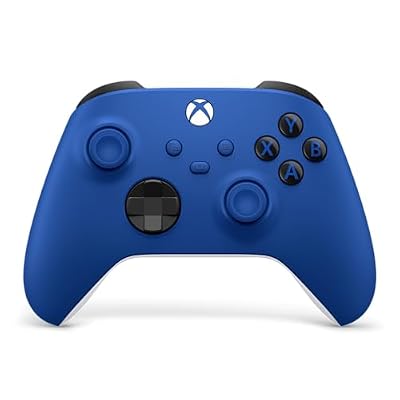
XBOX Wireless Gaming Controller | Shock Blue | Textured triggers and bumpers, Hybrid D-pad, XBOX Wireless, Bluetooth, USB-C, Play across Console & PC & Cloud Devices
Included for 'Best Free Cloud Gaming Services in 2026 (What You Really Get)' because the listing is a hybrid/pocket-spring build, which is the attribute this article compares.
View on AmazonIf you only buy one accessory for free cloud gaming, make it a controller that every service understands. The Xbox Wireless Controller is the reference pad for Xbox Cloud Gaming, and its Bluetooth connection is widely supported by GeForce NOW, Luna, Steam Link and Moonlight on PCs, Android phones, iPhones and many smart TVs. Button prompts in most PC and cloud games already match its layout, which avoids the confusion you get with less common pads.
It suits anyone moving from a phone touchscreen or a keyboard to proper couch play. Bluetooth adds a small amount of input delay, so for the snappiest feel on a PC, a USB-C cable connection is an easy option.
Pros
- Works with every major cloud service and streaming app
- Bluetooth plus USB-C wired option
- Familiar layout that matches in-game prompts
Cons
- Uses AA batteries unless you add a rechargeable pack
- No phone clip included
UGREEN USB-C to Ethernet Adapter — Best Cheap Fix for Jittery Wi-Fi
The connection section above explains why a cable beats Wi-Fi for cloud gaming. This adapter is the cheapest way to act on that advice for laptops, tablets and handheld PCs that have no Ethernet port. The listing describes a plug-and-play USB-C to RJ45 adapter with 1Gbps speed and an aluminum shell, which is far more bandwidth than any cloud stream needs.
It suits anyone playing on a laptop, Chromebook or handheld within cable reach of the router. Many phones and tablets with USB-C also support wired Ethernet adapters, though support varies by model.
Pros
- Removes Wi-Fi jitter from the stream entirely
- Plug and play with no driver install on most systems
- Very low cost
Cons
- Uses your only USB-C port on some laptops
- Only helps where you can run a cable
GL.iNet Flint 2 (GL-MT6000) — Best Router Upgrade for Cloud Gaming

GL.iNet GL-MT6000 Flint 2 Wi-Fi 6 Gaming Router Dual 2.5G Ports | 8-stream Wi-Fi6 at 6 Gbps, dual 2.5G multi-gig ports, Up to 1148 Mbps and 4804 Mbps, pre-installed OpenWrt, OpenVPN WireGuard
Included for 'Best Free Cloud Gaming Services in 2026 (What You Really Get)' as a representative home product in this roundup; selection reflects the product set returned for this topic.
View on AmazonIf a cable is not possible and your stream stutters whenever someone else in the house is busy online, the router is the next upgrade. The listing describes the Flint 2 as a Wi-Fi 6 gaming router with dual 2.5G ports. GL.iNet’s firmware is built on OpenWrt, which gives you access to the kind of advanced queue-management settings, such as SQM, that tackle the bufferbloat behind random ping spikes.
It suits households with several heavy users and players comfortable spending a few minutes in router settings. If you want a set-and-forget router, a simpler Wi-Fi 6 model is enough.
Pros
- Wi-Fi 6 with dual 2.5G wired ports
- OpenWrt-based firmware with advanced queue management
- Strong hardware for busy households
Cons
- Advanced settings take some learning
- More router than a small apartment needs
GameSir G8 Galileo — Best Value Phone Controller for Cloud Gaming

GameSir G8 Galileo Type-C Mobile Gaming Controller for Android & iPhone 15 Series (USB-C), Plug and Play Gamepad with Hall Effect Joysticks/Hall Trigger, 3.5mm Audio Jack
Included for 'Best Free Cloud Gaming Services in 2026 (What You Really Get)' as a representative home product in this roundup; selection reflects the product set returned for this topic.
View on Amazon- Connection: USB-C, plugs straight into the phone (no Bluetooth pairing, no battery to charge)
- Sticks: Hall effect analog sticks, designed to resist drift
- Extras: 3.5 mm headphone jack and pass-through charging port
- Works with: Xbox Cloud Gaming, NVIDIA GeForce NOW, Luna, Steam Link and Moonlight on USB-C phones
Touch controls are the weakest link on a phone, and a stretch-style controller fixes that without adding Bluetooth delay. The GameSir G8 Galileo is a lower-cost alternative to the BACKBONE One and Razer Kishi V3 shown near the top of this guide, with full-size sticks in a layout closer to a console pad. Best for: playing Fortnite or owned PC games on a USB-C phone. Skip it if your phone uses Lightning or if you play mostly on a TV.
Pros
- Wired USB-C connection keeps input delay low
- Hall effect sticks
- Headphone jack and pass-through charging for long sessions
Cons
- Bulkier in a bag than a slim stretch controller
- Some thick phone cases must come off first
8BitDo Ultimate 2 Wireless Controller — Best Controller for PCs, Laptops and Android TV Boxes

8Bitdo Ultimate 2 Wireless Controller for PC, Apple, Steam & Android, Black | TMR Joysticks, Hall/Tactile Triggers, 8Speed 2.4G, 1000Hz Polling Rate, Motion Control, RGB Fire Ring, Charging Dock
Included for 'Best Free Cloud Gaming Services in 2026 (What You Really Get)' as a representative home product in this roundup; selection reflects the product set returned for this topic.
View on Amazon- Connection: 2.4 GHz USB dongle, Bluetooth and USB-C wired
- Sticks and triggers: TMR analog sticks and Hall effect triggers
- Extras: additional programmable buttons and companion software for remapping
- Works with: Windows PCs, Steam, Android and Apple devices, according to 8BitDo’s platform list
If you stream to a laptop or Chromebook, a controller with its own 2.4 GHz dongle often connects more reliably than Bluetooth. The 8BitDo Ultimate 2 Wireless gives you that plus Bluetooth for phones and TV boxes, so one pad covers the whole house. Best for: GeForce NOW Free or Moonlight on a laptop. Skip it if you want native Xbox button prompts on every service; the Xbox Wireless Controller above matches those more consistently.
Pros
- Three connection modes
- Drift-resistant stick technology
- Remappable extra buttons
Cons
- This version has no charging dock
- Dongle uses a USB port
Fire TV Stick 4K Max — Best Cheap TV Device for Luna and Xbox Cloud Gaming

Amazon Fire TV Stick 4K Max (newest model), streaming device, with AI-powered Fire TV Search, supports Wi-Fi 6E, free & live TV without cable or satellite, find shows faster with Alexa+
Included for 'Best Free Cloud Gaming Services in 2026 (What You Really Get)' as a representative home product in this roundup; selection reflects the product set returned for this topic.
View on Amazon- Wi-Fi: Wi-Fi 6E support for a cleaner wireless link on the 6 GHz band
- Video: 4K output with HDR support
- Storage: 16 GB for apps
- Cloud apps: Luna and the Xbox app; GeForce NOW support depends on NVIDIA’s current Fire TV device list
Older TVs often lack cloud gaming apps entirely, and a streaming stick is the cheapest way to add them. The Fire TV Stick 4K Max is the model to choose for cloud play, because Wi-Fi 6E gives it a less crowded wireless band than older sticks if your router supports 6 GHz. Pair a Bluetooth controller and Luna Standard works out of the box for Prime members. Best for: a living-room TV without built-in cloud apps. Skip it if your TV already has the Xbox and Luna apps, or if you can run Ethernet to a console or PC instead.
Pros
- Adds cloud gaming apps to almost any TV with HDMI
- Wi-Fi 6E support
- Small and inexpensive
Cons
- No Ethernet port without an adapter
- App availability differs by country
Cable Matters Cat 6 Ethernet Cable (25 ft) — Best Way to Wire a TV or Laptop

Cable Matters 10Gbps Snagless Cat 6 Ethernet Cable, 25ft, Black | 24 AWG Bare Copper, Gold-Plated RJ45, PoE++, 550MHz Bandwidth, Cat6 Cable, Ethernet Cord
Included for 'Best Free Cloud Gaming Services in 2026 (What You Really Get)' as a representative home product in this roundup; selection reflects the product set returned for this topic.
View on Amazon- Category: Cat 6, snagless RJ45 connectors
- Length: 25 feet, enough to cross most living rooms
- Speed: far above the 15 to 25 Mbps a 1080p cloud stream needs
The connection section above explains why a cable beats Wi-Fi for cloud gaming. This is the simplest way to act on it for a TV, console or desktop near the router, and it pairs with the UGREEN USB-C adapter for laptops. Best for: anyone whose router is within one room of the screen. Skip it if a cable run would cross a hallway; a wired access point or powerline adapter is the better fix there.
Pros
- Removes Wi-Fi jitter completely
- Very low cost
- Snagless boots protect the clips
Cons
- A visible cable run
- Useless for phones without an adapter
Variants of Free Cloud Gaming Services: Which Type Fits You
All free cloud gaming services fall into five variants, and the right one depends on whether you already own games, a PC or a Prime membership. This table groups the options covered above by how the “free” works.
| Variant | Examples | What you pay | Main limit | Best for |
|---|---|---|---|---|
| Free tier of a paid service | GeForce NOW Free | Nothing | About one-hour sessions, ads and a queue | Trying cloud gaming with games you own |
| Free-to-play route | Xbox Cloud Gaming (Fortnite) | Nothing | Free-to-play titles only | Phones and smart TVs |
| Bundled with another subscription | Luna Standard with Prime, Netflix games on TV | The subscription you already have | Rotating, limited catalog | Casual and family play |
| Short trial | Blacknut browser trial, promotional Boosteroid or Shadow offers | Nothing, then a paid plan | Minutes or a first-month offer | Checking your connection |
| Self-hosted streaming | Sunshine and Moonlight, Steam Link, Parsec, console remote play | A PC or console you own | Your own hardware and upload network | Unlimited time with no queue |
Which Free Cloud Gaming Service Has the Least Lag?
The free cloud gaming service with the least lag is self-hosted streaming on your own network, followed by GeForce NOW Free when you connect to a nearby datacenter on a wired connection. Free commercial tiers add a queue and ad delay before play, but the in-game delay is usually similar to the paid plans, so the connection matters more than the tier.
- Pick the closest region: choose the datacenter with the lowest ping rather than the default.
- Use wired or 5 GHz Wi-Fi: jitter, not bandwidth, causes most stutter.
- Turn off background downloads: a console or PC update on the same network can push latency up.
- Try off-peak hours: free-tier queues tend to be shorter when fewer paying members are online.
Which Free Cloud Gaming Option to Try First
- If you own a gaming PC, install Sunshine and Moonlight first. It has no timer and no queue.
- If you own PC games on Steam or Epic but no gaming PC, start with GeForce NOW Free.
- If you only want Fortnite or other free-to-play games, open Xbox Cloud Gaming in a browser.
- If you pay for Prime, check the current Luna Standard selection before anything else.
- If you are unsure your connection can handle streaming, run the Blacknut browser trial for a quick check.
How to start each free option in five minutes
GeForce NOW Free: create a free NVIDIA account, open the app or the browser version, pick the free membership, then connect your Steam, Epic, Ubisoft or Xbox account so your owned games appear. Choose a supported game, wait through the queue and the pre-session ad, and you are playing.
Xbox Cloud Gaming (free-to-play): sign in with a free Microsoft account on the Xbox Cloud Gaming web page in a supported browser, or in the Xbox app. Pick a free-to-play title such as Fortnite, connect a controller, and start the stream. No Game Pass subscription is needed for the free-to-play route.
Luna with Prime: sign in with the account that holds your Prime membership on a supported browser, Fire TV or smart TV app, then browse the games included with Prime. Pair a Bluetooth controller, or use your phone as the controller for party games.
Moonlight and Sunshine: install Sunshine on your gaming PC and set a username and password in its web settings. Install Moonlight on the device you want to play on; it finds the PC on your network automatically. Enter the pairing PIN Moonlight shows into Sunshine, choose a resolution and frame rate, and launch your desktop or a game.
Is Free Cloud Gaming Worth It in 2026?
Yes, as a test drive and for light play; no, as a replacement for a gaming PC or console. A free tier answers three questions at zero cost: does your connection hold a steady stream, does your device support the app, and do you enjoy playing this way. If all three answers are yes, the move to a paid plan is a safe bet. If you play more than about an hour a day, the session caps and queues will frustrate you within a week.
- Worth it if: you play a few hours a week, mostly single-player or slower games, on a stable connection of 25 Mbps or more.
- Worth it if: you own PC games but your laptop cannot run them, and you can live with one-hour sessions.
- Not worth it if: you play competitive shooters, where queue times and added latency matter most.
- Not worth it if: you have a mobile or capped data plan, because an hour at 1080p can use 5 to 15 GB.
How We Chose the Best Free Cloud Gaming Services
This guide is research-based. We compared each provider’s own plan pages, support documents and announcements for session length, resolution, ads, queues, sign-up requirements and device support, then cross-checked 2026 changes against independent gaming news coverage. We ranked options by how much real play a person gets without paying or adding a card, and we separated true free tiers from trials and bundles. Accessories were chosen for fixing the specific weak points of free cloud gaming: touch controls, Wi-Fi jitter and missing TV apps. Plan terms change frequently, so limits are described as they stood in October 2026.
How to choose in one minute
- You own a gaming PC: use Sunshine + Moonlight. Nothing else is close, and it is free forever.
- You mainly play free-to-play games: Xbox Cloud Gaming in a browser.
- You already have Prime: Amazon Luna, for the cost of nothing extra.
- You want to test whether cloud gaming works on your line: GeForce NOW free tier, then decide.
- You want no caps and no PC: accept that you are going to pay — and compare it against the cost of a mid-range gaming laptop over two years before you commit.
One honest closing note: cloud gaming quality varies enormously by region and ISP, so a service unusable for a reviewer three countries away may be flawless for you. Use the free tiers as diagnostics before you use them as entertainment, and read up on reducing input lag so you can tell a bad service from a bad setup.
Frequently Asked Questions
Is there a cloud gaming service that is completely free with no limits?
No commercial service is unlimited and free — every provider caps session length, adds queues, shows ads, or requires an existing membership like Prime. The only genuinely unlimited free option is self-hosted streaming from your own PC using Sunshine with Moonlight, Steam Link or Parsec. Those have no timers and no catalog restrictions, but they require you to already own a gaming PC and keep it powered on while you play.
Do I need to own the games to use free cloud gaming?
It depends on the service. GeForce NOW streams only games you already own on Steam, Epic, Ubisoft Connect or the Xbox PC store, so it is a rendering service rather than a games library. Xbox Cloud Gaming’s free route covers free-to-play titles that need no purchase at all. Amazon Luna includes a rotating selection with Prime that you do not buy separately, though that rotation changes and games can leave it.
How much internet speed do I need for free cloud gaming?
Roughly 15 to 25 Mbps is enough for a stable 1080p/60fps stream, and 35 Mbps or more is comfortable for 1440p. Raw speed matters far less than consistency: jitter and bufferbloat cause the stuttering and input lag people blame on bandwidth. A wired Ethernet connection at 25 Mbps will outperform a congested 300 Mbps Wi-Fi link, so fix the last few metres before paying for a faster plan.
Why does GeForce NOW’s free tier make me wait in a queue?
NVIDIA allocates physical GPUs per session, and paying members get priority access to that hardware. When demand in your region exceeds available capacity, free users wait. Queue times vary heavily by time of day and region, and evenings in dense markets are worst. The free tier also plays an advertisement while your session initialises and ends sessions after a short window, both of which are deliberate nudges toward a paid plan.
Is Moonlight really better than a paid cloud gaming service?
On a home network, usually yes. Streaming from a PC in the next room means a handful of milliseconds of network latency instead of the twenty to sixty milliseconds of travelling to a datacenter, and you can push 4K at high refresh rates with your full library, mods and emulators included. Over the open internet it is more variable, since your home upload speed becomes the bottleneck rather than a commercial provider’s infrastructure.
Is Xbox Cloud Gaming free without Game Pass?
Partly. Anyone with a free Microsoft account can stream free-to-play titles such as Fortnite in a browser without a subscription, and Microsoft has been testing an ad-supported free path with time limits. Premium games from the Game Pass library still require a paid Game Pass tier that includes cloud streaming, so the free route is best for players whose favorite games are free-to-play anyway.
Can I play free cloud games on an iPhone or iPad?
Yes. GeForce NOW, Xbox Cloud Gaming and Luna all run in Safari on iPhone and iPad, and you can add each one to your home screen so it opens like an app. A Bluetooth controller makes a big difference on a phone, since touch controls only cover a fraction of games. For self-hosted streaming, Moonlight and Steam Link both have iOS apps.
Is free cloud gaming available outside the US?
It depends on the service. GeForce NOW and Xbox Cloud Gaming cover many countries, sometimes through regional partners, while Luna is limited to a smaller list of countries. Even where a service is officially available, your distance from the nearest data center decides how responsive it feels. Self-hosted streaming works anywhere, because the data center is your own PC.
Can I use free cloud gaming on a smart TV?
On many recent models, yes. Selected Samsung and LG TVs have apps for the major services, and streaming sticks and boxes such as Fire TV devices and NVIDIA Shield cover others. Turn on the TV’s game mode to cut processing delay, pair a Bluetooth controller, and use a wired connection to the TV if you can, since TVs often have weaker Wi-Fi than phones or laptops.
Can I use a keyboard and mouse on free cloud gaming?
On a PC or Mac, generally yes. GeForce NOW supports keyboard and mouse for most PC games because you are streaming the PC version, and Xbox Cloud Gaming and Luna support it for a growing but limited set of titles. On phones, tablets and TVs, a controller is the reliable choice. Self-hosted streaming with Moonlight or Parsec passes keyboard and mouse straight through to your PC.
Is GeForce NOW still free in 2026?
Yes, NVIDIA GeForce NOW still has a permanent Free tier in 2026. It allows one-hour sessions at up to 1080p and 60fps, shows an ad before play, and places free users behind paying members in the queue. You still need to own the games you stream.
Does the GeForce NOW 100-hour limit apply to free users?
No, the 100-hour monthly cap applies only to paid Performance and Ultimate members. Free users are limited by one-hour sessions instead. Paid members who use up their 100 hours can buy extra time in blocks or drop back to free-tier sessions until the next month.
Can I still play my own Steam or Ubisoft games on Luna?
No, Luna stopped streaming games you own from third-party stores in early June 2026. Purchases from those storefronts inside Luna ended in April 2026. Prime members still get the rotating Luna Standard selection, and Luna Premium remains a paid option.
What is the free Xbox Cloud Gaming tier with ads?
It is a test, started on July 23, 2026, that lets some Xbox Insiders stream cloud-enabled games they own for free after watching ads. Sessions last up to one hour. Microsoft has not announced when, or whether, it will open to everyone.
Which cloud gaming services have a free tier?
Only NVIDIA GeForce NOW has a permanent free tier of its own, with one-hour sessions, ads before play and a queue behind paying members.
Xbox Cloud Gaming has a free route, but it covers free-to-play games only, and Luna’s included games need a Prime membership. Boosteroid and Shadow offer promotions at most, not a standing free plan.
What are the best free cloud gaming options in 2026?
The best free cloud gaming options in 2026 are GeForce NOW Free, Xbox Cloud Gaming’s free-to-play route, Luna with Prime and your own PC.
Pick by what you already own: PC games point to GeForce NOW, free-to-play games to Xbox, a Prime account to Luna, and a gaming PC at home to Sunshine and Moonlight.
Is there a free cloud gaming PC with unlimited time and no queue?
No commercial service offers unlimited time and no queue for free; streaming your own PC with Sunshine and Moonlight is the closest match.
Your PC acts as the data center, so there is no timer, ad or shared queue. The trade-offs are a gaming PC that stays powered on at home and an upload connection good enough if you stream away from the house.
Which free cloud gaming website has the least lag?
No free website is lag-free; GeForce NOW Free usually feels best for games you own when a data center is near you and you play over Ethernet.
Run a ping test under load and aim for roughly 40 ms or less to the data center. Wired Ethernet or 5 GHz Wi-Fi, a TV’s game mode and a low-latency controller trim the remaining delay. If lag stays bad on every service, the cause is usually your connection rather than the provider.
Are free cloud gaming services trusted and safe?
Stick to the official NVIDIA, Xbox and Luna apps or to open-source Sunshine and Moonlight, and never type game account passwords into unofficial sites.
Turn on two-factor authentication for your Steam, Epic and Microsoft accounts, and be skeptical of any site that promises free access to paid console exclusives.