🛒 Best Price Today on Amazon
Prime members get fast, free shipping on everything above, plus member-only deals. New members get a 30-day free trial — cancel anytime.
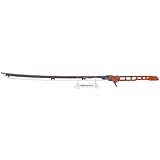
- Top Pick: Zing Cyberpunk 2077 – Thermal Errata Katana – Replica – Official Licensed Collectible Sword with Lights & Sounds, 47" Full-Size Cosplay Prop
- Best Value: JINX Cyberpunk 2077 Logo Metal Keychain, Multi-Colored, One Size
- Premium Choice: TUBBZ: Cyberpunk 2077 – Jackie Welles Rubber Duck Collectible Toy 3.5"
Cyberpunk 2077 is a game of extremes. CD Projekt Red built Night City on REDengine 4, an architecture that scales from barely playable on a GTX 1650 to a photorealistic slideshow on RTX 5080 with path tracing cranked to ultra. The engine’s performance profile is unusual among modern open-world titles because it splits into two distinct bottlenecks depending on where you stand. The corporate plaza in City Center with path-traced reflections will saturate your GPU while the residential streets of Santo Domingo starve your CPU under the weight of simultaneous NPC pathfinding, traffic simulation, and streaming draw calls. Getting the best frame rates requires you to address both simultaneously, and the correct starting point depends entirely on which component is limiting you right now.
Shader compilation also plays a critical role. Cyberpunk precompiles shaders at first launch, but the process is incomplete across many hardware configurations, causing noticeable stuttering during the first 10 to 15 minutes of gameplay on a fresh install. The settings below account for that reality.
As an Amazon Associate we earn from qualifying purchases at no extra cost to you.







Quick Preset
| Setting | Competitive | Balanced | Low-End PC |
|---|---|---|---|
| Ray Tracing | Off | Off | Off |
| DLSS / FSR | DLSS Quality | DLSS Balanced | FSR Quality |
| Texture Quality | Ultra | High | Medium |
| Volume Fog | Medium | Medium | Low |
| Screen Space Reflections | Medium | Ultra | Low |
| Ambient Occlusion | Low | HBAO+ Medium | Off |
| Crowd Density | Low | Medium | Low |
| Traffic Density | Medium | High | Low |
| Motion Blur | Off | Medium | Off |
| Film Grain | Off | Low | Off |
| Depth of Field | Off | Low | Off |
| Chromatic Aberration | Off | Off | Off |
| LOD Bias | Ultra | High | Medium |
| Draw Distance | High | Medium | Low |
Settings That Matter Most
Ray Tracing and Path Tracing
This is the single largest performance decision in the game and it dwarfs every other setting combined. Cyberpunk 2077 was the first title to implement full path tracing in a mode called Ray Tracing Overdrive, replacing traditional rasterized global illumination entirely with a physically simulated light transport model. On an RTX 4070 Ti at 1440p with path tracing enabled and DLSS Balanced, you get roughly 55 to 65 FPS in Dogtown’s market areas. Disable ray tracing completely and the same card pushes past 130 FPS with DLSS Quality. The reason the gap is so wide is that path tracing requires the engine to sample dozens of secondary light bounces per pixel, and Night City’s environment is uniquely punishing because of its density of emissive signage, reflective chrome surfaces, and overlapping interior spaces visible through glass storefronts. If you are targeting 144 FPS or higher, disable all ray tracing options. If you are on a mid-range card with 8GB VRAM, you physically cannot run path tracing at 1440p without DLSS Performance mode or aggressive texture downscaling.
Screen Space Reflections
Screen space reflections in Cyberpunk are notably more expensive than in comparable titles because the engine renders reflections for every wet surface, chrome trim, and glass pane visible in frame simultaneously. Night City is designed to be perpetually rain-slicked in outdoor areas, which means you are looking at SSR cost on virtually every surface at ground level. At Ultra quality, SSR can cost 15 to 25 FPS on a mid-tier card in dense areas. Setting it to Medium eliminates most of the cost with minimal visual degradation outside of close-up reflective surfaces like puddles and vehicle bodies. If you are running with ray tracing reflections enabled, screen space reflections still apply to areas outside the ray-traced reflection buffer, so you should not lower this to save frames while RT is active.
Volume Fog Quality
Redengine’s volumetric fog is a raymarched effect that samples the atmosphere at multiple depths, making it one of the more expensive post-processing effects in the game. At Ultra, it adds a noticeable atmospheric haze that contributes to Night City’s mood but costs 10 to 18 FPS at 1080p native on mid-range hardware. Medium is the sweet spot where you retain the layered depth effect without the extra sampling passes. At Low, fog is still present but becomes flatter and less dynamic. For competitive high-FPS play, Low or Medium is appropriate. For visual fidelity without ray tracing, Ultra volume fog paired with Medium screen space reflections gives a nearly identical atmospheric feel to the full Ultra preset at a fraction of the cost.
Crowd Density and Traffic Density
These are CPU-bound settings unique to open-world games with simulated populations. Cyberpunk loads the most NPCs simultaneously in Market Street, Jig-Jig Street, and the commercial districts of Westbrook and City Center. At Ultra, the engine runs full AI behavior trees on every visible pedestrian, including line-of-sight checks, idle animation blending, and reactive pathfinding when the player brushes past them. Lowering Crowd Density to Low removes the highest-cost AI routines from background characters, who will still exist visually but stop reacting to your presence. Traffic Density affects vehicle AI and collision checks, and at Low you will see visibly empty streets in some areas. The balanced compromise is Crowd Medium with Traffic High, which keeps the city feeling alive while cutting the CPU frame budget by 2 to 4 milliseconds in the densest zones.
Texture Quality and VRAM Threshold
Texture quality in Cyberpunk does not affect FPS directly unless you exceed available VRAM, at which point the engine falls back to system memory and causes severe stuttering. At Ultra textures with path tracing, 1080p usage sits around 10GB, 1440p hits 12GB, and 4K exceeds 14GB. If your GPU has 8GB, use High textures. If you have 12GB, you are safe at Ultra at 1080p and likely at 1440p. The 2026 update that introduced additional photo mode assets and new vehicle models raised VRAM baseline usage by approximately 600MB compared to launch, so users who previously ran Ultra on 10GB cards may need to adjust.
Upscaling and Frame Generation
DLSS is the optimal choice for Nvidia RTX users. In Cyberpunk, DLSS Quality at 1440p renders at approximately 1280×720 and reconstructs upward with very little detail loss on static environments. The one area where DLSS degrades noticeably is on emissive signage with sharp text edges at 1080p. If you are playing at 1080p and want pixel-perfect text clarity on Night City’s advertisements, use DLSS Balanced rather than Performance. FSR 3 is the AMD alternative and has slightly more ghosting on moving vehicles than DLSS but is fully hardware-agnostic. Frame generation doubles perceived frame rate but adds roughly one full frame of latency. For shooting and melee combat that latency is noticeable during fast camera turns. Competitive players should use upscalers without frame generation. Players prioritizing visual immersion over input responsiveness can enable frame generation and target a 90 FPS base before generation for a comfortable 180 FPS output.
Outside the Game
Cyberpunk’s storage requirements are not a suggestion. The game streams environment and NPC assets continuously, and running it from a mechanical hard drive causes texture pop-in, NPC spawning delays, and sustained frame time spikes of 30 to 50 milliseconds when entering new districts. Install on any NVMe SSD. On Nvidia, enable Shader Cache in the control panel and set it to Unrestricted. This ensures the engine’s precompiled shaders persist across sessions. On Windows, set the game’s process priority to High in Task Manager after launch; Cyberpunk’s main thread benefits from being scheduled ahead of background processes. In the GOG Galaxy or Steam launcher, verify game files after major patches because REDengine’s asset streaming system is sensitive to incomplete package installs, which can manifest as missing LOD levels or absent fog volumes rather than outright crashes.
Settings to Leave Alone
HDR and color space settings affect visual accuracy and have negligible FPS cost, so configure them to match your monitor and leave them. Anisotropic filtering at 16x costs under 1 FPS on modern hardware and dramatically improves texture clarity on angled surfaces like road markings and building facades, which are abundant in Night City. Subsurface scattering on ultra only affects character skin rendering and costs under 3 FPS. Motion blur, film grain, chromatic aberration, and vignette are all purely cosmetic toggles that cost under 1 FPS each, so disable them for clarity without feeling guilty about frame loss.
FAQ
Why does the game stutter in the first 10 minutes after a fresh install?
REDengine 4 compiles shaders on demand during gameplay rather than completing the process at launch. The precompilation option at the title screen covers known shader variants, but new encounter types, weather states, and particle effects discovered in first-time areas trigger additional compilation. This is an engine limitation that patches have reduced but not eliminated. The stutter stops after roughly 10 to 15 minutes of varied exploration.
Can I run ray tracing on an RTX 3060?
You can enable it, but expect 30 to 40 FPS at 1080p with DLSS Quality and medium ray tracing settings. The 3060’s 12GB VRAM is sufficient for ray-traced global illumination at 1080p without exceeding memory, but its RT cores are a generation behind and the raw rasterization performance drops significantly once RT GI is active. Ray tracing reflections specifically will cost you 15 to 20 additional FPS at 1080p on this card.
Does frame generation help when my base FPS is below 40?
No. Frame generation at sub-40 base produces visible artifacts on fast camera pans because the optical flow analysis cannot track enough reference points between frames. You will see smearing on building edges and flickering on signage. Raise your base frame rate above 50 using the upscaler first, then enable generation.
Why do my textures pop in even on an NVMe SSD?
Texture pop-in persists at high settings if VRAM is nearly full. When VRAM is at 95% or higher utilization, the engine’s streaming system begins evicting textures from memory to make room for new ones, causing visible downgrades during movement. Lowering texture quality one tier resolves pop-in that storage speed alone cannot fix. This is the most commonly misdiagnosed cause of texture issues in this game.