- Top Pick: Laptop Screen Extender, 15.6'' 1080P FHD Laptop Monitor Extender with 235°Rotation Detachable Dual Monitor, Plug & Play, Triple Screen for 13"-17.3" Laptops Compatible with Mac/Wins/Android/Dex
- Best Value: 15.6" Laptop Screen Extender, 1080P FHD Triple Portable Monitor for Laptops, Ultra-Slim Travel Dual Monitor Fit for 12"-17.3" Laptops, USB-C Plug&Play Extended Screen Compatible with Win/Mac/Android
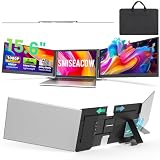
- Premium Choice: SMISEACOW Laptop Screen Extender Triple 15.6", 1080P FHD IPS 0.18" Ultra-Slim & 3.9 lbs, Plug-Play Portable Monitor for Laptops Fits 12-17.3" Laptops, Compatible with Win/Mac/Android
Adding three screens to a single laptop used to require a docking station and a desk full of monitors. Now a folding triple-screen extender clips to your laptop lid and deploys two extra panels that flank your built-in display, giving you a portable command center you can pack into a backpack. For traders, developers, and data-heavy professionals who work on the move, it is a transformative upgrade.
These attachments turn one laptop into a three-monitor workstation, but they differ in panel size, weight, rotation, and how well they support Mac versus Windows. We compared the leading options, from KEFEYA and Vixtan to SMISEACOW and Synnov, to help you find the right blend of screen area and portability.
As an Amazon Associate we earn from qualifying purchases at no extra cost to you.




🎮 Get More From Your Setup — Free
Prime Gaming gives you free PC games every month, in-game loot, and a free Twitch channel sub — plus fast free shipping on all the gear above. New members get a 30-day free trial.
Watch: Laptop Three Screens — Video Review
Design & Build
The core design is a bracket that grips your laptop lid with two 14 to 15.6-inch panels that swing out to the left and right. The SMISEACOW 15.6-inch triple extender emphasizes an ultra-slim 0.18-inch profile at 3.9 pounds, while the Synnov 15.6-inch and the 235-degree rotating dual-screen model add flexible hinges so you can angle each display or even flip one toward a colleague. Lighter picks like the Vixtan 14-inch at 3.0 pounds and the KEFEYA 14.2-inch trim weight for travel. Fit matters most: most attach to laptops between 12 and 17.3 inches, so confirm your machine falls in range.
Performance
Image quality is uniformly good, with 1080p FHD IPS panels the norm and USB-C plug-and-play the key convenience. The best units drive both extra screens over a single USB-C connection, though some laptops need an additional cable for power or a second video output. Compatibility is the real variable. Several extenders support Windows, Mac, Chrome, and even Samsung Dex, while others are more limited, so Mac users should check carefully. Expect 60Hz refresh across the board, which is smooth for spreadsheets, code, dashboards, and video, if not competitive gaming.
Pros & Cons
- A true triple-monitor workflow that travels in a laptop bag.
- USB-C plug-and-play keeps setup fast and cable-light.
- Rotating and detachable panels add flexible viewing angles.
- Added lid weight can stress thinner laptop hinges over time.
- Mac and multi-display support varies, so compatibility needs checking.
Alternatives to Consider
For the lightest daily carry, the Vixtan 14-inch or KEFEYA 14.2-inch trim the load while still adding two panels. If you want maximum screen area, the SMISEACOW or Synnov 15.6-inch triples give you the most working space. Users who need to share a screen or angle displays independently should look at the 235-degree rotating detachable model. Always verify your laptop size and operating system are supported before buying.
Related Guides
- Best Gaming Laptop With Best Cooling (2026)
- Best Reddit Best Gaming Laptops (2026)
- Best Bargain Gaming Laptops (2026)
- Best Student Gaming Laptops (2026)
Frequently Asked Questions
Will a triple extender work with a MacBook?
Many do, but support varies by model. Check that the extender explicitly lists macOS compatibility and how many external displays your Mac can drive.
Do I need more than one cable?
Ideally one USB-C cable handles both panels, but some laptops require a second cable for extra power or video, depending on port capabilities.
How much do these weigh?
Most range from about 3 to 4 pounds. Lighter 14-inch models ease travel, while 15.6-inch triples add area at some weight cost.
Can I use them outside for gaming?
They run at 60Hz FHD, great for productivity, streaming, and casual play, but not ideal for fast competitive gaming.
Verdict
For a portable triple-screen setup, the SMISEACOW 15.6-inch extender offers the best mix of slimness and screen area, while the Vixtan 14-inch is the lightest choice for frequent travelers. Whichever you pick, confirm laptop size and OS support first, and you will unlock a genuine mobile workstation.