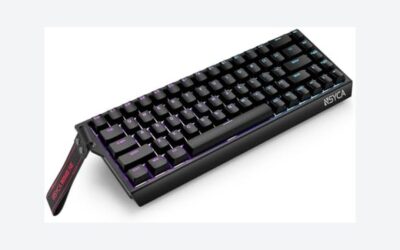
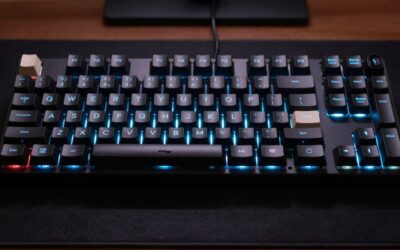
- Top Pick: AULA F75 Pro Wireless Mechanical Keyboard,75% Hot Swappable Custom Keyboard with Knob,RGB Backlit,Pre-lubed Reaper Switches,Side Printed PBT Keycaps,2.4GHz/USB-C/BT5.0 Mechanical Gaming Keyboards
- Best Value: Redragon K521KS Wireless Gaming Keyboard, Tri-Mode BT/2.4G/USB-C RGB Mechanical Feeling Keyboard with Multimedia Keys, 4000mAh Battery, Anti-Ghosting, Compatible with PC – Upgrade
- Premium Choice: Logitech MX Mechanical Wireless Illuminated Keyboard Tactile – Graphite
🛒 Best Price Today on Amazon
Prime members get fast, free shipping on everything above, plus member-only deals. New members get a 30-day free trial — cancel anytime.
- Top Wireless Mechanical Keyboards Picks for 2026
- Best Wireless Mechanical Keyboards at a Glance
- 1. AULA F75 Pro 75% Wireless Mechanical Keyboard, Hot-Swap, Gasket Mount
- 2. Redragon K521KS Tri-Mode Wireless Mechanical Keyboard, Compact Hot-Swap
- 3. Redragon K556 PRO Full-Size Tri-Mode Wireless Mechanical Keyboard, Hot-Swap
- 4. Kisnt KN85 75% Wireless Mechanical Keyboard, Tri-Mode, RGB
- 5. ASUS ROG Strix Scope II 96 Wireless Gaming Mechanical Keyboard
- 6. Redragon K671KS Tri-Mode Wireless Mechanical Keyboard, Hot-Swap, RGB
- How to Choose a Wireless Mechanical Keyboard
- Frequently Asked Questions
- Related Guides
- About the Author
- Related Articles
- Related Guides
Top Wireless Mechanical Keyboards Picks for 2026
Here are our current top wireless mechanical keyboards picks, compared on real Amazon owner reviews, price, and features. Live prices update below.
As an Amazon Associate we earn from qualifying purchases at no extra cost to you.





By Sarah Mitchell
PC Gaming Universe is reader-supported. When you buy through links on our site, we may earn an affiliate commission at no extra cost to you. As an Amazon Associate we earn from qualifying purchases.
Wireless mechanical keyboards used to be a compromise. Going cordless meant accepting input lag, shorter battery life and a limited choice of switches, so serious typists and gamers mostly stuck with cables. That era is over. In 2026 the best wireless mechanical keyboards deliver the tactile, satisfying typing of a true mechanical board with low-latency 2.4GHz connections, multi-day battery life and increasingly affordable prices, all without a cable cluttering your desk.
The span includes hot-swappable 75% layouts that let you change switches without soldering, compact boards that free up desk space for mouse movement, and a full-featured ASUS ROG keyboard for players who want every gaming extra. We judged each board on switch quality, connectivity, battery life, build and value.
A word on what to expect at each price. The budget tri-mode boards focus on getting you reliable wireless mechanical typing for the lowest cost, sometimes with hot-swap sockets that let you upgrade later. The mid-range picks add nicer materials, better stabilizers and more refined sound. The flagship brings the deepest software, the most gaming-specific features and the most polished build. Whatever your budget, there is a genuinely good wireless mechanical keyboard here. Read on for the at-a-glance table, then a closer look at each board.
Best Wireless Mechanical Keyboards at a Glance
| Model | Best For | Key Spec | Price Tier |
|---|---|---|---|
| AULA F75 Pro 75% Hot-Swap | Hot-swap enthusiasts | 75% layout, hot-swap, gasket mount | Varies |
| Redragon K521KS Tri-Mode | Cheapest tri-mode pick | Tri-mode, compact, hot-swap | Varies |
| Redragon K556 PRO Tri-Mode | Full-size value | Full-size, tri-mode, hot-swap | Varies |
| Kisnt KN85 75% Wireless | Compact tri-mode typing | 75% layout, tri-mode, RGB | Varies |
| ASUS ROG Strix Scope II 96 | Premium gaming flagship | 96% layout, ROG switches, hotkeys | Varies |
| Redragon K671KS Tri-Mode | Balanced all-rounder | Tri-mode, hot-swap, RGB | Varies |
1. AULA F75 Pro 75% Wireless Mechanical Keyboard, Hot-Swap, Gasket Mount

AULA F75 Pro Wireless Mechanical Keyboard,75% Hot Swappable Custom Keyboard with Knob,RGB Backlit,Pre-lubed Reaper Switches,Side Printed PBT Keycaps,2.4GHz/USB-C/BT5.0 Mechanical Gaming Keyboards


As an Amazon Associate we earn from qualifying purchases. Product prices and availability are accurate as of the date/time indicated.
The AULA F75 Pro is the pick for enthusiasts who want a customizable wireless mechanical keyboard without spending flagship money.
This is the board for the player who plans to tinker. Hot-swap sockets let you pull and replace switches by hand, with no soldering, so you can chase the exact feel and sound you want over time. The gasket mount gives the board a softer, more cushioned typing feel and a fuller acoustic profile than a rigid tray-mount design. The 75% layout keeps arrow keys and a function row while trimming the numpad, striking a good balance between compactness and usability for both typing and gaming.
It is pricier than the bare-bones budget boards and AULA’s software is less polished than a major brand’s, but the F75 Pro packs an enthusiast-grade feature set into a wireless package at a fair price. For anyone who wants a customizable board to grow into, it is the standout here.
Pros: Hot-swap sockets, gasket-mount feel, 75% layout, enthusiast features at a fair price.
Cons: Pricier than bare-bones budget boards; AULA software less polished than major brands.

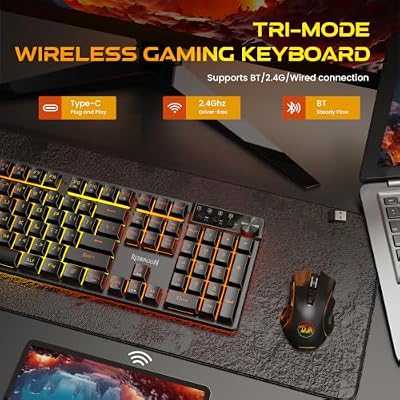
2. Redragon K521KS Tri-Mode Wireless Mechanical Keyboard, Compact Hot-Swap
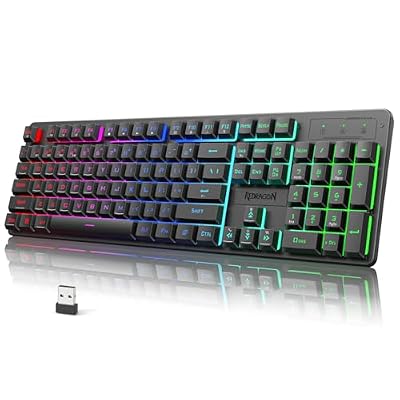
Redragon K521KS Wireless Gaming Keyboard, Tri-Mode BT/2.4G/USB-C RGB Mechanical Feeling Keyboard with Multimedia Keys, 4000mAh Battery, Anti-Ghosting, Compatible with PC - Upgrade



As an Amazon Associate we earn from qualifying purchases. Product prices and availability are accurate as of the date/time indicated.
For that price it delivers tri-mode connectivity, a compact layout and hot-swappable switches — a remarkable spec sheet for the money and an easy entry point into wireless mechanical keyboards.
This is the board for the buyer who wants to try a wireless mechanical keyboard without committing much cash. Tri-mode means a 2.4GHz dongle for low-latency gaming, Bluetooth for laptops and tablets, and USB-C wired as a fallback or for charging. The compact layout frees up desk space for big mouse sweeps in FPS games, and the hot-swap sockets mean you can experiment with different switches down the line rather than being locked into one feel.
At this price the materials, stabilizers and software are basic, and the sound is not as refined as the pricier picks. But as the cheapest tri-mode hot-swap board on this list, the K521KS offers an astonishing amount of functionality for under thirty dollars.
Pros: Lowest price here, tri-mode connectivity, compact layout, hot-swap sockets.
Cons: Basic materials and stabilizers; sound less refined than pricier boards.
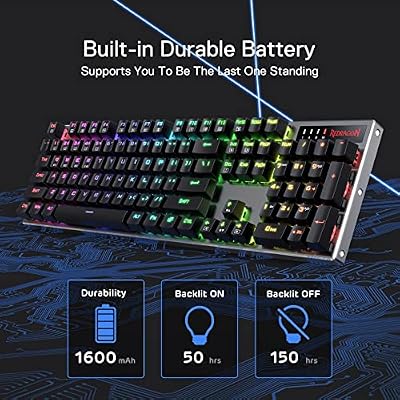
3. Redragon K556 PRO Full-Size Tri-Mode Wireless Mechanical Keyboard, Hot-Swap
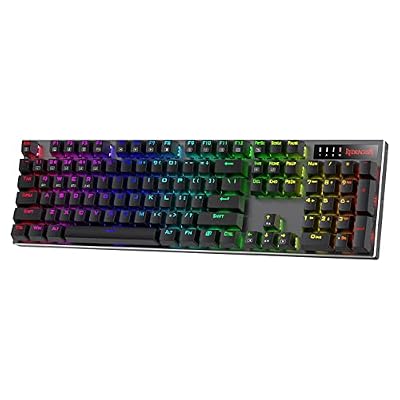
Redragon K556 PRO Wireless RGB Mechanical Gaming Keyboard, 104-Key Aluminum | 0 Delay Tri-Mode BT/2.4GHz/USB-C for More Devices, Rock-Solid Stability, AM-PM Using Durability, Quiet Linear Red Switch




As an Amazon Associate we earn from qualifying purchases. Product prices and availability are accurate as of the date/time indicated.
The Redragon K556 PRO is the full-size pick for players and typists who refuse to give up the numpad.
This is the board for anyone who works with numbers, plays MMOs with lots of binds, or simply prefers a traditional full-size layout. The numpad is genuinely useful for spreadsheets and data entry, the tri-mode connectivity covers gaming dongle, Bluetooth and wired modes, and the hot-swap sockets let you tune the switch feel without soldering. The heftier full-size frame also feels solid and stays put on the desk during fast play.
A full-size board takes up more desk space and pushes the mouse further right, which competitive FPS players sometimes dislike, and Redragon’s software is functional rather than fancy.
Pros: Full-size layout with numpad, tri-mode wireless, hot-swap sockets, sturdy build.
Cons: Takes more desk space; pushes mouse right for FPS; functional rather than fancy software.

4. Kisnt KN85 75% Wireless Mechanical Keyboard, Tri-Mode, RGB

Kisnt KN85 Wireless Mechanical Keyboard, 75% Layout, Bluetooth/2.4GHz/USB-C, Custom RGB Backlit, Hot-Swappable Linear Switch, Creamy Sound for Gaming/Typing (Retro Beige)


As an Amazon Associate we earn from qualifying purchases. Product prices and availability are accurate as of the date/time indicated.
With a 75% layout, tri-mode connectivity and per-key RGB, it targets the player who wants a space-saving board with modern wireless features without paying enthusiast prices.
This is the board for the buyer who values a tidy, compact desk. The 75% layout keeps the arrow keys and function row while ditching the numpad, leaving more room for mouse movement and a cleaner look. Tri-mode connectivity handles a gaming dongle, Bluetooth and wired, the RGB lighting adds personality, and the overall package feels a step up in polish from the cheapest boards while staying affordable.
It is not hot-swappable in the way the AULA and Redragon picks are, so you are committing to its stock switches, and the brand is less established than the bigger names. But as a compact, well-rounded tri-mode board with RGB at a mid-budget price, the KN85 is a tidy choice for a clean setup.
Pros: Compact 75% layout, tri-mode connectivity, per-key RGB, polished feel for the price.
Cons: Not hot-swappable; less established brand than major rivals.
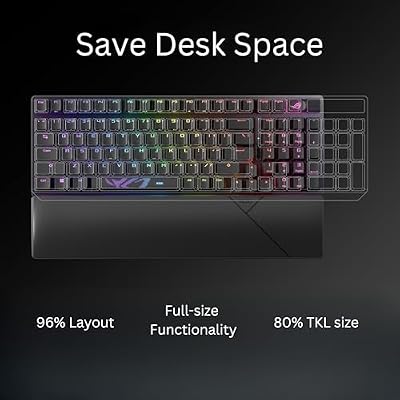
5. ASUS ROG Strix Scope II 96 Wireless Gaming Mechanical Keyboard

ASUS ROG Strix Scope II 96 Wireless Mechanical Gaming Keyboard – 96% Full-Size, Tri-Mode Connectivity, Hot Swappable Pre-lubed ROG NX Snow Linear Switches, PBT Keycaps, RGB, PC/Mac Support-Black


As an Amazon Associate we earn from qualifying purchases. Product prices and availability are accurate as of the date/time indicated.
It uses a 96% layout that keeps a numpad while staying more compact than full-size, ROG mechanical switches, and the deep feature set you expect from a major gaming brand.
This is the board for the enthusiast or competitive player who wants no compromises. ROG’s switches are pre-lubed and tuned for a smooth, consistent feel, the build quality and stabilizers are a clear step above the budget picks, and ASUS Armoury Crate software gives deep control over lighting, macros and per-key remapping. Dedicated controls and gaming-specific features round out a package aimed squarely at players who want their keyboard to do everything.
It costs roughly twice the mid-range boards here and far more than the budget picks, and that software ecosystem is heavier than some users want. But if you want a premium wireless gaming mechanical keyboard from a trusted brand, the Strix Scope II 96 is the flagship choice.
Pros: Premium build, pre-tuned ROG switches, 96% layout with numpad, deep ASUS software.
Cons: Most expensive pick by far; software ecosystem heavier than some users want.
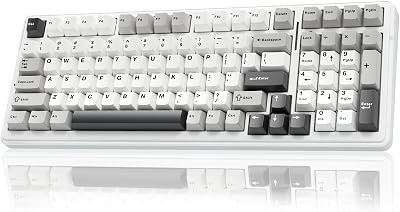
6. Redragon K671KS Tri-Mode Wireless Mechanical Keyboard, Hot-Swap, RGB
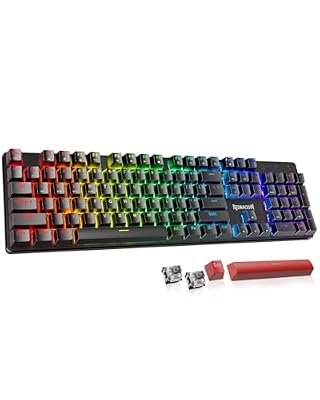
Redragon K671KS Wireless Mechanical Gaming Keyboard, Tri Mode BT/2.4G/USB-C Hot Swappable Custom Keyboard, RGB Backlit Computer Gaming Keyboards, PBT Keycaps, Programmable for PC/Tablet/MAC


As an Amazon Associate we earn from qualifying purchases. Product prices and availability are accurate as of the date/time indicated.
It brings tri-mode connectivity, hot-swappable switches and RGB lighting together in one package, making it the pick for buyers who want a bit of everything without overspending.
This is the board for the player who does not want to compromise on any single feature. Tri-mode connectivity covers gaming dongle, Bluetooth and wired use, the hot-swap sockets let you change switch feel over time, and the per-key RGB adds the lighting most gamers expect. It strikes a sensible middle ground between the bare-bones budget boards and the pricier enthusiast and flagship options, delivering a well-rounded daily driver.
It does not push the boundaries in any one area the way a dedicated enthusiast board or a flagship does, and the software is Redragon’s usual functional fare.
Pros: Tri-mode connectivity, hot-swap sockets, per-key RGB, well-rounded value.
Cons: Doesn’t excel in any single area; functional rather than premium software.
How to Choose a Wireless Mechanical Keyboard
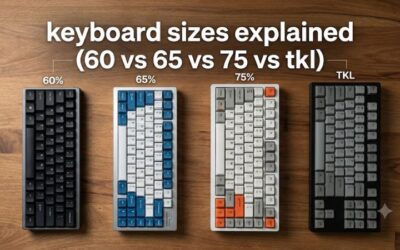
Start with layout. A full-size board like the Redragon K556 PRO keeps the numpad for spreadsheets and number-heavy work, while a 75% layout such as the AULA F75 Pro or Kisnt KN85 drops the numpad to save desk space and bring your mouse closer — a real advantage for low-sensitivity FPS players. A 96% layout, like the ASUS ROG board, is a clever middle ground that keeps a numpad in a tighter footprint. Pick the layout that matches how you work and play.
Then think about switches and whether you want hot-swap. Hot-swappable sockets, found on most of the boards here, let you pull and replace switches by hand with no soldering, so you can chase a different feel or sound later without buying a new keyboard. If you are not interested in tinkering, a non-hot-swap board like the KN85 is fine — just be sure you like its stock switches, because you are committing to them.
Finally, weigh connectivity and budget. Tri-mode boards give you a low-latency 2.4GHz dongle for gaming, Bluetooth for laptops and tablets, and a wired fallback, which is the most flexible setup. Always game on the dongle, not Bluetooth, for the lowest latency. From there, decide how much polish you want: budget tri-mode boards nail the fundamentals, mid-range picks add refinement, and a flagship like the Strix Scope II 96 brings premium materials and the deepest software. Match the price tier to your priorities and you will not go wrong.
Frequently Asked Questions
Are wireless mechanical keyboards good for gaming?
Yes, as long as you use the 2.4GHz dongle rather than Bluetooth. Modern wireless mechanical keyboards on their dongle deliver latency low enough that the vast majority of players cannot tell the difference from wired. Bluetooth adds noticeable delay, so keep it for laptops and casual use and reserve the dongle for serious gaming.
What does hot-swappable mean on a mechanical keyboard?
Hot-swappable means the switches sit in sockets you can pull and replace by hand, with no soldering required. It lets you change the feel and sound of your keyboard over time — swapping in linear, tactile or clicky switches — without buying a whole new board. Most of the picks on this list, including the AULA F75 Pro and the Redragon models, support it.
How long do wireless mechanical keyboards last on a charge?
It depends heavily on RGB usage. With lighting on, expect a few days to a week or so of regular use; with RGB off or dimmed, many boards stretch to several weeks. Using the keyboard over Bluetooth instead of the 2.4GHz dongle also saves power, and most boards keep working in wired USB-C mode while charging.
Is a 75% or full-size wireless keyboard better?
It comes down to whether you need the numpad and how much desk space you want. Full-size boards like the K556 PRO keep the numpad for number entry but push the mouse further right; 75% boards like the F75 Pro and KN85 free up space and suit FPS players who make big mouse movements. A 96% layout splits the difference by keeping a numpad in a smaller footprint.
Are budget wireless mechanical keyboards worth it?
Increasingly, yes. You trade refined sound, premium materials and deep software for the low price, but the core experience of wireless mechanical typing is genuinely good even at the bottom of the range.
Related Guides
- Best Wireless Mechanical Keyboard in 2026
- Best Mechanical Keyboard in 2026
- Best Gaming Keyboards in 2026
- Best Compact Gaming Keyboard in 2026
- Best Keyboard For Gaming in 2026
- Best Razer BlackWidow Alternatives 2026
Top picks from this guide
RedragonRedragon K556 PRO Wireless RGB Mechanical Gaming Keyboard, 104-Key Aluminum…$65 \xc2\xb7 99/100RedragonRedragon K671KS Wireless Mechanical Gaming Keyboard, Tri Mode BT/2.4G/USB-C Hot…$40 \xc2\xb7 99/100KisntKisnt KN85 Wireless Mechanical Keyboard, 75% Layout, Bluetooth/2.4GHz/USB-C, Custom RGB…$44 \xc2\xb7 99/100ASUSASUS ROG Strix Scope II 96 Wireless Mechanical Gaming Keyboard…$132 \xc2\xb7 99/100