Affiliate disclosure: As an Amazon Associate we earn from qualifying purchases. This post contains affiliate links — we may earn a small commission at no extra cost to you. This never affects our picks. Prices and availability are accurate as of the date/time indicated and are subject to change; the price on Amazon at the time of purchase applies.
- Quick Comparison Table
- 1. ARCTIC MX-7 (4 g): Best for a newer all-round paste for builders
- 2. ARCTIC MX-4 (4 g): Best for a long-running, easy-to-apply standby
- 3. Thermal Grizzly Kryonaut (1 g): Best for overclockers who want a premium paste
- 4. Noctua NT-H2 (3.5 g): Best for a complete kit with cleaning wipes
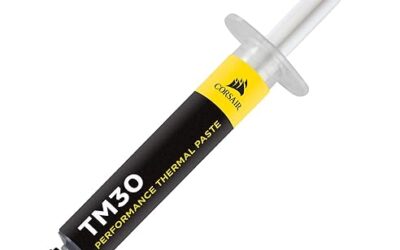
- 5. Corsair TM30 (3 g): Best for a simple kit with an applicator
- How to Choose
- Frequently Asked Questions
- About the Author
- Related Articles
Quick answer: ARCTIC MX-7 is our top pick among the best thermal paste choices for most builders. The MX-4 suits a proven standby, Thermal Grizzly Kryonaut suits overclockers, Noctua NT-H2 suits anyone who wants cleaning wipes included, and Corsair TM30 suits beginners who like an applicator.
This guide compares five of the best thermal paste tubes for CPU and GPU use, from ARCTIC, Thermal Grizzly, Noctua and Corsair. We picked well-known brands with clearly stated tube sizes and features. Every comparison uses each listing’s published specs; we did not run our own benchmarks or temperature measurements.
Quick Comparison Table
| # | Model | Key specs (per listing) | Best for |
|---|---|---|---|
| 1 | ARCTIC MX-7 (4 g) | ARCTIC MX-7, 4 g, long durability | a newer all-round paste for builders |
| 2 | ARCTIC MX-4 (4 g) | ARCTIC MX-4, 4 g, for all processors | a long-running, easy-to-apply standby |
| 3 | Thermal Grizzly Kryonaut (1 g) | Kryonaut 1 g, CPU/GPU, non-curing, non-conductive | overclockers who want a premium paste |
| 4 | Noctua NT-H2 (3.5 g) | NT-H2 3.5 g, 3 cleaning wipes, 3-20 applications | a complete kit with cleaning wipes |
| 5 | Corsair TM30 (3 g) | TM30, 3 g, applicator included, CPU/GPU, silver | a simple kit with an applicator |
1. ARCTIC MX-7 (4 g): Best for a newer all-round paste for builders
Specs per the listing: ARCTIC MX-7, 4 g tube, described as ultimate performance thermal paste with long durability.
The MX-7 is the newest paste in the ARCTIC lineup shown here, and the listing leans on long durability. That matters for a paste you want to apply once and forget for several years. A 4 g tube is enough for several CPU applications, so you can redo a build or help a friend.
The title does not list conductivity figures, viscosity or curing behaviour, so check the maker page before assuming it suits an extreme overclock. For normal gaming builds it is a sensible, simple choice. Apply a small pea-sized dot and let the cooler spread it.
- Pros: Newer formula; durability emphasised; 4 g covers several applications; from a well-known cooling brand
- Cons: Technical specifications are not in the title; little reason to pick it over the MX-4 for light use

ARCTIC MX-7 (4 g) - Ultimate Performance Thermal Paste, Long Durability
Included for 'Best Thermal Paste for CPU and GPU: 5 Reliable Options' as a representative home product in this roundup; selection reflects the product set returned for this topic.
View on Amazon2. ARCTIC MX-4 (4 g): Best for a long-running, easy-to-apply standby
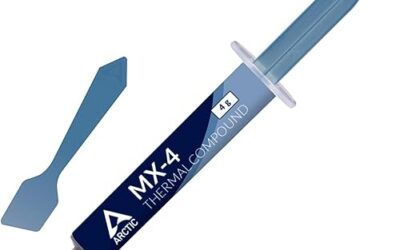
Specs per the listing: ARCTIC MX-4, 4 g tube, premium performance thermal paste for all processors.
The MX-4 is a familiar name in PC building and the listing says it is meant for all processors. That broad compatibility, plus an easy-to-spread feel, made it a standard recommendation for first-time builders. A 4 g tube covers multiple applications.
It is an older formula than the MX-7, but it does the job for most gaming PCs. The listing includes only the tube, not cleaning wipes, so buy isopropyl alcohol and lint-free cloth to clean old paste. Choose it when you want something proven and simple.
- Pros: Widely used and familiar; for all processors; easy to spread; 4 g for several uses
- Cons: Older formula than MX-7; no cleaning wipes in the title; no technical specs in the title

ARCTIC MX-4 (4 g) - Premium Performance Thermal Paste for All Processors
Included for 'Best Thermal Paste for CPU and GPU: 5 Reliable Options' as a representative home product in this roundup; selection reflects the product set returned for this topic.
View on Amazon3. Thermal Grizzly Kryonaut (1 g): Best for overclockers who want a premium paste
Specs per the listing: Thermal Grizzly Kryonaut, 1 g, for CPU and GPU overclocking, high-performance, non-curing, electrically non-conductive, high long-term stability.
Kryonaut has a reputation among overclockers, and the listing highlights several useful traits: non-curing, electrically non-conductive and high long-term stability. Not curing means the paste stays workable, and non-conductive means an accidental smear on the board will not short anything.
A single 1 g tube is a small amount, usually enough for one or two CPU applications. If you want a spare for a GPU repaste, a larger package is worth considering. For a stock-cooled gaming build the difference over a mainstream paste may be modest, so only pay up if you push your hardware.
- Pros: Popular overclocking paste; non-conductive and non-curing; suitable for CPU and GPU; high long-term stability
- Cons: Small 1 g tube; benefit is mainly for overclocking; spreading technique matters

Thermal Grizzly Kryonaut 1 g Thermal Paste CPU GPU Overclocking | High-Performance Thermal Paste, for overclocking, non-curing, electrically non-conductive, high long-term stability
Included for 'Best Thermal Paste for CPU and GPU: 5 Reliable Options' as a representative home product in this roundup; selection reflects the product set returned for this topic.
View on Amazon4. Noctua NT-H2 (3.5 g): Best for a complete kit with cleaning wipes
Specs per the listing: Noctua NT-H2, 3.5 g, high-performance, includes 3 cleaning wipes, easy to apply and clean, excellent long-term stability, 3 to 20 applications.
Noctua’s NT-H2 stands out for the package. The listing includes three cleaning wipes and states it is easy to apply and clean, with a range of 3 to 20 applications depending on how much you use. For a first-time builder who is replacing old paste, the wipes are practical.
Noctua says it offers excellent long-term stability, which suits a build you do not want to open often. The title does not provide conductivity numbers, so rely on the maker’s page for details. It is a good all-round choice when you want ease and a full kit.
- Pros: Includes 3 cleaning wipes; easy to apply and clean; stable over time; 3 to 20 applications
- Cons: No technical numbers in the title; more than most builders need in one tube

Noctua NT-H2 3.5g, High-Performance Thermal Paste and 3 Cleaning Wipes | Top-Tier Performance, Easy to Apply and Clean, Excellent Long-Term Stability, 3-20 Applications
Included for 'Best Thermal Paste for CPU and GPU: 5 Reliable Options' as a representative home product in this roundup; selection reflects the product set returned for this topic.
View on Amazon5. Corsair TM30 (3 g): Best for a simple kit with an applicator
Specs per the listing: Corsair TM30, 3 grams, ultra-low thermal impedance for CPU and GPU, silver colour, includes applicator, for desktop.
Corsair’s TM30 ships with an applicator, which is helpful for beginners who find the spread step awkward. The listing describes ultra-low thermal impedance for CPU and GPU use, and 3 grams is enough for several applications.
It is a no-fuss choice rather than an enthusiast one. If you already own Corsair coolers or fans, buying the matching paste is convenient. As with the others, check the maker’s page for exact conductivity or curing information because the title does not provide it.
- Pros: Applicator included; 3 g for multiple uses; CPU and GPU use; familiar brand
- Cons: Lacks the enthusiast reputation of Kryonaut; no technical numbers in the title

Corsair TM30 Performance Thermal Paste | Ultra-Low Thermal Impedance CPU/GPU | 3 Grams|w/applicator, Silver for Desktop
Included for 'Best Thermal Paste for CPU and GPU: 5 Reliable Options' as a representative home product in this roundup; selection reflects the product set returned for this topic.
View on AmazonHow to Choose
Know what the tube size means
Most CPU applications use a pea-sized amount, so even small tubes last. A 1 g tube suits one or two applications. A 3.5 g to 4 g tube suits a handful, covering a build and a later repaste. Larger tubes, such as 8 g or 20 g, suit shops and people who build often. Buy more only if you will use it, because opened paste gets old over time.
Non-conductive and non-curing matter
Most modern pastes are non-conductive, so a small spill will not cause a short, and the Kryonaut listing states it explicitly. Metal-based compounds, such as liquid metal, conduct electricity and can damage boards and some coolers, and they are for experts. Non-curing pastes stay workable and are easier to remove later. For a normal gaming build, a non-conductive paste is the safest choice.
Application and cleanup
Clean the old paste with isopropyl alcohol and a lint-free cloth. Apply a pea-sized dot or a thin line in the center of the processor’s heat spreader, then mount the cooler straight down with even pressure. Do not apply paste if your cooler already has a pre-applied pad you intend to keep. If you want wipes in the box, the Noctua listing includes them; the others do not.
Do not overthink the choice
The difference between respected pastes is often small compared with a good cooler, correct mounting and a case with airflow. Spend more care on application than on picking the most expensive tube. Skip listings that give no brand or application guidance, and treat bulk multipacks of unknown brands with caution. Pick a known maker, check the compatibility, and move on.
Frequently Asked Questions
How often should I replace thermal paste?
Many builders repaste every few years, or whenever they remove the cooler. Temperatures that creep up over time can be a sign. Durability varies by paste, so check the maker’s guidance.
How much thermal paste should I use?
A pea-sized dot in the center of the processor is the common method. Too much can squeeze out onto the socket, and too little can leave gaps. Thin, even coverage matters most.
Is thermal paste electrically conductive?
Most pastes listed here are non-conductive, and the Kryonaut listing says so explicitly. Metal-based liquid compounds are different. Check the product page before using a paste near exposed contacts.
Do I need paste if my cooler has some on it?
Many coolers come with paste pre-applied. If you are installing that cooler for the first time, you can use it. If you remove it, clean and reapply fresh paste.
Can I use the same paste on a GPU?
Yes, many pastes are rated for CPU and GPU use, as the Kryonaut and Corsair listings state. GPU repasting also involves opening the card, which may void a warranty, so check the maker’s terms first.