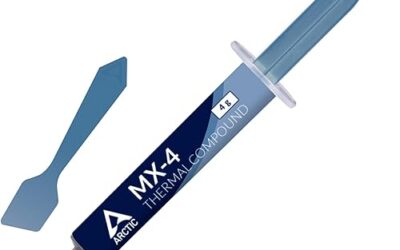
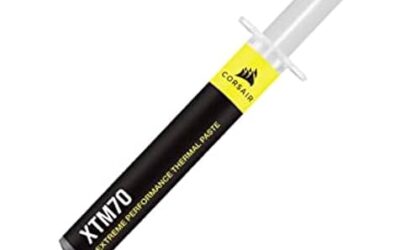
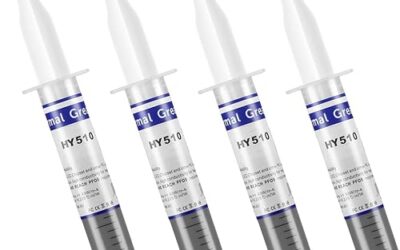
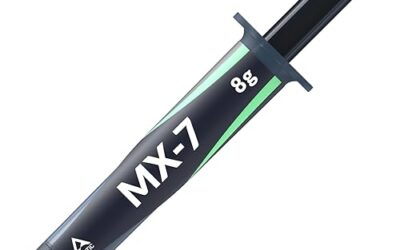
🛒 Best Price Today on Amazon
Prime members get fast, free shipping on everything above, plus member-only deals. New members get a 30-day free trial — cancel anytime.
Quick answer: For most people in 2026, the best cpu tim is the Arctic MX-6 paste — our #1 rated choice. See the full ranked comparison, alternatives and buying advice below.
Best CPU TIM: The Right Thermal Interface for Your Processor
The best CPU TIM for most desktop users is a quality, nonconductive paste such as Arctic MX-6: it is easy to apply, works with common coolers, and avoids the electrical risk of liquid metal. Choose a phase-change pad for a clean, repeatable installation; consider liquid metal only when you can manage its conductivity and material-compatibility risks.
What matters when choosing CPU thermal material
A thermal interface material (TIM) fills microscopic gaps between the processor’s heat spreader and the cooler’s cold plate. Its advertised thermal conductivity, measured in watts per meter-kelvin (W/m·K), can help compare materials of the same type, but it does not predict your CPU temperature by itself. Contact pressure, layer thickness, cooler design, mounting quality, and the processor’s heat output all matter.
Application and upkeep can be more important than a small difference in a published conductivity figure. A paste that spreads reliably may outperform a theoretically more conductive material applied too thickly or unevenly. Also check whether the TIM is electrically conductive and whether its manufacturer permits use with your cooler’s cold-plate material.
Top CPU TIM options compared
| TIM | Published conductivity | Application | Longevity and compatibility | Best fit |
|---|---|---|---|---|
| Arctic MX-6 paste | 4.6 W/m·K | Small central dot or short line; cooler pressure spreads it | Nonconductive; suitable for typical desktop CPU heat spreaders and cooler plates | Most air- and liquid-cooled desktops |
| Noctua NT-H2 paste | Not specified by the manufacturer | Small dot; designed for simple application | Nonconductive; usable with conventional CPU coolers | Users who prefer a familiar paste format |
| Thermal Grizzly Kryonaut paste | 12.5 W/m·K | Apply a thin, even layer or let mounting pressure spread a small amount | Electrically nonconductive; follow product guidance for use and maintenance | Enthusiasts seeking a high-performance conventional paste |
| Honeywell PTM7950 phase-change pad | Reported around 8.5 W/m·K | Place a correctly sized pad on a clean surface; it softens as it heats | Nonconductive; check dimensions and source authenticity, and allow heat cycles for conditioning | Repeatable installations and users who want to avoid paste |
| Thermal Grizzly Conductonaut liquid metal | 73 W/m·K | Use a very small amount and spread into an extremely thin film | Electrically conductive; reacts with aluminum, so do not use on aluminum cold plates | Experienced users with compatible nickel-plated copper surfaces |
Figures are manufacturer-published or commonly reported specifications, not a direct ranking of CPU temperatures. Conductivity tests and measurement methods can differ, so compare like with like and treat the numbers as context rather than a guaranteed performance result.
Choose by your situation
| Your situation | Practical choice | Why |
|---|---|---|
| First build or routine cooler replacement | Arctic MX-6 or Noctua NT-H2 | Nonconductive paste is forgiving and compatible with standard cooler materials. |
| You want a clean installation without squeezing paste | Honeywell PTM7950 pad | A pre-cut sheet avoids measuring paste, though precise sizing and careful placement matter. |
| You are tuning temperatures and accept extra risk | Conductonaut, only on compatible surfaces | Its high conductivity can help in suitable setups, but spills can short components and aluminum is incompatible. |
| Your cooler may be removed often | Conventional nonconductive paste | It is easy to clean and reapply; do not reuse a disturbed paste layer. |
| You are mounting a cooler on a laptop or bare CPU die | Use the device or cooler maker’s specified TIM | Clearances, mounting pressure, nearby components, and service requirements can differ from desktop heat spreaders. |
How application changes the result
Paste: keep the layer controlled
For a typical desktop CPU with an integrated heat spreader, clean both contact surfaces with a lint-free wipe and suitable isopropyl alcohol, then let them dry. Apply a small central dot or a short line of paste, following the product’s instructions, and mount the cooler evenly. Tighten screws gradually in a cross pattern where possible. The mounting pressure should spread the paste; adding a thick layer can increase the distance heat must cross.
There is no universal dot size because paste viscosity and CPU heat-spreader dimensions vary. If you remove the cooler after mounting, clean off the old material and apply a fresh layer rather than reinstalling it over a disturbed imprint.
Phase-change pad: placement and heat cycles
Cut or select a pad that covers the contact area without folding over edges or leaving large uncovered regions. Handle it carefully: thin pads can wrinkle, stretch, or pick up debris. Some phase-change materials need operating heat cycles to soften and settle into the interface, so an immediate temperature reading may not represent their settled behavior. Confirm the product’s installation directions before judging it.
Liquid metal: compatibility comes first
Liquid metal is not a drop-in paste upgrade. It conducts electricity, so protect nearby components from spills and use it only if you can apply a very thin film with precision. It is incompatible with aluminum because it can damage the surface; check the exact cooler cold-plate material, not just the heatsink’s visible finish. Nickel-plated copper is a common compatible surface, but the cooler maker’s guidance takes precedence. Avoid it where a leak could reach exposed circuitry or where the system must be serviced by someone unfamiliar with liquid metal.
Why conductivity numbers don’t settle the decision
Consider a CPU drawing 150 W. If a TIM reduces the effective thermal resistance of the interface by 0.02 °C/W, the idealized temperature difference across that interface changes by about 3 °C: 150 W × 0.02 °C/W = 3 °C. This is a simplified calculation, not a promised temperature drop. It illustrates why a modest improvement at the interface may matter, while also showing that the cooler, airflow, CPU power limits, and mounting can still dominate the final temperature.
That calculation cannot be made directly from a product’s W/m·K figure alone. Conductivity is only one input; the real interface also depends on bond-line thickness, contact area, pressure, and surface condition. A high number does not mean the material will produce a proportional reduction in CPU temperature.
When to replace or troubleshoot TIM
Do not replace paste solely because a calendar interval has passed. Consider remounting if temperatures have risen noticeably under the same workload and ambient conditions, the cooler has been disturbed, or the material is visibly dried or displaced. First check for a loose cooler mount, dust-blocked fans or radiator, changed fan settings, and increased CPU power limits. These can cause the same symptoms without a TIM problem.
If a remount is warranted, clean both surfaces, inspect for debris or damage, apply the material according to its directions, and tighten the cooler evenly. Compare temperatures using the same workload and similar room temperature; short spikes are less useful than a sustained load. If temperatures remain abnormal, investigate cooler contact, pump or fan operation, and airflow before assuming the TIM itself is faulty.
Bottom line
For most desktop CPUs, choose a reputable nonconductive paste such as Arctic MX-6 or Noctua NT-H2 and apply it carefully. Pick PTM7950 when a pad’s clean, repeatable installation suits your setup. Reserve liquid metal for experienced users who have confirmed surface compatibility and can protect nearby electronics. The best CPU TIM is the one that matches your hardware and maintenance comfort—not simply the one with the largest conductivity number.
Ready to decide? Our #1 pick for 2026 is the Arctic MX-6 paste.
Live price & availability on Amazon.