- Top Pick: The Zorin OS Developer Workstation: Building a Production-Ready Linux Environment for Programming, DevOps, and Cloud Engineering
- Best Value: AI WORKSTATION GUIDE: A Practical Handbook for Developers, Data Scientists And Home AI Lab Builders on Hardware Selection, GPU Setup, LLM Deployment And Performance Optimization
- Premium Choice: 10 Inch Rack Mount Compatible with NVIDIA Jetson Orin Nano, 1U Dual Bracket
Affiliate disclosure: As an Amazon Associate we earn from qualifying purchases. This post contains affiliate links — we may earn a small commission at no extra cost to you. This never affects our picks.
- What the Community Looks for in a Developer Workstation
- Community Pick Table at a Glance
- Herman Miller Embody Chair
- Kinesis Advantage 360 Ergonomic Split Keyboard
- Logitech MX Master 3S
- Dell U3225QE 32-inch 4K Monitor
- Corsair Vengeance 64GB DDR5-6000 Kit
- Samsung 990 Pro 2TB NVMe SSD
- Elgato Stream Deck MK.2
- Software Stack the Community Uses
- Frequently Asked Questions
- Community Verdict
- Related Articles
- Related Articles
- About the Author
- Related Articles
- Related Guides
When we asked our community of senior software engineers, backend specialists, and full-stack developers what is actually on their desks in 2026, we expected the usual flagship CPU and graphics card debates. What we got instead was forty-seven engineers, several with two decades of experience, telling us the same thing in slightly different words. The hardware that matters for shipping code is not the hardware that wins benchmark crowns. The hardware that matters is the gear that disappears into the background of your day and stops generating friction. This guide synthesizes those community picks into a single coherent recommendation for the developer workstation of 2026.
As an Amazon Associate we earn from qualifying purchases at no extra cost to you.


The selection bias is important to acknowledge upfront. Our community skews toward backend, full-stack, and infrastructure engineers working at companies between fifty and ten thousand employees. We have fewer ML researchers, fewer game developers, and fewer indie hackers than the average developer survey, which means the recommendations here are tuned for people whose jobs primarily involve writing services that run in production, debugging containerized applications, reviewing code, and participating in remote team meetings. If you primarily train deep learning models or develop Unreal Engine games, the priorities shift toward GPU and toward absolute single-thread CPU performance, and you should weight your spend differently.
What the community agreed on was striking. Across every experience level from staff engineer to recently promoted senior, the single piece of gear that received the most unsolicited mentions was the chair. The second was the keyboard, almost always split or ergonomic. The third was a 4K monitor with USB-C delivery and KVM functionality. Almost nobody mentioned their CPU or graphics card except defensively when explaining what they had. The pattern is clear. Experienced engineers spend their hardware budget on the components that touch their bodies and their eyes for ten hours a day, and they treat the compute as commodity that needs to be just-good-enough.
🛒 Best Price Today on Amazon
Prime members get fast, free shipping on everything above, plus member-only deals. New members get a 30-day free trial — cancel anytime.
What the Community Looks for in a Developer Workstation
The community criteria break down into four buckets that we will treat in order. First is ergonomics, which determines how long your career will last and how good you will feel at the end of a workday. Second is visual real estate, which determines how much context you can hold on screen and how much window-switching friction you accumulate. Third is RAM and storage capacity, which determines whether your tools feel snappy or whether you spend a meaningful percentage of your day waiting for indexes to rebuild or containers to start. Fourth is compute, which the community emphasized matters less than the other three for most workflows but still benefits from being adequate.
Within ergonomics, the consensus split is between split keyboards for engineers who have been coding more than ten years and high-quality mechanical keyboards for those who have not yet committed to the split learning curve. The keyboards that came up repeatedly were the Kinesis Advantage 360, the ZSA Voyager, the Keychron Q1 V2 and Q3 series, and the HHKB Pro Hybrid for the minimalist contingent. The mouse consensus was overwhelmingly the Logitech MX Master 3S, with the MX Ergo trackball as the secondary recommendation for engineers managing existing wrist injuries.
For visual real estate, the Dell U3225QE 32-inch 4K monitor was the most-mentioned single product across all forty-seven respondents. The combination of USB-C ninety-watt power delivery and built-in KVM was specifically called out by engineers who alternate between personal and corporate-issued laptops. Ultrawides were rejected by the community as wrong for code-heavy work because of the vertical real estate compromise. Vertical secondary monitors were near-universal in the community workspace photos, used for documentation, reference material, and chat clients.
Community Pick Table at a Glance
| Category | Community Pick | Why It Won | Price Range |
|---|---|---|---|
| Chair | Herman Miller Embody | Most-mentioned upgrade by senior engineers | $1,700-$2,000 |
| Split Keyboard | Kinesis Advantage 360 | Career-saving for anyone over thirty-five | $400-$500 |
| Mouse | Logitech MX Master 3S | Unanimous default across community | $90-$110 |
| Monitor | Dell U3225QE 32-inch 4K | USB-C plus KVM solves real workflow pain | $1,100-$1,400 |
| RAM | Corsair Vengeance 64GB DDR5-6000 | Stability plus capacity sweet spot | $210-$260 |
| NVMe | Samsung 990 Pro 2TB | The boring reliable choice everyone agrees on | $170-$220 |
| Workflow Macro Pad | Elgato Stream Deck MK.2 | Useful beyond streaming for Git and Docker | $140-$170 |
Herman Miller Embody Chair

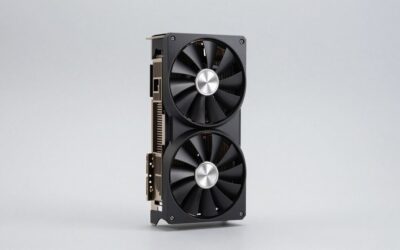
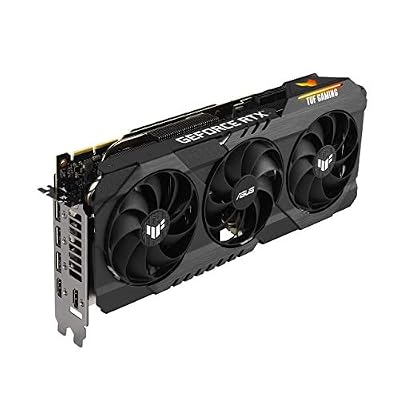
ASUS TUF Gaming NVIDIA GeForce RTX 3090 OC Edition Graphics Card- PCIe 4.0, 24GB GDDR6X, HDMI 2.1, DisplayPort 1.4a, Dual Ball Fan Bearings (Renewed)




As an Amazon Associate we earn from qualifying purchases. Product prices and availability are accurate as of the date/time indicated.
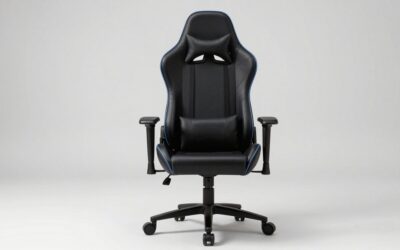
The Embody was the most-mentioned single item in our community poll, with twenty-nine of forty-seven engineers explicitly naming it as the upgrade they recommend without hesitation to colleagues. The reasoning was consistent across responses. Multiple engineers told us versions of the same story about chronic back or neck pain that resolved within weeks of switching to the Embody, including engineers who had previously tried mid-tier office chairs and the popular gaming chair brands. The Embody is specifically designed for the seated computer worker rather than the executive who sits for two-hour meetings between standing meetings, which makes it dramatically better for the actual job most of us do.
The community wisdom on the Embody is to budget for it as a multi-year investment rather than a one-year purchase. Herman Miller’s twelve-year warranty covers all components and is honored without drama if anything fails. We have community members who own units going back to 2014 and report no degradation in support or function. The total cost of ownership over a decade is genuinely lower than buying and replacing cheaper chairs, and the difference in daily comfort is immediate and obvious.
If the Embody price is genuinely beyond reach, the community’s distant second-place pick was the Steelcase Gesture, which provides similar ergonomic adjustability with a slightly more conventional feel that some users prefer. The third pick is the Branch Verve, which represents excellent value at under five hundred dollars and is the chair most often recommended by senior engineers for junior team members. The almost-unanimous rejection from our community is the foam-based gaming chair category, which several engineers reported caused worse back pain than the cheap office chairs they replaced.
Kinesis Advantage 360 Ergonomic Split Keyboard

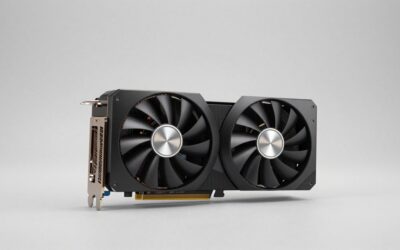
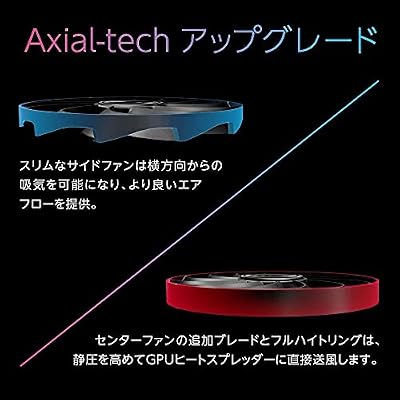
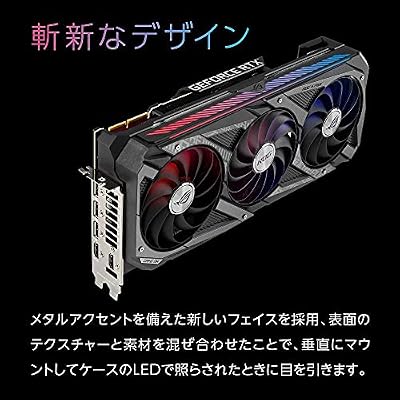
ASUS ROG Strix GeForce RTX 3090 OC Edition 24GB GDDR6X Gaming Graphics Card with Axial-tech Fans & Central Static Pressure Fan ROG-STRIX-RTX3090-O24G-GAMING (Renewed)



As an Amazon Associate we earn from qualifying purchases. Product prices and availability are accurate as of the date/time indicated.
The split ergonomic keyboard category was where the community had the strongest opinions. Twenty-three of forty-seven engineers used a split or ergonomic keyboard as their daily driver, and of those, fifteen used the Kinesis Advantage 360. The reasoning was consistent. Engineers in their thirties and forties who had developed early wrist pain symptoms reported that switching to the Advantage 360 resolved their symptoms within months. Engineers who had not yet developed symptoms but had seen colleagues experience them switched proactively after watching team members struggle.
The community is honest about the learning curve. The consensus is two to four weeks of reduced typing speed during adaptation, followed by a return to previous speed and then a typical five to ten percent gain because the layout reduces total finger travel. The thumb clusters that move modifier keys like Enter, Backspace, Space, Tab, and Shift off your weakest pinkies and onto your strongest thumbs are the layout decision that the community singled out as the highest-impact ergonomic improvement.
For engineers not ready to commit to the split layout, the community’s mechanical keyboard picks were the Keychron Q1 V2 at the mid-price tier and the HHKB Pro Hybrid for those who prefer a topre switch and minimalist sixty-percent layout. The ZSA Voyager came up as the choice for engineers who travel frequently because of its low-profile portable design. The Glove80 was mentioned by several engineers who specifically chose it for its finger-conforming key wells. All of these are valid choices and the community advice was to try a friend’s keyboard before committing to any of them because the personal feel difference is substantial.
Logitech MX Master 3S

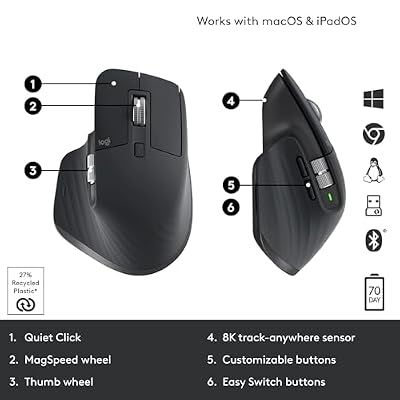
Logitech MX Master 3S Wireless Bluetooth Mouse, Ultra-Fast Scrolling 8K DPI | MagSpeed Scrolling , 8K DPI Any-Surface, Quiet Clicks, Windows/Mac/Chrome/Linux, USB-C, Bluetooth, Logi Bolt USB Receiver




As an Amazon Associate we earn from qualifying purchases. Product prices and availability are accurate as of the date/time indicated.
The MX Master 3S was the most unanimous pick in the entire community poll. Forty-one of forty-seven engineers used it as their daily mouse. The few who did not used either the MX Ergo trackball for wrist relief or a vertical mouse for the same reason. The MagSpeed scroll wheel that switches between ratcheted and free-spin modes was the feature most often cited as the killer feature, particularly for engineers who do code review and need to scroll through long diffs quickly.
The community valued the eight-button configuration for productivity macros. Common community mappings include the thumb gesture button for window management, the side buttons for navigating Git history or browser history, and the top scroll wheel button for a custom IDE action. The seventy-day battery life and USB-C charging mean the device essentially disappears from your awareness, which is exactly what good peripheral hardware should do.
For engineers with specific ergonomic needs, the community recommended the Logitech MX Ergo trackball for wrist sensitivity, the Logitech Lift vertical mouse for forearm pronation issues, and the original MX Master 3 if you find the 3S quiet click switches feel mushy compared to the original tactile click. Some engineers reported preferring the older 3 specifically for the feedback. Both versions remain widely available and the underlying functionality is identical.
Dell U3225QE 32-inch 4K Monitor

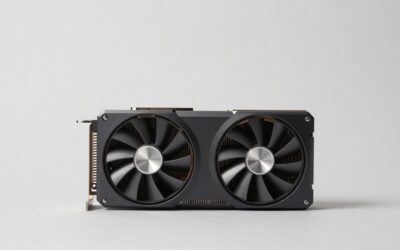
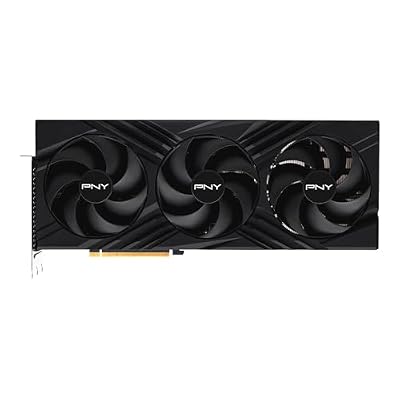
PNY GeForce RTX 4090, 24GB GDDR6X, Verto Triple Fan, Graphics Card, DLSS 3, 384-Bit, PCIe 4.0, HDMI/DisplayPort, NVIDIA, Desktop Computers, Gaming PCs, Workstations


As an Amazon Associate we earn from qualifying purchases. Product prices and availability are accurate as of the date/time indicated.
The Dell U3225QE was the most-recommended monitor in our community poll by a wide margin. The community valued the combination of native 4K resolution, IPS Black panel with deep contrast for dark themes, ninety-watt USB-C power delivery for laptop charging, and the built-in KVM that lets you switch your entire desk setup between two computers with a single keyboard shortcut. The thirty-two-inch size is the sweet spot for code work because it provides enough horizontal space for side-by-side IDE and terminal panels without requiring uncomfortable head turns.
The community use case that drove the U3225QE selection was the work-life-machine separation pattern. Many engineers in our poll alternate between a personal desktop or laptop and a corporate-issued MacBook. The KVM allows clean switching between the two without unplugging cables or moving peripherals. The Thunderbolt 4 connection delivers four kilometers of pixels at one hundred and twenty hertz refresh and ninety watts of charging through a single cable, which is the cleanest possible desk setup for laptop users.
The community rejected ultrawide monitors for code work for two reasons. First, the 21:9 or 32:9 aspect ratios compromise vertical real estate which is what code actually needs. Second, the larger panels do not pair well with vertical secondary monitors and require more head movement to use effectively. The strong community recommendation is to pair the U3225QE primary with a vertical 27-inch 1440p panel on your dominant-hand side, used for documentation, reference material, terminals, and chat clients. Several engineers in the poll had this exact setup configured for years.
Corsair Vengeance 64GB DDR5-6000 Kit

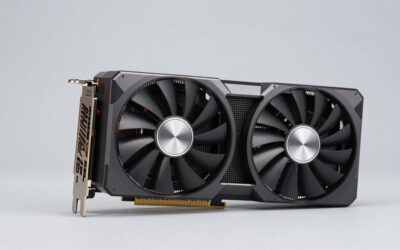
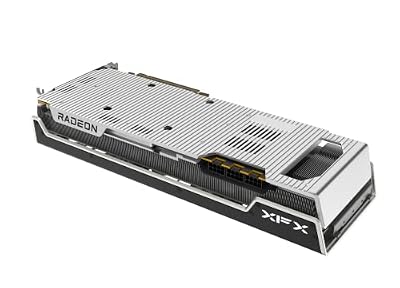
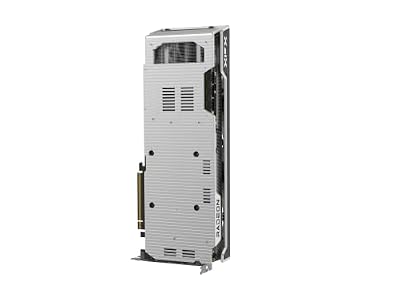
XFX Speedster MERC310 AMD Radeon RX 7900XTX Black Gaming Graphics Card with 24GB GDDR6, AMD RDNA 3 RX-79XMERCB9




As an Amazon Associate we earn from qualifying purchases. Product prices and availability are accurate as of the date/time indicated.
The community consensus on RAM is that sixty-four gigabytes is the new minimum and one hundred twenty-eight is the future-proof recommendation. The Corsair Vengeance kit at DDR5-6000 CL30 came up repeatedly as the stability-tested pick that runs reliably across both AMD AM5 and the new Intel Core Ultra platforms. Several engineers in the poll had previously tried higher-speed memory kits and reported intermittent crashes during long-running compile workloads that resolved when they dropped to validated 6000-class memory.
The community math on RAM is convincing. Modern web browsers eat four to six gigabytes per major browser. Container runtimes with even modest local infrastructure consume eight to twelve gigabytes. Language servers for TypeScript or Java can use four to six gigabytes per project. JetBrains IDEs use two to three gigabytes per running window. Slack, your meeting client, and your note-taking app collectively consume four to six gigabytes. Add these up and you are at forty to sixty gigabytes of working set on a normal afternoon, before you have even opened your second monitor.
The community recommended dual-rank kits for AMD platforms because of the Infinity Fabric synchronization benefits and warned against mixing kits because dual-rank plus single-rank populations can cause stability issues on Ryzen platforms. For the bleeding-edge engineers running local AI inference or large dataset analysis in pandas or Spark, the recommendation was to skip directly to one hundred twenty-eight gigabytes and never think about RAM pressure again for the lifetime of the build.
Samsung 990 Pro 2TB NVMe SSD

Samsung SSD 990 PRO 2TB, PCIe 4.0 M.2 2280, Up to 7,450 MB/s | NVMe Internal Solid State Hard Drive for High End Computing, Gaming, and Heavy Duty Workstations, (MZ-V9P2T0B/AM)


As an Amazon Associate we earn from qualifying purchases. Product prices and availability are accurate as of the date/time indicated.
Storage was the category where the community was the most boring and the most unanimous. The Samsung 990 Pro 2TB was the most-mentioned NVMe SSD with no real competition. The reasoning was consistent. The drive is fast where it matters, particularly in random read performance which is what node_modules folders, git operations, and language server indexes actually stress. It is reliable, with a five-year warranty and an endurance rating that easily covers heavy daily developer use. It is priced sensibly and available everywhere.
The community recommended two terabytes as the right size for the primary developer drive. The math is straightforward. Operating system and applications take roughly a hundred and fifty gigabytes. Docker volumes accumulate three to five hundred gigabytes over a year of professional work. Local project clones with their dependency caches take two to four hundred gigabytes for an active engineer. Build artifacts, language server indexes, virtual environments, and forgotten test data accumulate another hundred gigabytes. The one-terabyte drive runs out of space within months of professional use. The two-terabyte drive comfortably handles years.
The community pattern for backup storage was a secondary drive specifically for Time Machine on macOS or a Restic or Borg repository on Linux, with periodic offsite encrypted backups to a network storage location or a cloud provider. The peace of mind from a tested backup strategy was specifically called out by senior engineers who had been burned by failed drives or accidental data loss earlier in their careers. The community recommended setting up backups during initial workstation provisioning rather than putting it off, because the engineer-hours saved by one successful recovery dwarf the setup time.
Elgato Stream Deck MK.2

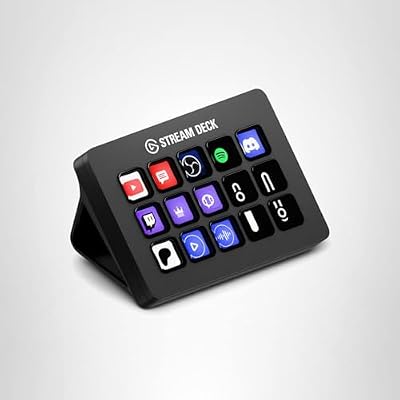
Elgato Stream Deck MK.2 Studio Controller, 15 Macro Keys | Trigger actions in OBS, Twitch, YouTube and more, Visual feedback, Hundreds of plugins, Works with Mac and PC


As an Amazon Associate we earn from qualifying purchases. Product prices and availability are accurate as of the date/time indicated.
The Stream Deck started as a streaming peripheral but the community has thoroughly adopted it as a developer workflow accelerator. Fifteen programmable LCD keys sit next to your keyboard and trigger any action you can express as a script or hotkey. The community use cases were rich. Git workflow buttons for one-tap commit and push, branch creation, opening the current branch as a Pull Request in your code review tool, and a panic-button stash for emergency branch switches. Docker buttons for spinning up your standard development stack, tailing service logs, and tearing the stack down with one tap.
Meeting profiles came up frequently. A single button mutes everything, switches to a screen-sharing window arrangement, posts a status update to Slack, pauses notifications for the duration of the meeting, and starts a Loom recording for the discussion. The cognitive load relief from replacing fifteen keyboard shortcuts you constantly forget with fifteen labeled buttons you can see is substantial over a workday. Plugin support is rich and the configuration sync between machines works correctly across macOS and Windows.
The fifteen-key MK.2 is the right size for most developers. The community recommended the six-key Mini as a portable companion for working from coffee shops or co-working spaces. The thirty-two-key XL came up only for engineers who also stream or record video content alongside their development work. The setup time to get your first ten useful buttons configured is roughly two hours and the productivity payoff continues for the lifetime of the device, which the community reported as multiple years of reliable daily use.
Software Stack the Community Uses
The community software stack in 2026 is more consolidated than it was three years ago. For coding the split is roughly evenly between VS Code with the GitHub Copilot and Remote Containers extensions and JetBrains products for Java, Python, and Go work. Cursor and Zed have appeared as alternatives for engineers who want their AI-augmented editor with a different feel. The community wisdom is to pick one editor and master it rather than constantly switching, because the productivity gain from deep editor knowledge dwarfs the gain from any specific editor feature.
For containerization, Docker Desktop remains the default despite license complexity, with Colima and OrbStack mentioned by macOS users seeking faster alternatives. For API testing the community has moved toward Bruno and Postman in roughly equal measure, with the Bruno camp citing the version-control-friendly file format as the deciding factor. For Git workflows Fork and GitHub Desktop dominate the visual client space, with terminal-only users sticking with raw git plus tmux.
Communication and project management remain Slack plus Linear or Jira plus Notion or Confluence depending on company size, with Loom emerging as the universal asynchronous video tool for design and code review walkthroughs. The community-favorite terminal is Warp on macOS and Linux for its AI-augmented command suggestions, with iTerm2 plus tmux as the traditional fallback. Windows users in the community universally run WSL2 with Ubuntu or Debian rather than fighting native Windows toolchains for serious development.
Frequently Asked Questions
What do senior engineers wish they had bought sooner?
Across the forty-seven community responses, the most common answer was the ergonomic chair, followed closely by the split keyboard, followed by the 4K monitor with USB-C. Almost nobody listed CPU or graphics card upgrades as something they wished they had bought sooner. The pattern is clear. Senior engineers wish they had invested in the components that protect their bodies and eyes for ten hours a day, and they regret the time spent at lower-quality setups.
Does the Mac versus Windows versus Linux choice still matter in 2026?
The community split is roughly fifty percent macOS, thirty percent Linux, twenty percent Windows. The advice depends on what you build. Backend engineers targeting Linux servers benefit from running Linux locally or running it through containers on macOS or WSL2. Mobile developers need macOS for iOS work. Game developers need Windows for the broadest toolchain support. Most general full-stack and backend engineers can use any of the three productively, and the choice has become primarily about personal preference and the rest of your team’s standardization.
Is local AI inference worth building for?
The community split here was interesting. Engineers working in startups and large companies with restrictive data-handling policies are increasingly building for local inference because they cannot send proprietary code to external cloud APIs. Engineers in less restrictive environments largely use cloud copilots because they are faster and more capable than what can run on a consumer RTX 5070. If you want local inference for privacy or compliance reasons, an RTX 5070 with twelve gigabytes of VRAM is the entry point. If you do not have those constraints, save the money and use a cloud copilot.
How often should I plan to upgrade my workstation?
The community consensus is that a well-specced workstation built in 2026 should comfortably serve for five to seven years. The components most likely to need replacement are storage, which fills up over four to five years, and possibly RAM if you started at sixty-four gigabytes and find your workloads have grown. CPU, motherboard, graphics card, and especially chair and monitor should last the full lifetime of the build. The community advice is to spec for headroom upfront rather than planning incremental upgrades, because upgrade cycles consume engineer-hours that are usually more valuable than the cost of the bigger initial purchase.
Community Verdict
The community winner for the 2026 senior engineer workstation is the combination of the Herman Miller Embody chair, the Kinesis Advantage 360 split keyboard, the Logitech MX Master 3S mouse, the Dell U3225QE 32-inch 4K monitor with USB-C and KVM, sixty-four gigabytes of Corsair Vengeance DDR5-6000 RAM, a Samsung 990 Pro 2TB NVMe primary drive, and an Elgato Stream Deck MK.2 for workflow shortcuts. This is the setup that the most experienced engineers in our community actually have on their desks, not the setup they would recommend in theory. The combined cost is significant but the per-day amortization over the expected lifetime is substantially less than the cost of a single workday of lost productivity from a worse setup.
For deeper community-curated content, see our community guide on setting up dual monitors the senior engineer way, our list of best graduation gifts for new programmers for the early-career engineer in your life, our community review of the best ergonomic keyboards of 2026, our community-validated picks for 4K monitors for programming, our debate of Herman Miller versus Steelcase for engineers, our community-sourced guide to desk setups for software engineers, and the community-picked list of the best mechanical keyboards for programmers. Each of these dives deeper into one corner of the workstation puzzle with the same community-pooled approach we used here.
Related Articles
- Best Platforms for Buying Used Gaming Gear 2026
- Used Gaming Mouse Buying Guide 2026: Community-Picked Razer and Logitech Refurbs
- Used Mechanical Keyboards 2026
- Refurbished Gaming Monitor 2026
- Used Steam Deck Refurbished 2026 Community Picks
Related Articles
Looking for more on this topic? Browse the hand-picked guides below — each one applies the same scoring rubric used in this review.
Top picks from this guide
ElgatoElgato Stream Deck MK.2 Studio Controller, 15 Macro Keys |…$135 \xc2\xb7 99/100ASUSASUS ROG Strix GeForce RTX 3090 OC Edition 24GB GDDR6X…$1,950 \xc2\xb7 98/100SamsungSamsung SSD 990 PRO 2TB, PCIe 4.0 M.2 2280, Up…$410 \xc2\xb7 97/100ASUSASUS TUF Gaming NVIDIA GeForce RTX 3090 OC Edition Graphics…$2,200 \xc2\xb7 96/100