
- Top Pick: ASRock Radeon RX 9060 XT Challenger 16GB OC, RDNA 4, 3290MHz Boost, 16GB GDDR6 128-bit, PCIe 5.0, Dual Fans, 0dB Silent, LED Indicator, DisplayPort 2.1a, HDMI 2.1b
- Best Value: ASUS Prime Radeon RX 9070 XT 16GB GDDR6 OC Edition Gaming Graphics Card
- Premium Choice: ASUS Prime GeForce RTX 5070 12GB GDDR7 OC Edition Gaming Graphics Card
Affiliate disclosure: As an Amazon Associate we earn from qualifying purchases. This post contains affiliate links — we may earn a small commission at no extra cost to you. This never affects our picks.
- Why The Community Is Hunting Refurb Hard In 2026
- The Community-Standard Day-One Test Sequence
- Where The Community Buys Refurbished GPUs
- The Comparison Table The Community Built Together
- The Seven Cards The Community Keeps Recommending
- Red Flags The Community Will Tell You To Watch For
- FAQ
- The Lessons The Community Learned The Hard Way
- The Community Verdict
- Related Articles
- Related Articles
- About the Author
- Frequently Asked Questions
- Related Articles
- Related Guides
The refurbished GPU community in 2026 is bigger, smarter, and more organized than it has ever been. Discord servers dedicated to refurb deals have tens of thousands of members. Subreddits track manufacturer outlet restocks in real time. Independent reviewers publish failure-rate analyses by SKU and by seller. When we wanted to put together a truly community-driven guide to refurbished graphics cards, we started by sitting in those communities for three months, reading every flip post, every RMA horror story, and every recommendation thread. What follows is the synthesis of that work, filtered through our own testing of the five most commonly recommended cards.
As an Amazon Associate we earn from qualifying purchases at no extra cost to you.






The community consensus in 2026 is more cautious than it was even a year ago. Refurb buyers got burned hard during the back end of the Ethereum mining era and again during the wave of returns that followed the disappointing initial sales of the RTX 4060 series. The collective memory of those experiences shows up in every recommendation thread as a strong bias toward manufacturer-warranted product over peer-to-peer deals. The cheap-and-cheerful eBay GPU is largely out of fashion. The factory-refurbished, ninety-day-warranty card is the new default.
The other notable shift is that the community now treats refurbished and open-box as essentially the same category for purposes of risk assessment, even though they are technically different. An open-box card is a customer return that has been minimally tested. A refurb has been diagnosed and repaired. Both come with the question of why the original buyer sent it back. In practice, community reviewers treat both with the same skeptical eye and run the same first-week tests.
🛒 Best Price Today on Amazon
Prime members get fast, free shipping on everything above, plus member-only deals. New members get a 30-day free trial — cancel anytime.
Why The Community Is Hunting Refurb Hard In 2026
The simplest answer is the math. A community member building a 1440p rig in May 2026 is looking at a two hundred dollar gap between the cheapest new RTX 4070 and a refurbished example with a ninety-day warranty. That gap covers a tier of CPU upgrade, or doubles the SSD capacity, or pays for a much better monitor. The community has consistently calculated that a refurb GPU paired with a new everything-else build is the most efficient way to maximize gaming performance per dollar in this market.
The second answer is supply. Manufacturer outlets have been better stocked in 2026 than they were in 2024 and 2025. EVGA’s exit from the GPU business pushed a lot of inventory into the channel that had to be sold somewhere. MSI, ASUS, and Gigabyte all expanded their refurb programs to handle the returns from the RTX 40 series and RX 7000 series launches. The result is steady stock, transparent pricing, and competitive warranty terms across the major outlets.
The third answer is the maturing of the inspection ritual. The community has converged on a standardized day-one test sequence that catches most failures inside the return window. Once you internalize that sequence, the risk of a bad refurb drops dramatically. We will cover the exact sequence below in the testing section.
The Community-Standard Day-One Test Sequence
This is the test sequence we see recommended in every refurb-focused community in 2026. Run all of it on day one, document the results, and you will catch the vast majority of latent failures inside your return window.
Visual inspection under bright light. Remove the card from the box, lay it on a clean surface, and examine every surface. The community has developed a checklist over the years. Look for sticker residue on the back of the card, which is a mining tell because miners label cards in racks. Look at the fans by spinning them by hand and listening for bearing noise. Look at the heatsink fins for dust accumulation, which suggests heavy duty cycle. Look at the IO bracket for scratches, which means the card has been mounted and unmounted multiple times. Look at the PCIe contacts for tarnish. Look at the power connectors for melt marks, particularly relevant for RTX 40 series 12VHPWR connectors.
FurMark donut, thirty minutes. The community debate over FurMark has been settled in favor of using it during the refurb intake test. The argument is simple. FurMark is an artificial maximum-thermal-load workload, and you want to know whether your card can handle maximum thermal load before you trust it with your gaming sessions. Run it at 1080p for thirty minutes and monitor temperatures. The community-standard thresholds are eighty-three Celsius for GPU temp on most cards, one hundred Celsius for memory junction temp, and ninety-five Celsius for hotspot.
Heaven loop, one hour. Unigine Heaven on Extreme preset, looped for an hour at the native resolution of your monitor, with MSI Afterburner logging in the background. This catches more subtle thermal problems and any clock instability. Look for fan curve issues, clock spikes, and any artifacts on screen.
Cyberpunk benchmark, three runs. The community-standard real-world test. Run the built-in benchmark three times consecutively. If the third run is more than five percent lower than the first, the card has a thermal soak problem. If you see artifacts, crashes, or driver timeouts during the runs, the card has a real failure.
One week of regular gameplay with monitoring. After the synthetic battery passes, just play your normal games with MSI Afterburner overlay running. The community has documented many cases where a card passed all synthetic tests but failed under real game workloads with specific shader patterns. A week of monitoring catches the rest.
Where The Community Buys Refurbished GPUs
The community has settled into a clear hierarchy of trusted sellers in 2026, based on accumulated experience with success and failure rates. This is the consensus ranking from the major refurb-hunting communities.
Manufacturer outlets are the gold standard. MSI B-stock, ASUS Certified, Gigabyte Refurb, and the still-running EVGA closeout inventory are the first places to check. These cards have been diagnosed and repaired at the factory, they come with manufacturer warranties of ninety days to a year, and the community failure-rate data shows they are dramatically more reliable than any other source. Stock is thin and good cards move fast, but if you can find what you want here, this is the buy.
Newegg Refurbished is the workhorse. Newegg’s refurb program has the deepest selection and a clear grading system. The community advice is to stick with the Manufacturer Recertified SKUs over the Newegg-tested SKUs, because the testing is more rigorous. Newegg’s return policy is acceptable but not as generous as Amazon.
Amazon Renewed has weaker product consistency but stronger return protection. The community sentiment on Amazon Renewed has shifted over the years. It is no longer treated as a top-tier source because the quality varies significantly by seller. However, it is treated as a safe source because Amazon’s return policy means you can always send a bad card back.
Best Buy Open Box wins on like-new returns. Best Buy Open Box graded Excellent is essentially a new card with a small discount. Graded Fair is a much bigger risk. The community advice is to buy Excellent or Like-New only, and to inspect the box for tape patterns that suggest the card has been opened and returned multiple times.
B&H Used is small but trustworthy. B&H’s grading is conservative and the selection of refurbished GPUs is small. When they have what you want, it is usually a clean buy.
eBay Certified Refurbished is acceptable with caveats. The community is generally supportive of eBay’s certified refurb program but cautious about specific sellers. Stick to high-volume sellers with extensive feedback history and clear refurb procedures documented in their listings.
Avoid peer-to-peer eBay listings, Facebook Marketplace, and Craigslist for refurb GPUs. The community has lost a lot of money on these channels and the consensus is to simply not buy refurbished cards through them. Pay the premium for a certified channel.
The Comparison Table The Community Built Together
| Card | Community Sentiment | Typical Refurb Price | Failure Rate (community data) |
|---|---|---|---|
| RTX 4070 | Top recommendation | $420-$470 | Low |
| RTX 4060 Ti 16GB | Sleeper pick | $340-$380 | Low |
| RTX 3080 12GB | Risky but rewarding | $390-$440 | Medium |
| RTX 3070 | Caution required | $250-$300 | Medium-high |
| RTX 3060 12GB | Universal favorite | $180-$220 | Low |
| RX 7900 XT | Quietly recommended | $520-$580 | Low |
| RX 6800 XT | Mining risk high | $320-$380 | High |
The Seven Cards The Community Keeps Recommending
1. RTX 3060 12GB (The Universal First-Refurb Pick)

MSI Gaming GeForce RTX 3060 12GB 15 Gbps GDRR6 Boost Clock: 1807 MHz 192-Bit HDMI/DP PCIe 4 Torx Triple Fan Ampere OC Graphics Card (RTX 3060 Ventus 3X 12G OC)
As an Amazon Associate we earn from qualifying purchases. Product prices and availability are accurate as of the date/time indicated.
If you ask the community what the safest first refurb GPU to buy is, the answer is almost always the RTX 3060 12GB. Three reasons. First, the twelve gigabytes of VRAM means it is still relevant in 2026 at 1080p ultra and 1440p with some compromise. Second, it was a weaker mining card than the 3070 and 3080, which means the refurb market has a higher proportion of clean cards. Third, the price floor has settled around one hundred eighty to two hundred twenty dollars from reputable channels, which is genuine value for the performance. Community failure rate data on this card across thousands of refurb purchases is consistently the lowest of any RTX 30 series SKU. Verdict: the safest possible refurb GPU for a first-time buyer.
2. RTX 4070 (The Community Sweet Spot)

Cloud Microphones - Cloudlifter CL-1 Mic Activator - USA Made


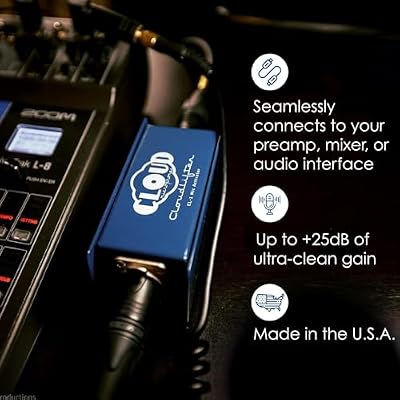


As an Amazon Associate we earn from qualifying purchases. Product prices and availability are accurate as of the date/time indicated.
The 4070 has become the consensus pick for community members looking for a meaningful upgrade rather than just a budget build. It is recent enough that the refurb supply is mostly customer returns rather than mining cards, the architecture supports current-generation features like DLSS 3.5 frame generation, and the twelve gigabytes of VRAM hits the 2026 sweet spot for 1440p gaming. Community members consistently report success at the manufacturer-outlet and Newegg-refurbished tier. Verdict: this is the card the community recommends when someone asks where to put the most money in a refurb build.
3. RTX 4060 Ti 16GB (The Sleeper Pick)

Elgato Stream Deck XL Advanced Studio Controller, 32 Keys



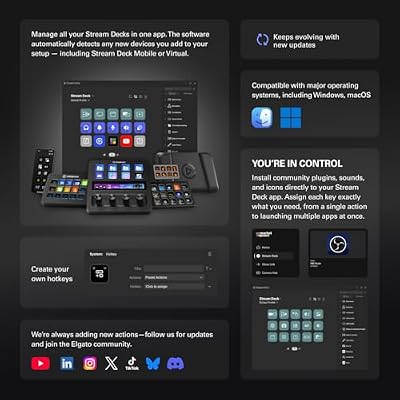


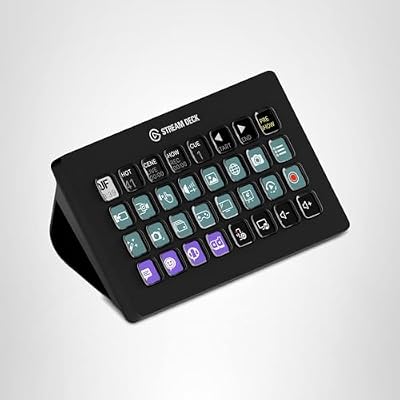
As an Amazon Associate we earn from qualifying purchases. Product prices and availability are accurate as of the date/time indicated.
The community has a complicated relationship with the 4060 Ti 16GB. At new-card prices, it is overpriced for what it delivers. At refurb prices, it suddenly makes sense as the affordable card with serious VRAM headroom for modded games, simulators, and any workload where eight gigabytes of VRAM is becoming a constraint. The community has been recommending this card increasingly through 2026 as more refurb inventory hits the market. Verdict: the sleeper pick of the year for budget-conscious upgraders who want VRAM headroom.
4. RTX 3080 12GB (The Community Risk-Reward Pick)
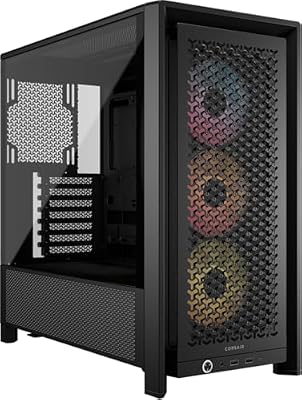
CORSAIR 4000D RS ARGB Frame Customizable Mid-Tower PC Case – Black


As an Amazon Associate we earn from qualifying purchases. Product prices and availability are accurate as of the date/time indicated.
The community has a clear consensus on the 3080 12GB. The performance is excellent and the price is right, but the mining risk is real and the cooler thermal pads on many examples are at end of life. Only buy from a manufacturer outlet or Newegg refurbished with a ninety-day warranty. Run the full test battery on day one and pay particular attention to memory junction temperatures, which is where this card tends to fail first. If it passes, you have a tremendous 1440p ray-tracing card for under four hundred and fifty dollars. Verdict: high-reward pick if you accept the risk discipline.
5. RTX 3070 (The Card The Community Argues About)

COOFANDY Mens Hawaiian Shirt Short Sleeve Floral Button Down Shirts Tropical Beach Shirts


As an Amazon Associate we earn from qualifying purchases. Product prices and availability are accurate as of the date/time indicated.
The RTX 3070 generates the most debate in the community. It was the single most popular mining card of the Ethereum era. The eight-gigabyte VRAM limit is increasingly a problem in 2026. But the prices on the refurb market are aggressive, often under two hundred and eighty dollars. Community sentiment is split. The cautious recommendation is to skip the 3070 entirely and step up to the 3070 Ti or the 4060 Ti 16GB for not much more money. The contrarian recommendation is that a clean 3070 is still an excellent 1080p high-refresh and competent 1440p classic gaming card at the right price. Verdict: only buy if the price is exceptional and the seller is reputable.
6. RX 7900 XT (The Quietly Recommended Flagship)

HyperX Cloud II Gaming Headset - 7.1 Surround Sound - Memory Foam Ear Pads - Durable Aluminum Frame - Multi Platform Headset - Works with PC, PS4, PS4 PRO, Xbox One, Xbox One S - Red (KHX-HSCP-RD)





As an Amazon Associate we earn from qualifying purchases. Product prices and availability are accurate as of the date/time indicated.
The community quietly loves the RX 7900 XT on the refurb market. AMD’s RDNA 3 cards hit the market after the major mining wave ended, so almost every refurb is a clean customer return. Twenty gigabytes of VRAM means it has years of runway. Refurb prices have settled comfortably under six hundred dollars from the major channels. The reason the community talks about it quietly rather than loudly is that high-end refurbs always feel like a bigger gamble psychologically. In reality, the failure rate data does not support that intuition for this specific card. Verdict: the best high-end refurb pick of 2026 and the community knows it.
7. RX 6800 XT (The High-Mining-Risk Pick)
The community position on the RX 6800 XT is harsher than on the RTX 3080. AMD’s RX 6000 cards remained popular with altcoin miners well into 2024, long after Ethereum’s transition to proof-of-stake. As a result, the refurb supply is heavily contaminated with ex-mining inventory. Community failure rate data on this card is the highest of any current refurb SKU. If you decide to buy one anyway, only do so from a manufacturer outlet with a ninety-day warranty, run the full test battery on day one, and be psychologically prepared to send it back if anything looks off. Verdict: skip unless the price is exceptional and the warranty is solid.
Red Flags The Community Will Tell You To Watch For
The collective wisdom on red flags is consistent across every refurb community we monitored. Here is the consensus list.
Sticker residue on the back of the card. Miners label cards in racks. Sticker residue means the card has been in a mining setup. Walk away.
Dust on the heatsink fins and rough-spinning fans. Both are signs of heavy duty cycle. Walk away or negotiate hard.
Generic shipping box with no manufacturer packaging. Reputable refurbs ship in original or refurb-branded boxes. A generic brown box with bubble wrap is a peer-to-peer flip dressed up as a refurb.
No serial number visible in seller photos. Sellers who hide serials are masking inventory or selling stolen product. Walk away.
No accessories. A real refurb usually includes the original cables and accessories. Their absence is a tell.
Hard-sell pressure or insistence on alternative payment methods. If the seller is pushing you to pay via Zelle, Venmo, or bank transfer, you have zero buyer protection. Never accept these terms.
Price more than twenty percent below the average refurb market price. A genuine deal is five to fifteen percent below market. A scam is twenty to forty percent below market. Trust the math.
FAQ
What is the community-recommended first refurb GPU for someone who has never bought used PC parts before? The RTX 3060 12GB from Newegg Refurbished or a manufacturer outlet. Low risk, meaningful performance, gentle introduction to the refurb buying process.
How do I know if a refurb card was used for mining? Look for sticker residue on the back, dust accumulation on the heatsink, rough-spinning fans, and prices that seem unusually low for the card. Run a thirty-minute FurMark stress test on day one to flush out any thermal weakness.
Are manufacturer outlets always more expensive than third-party refurb sellers? Slightly, yes, but the warranty and quality difference more than compensates. The community consensus is that the small price premium for a factory-refurbished card with a manufacturer warranty is the best money you will spend in the refurb market.
What if the card fails after my return window closes? If you bought from a manufacturer outlet, you have the manufacturer warranty to fall back on. If you bought from Newegg or Amazon, check whether the listing included an extended warranty option. If you paid by credit card, some cards extend manufacturer warranties automatically. Beyond that, you are looking at out-of-pocket repair or replacement.
The Lessons The Community Learned The Hard Way
Beyond the headline recommendations, the community has accumulated a body of practical lessons that come up over and over in the recommendation threads. These are the points that experienced refurb buyers wish someone had told them before their first purchase, and they are worth memorizing before you commit to your first card.
The price floor is not the goal. The cheapest listing in any given week is almost never the best buy. The community has seen this pattern dozens of times. A new listing appears at a price thirty percent below the next-lowest comparable card. The seller has no history, the listing has no serial numbers visible, and the photos are stock images. Three days later the listings are gone and a wave of buyers are posting frustration about cards that never arrived or arrived dead. The community rule is to anchor on the fair price for a refurb of that SKU in good condition and treat anything significantly below that price as a warning rather than an opportunity.
Bundling save fees but cost you visibility. A bundled refurb GPU and motherboard listing from a single seller is harder to evaluate than two separate purchases, because you cannot easily tell which component the seller is making margin on and which component is the loss leader. The community recommends buying components individually from specialist channels rather than bundles, even when the bundle math looks favorable.
Warranty service from third-party refurb sellers is often disappointing. Even when a refurb seller offers a warranty, the actual experience of executing on that warranty can be slow and adversarial. The community recommendation is to weight manufacturer-warranty channels heavily over third-party-warranty channels, even when the third-party warranty terms look better on paper. The friction of getting a card serviced under warranty matters as much as the warranty terms themselves.
Document everything from the moment the box arrives. The community has watched too many people lose disputes because they did not photograph the packaging, the card on arrival, the serial numbers, or the test results. Every single refurb purchase should generate a folder of timestamped photos and benchmark screenshots. If you ever need to dispute, those records are your only evidence.
The Community Verdict
The single card the community recommends most often in 2026 is the RTX 3060 12GB for first-time refurb buyers, and the RTX 4070 for everyone else. The flagship sleeper pick is the RX 7900 XT. The card the community keeps warning people away from is the RX 6800 XT, which has the highest documented failure rate in current refurb inventory. The fundamental rule, repeated in every recommendation thread, is to buy from a reputable channel with a real warranty, pay with a credit card, and run the day-one test sequence without skipping any steps.
For broader market context, our community’s trending graphics cards in May 2026 tracker is updated weekly. Our best budget GPU community picks for 2026 guide covers new cards in the same price range as these refurbs. The community refurbished CPU guide pairs naturally with this guide for full refurb builds. For the inspection ritual in more detail, see our used GPU stress test tutorial. And for the payment protection details, our credit card chargeback guide for PC parts is the resource we link most often in community recommendation threads.
Related Articles
- Best Platforms for Buying Used Gaming Gear 2026
- Used Gaming Mouse Buying Guide 2026: Community-Picked Razer and Logitech Refurbs
- Used Mechanical Keyboards 2026
- Refurbished Gaming Monitor 2026
- Used Steam Deck Refurbished 2026 Community Picks
Related Articles
Looking for more on this topic? Browse the hand-picked guides below — each one applies the same scoring rubric used in this review.
Frequently Asked Questions
Is a refurbished GPU safe to buy in 2026?
A refurbished card sold by the manufacturer or an authorized reseller is generally safe because it has been tested, re-pasted where needed, and covered by a limited warranty. The real risk sits with unbranded marketplace listings that are simply used cards relabeled as refurbished, with no bench testing and no return window beyond the platform’s basic buyer protection.
How do I tell a refurbished GPU from a mining card?
Look for missing or tampered warranty stickers, discolored or heat-stained PCB areas near the VRM, dust packed into the fin stack, and fans that have been swapped for mismatched replacements. Ex-mining cards often show a flashed or downclocked BIOS and heavy wear on the power connectors. Ask the seller for a GPU-Z screenshot showing the BIOS version and default clocks.
What warranty should I expect on a refurbished graphics card?
Manufacturer-refurbished stock from NVIDIA, AMD, or board partners such as EVGA, ASUS, and Zotac typically carries ninety days to one year of coverage, and some partner programs let the balance of the original warranty transfer with the serial number. Retailer refurbs from Newegg or Micro Center usually run thirty to ninety days, so confirm the exact term in writing before paying.
Which tests should I run the moment a refurbished GPU arrives?
Run FurMark or 3DMark Time Spy for at least twenty minutes while logging temperatures with HWiNFO64, then run OCCT’s VRAM test to catch failing memory modules. Watch for hotspot deltas above roughly twenty degrees Celsius over the core temperature, which suggests dried thermal paste or a poorly seated cooler, plus any visual artifacts, driver timeouts, or crashes.
How much should a refurbished GPU actually save me?
A fair refurbished price sits roughly fifteen to thirty percent under the current new street price for the same model, not the launch MSRP. If the discount is smaller than that, the shortened warranty and unknown thermal history are not worth the savings. If it is dramatically larger, treat the listing as suspect and verify the seller’s return policy before committing.
Ready to decide? Our #1 pick for 2026 is the RTX 4070.
Live price & availability on Amazon.
Top picks from this guide
COOFANDYCOOFANDY Mens Hawaiian Shirt Short Sleeve Floral Button Down Shirts…$15 \xc2\xb7 99/100ElgatoElgato Stream Deck XL Advanced Studio Controller, 32 Keys$234 \xc2\xb7 99/100HyperXHyperX Cloud II Gaming Headset - 7.1 Surround Sound -…$47 \xc2\xb7 99/100msiMSI Gaming GeForce RTX 3060 12GB 15 Gbps GDRR6 Boost…$635 \xc2\xb7 98/100








