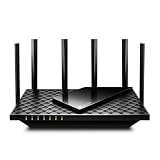
- Top Pick: TP-Link Deco X55 AX3000 WiFi 6 Mesh System – Covers up to 6500 Sq.Ft, Replaces Wireless Router and Extender, 3 Gigabit Ports per Unit, Supports Ethernet Backhaul, Deco X55(3-Pack)
- Best Value: TP-Link Deco S4 Mesh AC1900 WiFi System – Up to 5,500 Sq.ft. Coverage, Replaces WiFi Router and Extender, Gigabit Ports, Works with Alexa, Deco S4(3-Pack)
- Premium Choice: TP-Link Deco 7 BE23 Dual-Band BE3600 WiFi 7 Mesh Wi-Fi System | 4-Stream 3.6 Gbps, 160 Mhz | Covers up to 6,500 Sq.Ft | 2× 2.5G Ports Wired Backhaul | VPN,MLO,AI-Roaming, HomeShield, 3-Pack
Dead zones and buffering are the enemy of a good home network, and a mesh WiFi system is the modern fix — spreading multiple nodes around your home to blanket every room in fast, reliable coverage. This lineup focuses heavily on TP-Link’s popular Deco range, spanning WiFi 6 and cutting-edge WiFi 7 systems, plus Amazon’s eero 7, so there’s an option for nearly any home size and budget.
For gamers and streamers especially, consistent low-latency coverage matters as much as raw speed. A mesh system eliminates the weak spots a single router leaves behind, giving you a seamless connection as you move around. Below we break down how these systems are built, how they perform in real homes, and where the trade-offs lie.
As an Amazon Associate we earn from qualifying purchases at no extra cost to you. Product prices and availability are accurate as of the date shown and are subject to change.






🎮 Get More From Your Setup — Free
Prime Gaming gives you free PC games every month, in-game loot, and a free Twitch channel sub — plus fast free shipping on all the gear above. New members get a 30-day free trial.
Watch: Mesh Wifi Router: Review & Buyer’s Guide — Video Review
Design & Build
Mesh systems trade the single-router-and-extender approach for a set of matching nodes that work as one network. The TP-Link Deco X55 (AX3000 WiFi 6) comes in 1-pack and 3-pack options, covering anywhere from a couple of rooms to a large 6,500 sq. ft. home, with three gigabit ports per unit. The Deco S4 is a wallet-friendly AC1900 option, while the Deco 7 BE23 and BE25 bring WiFi 7 with 2.5G ports for wired backhaul and faster future-proof speeds.
Amazon’s eero 7 rounds out the group with a clean, minimalist design and dual-band WiFi 7 in a 3-pack. Physically, these nodes are compact and unobtrusive — easy to place on a shelf or desk without dominating a room. The higher-end Deco 7 and eero 7 units add 2.5G Ethernet ports, which matter if you have a fast internet plan or want a rock-solid wired backhaul between nodes for the best performance.
Performance
In everyday use, these systems shine at eliminating dead zones. The WiFi 6 Deco X55 handles busy households well, delivering smooth streaming, video calls, and gaming across a wide area, and its Ethernet backhaul support keeps latency low if you can hardwire the nodes. The WiFi 7 Deco 7 models and eero 7 push things further with higher throughput, wider channels, and features like MLO (Multi-Link Operation) for more responsive, reliable connections on compatible devices.
For gaming, the biggest win is consistency — a mesh system keeps your ping stable as you move between rooms, avoiding the sudden drops a single router causes at the edges of its range. The budget Deco S4 (WiFi 5) is a step behind on peak speed but still a solid choice for smaller homes or lighter use. Match the coverage rating to your home’s square footage, and enable wired backhaul where possible for the strongest results.
Pros & Cons
- Whole-home coverage that eliminates dead zones.
- Seamless roaming keeps you connected as you move around.
- WiFi 7 options with 2.5G ports and MLO for future-proofing.
- Range of sizes from budget WiFi 5 to premium multi-node kits.
- WiFi 7 benefits require compatible devices to fully shine.
- Higher-end kits cost more than a single router.
- Wired backhaul needs Ethernet runs for best performance.
Alternatives to Consider
If you live in a small apartment, a single high-quality router may cover you for less than a full mesh kit. Buyers who want maximum wired speed for gaming should consider a system with 2.5G or higher ports and hardwire the backhaul. And if you’re deep in the Amazon smart-home ecosystem, the eero 7 integrates smoothly, while TP-Link’s Deco app offers robust controls and HomeShield security.
Frequently Asked Questions
Do I need WiFi 7 or is WiFi 6 enough?
WiFi 6 (like the Deco X55) is plenty for most homes today. WiFi 7 offers higher speeds and lower latency but mainly benefits newer, compatible devices.
How many nodes do I need?
Match the coverage rating to your home’s size. A 3-pack suits larger homes up to several thousand square feet, while 1–2 nodes work for apartments.
Is mesh good for gaming?
Yes. Mesh keeps your connection stable across rooms, and wired backhaul plus low-latency features help keep ping consistent for online play.
What is Ethernet backhaul?
It’s connecting mesh nodes with Ethernet cable instead of wirelessly, which frees up wireless bandwidth and delivers the fastest, most reliable performance.
Verdict
A mesh WiFi system is the surest way to blanket your home in reliable coverage, and the TP-Link Deco range covers every need here — from the value X55 for large homes to the WiFi 7 Deco 7 models for future-proof speed. The eero 7 is a great pick for Amazon households. Match node count to your square footage, use wired backhaul where you can, and dead zones become a thing of the past.