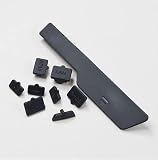
A PlayStation 5 that runs hot will eventually tell you about it, either with a fan that ramps into jet-engine territory or with an outright warning that the console is too hot and needs to be switched off. Neither is normal for a healthy, well-placed PS5, and the causes are almost always environmental rather than a defect in the hardware.
As an Amazon Associate I earn from qualifying purchases.
🛒 Best Price Today on Amazon
Prime members get fast, free shipping on everything above, plus member-only deals. New members get a 30-day free trial — cancel anytime.
How to Stop PS5 From Overheating: The Fast Fix
To stop a PS5 from overheating, give the console at least four inches (roughly 10cm) of clear air on every side, keep it out of enclosed TV cabinets and off carpet or rugs, clean the dust catchers and vents every few months, and make sure the room stays within Sony’s stated operating range of 5°C to 35°C (41°F to 95°F). Those four things resolve the overwhelming majority of overheating complaints. The PS5 pulls cool air in through the vents along its edges and exhausts hot air out of the back, so anything that blocks that path — a cabinet door, a wall, a stack of games, a shag rug — forces the console to breathe its own exhaust.
If you have already seen the “Your PS5 is too hot” message, power the console down completely, unplug it, and let it sit for twenty to thirty minutes before doing anything else. Restarting a heat-soaked console immediately just triggers the same shutdown again.
Demanding Games That Push a PS5 Hardest
| Game | Platform | Genre | Why It’s Great | Rating |
|---|---|---|---|---|
| Marvel’s Spider-Man 2 | PS5 | Action-adventure | Ray-traced Manhattan at 60fps; a genuine showcase and a genuine thermal test | 9.3/10 |
| Horizon Forbidden West | PS5, PS4, PC | Open-world action RPG | Among the best-looking open worlds on the platform | 9.2/10 |
| God of War Ragnarök | PS5, PS4, PC | Action-adventure | Cinematic combat with a superb performance mode | 9.5/10 |
| Demon’s Souls | PS5 | Action RPG | Bluepoint’s remake still sets the bar for launch-window visuals | 9.4/10 |
| Returnal | PS5, PC | Roguelike shooter | Particle-heavy bullet hell that leans on the GPU constantly | 9.0/10 |
| Ratchet & Clank: Rift Apart | PS5, PC | 3D platformer | Instant dimension-hopping built around the custom SSD | 9.1/10 |
| Final Fantasy VII Rebirth | PS5 | Action RPG | Enormous world, roughly 100 hours of content, heavy sustained load | 9.2/10 |
| Elden Ring | PS5, Xbox Series X|S, PC | Action RPG | Long unbroken sessions make it the ultimate cooling stress test | 9.6/10 |
Placement Is Ninety Percent of the Battle
The single most common cause of a hot PS5 is a closed media cabinet. Consoles in cabinets sit in a sealed box of steadily warming air, and no amount of fan speed fixes that. If a cabinet is unavoidable, remove the back panel of the unit, leave the door open during play, or add a small USB fan to force air exchange.
Avoid placing the console directly on carpet, which blocks the lower vents and traps heat against the chassis. A hard, flat surface with clearance on all sides is ideal. Keep it away from radiators, sunlit windows and the top of an AV receiver, all of which raise the intake air temperature before the fan even gets a chance. Anyone building a proper setup should read our console cooling stand and fan buying guide, which covers which accessories actually move air and which are decorative.
Vertical or Horizontal: Does It Matter?
Both orientations are officially supported and both cool effectively. The much-discussed concern about liquid metal thermal interface material pooling in vertical orientation has never been substantiated in normal use, and Sony continues to sell vertical stands for every model. What matters far more is clearance. A vertically mounted PS5 pressed against a wall will run hotter than a horizontal one with space around it, every single time.
Note that the original launch PS5 includes the stand in the box, while the Slim model requires a separately sold vertical stand. Do not stand a Slim upright without the official base — it is unstable and a fall does far more damage than heat ever will.
Cleaning Dust From the Vents and Dust Catchers
Dust is the slow killer. Over six to twelve months, dust accumulates on the intake vents and inside the heatsink, and the fan compensates by spinning faster and louder until it can no longer keep up. On the original PS5 the side panels detach by hand, revealing two dust-catcher wells near the base that can be vacuumed out in seconds. This requires no tools and does not void the warranty.
For the exterior, use compressed air in short bursts held upright, and hold the fan still with a cotton bud if you spray near it — spinning a fan with compressed air can generate a back-voltage that damages the motor. Never use a household vacuum nozzle directly against the vents; static discharge is a real risk. Our PC and console cleaning kit buying guide lists the safe options.
Rest Mode, Firmware and Fan Behaviour
Rest mode still draws power and still generates heat, particularly when downloading large games overnight. If your console lives in a tight space, consider switching it off fully rather than leaving it resting. Sony has also shipped firmware updates that revise the fan curve based on real-world telemetry, so keeping system software current genuinely improves thermal behaviour. Check for updates under Settings → System → System Software.
A loud fan is not necessarily a failing fan. It is the console doing its job under load. A fan that is loud on the dashboard, or that rattles and grinds, points to dust or a bearing problem instead. If fan noise is spoiling your sessions, a closed-back headset masks it entirely — our gaming headset buying guide covers the quietest-sounding options.
The Room, the Rack and the Rest of Your Setup
Ambient temperature sets the floor for everything. A console in a 30°C room cannot cool below that no matter how good the airflow. In summer, an open window, a ceiling fan or air conditioning does more for your PS5 than any accessory. Also consider what sits beside it: an AV receiver, a router and a games console stacked together create a shared heat pocket. Spread them out. Our gaming desk and AV rack buying guide covers layouts that keep hardware breathing, and the surge protector and power strip buying guide is worth a read since consoles crammed behind a cabinet usually end up there because of cable routing.
When Overheating Signals a Hardware Problem
If the console overheats in an open, cool, dust-free environment within minutes of booting, something is genuinely wrong. Likely culprits are a failed fan, degraded thermal paste or liquid metal on an older unit, or a blocked heatsink. Repasting a PS5 requires full disassembly and liquid metal handling, which is not a beginner job and will affect warranty status. If the console is still in warranty, contact PlayStation Support rather than opening it. Persistent shutdowns accompanied by error codes should be recorded and reported — they help diagnose whether the issue is thermal or a power delivery fault. If you are also upgrading storage, our PS5 NVMe SSD buying guide explains why heatsink height and thermal design matter for the expansion slot.
Frequently Asked Questions About How to Stop PS5 From Overheating
How much space does a PS5 need around it?
Sony recommends a minimum of four inches, about ten centimetres, of clear space on all sides of the console, with particular attention to the rear exhaust. More is better. The console must never be enclosed in a sealed cabinet, pressed against a wall, or placed on carpet where the lower intake vents become blocked.
Is it bad to stand a PS5 vertically?
No. Both vertical and horizontal orientations are officially supported and cool effectively when clearance is adequate. Concerns about liquid metal migrating in the vertical position have not been demonstrated in normal consumer use. The Slim model does require the separately sold vertical stand for stability, however, so do not balance one upright unsupported.
How often should I clean my PS5’s vents?
Every three to six months in a typical home, and more frequently in a dusty room or a household with pets. On the original PS5, removing the side panels and vacuuming the two dust-catcher wells takes under five minutes, requires no tools, and is explicitly designed by Sony as user-serviceable maintenance.
Why is my PS5 fan so loud during certain games?
Graphically demanding titles push the GPU and CPU to sustained high load, and the fan speeds up accordingly. That is expected behaviour rather than a fault. If the fan is equally loud on the home menu, or produces a grinding or rattling noise, dust buildup or a worn fan bearing is the more likely explanation.
As an Amazon Associate we earn from qualifying purchases at no extra cost to you.


As an Amazon Associate we earn from qualifying purchases at no extra cost to you.