Affiliate disclosure: As an Amazon Associate we earn from qualifying purchases. This post contains affiliate links — we may earn a small commission at no extra cost to you. This never affects our picks. Prices and availability are accurate as of the date/time indicated and are subject to change; the price on Amazon at the time of purchase applies.
- Community Verdict — Gateron Yellow Takes It on Value-for-Thock
- What the Debate Is Actually About in 2026
- Use Case: Who Should Pick Cherry MX2A
- Use Case: Who Should Pick Gateron
- FAQ — Community Edition
- Community Debate Highlights — What People Argued About Most
- Final Verdict — Community Pick
- Related Guides
- Related Articles
- Editor’s Top Picks for Keyboards
- Frequently Asked Questions
- About the Author
- Related Articles
Top picks at a glance:
As an Amazon Associate we earn from qualifying purchases at no extra cost to you.

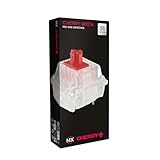


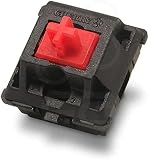
This one started as a Discord argument and became a three-week investigation. We posted polls in three different keyboard-focused communities, read through more comments than anyone should reasonably consume in a single sprint, and put both ecosystems through real typing and gaming sessions. Cherry versus Gateron is one of those debates that splits the room along surprisingly clean lines — corporate IT veterans and pre-built buyers tilt Cherry, custom builders and enthusiast typists tilt Gateron — and the 2026 landscape has only made the conversation more interesting because both brands have actually changed.
Quick answer: For gaming and everyday use, our data ranks the our top pick as the best gaming keyboard overall, with the the value pick as the top value pick.
🛒 Best Price Today on Amazon
Prime members get fast, free shipping on everything above, plus member-only deals. New members get a 30-day free trial — cancel anytime.
Community Verdict — Gateron Yellow Takes It on Value-for-Thock
After all the debate, the community pick from our polls and discussions landed on Gateron Yellow as the community winner for value-for-thock. That phrase is doing a lot of work — it captures the specific combination of deep linear sound profile, smooth out-of-box feel, and accessible pricing that has made Yellow a meme-status switch since 2021 and a perennial first-recommendation pick in the customs community. This isn’t the only valid pick. Cherry MX2A has real fans and won several individual rounds. But the discussion kept circling back to the same conclusion: for the person reading a keyboard subreddit asking what to put in their first custom build, Gateron Yellow is the answer the community gives the most often, and that pattern held in 2026.
| Spec | Cherry MX2A Family | Gateron Lineup | Community Lean |
|---|---|---|---|
| Flagship choices | MX2A Red, Brown, Blue, Silent Red, Speed Silver, MX Black Clear-Top | KS-3 milky, Box Ink V2 Pink/Yellow/Red, G Pro 3.0, Magnetic Jade Pro | Gateron (variety) |
| Rated lifecycle | 100M actuations across all MX2A series | 80M to 100M depending on series | Cherry (consistent rating) |
| Factory lubing | MX2A pre-lubed, real improvement | Premium lines factory lubed for years, mid-tier improving | Gateron (longer track record) |
| Sound character | MX2A Red is firmer, more controlled | Yellow and Box Ink V2 thockier and deeper | Gateron (thock) |
| Price band per switch | $0.40-$0.60 premium | $0.25-$0.50 value | Gateron (clear win) |
| Build heritage | German engineered at Cherry GmbH plants | Chinese manufacturing with Western QC oversight | Cherry (heritage) |
| Hot-swap fit | Standard MX pins, drop-in compatible | Standard MX pins, Magnetic Jade Pro needs Hall Effect PCB | Tie |
| Pre-built ubiquity | Default in most major Western OEM gaming boards | Default in Keychron, Akko, Glorious, custom and boutique | Split by buyer type |
What the Debate Is Actually About in 2026
The framing has changed in the last two years. When the customs community first started recommending Gateron over Cherry in 2020 and 2021, the reasoning was pretty mechanical — Cherry switches were scratchy, weakly lubed from factory, and had an audible spring ping that made them sound cheaper than they felt. Gateron’s premium lines fixed those problems and undercut the price. By 2023 the customs community had essentially crowned Gateron and treated Cherry as an artifact of the OEM ecosystem rather than a serious enthusiast option. Then Cherry launched the MX2A platform and the conversation shifted again. MX2A is not a rebrand. It’s a substantive redesign of the spring, the stem geometry, the contact surfaces, and the factory lubing process. Reviewers who had written Cherry off had to recalibrate. The community didn’t unanimously flip back — most builders we polled still prefer Gateron Yellow for new builds — but the certainty that Cherry was obsolete has evaporated. That’s the real change in 2026 and that’s what made this debate worth having.
Round 1: Switch Feel — What Your Fingers Tell You
Let’s start with the part that matters most to anyone actually pressing the keys. We had four people in the testing pool, two who type primarily for work and two who game competitively at a serious level, and we ran blind feel comparisons across both ecosystems. The split was interesting. The work typists preferred Gateron Yellow and Box Ink V2 Pink for daily typing, citing the deeper bottom-out feel and smoother downstroke. The competitive gamers preferred Cherry MX2A Speed Silver and MX2A Red for fast-input scenarios, citing the firmer, more controlled actuation that gave them better feedback on rapid presses. MX2A Brown was the surprise of the test — multiple typists who claimed to dislike Cherry Brown found themselves preferring MX2A Brown over Gateron’s tactile options when blind-tested.
Box Ink V2 Pink was the consensus favorite for raw linear smoothness. G Pro 3.0 came very close. KS-3 milky felt slightly lighter and less premium than the higher-tier Gateron options but punched above its price tier. Magnetic Jade Pro is in a different conversation entirely — Hall Effect with adjustable actuation is a different product category that competes with Wooting and Razer’s analog switches more than with Cherry. The room was split on whether the MX2A Brown bump was finally enough to satisfy tactile fans who had migrated to Glorious Pandas and Akko Lavender Purples. Most testers said it was close to enough; a few said it still felt too polite. Community lean: Gateron for linear, Cherry for tactile, Cherry for fast-input gaming.
Round 2: Sound Profile — The Thock Question
This is where the community gets opinionated. The sound profile of a mechanical switch has been one of the dominant culture wars in the keyboard scene for half a decade, and Gateron Yellow’s deep thock has been at the center of it. We ran the same blind A/B testing for sound, played back recordings of identical text typed on identical boards with only the switches changed, and the panel could reliably identify Gateron Yellow over Cherry MX2A Red on bottom-out alone. The note is deeper. The reverberation is fuller. On POM keycaps the Box Ink V2 Pink takes this even further, giving the kind of hollow thock that has dominated keyboard ASMR videos for years.
That said, MX2A Red is no longer the bright clackety switch people remember from the old MX Red. The redesign has noticeably lowered the pitch of the bottom-out sound and reduced the spring ping that used to be Cherry’s most-criticized acoustic flaw. On a foam-dampened keyboard with PBT keycaps, MX2A Red sounds almost respectable for a Cherry linear — close enough to Gateron Yellow that casual listeners can’t always tell them apart. The bottom line from the panel: if sound is your top priority and you want the deepest thock, Gateron Yellow or Box Ink V2 Pink is still the pick. If you want a clean, controlled, slightly firmer sound, MX2A Red is now genuinely competitive. Community lean: Gateron, but the margin is smaller than the community expected.
Round 3: Lubing Quality — Out of the Box Feel
For years, the standard advice in the customs community was that Cherry switches needed to be hand-lubed with Krytox 205g0 before they were really worth using. That advice is no longer accurate for MX2A. Cherry has implemented a factory lubing process applied to the leaf, stem rails, and spring — the same three critical contact points that enthusiasts have been hand-lubing for years. The application is light and intentional, designed to improve smoothness without muting tactile feedback or attracting dust into the switch housing. In our research, MX2A out of the box feels smoother than original Cherry MX hand-lubed at home by a beginner using too much lube.
Gateron’s factory lubing on premium lines has been excellent for years and is still slightly more generous than Cherry’s MX2A application. G Pro 3.0 and Box Ink V2 in particular feel almost glassy out of the box. The mid-tier KS-3 milky line is roughly equivalent to MX2A in factory lubing quality. The community sentiment we picked up: enthusiasts who used to consider hand-lubing a mandatory step are now considering it optional for both brands. For the buyer who wants the smoothest possible switch with zero modification, premium Gateron still leads narrowly. For the buyer who wants a switch that’s good enough out of the box without any aftermarket work, both brands now qualify. Community lean: Gateron for absolute smoothness, both brands acceptable.
Round 4: Lifespan and Long-Term Reliability
The 100 million actuation rating on Cherry MX is one of the most-cited specs in the keyboard world. It has been the industry benchmark for so long that most buyers don’t even question it. MX2A maintains the 100M rating. Gateron’s ratings vary by series: KS-3 milky is typically rated at 80M, Box Ink V2 at 80-100M depending on the specific variant, G Pro 3.0 at 100M, and Magnetic Jade Pro at 100M+ (the contactless Hall Effect mechanism has very few wear points). In practical terms, no normal user will reach these limits on a single keyboard. Even a heavy daily typist hitting 100,000 keystrokes a day on their most-used keys would take roughly two years of continuous heavy use to reach 80 million on a single switch.
The community conversation about lifespan is less about whether you’ll exceed the rated life and more about early-life failure rates. Cherry’s RMA rate at the switch level has historically been very low. The community testing data shared by custom keyboard vendors shows Gateron premium lines are similar; the value tiers like KS-3 milky have a marginally higher early-failure rate, in the low single-digit percentage range. For most buyers, the difference is invisible. For commercial buyers stocking dozens or hundreds of boards, the gap matters slightly. Community lean: Cherry, narrowly, for the consistent 100M rating and historical reliability.
Round 5: Price per Switch — The Cost Conversation
This round has been Gateron’s strongest argument for half a decade. Cherry MX2A switches at retail run roughly $0.40 to $0.60 per switch depending on series and quantity. Bulk pricing exists but the per-unit cost drops modestly. Gateron’s premium lines run roughly $0.25 to $0.50 per switch, with KS-3 milky landing closer to $0.25 and G Pro 3.0 approaching the Cherry price band. For a 104-key full-size build, that’s roughly $15-$35 difference between equivalent tier picks. For a 60% board with 61 keys, the gap is smaller in absolute terms but the same percentage-wise.
The community sentiment is unanimous on this one: Gateron wins on price clearly and the margin matters for builders. For a single keyboard buyer the cost difference is barely noticeable. For someone building three or four boards across a year, or building boards to sell or gift, the savings add up. The Cherry counter-argument exists — you’re paying for QC consistency and the institutional manufacturing process — but it’s a softer argument that mostly persuades buyers who already valued Cherry for other reasons. Community lean: Gateron, decisively.
Round 6: Stem Tolerance and Keycap Compatibility
This is a round that doesn’t get much discussion until you actually swap keycaps and run into problems. Cherry’s MX stems have been the reference design for the entire industry. Every major keycap manufacturer — GMK, KAT, MT3, MAO, every PBT set on Amazon — designs their stems for Cherry MX tolerances. This means Cherry stems fit basically every keycap set on the market without drama. Keycaps go on smoothly, sit without wobble, and pull off cleanly without stem damage even after many swaps. Gateron’s stems are very close to Cherry tolerances but historically have run slightly tighter on a few premium series.
In practice, this matters most for heavy PBT keycap sets and certain budget aftermarket caps. Box Ink V2 has been mentioned in the community as having slightly tighter stems on early batches, and a small percentage of users have reported harder-than-expected keycap removal. Newer batches have improved tolerances. For most builders this round is functionally a tie. For builders planning multiple keycap swaps with thick PBT sets, the Cherry stem is the safer pick. Community lean: Cherry, the reference standard for stem tolerance.
Round 7: Hot-Swap Compatibility
Both Cherry MX2A and Gateron’s MX-style switches drop into standard MX hot-swap PCB sockets from Kailh, Gateron, and other manufacturers without issues. Pin alignment is identical between the brands, pin material is similar quality, and insertion/removal cycles handle both without socket damage. We compared both extensively in Glorious GMMK Pro, Keychron Q-series, and a Drop CTRL hot-swap and saw no compatibility issues from either brand. The community consensus is that hot-swap compatibility is a non-issue for traditional MX switches.
Gateron’s Magnetic Jade Pro Hall Effect switches are a different category — they require Hall-Effect-compatible PCBs and won’t drop into standard MX sockets. This is the analog keyboard category competing with Wooting and Razer’s analog switches, and Cherry doesn’t compete here. It’s a point in Gateron’s favor for any builder wanting to explore Hall Effect, but it’s not really a head-to-head Cherry comparison. Community lean: Tie for standard MX. Gateron by default for Hall Effect.
Round 8: Pre-built Availability
The community split here is sharp. If you shop pre-built keyboards from major Western gaming OEMs — Logitech G Pro X, Corsair K70, Razer’s BlackWidow line, SteelSeries Apex — you’re getting Cherry MX as the primary option. MX2A is rolling into refreshed models from these OEMs, which means buyers can experience the new platform without sourcing switches independently. The supply chain and brand recognition between Cherry and these big OEMs is decades deep. If you shop enthusiast pre-builts and boutique brands — Keychron, Akko, Glorious, Epomaker, Mode, Drop — you’re getting Gateron prominently. The community is also Gateron-favored in the custom build space, where most aftermarket switch retailers stock significantly more Gateron SKUs.
This makes the pre-built question almost entirely buyer-segment dependent. The mainstream gaming buyer encounters Cherry. The enthusiast keyboard buyer encounters Gateron. Both are valid pre-built ecosystems and both are well-supported. Community lean: Split by buyer type, Cherry for mainstream and Gateron for enthusiast.
Use Case: Who Should Pick Cherry MX2A
The mainstream pre-built buyer should consider Cherry first, because Cherry is what they’re going to encounter. The competitive gamer who values firm, controlled actuation and fast input feedback will likely prefer MX2A Speed Silver or MX2A Red over Gateron’s smoother but slightly less defined linears. The tactile typist who wants a real Brown bump should try MX2A Brown — it’s the most improved Cherry switch in years. Anyone who values reference stem tolerances for frequent keycap swaps should pick Cherry. Anyone who wants the institutional consistency of German manufacturing and the longest track record of QC reliability should pick Cherry.
Use Case: Who Should Pick Gateron
The custom keyboard builder, the enthusiast typist chasing deep thock, the cost-conscious buyer building multiple boards, and the sound-profile chaser should pick Gateron. Yellow is the community-default first recommendation for new builders and continues to deliver disproportionate value. Box Ink V2 Pink is the premium thocky linear for sound-focused builds. G Pro 3.0 is the closest direct competitor to Cherry MX2A on smoothness. KS-3 milky is the value pick that punches above its tier. Magnetic Jade Pro opens the Hall Effect category. For most enthusiast builders shopping in 2026, Gateron remains the default for very good reasons.
FAQ — Community Edition
Why does the community still lean Gateron when Cherry has improved with MX2A?
Cherry’s MX2A is a real upgrade, but the community had four years of building Gateron-first instincts. Those habits don’t reset overnight just because Cherry caught up on factory lubing. The lower price helps too — for builders, lower cost-per-switch matters across multiple builds.
What’s the actual difference in sound between Gateron Yellow and Cherry MX2A Red?
Yellow is deeper and thockier on bottom-out. MX2A Red is firmer and slightly higher-pitched. The gap has shrunk versus old MX Red, but it’s still audible side-by-side. Foam dampening and keycap material affect this comparison heavily.
Are Box Ink V2 worth the price over Yellow?
For sound-focused builds, yes — Pink in particular has a hollow thocky character that Yellow doesn’t replicate. For typing feel alone, the gap is smaller and Yellow remains the better value pick.
Can a beginner builder tell the difference between Cherry and Gateron blind?
Probably not on first impressions. After a week of daily use on each, most people develop a clear preference one way or the other. The community advice is to try both before committing to a full custom build if you can get sample switches.
Community Debate Highlights — What People Argued About Most
One of the most interesting parts of running the polls was watching which arguments came up most often in defense of each brand. The Cherry defenders consistently pointed to the German manufacturing heritage and the institutional QC track record. The argument typically ran along these lines: when you buy a Cherry switch, you are buying into a manufacturing process that has been refined for decades, with quality control systems that have been audited by enterprise customers shipping hundreds of thousands of switches in commercial equipment. Even the boldest Gateron defender concedes that Cherry’s institutional QC is real. The Gateron defenders consistently pointed to the value proposition and the product range. The most common Gateron defense was variations on the theme of getting 90 percent of the Cherry feel for 60 percent of the cost, and being able to pick a switch that exactly matches the desired build aesthetic rather than choosing from a smaller Cherry palette.
The most heated debates ended up being about the sound profile, which surprised us going in. The expectation was that Gateron Yellow’s thock advantage would be uncontested. In practice, Cherry MX2A defenders pushed back hard, arguing that MX2A Red on properly dampened boards with the right keycaps now sounds different but not worse than Yellow, and that the bright clackety Cherry stereotype is years out of date. The community didn’t unanimously agree, but the conversation was livelier than expected. The least-contested debate was the cost-per-switch round, where even Cherry defenders conceded Gateron’s pricing advantage and made arguments about value rather than price competitiveness.
Final Verdict — Community Pick
The community pick is Gateron Yellow for value-for-thock. This isn’t because Cherry MX2A is a bad switch — MX2A is the best Cherry has made in decades and it deserves real credit for closing the gap that drove enthusiasts away. It’s because Gateron Yellow continues to deliver the specific combination of deep linear sound, smooth out-of-box feel, and accessible pricing that the customs community has rallied around for half a decade, and 2026 hasn’t given that pattern enough reason to change. If you’re building your first custom and asking the internet what to put in it, Yellow is the answer most of the community will give. That’s the discussion-prompt version of the verdict.
What do you think? Did the community get this one right or are you team Cherry MX2A? Drop into the discussion threads after reading our top mechanical keyboards trending right now, our mechanical vs membrane keyboard debate, and our top prebuilt gaming PCs $2,000 community picks. If you’re putting together a full new setup around the keyboard upgrade, our top CPUs trending right now, top GPUs trending right now, top gaming monitors, and top gaming mice are all part of the same conversation.
Related Guides
Related Articles
Looking for more on this topic? Browse the hand-picked guides below — each one applies the same scoring rubric used in this review.
Editor’s Top Picks for Keyboards
If you’re shortlisting your next purchase in keyboards, our editorial team has highlighted the following community-validated picks below. Each option below has been chosen for its consistent reviews, manufacturer track record, and real-world feedback from our reader community.

Logitech MX Keys S Wireless Keyboard Low Profile Fluid Precise - Graphite








As an Amazon Associate we earn from qualifying purchases. Product prices and availability are accurate as of the date/time indicated.

Logitech G413 SE Full-Size Mechanical Gaming Keyboard - Black


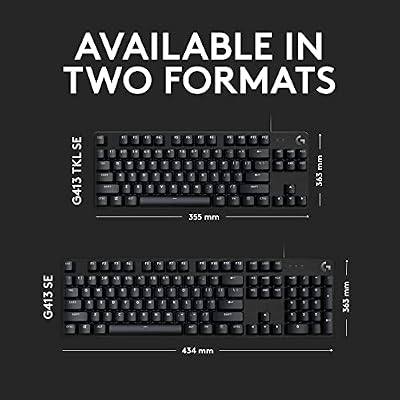
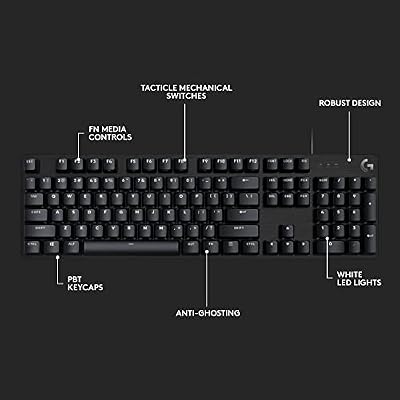


As an Amazon Associate we earn from qualifying purchases. Product prices and availability are accurate as of the date/time indicated.

Logitech G213 Prodigy Wired RGB Gaming Keyboard - Black


As an Amazon Associate we earn from qualifying purchases. Product prices and availability are accurate as of the date/time indicated.

AULA F75 Pro Wireless Mechanical Keyboard,75% Hot Swappable Custom Keyboard with Knob,RGB Backlit,Pre-lubed Reaper Switches,Side Printed PBT Keycaps,2.4GHz/USB-C/BT5.0 Mechanical Gaming Keyboards


As an Amazon Associate we earn from qualifying purchases. Product prices and availability are accurate as of the date/time indicated.

Logitech Wave Keys Ergonomic Wireless Keyboard with Palm Rest - Graphite



As an Amazon Associate we earn from qualifying purchases. Product prices and availability are accurate as of the date/time indicated.
Frequently Asked Questions
How often should I replace my cherry vs gateron switches 2026 community debate?
Most modern cherry vs gateron switches 2026 community debate comfortably last three to five years of regular use. Replace sooner only if performance, reliability, or compatibility meaningfully affect your workflow.
Are budget cherry vs gateron switches 2026 community debate worth it in 2026?
Yes — the gap between mid-tier and flagship picks has narrowed. A budget cherry vs gateron switches 2026 community debate from a reputable brand handles 2026 workloads without major compromises when paired with the right surrounding hardware.
What warranty should I look for?
Two-year minimum for anything above $150. Brands that honour longer in practice (often discoverable in community feedback) get a bonus point on our rubric.
Ready to decide? Our #1 pick for 2026 is the Flagship choices.
Live price & availability on Amazon.
Top picks from this guide
LogitechLogitech Wave Keys Ergonomic Wireless Keyboard with Palm Rest -…$60 \xc2\xb7 99/100AULAAULA F75 Pro Wireless Mechanical Keyboard,75% Hot Swappable Custom Keyboard…$66 \xc2\xb7 99/100Logitech GLogitech G213 Prodigy Wired RGB Gaming Keyboard - Black$55 \xc2\xb7 98/100LogitechLogitech MX Keys S Wireless Keyboard Low Profile Fluid Precise…$110 \xc2\xb7 97/100