🛒 Best Price Today on Amazon
Prime members get fast, free shipping on everything above, plus member-only deals. New members get a 30-day free trial — cancel anytime.
For most PC and console gamers, a 42 to 65-inch OLED TV with four HDMI 2.1 ports and 4K at 120Hz or higher, such as the LG C5, is the best gaming TV, a brighter QD-OLED or mini-LED set suits bright living rooms, and a lower cost mini-LED model gives the best value tier. Check HDMI port capabilities carefully, because many TVs only enable full gaming features on some ports.
This guide covers the specifications that matter to gamers: HDMI 2.1 support, variable refresh rate, input lag, panel type and brightness. It lists current 2025 and 2026 TV families that reviewers regularly cite and explains how they connect to a PC with an RTX 50-series or Radeon RX 9000 card. Makers release a new generation each year, so the same logic applies to newer successors.

TCL 55 Inch T7 Series 4K 120Hz QLED Smart Google TV, 55T7 (Latest Model) | Dolby Vision HDR and Atmos, HDR10+, Game Accelerator 240 and VRR for Sports and Gaming, Alexa+, Native 120Hz Refresh Rate
Included for 'Best Gaming TV: Buyer's Guide' because the listing specifies 55T7 (Latest Model) and Dolby Vision HDR and Atmos, details this guide uses to compare options.
View on Amazon
Samsung 65-Inch Class M70H Series, Mini LED, 4K, Smart TV, 2026 Model | Samsung Vision AI Companion, Mini LED Processor 4K, Pure Spectrum Color, Endless Free Content, Motion Xcelerator + DLG 120Hz
Included for 'Best Gaming TV: Buyer's Guide' because the listing specifies Mini LED and Smart TV, details this guide uses to compare options.
View on Amazon
INSIGNIA 55-inch Class F50 Series LED 4K UHD Smart Fire TV with Alexa Voice Remote (NS-55F501NA26)
Included for 'Best Gaming TV: Buyer's Guide' as a relevant option in this category; details come from the product listing.
View on AmazonSamsung 43-Inch Class M70H Series, Mini LED, 4K, Smart TV, 2026 Model | Samsung Vision AI Companion, Mini LED Processor 4K, Pure Spectrum Color, Endless Free Content, Motion Xcelerator + DLG 120Hz
Included for 'Best Gaming TV: Buyer's Guide' because the listing specifies Mini LED and Smart TV, details this guide uses to compare options.
View on AmazonGaming TVs at a Glance
| Model family | Best for | Key stated specs | Limits |
|---|---|---|---|
| LG C-series OLED (C5) | All-round gaming, PC use, console play | Four HDMI 2.1 ports, 4K at 120Hz with variable refresh rate, up to 144Hz listed for PC, G-SYNC Compatible and FreeSync | Moderate peak brightness compared with QD-OLED and mini-LED |
| LG G-series OLED (G5) | Brighter OLED in lit rooms | Brighter panel technology, four HDMI 2.1 ports, 4K 120Hz and higher | Premium tier |
| Samsung S90F | QD-OLED with strong color and gaming features | QD-OLED, 4K 144Hz listed, HDMI 2.1 ports, Gaming Hub | Fewer high-bandwidth HDMI ports on some sizes; no Dolby Vision support historically |
| Sony Bravia 8 II | Console-first players, picture processing | QD-OLED, 4K 120Hz, PlayStation 5 features | Only some HDMI ports support the full 4K 120Hz; check manual |
| TCL QM8 | Bright mini-LED at a lower cost tier | Mini-LED, 4K 144Hz listed, Game Accelerator features | Blooming around small highlights |
| Hisense U8 series | Value mini-LED for bright rooms | Mini-LED, high peak brightness, 4K at 144Hz or higher listed by the maker | Contrast below OLED |
What Makes a TV Good for Gaming?
HDMI 2.1 and bandwidth
HDMI 2.1 supports 4K at 120Hz and higher, variable refresh rate and auto low-latency mode. Not every HDMI port on a TV supports the full 48 Gbps bandwidth. LG C-series sets list four fully capable ports, which is why they are popular for setups with a PC, a PlayStation 5, an Xbox and a receiver. Some Samsung, Sony and TCL models restrict high-bandwidth features to certain ports. Read the specification for your size, because it can vary between screen sizes.
Variable refresh rate
VRR syncs the TV’s refresh rate to your frame rate and removes tearing. Look for G-SYNC Compatible, FreeSync Premium and HDMI Forum VRR. With RTX 50-series cards, set the TV to its Game mode and enable VRR in the Nvidia and TV settings. Some OLED TVs show slight brightness variation at low frame rates in VRR, which is a known behavior.
Input lag
Modern TVs in Game mode usually deliver input lag under 15 milliseconds at 4K 60Hz and lower at 120Hz, according to independent reviewers. This is fine for most players. Competitive shooter players should still prefer a monitor.
Panel type
OLED offers perfect blacks and fast response. QD-OLED adds color volume and usually higher brightness. Mini-LED LCD sets offer the highest peak brightness and no retention risk but have blooming and lower contrast in dark rooms. For a dark room, OLED is the leading choice; for a sunlit room, bright mini-LED or QD-OLED helps.
OLED Picks
LG C5
The C-series has been the go-to gaming OLED for several generations, and the C5 continues with four HDMI 2.1 ports, Dolby Vision gaming support and G-SYNC and FreeSync compatibility. It is available in a wide range of sizes, including smaller ones such as 42 and 48 inches that work as desk displays. Reviewers highlight accurate color and low input lag. The trade-off is peak brightness lower than the G-series or QD-OLED.
LG G5
The G5 uses LG’s brighter OLED technology and a refined design, and it is aimed at people who watch in bright rooms or want the highest-tier picture. It shares the gaming features of the C-series.
Samsung S90F and Sony Bravia 8 II
These QD-OLED sets bring strong color and brightness. The Samsung includes its Gaming Hub and high refresh support. The Sony offers excellent video processing and PlayStation 5 integration. Check the HDMI port assignments before you connect a PC and multiple consoles.
Mini-LED Picks
The TCL QM8 and Hisense U8 series are the typical value mini-LED choices. They deliver high brightness, 144Hz or higher panels and large sizes for a lower cost tier than OLED. They suit bright living rooms and sports, and they have no burn-in concern. Compared with OLED, dark scenes show blooming around bright objects and viewing angles are narrower.
Using a TV with a PC
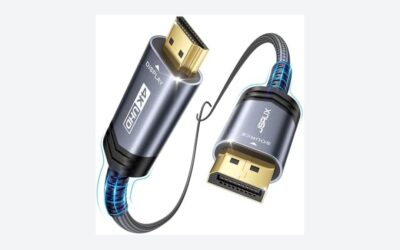
- Cable: use a certified Ultra High Speed HDMI cable. Poor cables cause dropouts at 4K 120Hz.
- Chroma: set the TV to PC mode or label the input as PC to get full 4:4:4 chroma for sharp text.
- Scaling: use Windows scaling of 125 to 150 percent at 4K and a viewing distance that suits the screen size.
- HDR: enable HDR in Windows and calibrate with the Windows HDR Calibration app.
- Size: a 42 to 48-inch TV works on a desk; larger sets suit couch distances of two meters or more.
- Burn-in care: hide the taskbar, use dark mode, and let the TV run its pixel refresh when on standby. Avoid using an OLED TV as a static desktop display for long work days.
Console Features
The PlayStation 5 and Xbox Series X support 4K at 120Hz and VRR. PlayStation 5 supports Dolby Vision on some games and Auto HDR Tone Mapping. Xbox supports Dolby Vision gaming and Auto HDR. Look for Auto Low Latency Mode, which switches the TV to Game mode automatically, and a Game Bar or dashboard showing frame rate and latency.
Sound and Smart Features
TV speakers are modest even on premium models. A soundbar or a receiver with eARC provides better sound, and the eARC port is typically one of the HDMI ports on the TV, so plan your port allocation. Smart platforms like webOS, Tizen, Google TV and Roku differ in apps and ads; you can often avoid the smart interface by using a PC or console as the main source.
Budget Tiers
- Budget tier: mini-LED sets from TCL and Hisense with 144Hz panels and HDMI 2.1.
- Mid-range tier: LG C-series, Samsung S90F and similar OLED and QD-OLED sets in 42 to 65-inch sizes.
- Premium tier: LG G-series, Sony Bravia flagships and large QD-OLED sets.
Pick X If… Decision Table
| Pick this | If you… |
|---|---|
| LG C5 | want the all-round gaming OLED with four HDMI 2.1 ports |
| LG G5 | want the brightest LG OLED for a lit room |
| Samsung S90F | want QD-OLED color and a strong gaming interface |
| Sony Bravia 8 II | mainly play on PlayStation 5 and want top processing |
| TCL QM8 or Hisense U8 | want bright mini-LED at a lower cost tier and have a sunny room |
Alternatives
- OLED gaming monitor: faster refresh rates and a desk-friendly size.
- Gaming projector: for large images in a dark room, with trade-offs in lag and brightness.
- Previous-generation OLED: older C-series models often keep four HDMI 2.1 ports at a lower cost tier.
- Smaller 4K LCD TV: adequate for casual console players.
Room Setup and Viewing Tips
Room lighting decides which panel feels best. In a dark room an OLED shows its full contrast advantage, while in a bright room reflections and lower peak brightness become more noticeable, so a matte-finish or brighter set helps. Place the TV so the screen sits at eye level, keep a viewing distance of about one and a half times the diagonal for a desk and further back for a couch, and turn off motion smoothing and heavy picture processing in Game mode, because those features add delay. Calibrate HDR with the console or Windows tool rather than leaving brightness at maximum. Finally, update the TV firmware, since makers frequently release fixes for VRR flicker, HDMI handshake problems and input lag.
Wall mounting or stand width also matters on larger sets, so check the feet spacing against your furniture and the weight against the mount rating before ordering. Leave a few centimeters behind the set for ventilation and cable bends, and use short, certified HDMI cables to keep signals stable at 4K 120Hz.
Frequently Asked Questions
Is an OLED TV good for PC gaming?
Yes. A 42 to 48-inch OLED TV, such as an LG C-series model, is a popular desk display for PC gamers. The main caution is static content such as the Windows taskbar over long periods.
Do I need 144Hz on a TV?
Not for consoles, which top out at 120Hz. PC gamers with strong graphics cards can use 144Hz where the TV lists it, but 120Hz is already smooth.
Which HDMI port should I use for my PC?
Use a port the maker lists as HDMI 2.1 with the full 48 Gbps bandwidth. On LG C-series sets, all four ports qualify. On other brands, read the manual.
Is mini-LED or OLED better for gaming?
OLED has better contrast and response. Mini-LED has higher brightness and no burn-in risk. Choose OLED for dark rooms and mini-LED for bright ones.
What TV size suits a desk?
A 42 to 48-inch TV is a common maximum at a desk viewing distance. Larger screens work better when you sit a couple of meters back.
Can a TV match a monitor for competitive games?
For casual and single-player gaming, yes. For competitive shooters, monitors reach 360Hz or more and generally offer lower latency, so they remain the better tool.