🛒 Best Price Today on Amazon
Prime members get fast, free shipping on everything above, plus member-only deals. New members get a 30-day free trial — cancel anytime.
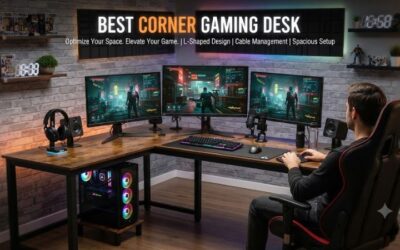
The best gaming pc setup ideas balance performance, comfort, available space, and personal style. Whether you want a competitive FPS station, a minimalist desk, or an immersive RGB battlestation, the right layout can improve your everyday gaming experience. Explore practical setups for different rooms, budgets, and gaming habits without overspending on unnecessary accessories.
How to Choose the Right Gaming PC Setup
Before buying furniture or peripherals, identify what you need from your gaming space. Your preferred games, room dimensions, PC hardware, and budget should determine the layout. A comfortable desk with appropriate screen placement can be more useful than an expensive collection of accessories that leaves little room to play.
1. Match the Setup to Your Games
Competitive games such as Counter-Strike 2 and Valorant benefit from a clear view of the screen, responsive controls, and enough room for mouse movement. Prioritize a suitable monitor, a comfortable keyboard position, and a large mouse pad if you use low sensitivity. Keep decorative objects away from the area where you aim and move.
For cinematic single-player games, consider a larger display, comfortable audio, and controlled ambient lighting. Racing and flight simulation games may need space for wheels, pedals, joysticks, or throttle controls. Match the arrangement to the games you actually play rather than copying a setup designed around a different genre.
2. Measure Your Available Space
Measure the usable width and depth of your desk before choosing a monitor, stand, or accessories. Leave room for your keyboard, mouse, headset, and any controllers you use regularly. A monitor arm can free up space occupied by a stand, but only if the desk and mounting surface support the arm’s requirements.
Consider the PC tower’s footprint, chair movement, wall outlets, and nearby furniture. Avoid placing the tower where its ventilation openings are obstructed. In a small bedroom, a narrow desk or corner layout may work better than a large gaming table, provided the arrangement still offers adequate legroom and a comfortable viewing position.
3. Prioritize Your Budget
Spend first on the parts of the setup that solve real problems. If your PC already runs your games well, improving monitor placement, mouse space, seating, or cable organization may be more valuable than replacing internal components. Reusing existing furniture is a practical way to improve your gaming area without committing to a full room makeover.
Separate essential purchases from optional decorations. A suitable display, dependable peripherals, and a stable desk should generally come before decorative lighting or display shelves. If you also need a new computer, reserve enough of your budget for the monitor and peripherals rather than spending everything on the tower.
4. Balance Comfort and Airflow
Position your main monitor directly in front of you and adjust its height and tilt to reduce uncomfortable neck movement. Keep your shoulders relaxed and your keyboard and mouse within easy reach. Your feet should be supported, and your chair should allow you to sit comfortably for the tasks you perform.
The computer also needs sufficient space for cooling and maintenance. Avoid enclosing the tower in a tight cabinet or blocking its intake and exhaust vents. Leave room to reach rear ports, remove dust filters, and access the power button. A clean-looking setup should remain practical to maintain.
Best Gaming PC Setup Ideas for Different Styles
The best layout depends on how you play, how much space you have, and which equipment you already own. The following setups cover distinct needs, from competitive gaming to streaming and small bedrooms. Use the comparison table to narrow your options, then adapt the layout to your room and budget.
1. Minimalist Gaming Setup
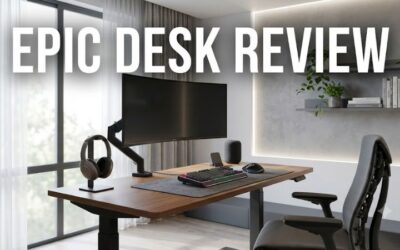
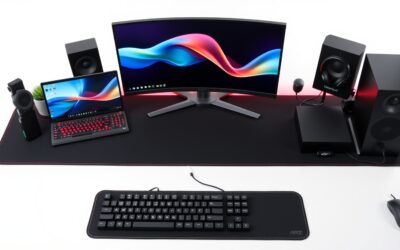
A minimalist gaming setup uses a clean desk, a restrained color palette, and only the equipment you need. Choose a simple desk finish, keep the main monitor centered, and use a desk mat to define your keyboard and mouse area. A compact keyboard can free up space if you do not need a dedicated number pad.
Cable management makes this style easier to maintain. Route wires behind the desk, store controllers when they are not in use, and keep frequently used accessories within reach. You do not need a small PC to achieve a minimalist appearance; a full-size tower can work if the desk and room provide enough space.
2. Competitive FPS Gaming Setup
A competitive FPS setup prioritizes visibility, control, and consistent positioning. Place your main monitor directly in front of you, leave enough room for broad mouse movements, and position your keyboard so your arms remain comfortable. A high-refresh-rate monitor can display motion more frequently when the PC produces enough frames to support it.
Keep the desk free of objects that interfere with mouse movement. Choose a mouse that fits your hand and preferred grip, and verify that your display supports its advertised refresh rate at the resolution and connection you plan to use. A comfortable layout is more important than filling the desk with gaming accessories.
3. Immersive RGB Battlestation
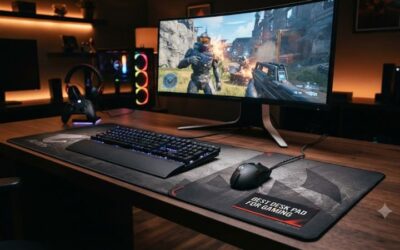
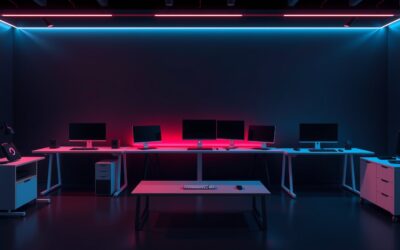
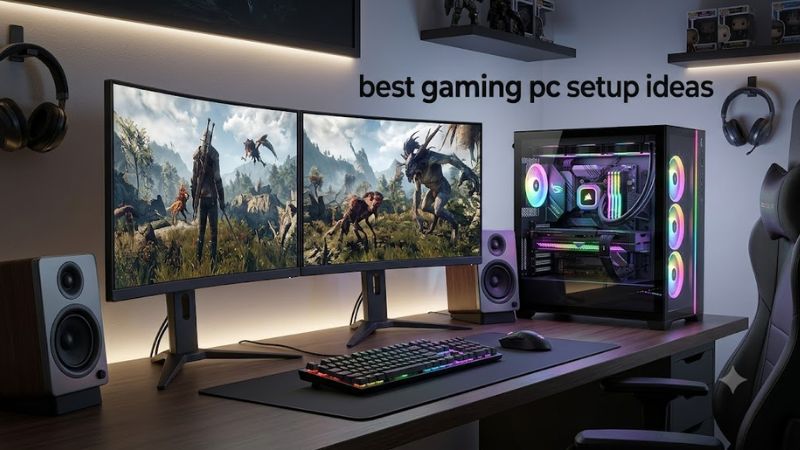
An RGB battlestation combines coordinated lighting, a visible PC tower, and matching peripherals. Pick one dominant color and a secondary accent to create a consistent appearance. Soft lighting behind the monitor or along the desk can add atmosphere without making the room unnecessarily bright.
Plan the lighting around the screen rather than the other way around. Reflections can distract you during gameplay, and decorative accessories should not obstruct PC ventilation. You can create an immersive setup with a modest amount of lighting; expensive illuminated furniture and multiple RGB devices are optional.
4. Dual-Monitor Gaming and Productivity Setup
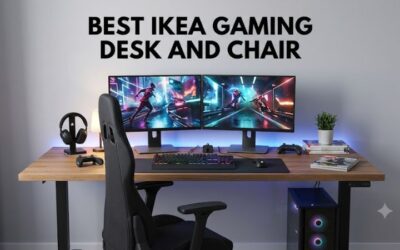
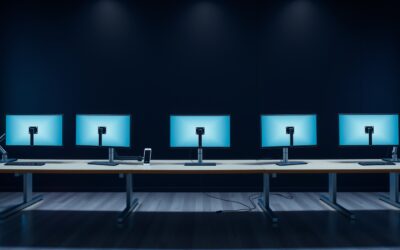
A dual-monitor layout provides one display for gaming and another for chat, guides, music, streaming tools, or work. Keep the primary gaming monitor directly in front of your chair, then place the secondary display beside it. A vertically oriented secondary screen can suit chat windows, documents, and long webpages.
Before adding another monitor, check the available desk space, GPU outputs, supported resolutions, and cable requirements. Two displays also add cost and consume more desk space. Matching monitors can create a consistent appearance, but they are not essential if the displays serve different purposes.
Comparison of Gaming PC Setup Layouts
| Setup idea | Best for | Key feature | Compatibility or space check | Main drawback |
| Minimalist | Small rooms and clean desks | Uncluttered surface | Desk depth and PC footprint | Limited room for extra accessories |
| Competitive FPS | Esports and shooters | Large mouse area | Monitor refresh rate and GPU output | Performance depends on the complete system |
| RGB battlestation | Immersive gaming | Coordinated lighting | Power, mounting, and ventilation | Glare and extra cable clutter |
| Dual monitor | Streaming and multitasking | Separate displays | GPU outputs and desk width | More space and power required |
| Budget setup | Students and first-time builders | Reused furniture and equipment | Existing hardware requirements | Older equipment may limit performance |
| Simulation setup | Racing and flight games | Dedicated controls | Mounting stability and USB connections | Large equipment footprint |
| Streaming setup | Content creation | Microphone, camera, and lighting | Ports and system workload | Additional equipment and setup complexity |
| Small-room setup | Bedrooms and apartments | Vertical storage | Chair clearance and airflow | Restricted desk space |
5. Budget-Friendly Gaming Setup
A budget-friendly setup starts with what you already own. An existing desk, a suitable monitor, and reliable keyboard and mouse can provide a functional gaming station without requiring a matching furniture set. Repositioning the screen, removing unused objects, and securing loose cables can improve the space before you spend anything.
Direct new spending toward the limitation you notice most. If your monitor is uncomfortable to view, improve its placement first. If the mouse keeps running out of room, clear the desk or choose a suitable mouse pad. If games run poorly, investigate your hardware and settings before deciding whether an upgrade is necessary.
6. Sim Racing and Flight Simulation Setup
Simulation setups require room for specialized controls, such as racing wheels, pedals, joysticks, and throttle quadrants. Arrange the controls so they remain stable during use and match their position to your seating. A dedicated cockpit can help if simulation games are your main hobby, but a sturdy desk may be sufficient for occasional play.
Check the mounting requirements before buying equipment. Some controls need a rigid surface or dedicated frame, while pedals need sufficient floor space to remain secure. Consider cable reach, USB connections, and display positioning. An ultrawide monitor can add immersion, but a conventional display is also suitable for many simulation games.
7. Streaming and Content Creation Setup
A streaming setup adds equipment for recording and broadcasting to a standard gaming station. A microphone, webcam, suitable lighting, and optional second monitor can help organize the workflow. Position the microphone so it captures your voice without blocking the screen, and frame the camera around your normal seated position.
Check whether your PC can run the game and handle recording or broadcasting at the same time. Confirm that the computer has enough suitable USB connections for your equipment. A second PC is not automatically necessary, and you can begin with existing hardware before investing in dedicated streaming equipment.
8. Small-Room Gaming Setup
A small-room setup uses vertical storage and compact furniture to preserve floor space. A monitor arm can free up the desktop, while a headset hook or shelf can keep accessories organized. A narrow desk may work well if it still provides enough room for your keyboard, mouse, and comfortable seating.
Do not sacrifice cooling or ergonomics just to fit everything into a small area. Avoid pushing the PC into a sealed compartment, and check that its vents remain unobstructed. Measure the space required for your chair, desk, and tower before purchasing furniture. A gaming laptop with an external monitor is another option if portability and storage are priorities.
How to Improve Your Gaming Setup
Once you have chosen a layout, focus on the details that make the space comfortable and reliable. The most useful gaming PC setup ideas combine appropriate monitor placement, accessible controls, organized cables, and good lighting. These improvements can make a setup easier to use without requiring a complete hardware replacement.
1. Adjust Monitor Placement and Seating
Position your main monitor directly in front of you and adjust its height so you can view the screen without repeatedly bending your neck. The US Occupational Safety and Health Administration suggests a general viewing distance of 20–40 inches, approximately 50–100 cm, for computer monitors. Your display size, text size, and comfort determine the most suitable position.
Adjust your chair and desk together. Keep your shoulders relaxed, support your feet, and place the keyboard and mouse within easy reach. If you use two monitors, position the display you watch most directly ahead. Reassess the arrangement after longer sessions and make adjustments if you notice discomfort or repeatedly lean toward the screen.
2. Organize Cables and Preserve Airflow
Use reusable cable ties, clips, or an under-desk tray to route cables along the rear edge of the desk. Group cables by destination so you can identify connections when troubleshooting. Leave enough slack for monitor-arm movement and adjustable desks, and avoid routing wires where chair wheels can catch them.
Keep power connections accessible and avoid overloading power strips. Do not cover the computer’s ventilation openings or trap the tower in a sealed space. Cable management should simplify maintenance rather than make it difficult to replace a peripheral, clean a dust filter, or inspect a connection.
3. Improve Lighting and Audio
Use room lighting that makes the desk comfortable to work at without creating distracting reflections on the monitor. Ambient lighting behind the screen can create a softer background, while a desk lamp can help with reading and other tasks. Adjust brightness to the room rather than assuming that maximum illumination is best.
Choose audio equipment according to your environment. A headset can help reduce sound leakage and provide microphone privacy, while speakers may suit a dedicated room. A separate microphone is useful for streaming but unnecessary for many players. Place audio equipment so it does not interfere with your mouse area or access to controls.
4. Upgrade Hardware for a Clear Reason
A visually attractive desk does not automatically improve gaming performance. If games run poorly, check resolution, graphics settings, temperatures, driver status, and CPU or GPU utilization before replacing components. A high-refresh-rate display can improve motion clarity, but its benefits depend on the display, game, and performance the PC can deliver.
Make one adjustment at a time and compare results under the same conditions. Avoid buying components simply because they appear in popular setup photos. The most worthwhile upgrades address a specific limitation, fit your existing hardware, and leave enough budget for the other parts of your gaming station.
FAQ
What do you need for a good gaming PC setup?
A good gaming PC setup needs a PC capable of running your games, a suitable monitor, a keyboard, a mouse or controller, and a comfortable desk and chair. A headset, speakers, lighting, and extra displays are optional additions based on your preferences and budget.
How can I make my gaming setup look better on a budget?
You can improve your gaming setup on a budget by clearing clutter, organizing cables, adjusting monitor placement, and choosing a consistent color scheme. Reuse existing furniture and peripherals before purchasing accessories, and prioritize changes that solve practical problems.
Is one monitor or two better for gaming?
One monitor is sufficient for gaming, while two monitors can make streaming, browsing, and multitasking more convenient. Choose according to your available desk space, graphics card outputs, budget, and whether you will regularly use the second display.
Does RGB lighting improve gaming performance?
RGB lighting does not inherently improve frame rates or input responsiveness. It can personalize your gaming space, but prioritize a suitable monitor, comfortable controls, adequate PC airflow, and appropriate game settings if performance is your main concern.
Final Thoughts
The best gaming pc setup ideas are those that suit your games, room, budget, and daily habits. Start with comfortable seating, good screen placement, sufficient mouse space, and clear airflow. Add lighting, audio, and accessories as needed, making one improvement at a time so your setup stays practical without unnecessary spending.