🛒 Best Price Today on Amazon
Prime members get fast, free shipping on everything above, plus member-only deals. New members get a 30-day free trial — cancel anytime.
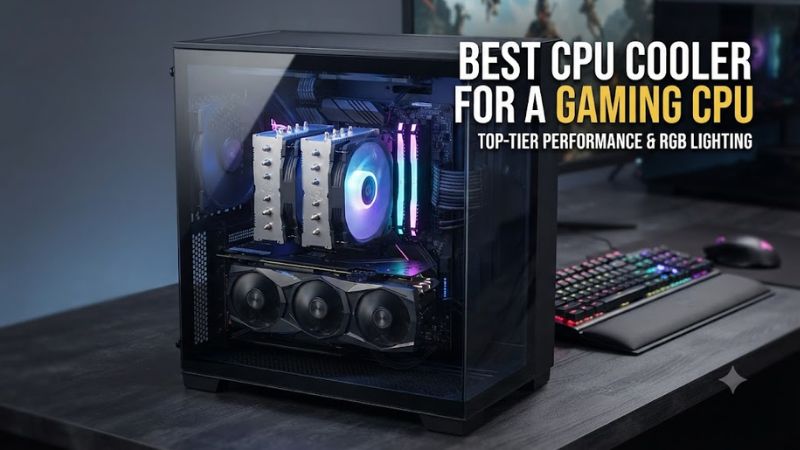
For a modern gaming build, best cpu cooler for a gaming cpu depends on processor heat, socket, case clearance, noise tolerance, and budget. Current options range from compact single-tower designs to large dual-tower air coolers and 360mm AIOs, so matching the cooler to the CPU matters more than choosing by brand alone.
How to Choose a CPU Cooler
Cooling capacity is the first filter, but compatibility can remove a cooler from consideration before performance matters. Check CPU socket support, cooler height or radiator clearance, RAM clearance, and the motherboard layout. The four picks below cover mainstream air cooling, value-focused builds, premium air cooling, and high-heat CPUs.
Match the cooler to CPU power
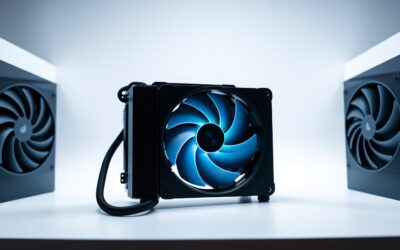
A lower-power gaming CPU does not necessarily need a large liquid cooler, while high-end processors can benefit from greater thermal capacity. The Peerless Assassin 120 SE is a dual-tower option rated for demanding loads in independent comparisons, making it a sensible starting point for many gaming systems.
For benchmark context, Tom’s Hardware used an Intel Core i9-12900K and measured the Peerless Assassin 120 SE at 200W and 140W CPU power limits. Resolution is not applicable to a CPU cooler thermal test; the relevant settings are CPU power and fan control, with OCCT used for the heavier workload.
Check socket and motherboard support
The best cpu cooler for a gaming cpu must physically match the processor socket. Current Thermalright Peerless Assassin 120 SE documentation lists Intel LGA115X, LGA1200, LGA1700 and LGA1851, plus AMD AM4 and AM5, while Noctua’s NH-D15 G2 also supports AM4, AM5, LGA1700 and LGA1851.
For AIO builds, Arctic lists the Liquid Freezer III Pro 360 for LGA1700, LGA1851, AM4 and AM5. Arctic also notes that some motherboards can have M.2 cooler interference, so socket support alone is not enough when planning a complete system.
Measure case and memory clearance
Large air coolers need vertical and horizontal space, and their front fan can overlap tall memory modules. The Peerless Assassin 120 SE is 155mm tall, while the NH-D15 G2 is 168mm tall. Thermalright specifically advises checking chassis clearance and tall-memory clearance before installation.
Radiator dimensions create a different compatibility check. The Liquid Freezer III Pro 360 radiator measures 398 × 120 × 38mm, while Arctic says the radiator and fans require at least 63mm of installation clearance. Case support therefore needs to be checked against the complete radiator-and-fan assembly.
Consider noise and installation complexity
Air coolers avoid pumps and radiator mounting, while AIOs can provide additional thermal capacity for high-power processors. The Liquid Freezer III Pro 360 reached 52.6 dBA at full output in Tom’s Hardware’s benchmark, so its cooling capability comes with a higher noise ceiling when unrestricted.
The best cpu cooler for a gaming cpu is therefore partly a noise decision. The Dark Rock 5 lists 11.9, 23.2 and 29.8 dBA at 50%, 75% and 100% fan speed, while its 161mm height still requires a case that accepts a large tower cooler.
Top Picks
The table separates the four options by use case rather than treating every CPU as identical. All four support current mainstream AMD and Intel sockets, but their physical requirements differ substantially. Prices can fluctuate by retailer, so the categories below focus on product positioning rather than a fixed street price.
| Product | Best For | Key Spec | Compatibility | Watch Out For |
| Thermalright Peerless Assassin 120 SE V2 | Best Overall | Dual tower, 6 heatpipes, 155mm class | AM4/AM5, LGA115X/1200/1700/1851 | Large footprint |
| Thermalright Peerless Assassin 120 SE | Best Value | 6 heatpipes, two 120mm fans | AM4/AM5, LGA115X/1200/1700/1851 | Older fan design |
| Noctua NH-D15 G2 | Best Premium Air | 8 heatpipes, dual 140mm fans | AM4/AM5, LGA1700/1851 | High price, 168mm height |
| Arctic Liquid Freezer III Pro 360 | Best High-Heat AIO | 360mm radiator, 3 P12 Pro fans | AM4/AM5, LGA1700/1851 | 63mm radiator/fan thickness |
Thermalright Peerless Assassin 120 SE V2 — Best Overall
The Peerless Assassin 120 SE V2 combines a dual-tower heatsink with six 6mm heatpipes and two 120mm fans. Thermalright lists support for AM4, AM5, LGA115X, LGA1200, LGA1700 and LGA1851, making it suitable for a wide range of current gaming platforms.
Its main weakness is physical size rather than socket coverage. The heatsink is listed at 155mm tall without the fans, while the V2 fans reach 1850 RPM and 29.5 dBA according to Thermalright. Buyers with compact cases or unusually tall memory should choose a smaller cooler instead.
Thermalright Peerless Assassin 120 SE — Best Value
The original Peerless Assassin 120 SE remains a value-oriented dual-tower design with six heatpipes, two 120mm fans and support for AM4, AM5, LGA115X, LGA1200, LGA1700 and LGA1851. Tom’s Hardware measured 61°C over ambient at a 200W CPU power limit in its OCCT comparison.
For that benchmark, resolution is not applicable because it is a thermal workload rather than a game; settings included a 200W CPU limit and default fan control, with OCCT as the source workload. The real weakness is that the original model’s fans have lower rated airflow than the V2, while the cooler still needs substantial case space.
Noctua NH-D15 G2 — Best Premium Air
The NH-D15 G2 uses eight heatpipes and two 140mm NF-A14x25r G2 fans, with a 168mm overall height and six-year warranty. Noctua lists AM4, AM5, LGA1700 and LGA1851 compatibility, while its HBC and LBC variants are tuned differently for CPU surface geometry.
Tom’s Hardware recorded about 240W of cooling capacity with an unrestricted Intel Core i7-14700K in its CPU thermal workload. Resolution is not applicable; the relevant settings were an unrestricted CPU load and a separate 38.9 dBA noise-normalized comparison. The main weakness is its high purchase price.
Arctic Liquid Freezer III Pro 360 — Best High-Heat AIO
The Liquid Freezer III Pro 360 is designed for high thermal loads, using a 398 × 120 × 38mm radiator, three P12 Pro fans and a pump rated from 800 to 2800 RPM. It supports AM4, AM5, LGA1700 and LGA1851 and includes a six-year warranty.
Tom’s Hardware’s Ryzen 9 9950X3D test used PBO enabled for the CPU-only thermal workload and also included a 38.9 dBA noise-normalized comparison; display resolution is not applicable. Its main weakness is noise at unrestricted settings, with the review recording 52.6 dBA, while Intel installation requires the included contact frame.
FAQ
The right cooler depends on the CPU, case, socket and noise target, so these answers focus on the practical differences between the four options above. Current compatibility should still be checked against the exact motherboard and case before purchase, especially for large towers and 360mm radiators.
Is the Peerless Assassin enough for a gaming CPU?
Yes, the Peerless Assassin 120 SE is capable of handling demanding mainstream gaming CPUs, with Tom’s Hardware recording strong results at 140W and 200W CPU power limits. Its dual-tower design also provides substantial thermal capacity without requiring a radiator or pump.
The best cpu cooler for a gaming cpu does not have to be an AIO when the processor’s sustained power fits within a strong air cooler’s range. Case airflow remains important, and Thermalright specifies that users should verify cooler height and memory clearance before installation.
Is the NH-D15 G2 worth choosing over cheaper air coolers?
The NH-D15 G2 offers strong air-cooling capacity, two premium 140mm fans and broad modern socket support, but its premium price is a major consideration. Tom’s Hardware measured about 240W on an unrestricted Core i7-14700K in its thermal comparison.
Buyers should also choose the correct NH-D15 G2 variant for their platform. Noctua identifies the LBC version as optimized for relatively flat AM5 and AM4 processors, while the HBC version is intended for more convex CPUs such as LGA1700 and is not recommended for AM5 or AM4.
Does a 360mm AIO make sense for gaming?
Yes, a 360mm AIO can make sense when the processor has a high sustained thermal load or when the build has enough radiator space. Tom’s Hardware’s Liquid Freezer III Pro 360 review used demanding Ryzen 9 9950X3D and Intel CPU workloads, showing the cooler’s emphasis on high-load thermal capacity.
The trade-off is installation space and acoustic headroom. Arctic lists a 398 × 120 × 38mm radiator, and Tom’s Hardware measured 52.6 dBA at full output, so users with restrictive cases or a low-noise priority may prefer a capable air cooler instead.
What should I check before buying a CPU cooler?
Check socket support, maximum cooler height or radiator clearance, RAM interference, motherboard compatibility and the CPU’s expected power. For example, the Peerless Assassin 120 SE is 155mm tall, the NH-D15 G2 is 168mm tall, and Arctic’s 360mm AIO requires substantial radiator clearance.
For a current gaming system, the best cpu cooler for a gaming cpu is the model that fits those constraints while providing enough thermal capacity for the processor. Also check the exact revision when buying, because manufacturers can update mounting hardware, fan specifications or socket support across product generations.
Final Thoughts
The best cpu cooler for a gaming cpu depends on thermal demand, case dimensions, socket compatibility and noise preferences. The Peerless Assassin range emphasizes value, the NH-D15 G2 targets premium air cooling, and the Liquid Freezer III Pro 360 targets high-load systems with enough radiator space.