Minecraft is one of the most-played games in history, so it is no surprise players want to build together regardless of what device they own. The direct answer: yes, Minecraft is cross-platform, but only the Bedrock Edition supports cross-play across consoles, mobile, and Windows. This guide explains exactly how Minecraft cross-platform play works in 2026.
As an Amazon Associate I earn from qualifying purchases.
🛒 Best Price Today on Amazon
Prime members get fast, free shipping on everything above, plus member-only deals. New members get a 30-day free trial — cancel anytime.
Quick answer: Our top pick in 2026 is the Minecraft (Bedrock) — our #1 rated choice. See the full ranked comparison, alternatives and buying advice below.
Watch: Is Minecraft Cross Platform (2026 Guide) — Video Review
Is Minecraft Cross Platform? The Direct Answer
Yes—Minecraft supports cross-platform play through its Bedrock Edition. Players on Windows, Xbox, PlayStation, Nintendo Switch, and mobile (iOS and Android) can all play together on the same Bedrock servers and realms. The key limitation is that Java Edition, the original PC version, does not cross-play with Bedrock. So the answer depends entirely on which edition you own: Bedrock is cross-platform, Java is not.
PC players running Java often use mods and higher settings, which benefit from a strong system. Our gaming PC build guide covers builds that handle heavy modpacks and large worlds smoothly.
Cross-Platform Sandbox Games at a Glance
| Game | Platform | Genre | Why It’s Great | Rating |
|---|---|---|---|---|
| Minecraft (Bedrock) | PC, PS5, Xbox, Switch, Mobile | Sandbox | Broad cross-play across all devices | 10/10 |
| Minecraft (Java) | PC | Sandbox | Mod support but no cross-play with Bedrock | 10/10 |
| Terraria | PC, PS5, Xbox, Switch, Mobile | Sandbox Adventure | 2D crafting with cross-play | 9.5/10 |
| Core Keeper | PC, PS5, Xbox, Switch | Mining Sandbox | Underground co-op building | 8.5/10 |
| Valheim | PC, Xbox | Survival Sandbox | Viking co-op survival | 9/10 |
| Roblox | PC, Xbox, Mobile | Sandbox Platform | Massive cross-play game library | 8/10 |
| Stardew Valley | PC, PS5, Xbox, Switch, Mobile | Farming Sim | Cross-play co-op farming | 10/10 |
| Grounded | PC, PS5, Xbox, Switch | Survival | Backyard survival with cross-play | 8.5/10 |
How Minecraft Bedrock Cross-Play Works
Bedrock Edition unifies most platforms under one code base, which is what makes cross-play possible. To play together, friends link their accounts, then join the same Realm, server, or a friend’s world. You will need to sign in and add each other as friends across platforms. Because Bedrock is optimized for consoles and mobile, performance is smooth even on modest devices, making it the go-to edition for cross-platform sessions with a mixed group of friends.
Why Java Edition Doesn’t Cross-Play
Java Edition is the original PC version, built on different code from Bedrock. It supports extensive mods, custom servers, and community content that Bedrock does not, but this same architecture prevents it from connecting to Bedrock players. Java players can only play with other Java players. If cross-platform play with console or mobile friends is your priority, Bedrock is the edition to choose. Fortunately, PC purchases often include both editions.
Setting Up a Cross-Platform Minecraft Session
To play across devices, ensure everyone is on Bedrock Edition, link accounts, and add each other as friends. Realms offer the easiest always-online shared world, while local and server hosting are also options. Voice coordination makes big builds smoother, so a clear headset helps—see our gaming headset guide. PC builders also benefit from a precise gaming mouse guide for accurate block placement during detailed projects.
Getting the Best Minecraft Performance
While Bedrock runs well on almost anything, Java with shaders and large render distances can be demanding. A capable graphics card unlocks beautiful lighting and distant horizons—our graphics card guide explains what handles these effects. A high-refresh display also makes movement and combat feel crisp; see our gaming monitor guide. For long building marathons, comfortable seating from our gaming chair guide keeps sessions enjoyable.
Which Minecraft Edition Should You Choose?
Choose Bedrock if cross-platform play with friends on different devices matters most, or if you play on console or mobile. Choose Java if you are a PC player who wants mods, custom servers, and community content. Many PC players own both and switch depending on whether they want cross-play or modding. Either way, Minecraft remains the ultimate shared creative sandbox.
Frequently Asked Questions
Can PC and console players play Minecraft together?
Yes, as long as everyone uses Bedrock Edition. Bedrock supports cross-play between Windows, Xbox, PlayStation, Nintendo Switch, and mobile devices. Players link their accounts, add each other as friends, and join the same Realm or server. Java Edition, however, cannot cross-play with Bedrock platforms.
Why can’t Java and Bedrock players play together?
Java and Bedrock are built on entirely different code bases. Java is the original PC version with extensive mod support, while Bedrock is optimized for cross-platform play across consoles and mobile. This fundamental architectural difference prevents the two editions from connecting to each other’s worlds and servers.
Do I need to pay for both Minecraft editions?
Not necessarily. On Windows, purchasing Minecraft typically grants access to both Java and Bedrock editions in one bundle. On consoles and mobile, you receive Bedrock Edition. This means many PC players can freely switch between editions depending on whether they want cross-play or modding.
Is a subscription required for Minecraft cross-play?
Playing on public servers or a friend’s world may require an online subscription on some consoles, such as Nintendo Switch Online or Xbox services for certain features. Minecraft Realms, the official hosted world service, requires its own separate paid subscription regardless of platform for an always-online shared world.
As an Amazon Associate we earn from qualifying purchases at no extra cost to you. Product prices and availability are accurate as of the date shown and are subject to change.
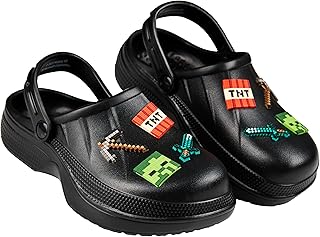


Ready to decide? Our #1 pick for 2026 is the Minecraft (Bedrock).
Live price & availability on Amazon.