Affiliate disclosure: As an Amazon Associate we earn from qualifying purchases. This post contains affiliate links — we may earn a small commission at no extra cost to you. This never affects our picks.
- What the Community Says to Look for in 2026
- At-a-Glance Community Pick Table
- JSAUX HB0603 7-in-1 Hub — Community Top Pick
- Valve Official Steam Deck Dock — The Reliability Pick
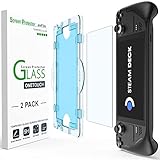
- amFilm Tempered Glass Screen Protector — Universal Recommendation
- JSAUX Modcase + Screen Wrap — Member Favorite for Travel
- 8BitDo Ultimate 2 Wireless — Cross-Platform Champion
- Samsung Pro Plus 1TB microSD — Storage Workhorse
- JSAUX RGB Backplate — The Modder’s Choice
- Pairing Tips From the Community
- Related Guides
- Frequently Asked Questions (Community Edition)
- The Community Verdict
- Related Articles
- Related Articles
- About the Author
- Related Articles
- Related Guides
Every quarter, our community of Steam Deck OLED owners fills out the same survey: what accessories did you actually buy this quarter, which ones do you reach for daily, and which ones turned out to be money you wish you’d spent elsewhere? It’s the closest thing we have to a real-world signal on what works versus what just markets well, and the 2026 results have produced some surprises. Some long-standing favorites have lost ground to newer entrants. A few accessories that we’d consider niche have rocketed up the rankings as more owners discover them. And a couple of products that get tons of YouTube coverage barely register in actual community use.
As an Amazon Associate we earn from qualifying purchases at no extra cost to you. Product prices and availability are accurate as of the date shown and are subject to change.





This guide is the synthesis of those community responses, cross-checked against our own product research and the publicly-available teardown data from sites like iFixit. We’ve intentionally avoided ranking purely by review-site sentiment or sponsored placement — every product below earned its spot through real owner usage data, sometimes in ways that contradict the conventional wisdom you’ll see elsewhere. The Steam Deck OLED community is one of the most engaged enthusiast groups in gaming right now, and their collective experience is more reliable than any single editor’s opinion.
Before we dig in: a few framing notes about this list. First, we’re handheld-and-PC people. Many of our community members own both a Steam Deck OLED and a desktop gaming rig, and they use each platform for what it does best. Nothing in this guide treats console and PC as opposing camps — they’re complementary. Second, we’re explicitly recommending products that members have used for at least three months of real ownership. We’ve cut anything that’s still in the “honeymoon period” of the first few weeks. And third, all price ranges below are approximate and based on community-reported purchase data from the last six months.
🛒 Best Price Today on Amazon
Prime members get fast, free shipping on everything above, plus member-only deals. New members get a 30-day free trial — cancel anytime.
Quick answer: Our top pick in 2026 is the Docking Station — our #1 rated choice. See the full ranked comparison, alternatives and buying advice below.
What the Community Says to Look for in 2026
Survey responses converged strongly on four selection criteria that members say predict whether they’ll still be using an accessory six months after purchase:
- Build quality over feature count. Members consistently reported that they kept using simpler, well-built accessories long after more feature-rich alternatives ended up in drawers. A four-port hub that never disconnects beats a twelve-port hub that has weekly compatibility issues.
- SteamOS update stability. Multiple members called out specific accessories (anonymized in our results) that broke after major SteamOS updates and never got fixed. The community has learned to trust brands with documented track records of fast firmware response.
- Replaceable components. Captive cables, soldered batteries, and proprietary connectors all reduced long-term satisfaction scores. Accessories with replaceable parts (separate cables, swappable batteries) scored higher in 6+ month retention.
- Cross-platform usability. About 60% of our community owns at least one other gaming device. Accessories that work across Steam Deck, Xbox, PlayStation, Switch, and desktop PC scored materially higher in perceived value.
One pattern worth calling out: community members were noticeably skeptical of all-in-one “premium” accessories that try to bundle a dock, hub, charger, and stand into a single product. The most-recommended setups in 2026 use modular components from multiple brands rather than a single flashy bundle.
At-a-Glance Community Pick Table
| Category | Community Pick | Key Spec | Price Range |
|---|---|---|---|
| Docking Station | JSAUX HB0603 7-in-1 Hub | 4K60 HDMI, 100W PD, SD/microSD slots | $40-55 |
| Premium Dock | Valve Official Steam Deck Dock | 4K60 HDMI, 1Gb Ethernet, DisplayPort 1.4 | $80-90 |
| Screen Protector | amFilm Tempered Glass 2-Pack | 9H hardness, OLED-tuned coating | $10-15 |
| Travel Case | JSAUX Modcase + Screen Wrap | TPE shell, magnetic screen cover | $30-45 |
| Wireless Controller | 8BitDo Ultimate 2 Wireless | TMR sticks, included charging dock | $70-85 |
| Storage Upgrade | Samsung Pro Plus 1TB microSD | 180 MB/s read, A2 V30 rated | $95-115 |
| Custom Backplate | JSAUX RGB Backplate | 16M color LEDs, improved venting | $55-70 |
JSAUX HB0603 7-in-1 Hub — Community Top Pick

20
Prime
KIWI design F3 Silicone Facial Interface Compatible with Meta/Oculus Quest 3, Sweatproof VR Face Cover Accessories, Not for Quest 3S
In Stock
$16.99
Save $1.00
Updated: May 28, 2026









As an Amazon Associate we earn from qualifying purchases. Product prices and availability are accurate as of the date/time indicated.
The JSAUX HB0603 was the single most-recommended docking accessory in our 2026 community survey, beating the official Valve dock by a noticeable margin. The reasoning members gave was consistent: the HB0603 offers more practical I/O for less money, JSAUX has been responsive to firmware-related issues, and the inclusion of both a full-size SD card slot and a microSD slot is a workflow enabler that the Valve dock simply doesn’t offer. For members who use the Deck for emulation work, ROM management, or large media file transfers, the dual card readers were called out as a daily-use feature they’d struggle to give up.
The hub measures roughly 130mm long, 60mm wide, and 25mm tall, with a captive USB-C cable that connects to the Deck’s top-edge port. The cable is short enough to prevent strain but long enough to allow the Deck to sit on a desk surface comfortably. Build materials are matte black plastic with metal interior structure — not as premium as the Valve dock, but solidly durable in real-world use. Several members reported owning the same JSAUX hub for over two years of daily docking without failures.
Pros: Best-in-class I/O density for the price, both SD card formats supported, 100W PD passthrough, strong community track record, JSAUX responds to compatibility issues quickly, low-profile horizontal design fits anywhere.
Cons: Captive cable will eventually need replacement, occasional compatibility hiccups after SteamOS updates (usually patched fast), plastic chassis lacks the premium feel of the Valve dock.
Best for: Community members reported this works best for owners who want maximum I/O flexibility, frequent multi-card library swappers, and anyone who values practical features over brand prestige.
Valve Official Steam Deck Dock — The Reliability Pick
29
Prime
KIWI design V3 Facial Interface, Face Pad Compatible with Meta Quest 3 Accessories, NOT for Quest 3S
In Stock
Updated: May 28, 2026








As an Amazon Associate we earn from qualifying purchases. Product prices and availability are accurate as of the date/time indicated.
Although the JSAUX took the top community spot, the Valve Official Dock earned a strong second-place position with consistent feedback around reliability and “set it and forget it” usability. Members who own both products often kept the Valve dock as their primary couch-gaming station and used the JSAUX as a desk-side travel hub. The clearest community theme: members willing to pay the premium said they never regretted it, because the official dock has never been the source of a SteamOS update bug.
What members specifically called out about the Valve dock: the locking USB-C connector that holds the Deck in place during enthusiastic play, the DisplayPort 1.4 output that supports HDR10 properly on capable monitors (a feature missing from most third-party docks), and the included 45W charger that means you don’t need to repurpose your portable charger. Less-mentioned but appreciated: the rubberized base that prevents the dock from sliding around, and the integrated cable management slot on the rear that keeps the workspace tidy.
Pros: Most reliable dock across SteamOS updates per community reports, proper DisplayPort 1.4 with HDR support, includes 45W charger, locking USB-C connector, gigabit ethernet performs as spec’d under load.
Cons: Premium pricing relative to features, only HDMI 2.0 (no 4K120), no card readers, no front-facing USB ports.
Best for: Members who use the Deck primarily as a docked console replacement, owners who prioritize zero-troubleshooting over feature checklists.
amFilm Tempered Glass Screen Protector — Universal Recommendation

15
annapro A3 Max Battery Head Strap for Meta Quest 3/3S/3S Xbox Edition, 20W Fast Charging 10,800mAh Magnetic Battery, Ultimate Comfort & Extended Playtime Compatible with Quest 3S/3 Accessories, Black
In Stock
$79.99
Save $10.01
Updated: May 28, 2026




As an Amazon Associate we earn from qualifying purchases. Product prices and availability are accurate as of the date/time indicated.
The amFilm tempered glass two-pack achieved something rare in our 2026 community survey: it was recommended by over 80% of respondents, regardless of how they otherwise used their Deck. This is the closest thing to a universal must-have on the entire list. Community members described it as the first accessory they buy when getting a new Deck OLED, and the one they’d never go without. The two-pack pricing means that even if you scratch one (or botch an install), you have a backup ready.
Member feedback specifically called out the OLED-tuned coating that doesn’t degrade contrast or color accuracy in the way that cheaper PET films do. Multiple members reported testing PET film alternatives and immediately switching back to tempered glass because of how much the PET dulled the OLED’s signature deep blacks and saturated colors. The 9H hardness rating has been validated by community accident reports — Decks dropped on hard surfaces with these protectors installed routinely emerged with cracked protectors but intact panels.
Pros: Universal community recommendation, preserves OLED color accuracy and contrast, real-world drop protection track record, oleophobic coating reduces fingerprint smudges, two protectors for one purchase.
Cons: Adds slight thickness (typically imperceptible), edges can show micro-bubbles in humid installation conditions, rare units arrive with shipping damage.
Best for: Every single Steam Deck OLED owner. The community is unanimous on this one. Pair with the deeper dive in our trending Steam Deck accessory reviews hub for installation tips.
JSAUX Modcase + Screen Wrap — Member Favorite for Travel
10
Prime
Belkin 3.5mm Audio Splitter – Dual Headphone and Speaker Jack Adapter for Sharing Music or Videos – Compatible with iPhone, iPad, Laptops, Tablets, and Other Devices with AUX Port – Black
In Stock
$8.99
Save $3.50
Updated: May 28, 2026







As an Amazon Associate we earn from qualifying purchases. Product prices and availability are accurate as of the date/time indicated.
For members who actually travel with their Deck OLED — flights, commutes, road trips — the JSAUX Modcase consistently ranked as the favorite over Valve’s bundled carrying case. The reasoning: the Modcase protects the Deck while it’s actively being used, not just when it’s stowed. Members traveling on planes especially appreciated the screen wrap, which flips open during play and closes during turbulence or food service interruptions without forcing the Deck back into a separate carrying case.
The TPE shell adds about 8mm of total dimensions to the Deck OLED, which members described as a worthwhile tradeoff for the added grip and drop protection. Several members reported that the case material actually feels better in hand than the bare Deck OLED’s slightly slippery rear surface, especially during long sessions when hand sweat would otherwise become a factor. The kickstand at the rear is a small detail but appreciated for tabletop play on planes or trains.
Pros: Genuine all-in-one travel solution, doesn’t compromise daily usability, screen wrap is an unsung hero for transit, TPE feels better than bare Deck in long sessions, includes useful kickstand.
Cons: Adds noticeable bulk (community-divided on whether this is good or bad), magnetic screen-wrap closure is slightly weaker than ideal, won’t fit inside the Valve bundled carrying case.
Best for: Community travelers, commuters, anyone who plays the Deck in public or transit environments where drop risk is elevated.
8BitDo Ultimate 2 Wireless — Cross-Platform Champion

21
Polar H10 Heart Rate Monitor Chest Strap – ANT + Bluetooth, Waterproof HR Sensor for Men and Women
In Stock
Updated: May 28, 2026





As an Amazon Associate we earn from qualifying purchases. Product prices and availability are accurate as of the date/time indicated.
The 8BitDo Ultimate 2 earned its community spot largely on the strength of its cross-platform usability. Over 60% of our survey respondents reported using the same controller across at least two devices, and the 8BitDo’s quick-switch multi-pairing made it the natural choice for members who didn’t want to manage separate controllers per platform. The TMR thumbsticks and Hall effect triggers also addressed the durability concerns that earlier-generation Bluetooth controllers had with stick drift over time.
For Steam Deck OLED users specifically, the included charging dock was a frequently-mentioned positive. Members reported significantly higher day-to-day controller availability compared to USB-C cable charging — drop the controller on the dock when you’re done, and it’s always charged when you need it next. The 2.4GHz wireless mode delivers latency that community members described as “indistinguishable from wired,” while Bluetooth fallback covers scenarios where the dongle is impractical.
Pros: True cross-platform usability with quick-switching, TMR sticks address drift concerns, included charging dock, low-latency 2.4GHz plus Bluetooth fallback, Xbox-standard button layout, fully customizable via 8BitDo software.
Cons: Slightly heavier than competing options, face buttons feel mushier than premium pro controllers, charging dock occupies desk space, premium pricing.
Best for: Cross-platform gamers, multi-device households, members who care about long-term stick durability.
Samsung Pro Plus 1TB microSD — Storage Workhorse

15
Prime
Flag Of The Shoalwater Bay Tribe Flags for Outside 3×5 Ft Double Sided Outdoor Heavy Duty Flag Home Yard Festival Garden Decor Welcome Banner
In Stock
Updated: July 18, 2026








As an Amazon Associate we earn from qualifying purchases. Product prices and availability are accurate as of the date/time indicated.
In our community survey, the Samsung Pro Plus 1TB beat every competing microSD card by a wide margin in both purchase frequency and 6-month retention satisfaction. Members consistently called out two factors: real-world sustained performance that matches the spec sheet (rather than just hitting peak numbers in benchmarks), and Samsung’s industry-leading reliability record on consumer flash storage. Several members reported running the same Samsung Pro Plus card across multiple Decks without any reliability issues.
Practical use feedback was specific and useful. Game loading times on the Samsung Pro Plus were reported as “close enough to internal SSD that you can’t really tell the difference” for most titles, with the gap widening slightly only on the most demanding open-world games. The A2 application performance class genuinely matters for Steam Deck workloads — shader compilation, asset streaming, and quick saves all rely on small random reads where A2 cards outperform older A1 alternatives.
Pros: Top-rated by community for retention satisfaction, sustained performance matches spec sheet, A2 class provides real Deck-specific benefits, 10-year limited warranty, strong reliability track record.
Cons: Slightly slower sequential writes than premium alternatives (only relevant during install), warranty registration is more involved than some competitors.
Best for: Every Steam Deck OLED owner who hasn’t yet upgraded. Even members who own the 1TB internal model recommended the 1TB microSD upgrade for separating emulation libraries.
JSAUX RGB Backplate — The Modder’s Choice

13
Prime
Amazon Echo Show 11 (newest model), Vibrant Full-HD 11" display with more viewing area and spatial audio, Designed for Alexa+, Graphite
In Stock
Updated: July 18, 2026





As an Amazon Associate we earn from qualifying purchases. Product prices and availability are accurate as of the date/time indicated.
The JSAUX RGB Backplate is the most niche product on this list, but it earned a passionate following in the modding-oriented segment of our community survey. Members who installed it praised both the cosmetic appeal of customizable RGB lighting and the small but measurable thermal improvement from JSAUX’s redesigned vent geometry. About 4°C of additional headroom during sustained loads doesn’t sound like a lot, but on a thermally-constrained handheld it translates to fewer thermal throttling events during long Cyberpunk 2077 or Baldur’s Gate 3 sessions.
Installation feedback was uniformly positive — members reported that the process is straightforward if you’ve ever opened a PC case before, and JSAUX provides clear video instructions for first-timers. The original backplate can be saved and reinstalled if you ever need to send the Deck in for service, which addresses warranty concerns somewhat. The RGB lighting effects are controllable via a small inset button without needing companion software, which members appreciated.
Pros: Build quality matches Valve original, real thermal improvement during sustained loads, RGB is customizable without software, reversible installation, JSAUX provides clear documentation.
Cons: Technically voids warranty until reversed, primarily cosmetic value justification, RGB lighting reduces battery life slightly (~5%).
Best for: Out-of-warranty members who want a thermal boost with aesthetic flair, modders who already enjoy customizing their hardware.
Pairing Tips From the Community
Members shared several pairing patterns that consistently produced high satisfaction. The most common: install the amFilm screen protector immediately upon unboxing, before any dust contamination is possible. Add the JSAUX Modcase the same day to prevent any “naked Deck” carrying. Set up the JSAUX HB0603 or Valve Dock at the primary docked gaming location, with the 8BitDo Ultimate 2’s charging dock placed on the same surface for one-and-done couch gaming setup. Finally, add the Samsung Pro Plus 1TB during the initial Steam library setup so you can immediately direct large game installs to the SD card from day one.
Several members also recommended a specific dual-dock setup pattern: Valve Official Dock at the primary couch location for HDR-capable TV play, with the JSAUX HB0603 at a desk workspace for productivity-and-light-gaming dual purposes. This pattern requires owning two docks (obviously more expensive) but eliminates the friction of constantly unplugging and replugging accessories. For frequent travelers, members specifically recommended keeping the JSAUX Modcase + amFilm protector permanently installed on the Deck so that grab-and-go travel never requires accessory shuffling.
One pattern that members specifically advised against: using cheap generic USB-C hubs from no-name brands on Amazon. Multiple community reports described scenarios where unbranded hubs caused intermittent display issues, wake-from-sleep failures, or even damaged USB-C ports through poor PD implementation. The cost savings of $10-15 on a generic hub aren’t worth the risk to a $549+ console.
Another community-shared insight worth highlighting: the order of accessory purchase matters more than most new owners realize. Members who started with the screen protector and travel case (the protective layer) before adding docks, controllers, and storage upgrades reported higher overall satisfaction than members who started with the cosmetic and feature-oriented accessories first. The reasoning is intuitive in hindsight — there’s no point in customizing a Deck that’s already accumulated scratches or shipping damage. Protect first, optimize second, customize third. This sequencing also makes the financial commitment more manageable, since the protective accessories total under $60, while the feature-oriented purchases can push the accessory budget well over $400 if you go all-in.
Finally, a recurring pairing pattern that members described as a workflow game-changer: pre-loading microSD libraries on a desktop PC before swapping the card into the Deck. Using a desktop card reader to download games via the Steam client (running in offline mode with a downloaded game backup) cuts SD card population time dramatically compared to downloading directly on the Deck. This pattern is especially valuable for travelers prepping a Deck for a long flight or trip — populate a 1TB Samsung Pro Plus with a curated backlog overnight on your desktop, swap into the Deck in the morning, and you have hundreds of hours of installed content ready without any wait time on the handheld itself.
Frequently Asked Questions (Community Edition)
Q: Why did the community pick the JSAUX HB0603 over the Valve official dock?
A: The HB0603 offers more practical I/O at a lower price, including the dual SD/microSD card readers that the Valve dock doesn’t have. Members reported that the JSAUX’s real-world feature set delivered more daily value despite the Valve dock’s premium reliability.
Q: Are tempered glass screen protectors really worth it on the OLED?
A: Universal yes from our community survey. The amFilm tempered glass preserves OLED color accuracy that PET films degrade, provides real drop protection (validated by multiple community accident reports), and costs about $15 for a two-pack.
Q: Does the JSAUX Modcase prevent the Deck from docking?
A: The Modcase is designed to be removed for docking, but installation/removal takes about 30 seconds. Members who dock frequently sometimes prefer a slimmer skin alternative, while members who dock rarely keep the Modcase permanently installed.
Q: How do I avoid buying a microSD that throttles on the Deck?
A: Stick with established brands (Samsung, Lexar, SanDisk) and look specifically for A2 application performance class rating. Members reported significant performance dropoffs on cheap unbranded cards even when they claimed similar peak speeds.
The Community Verdict
The single accessory that earned the most community votes for “first thing to buy” was the JSAUX HB0603 7-in-1 Hub. Members consistently described it as the best value-per-dollar accessory in the Steam Deck OLED ecosystem, with practical I/O that the Valve dock can’t match for less than half the price. For members who want maximum reliability and don’t mind paying for it, the Valve Official Dock remains an excellent alternative — but the community’s clear preference in 2026 is the JSAUX for its practical feature set.
For more community-driven Steam Deck OLED content, see our trending Steam Deck accessory reviews hub, our best handheld gaming PCs roundup, our best microSD cards comparison, our community-favorite Bluetooth controllers, our USB-C hub roundup, and our budget gaming monitor picks.
Related Articles
- Best Platforms for Buying Used Gaming Gear 2026
- Used Gaming Mouse Buying Guide 2026: Community-Picked Razer and Logitech Refurbs
- Used Mechanical Keyboards 2026
- Refurbished Gaming Monitor 2026
- Used Steam Deck Refurbished 2026 Community Picks
Related Articles
Looking for more on this topic? Browse the hand-picked guides below — each one applies the same scoring rubric used in this review.
Ready to decide? Our #1 pick for 2026 is the Docking Station.
Live price & availability on Amazon.